nate34k
Members
-
Joined
-
Last visited
-
Hi, I have been testing some things. My cache drive was set to ZFS with the default settings Unraid gives it. I moved all my data off cache with mover, formatted it to XFS, moved all the data back onto it, and now I am testing my various compose stacks from the original configuration, where they were running and managed with Dockge. It's been over 12 hours now and all database containers are running with no errors or disconnects, and containers that use sqlite databases in appdata show no locking errors either, which was also an issue before, though a smaller issue. I will continue to monitor and if I am stable in this configuration for 48 more hours think it's safe to attribute this to using a poorly tuned ZFS cache drive.
-
here is the compose I have used. it works, it stays connected and I can use the sonarr's connected to their databases, but again, when I run it with compose, they will eventually get Broken pipe and client disconnect errors. When I run it from the UI and set the network to arr_bridge they don't ever have such errors. I just want to know why Unraid has such trouble with compose sometimes. Immich has yet to experience it, but it has had the Broken pipe and client disconnect once or twice before resetting the network stack. the arr_bridge was started with docker network create arr_bridge compose.yaml
-
I did. The arrs are in their own bridge network.
-
Spoke to soon. The immich postgresql didn't disconnect, but the sonarr and authentik postgresql containers did multiple times. I tried reconnecting the authentik instance to the postgres container started by Unraid in the webUI and no such disconnects occur while the sonarr postgresql containers started by compose do still experience disconnects. This is clearly a problem specifically with docker compose on unraid, since we reset networking and I deleted my docker image and set it to xfs. The same exact compose on an Ubuntu server 24.04 doesn't experience these problems.
-
I apologize for the lack of updates. I am slowly restarting docker services with docker compose up -d and through the GUI. So far everything is stable, no disconnect errors. I am just taking time in case it was a specific app/service I was running in docker that was potentially causing it. I have a 4 port 1G NIC and a 2 port 10G NIC, I only use eth5 with is the 10G NIC. eth0 and eth5 are in bond0 with bridging on. VMs are set to br0, and containers that require it (so far traefik and qbittorrent) are using the macvlan br0 with ipv4_address set. All other containers use a bridge network. No other services at this time are planned to go on the docker macvlan br0 network, they will all run through bridge networks either created by docker compose (eg. immich_bridge or sonarr_bridge) or the one I created (custom-bridge). If it continues to be stable in this configuration for a few days, I will enable a few more of my services and wait to see if its stable at that point. Rinse and repeat until they are all back online. If you want another diagnostic or any docker commands ran to verify stability, let me know.
-
I apologize, I have two NICs and one of them has 4 ports, so unraid defaulted to bond on eth0-3. I wanted to get 10G on eth5 so I tried to configure it differently but in the end just redid the steps and configured it instead of bond - > no I set bond - > yes on eth0 and eth5. I guess docker doesn't work if you don't use eth0 at all? Not sure, but its back up... XFS docker image Only stack running is immich and my reverse proxy.
-
Now I get this error trying to start any docker containers Cannot connect to the Docker daemon at unix:///var/run/docker.sock. Is the docker daemon running? I followed steps exactly up until I had to start immich
-
The steps did not solve the issue, containers are still getting disconnected when started by docker compose. From a sonarr container started by docker compose: 2025-06-24 00:32:10.477 UTC [1] LOG: database system is ready to accept connections 2025-06-24 08:40:48.125 UTC [56125] LOG: could not send data to client: Broken pipe 2025-06-24 08:40:48.131 UTC [56125] FATAL: connection to client lost 2025-06-24 08:40:56.466 UTC [56133] LOG: could not send data to client: Broken pipe 2025-06-24 08:40:56.466 UTC [56133] FATAL: connection to client lost 2025-06-24 09:04:13.836 UTC [58844] LOG: could not send data to client: Broken pipe 2025-06-24 09:04:13.836 UTC [58844] FATAL: connection to client lost 2025-06-24 09:04:22.765 UTC [58854] LOG: could not send data to client: Broken pipe 2025-06-24 09:04:22.765 UTC [58854] FATAL: connection to client lostLogs from postgres container started in Unraid UI (in CDT, time overlaps with above) 2025-06-24 03:42:30.725 CDT [27] LOG: checkpoint starting: time 2025-06-24 03:42:31.606 CDT [27] LOG: checkpoint complete: wrote 9 buffers (0.1%); 0 WAL file(s) added, 0 removed, 0 recycled; write=0.831 s, sync=0.024 s, total=0.881 s; sync files=7, longest=0.008 s, average=0.004 s; distance=20 kB, estimate=67 kB 2025-06-24 03:47:30.706 CDT [27] LOG: checkpoint starting: time 2025-06-24 03:47:31.465 CDT [27] LOG: checkpoint complete: wrote 9 buffers (0.1%); 0 WAL file(s) added, 0 removed, 0 recycled; write=0.717 s, sync=0.017 s, total=0.759 s; sync files=7, longest=0.004 s, average=0.003 s; distance=20 kB, estimate=62 kB 2025-06-24 03:52:30.565 CDT [27] LOG: checkpoint starting: time 2025-06-24 03:52:31.325 CDT [27] LOG: checkpoint complete: wrote 8 buffers (0.0%); 0 WAL file(s) added, 0 removed, 0 recycled; write=0.713 s, sync=0.025 s, total=0.760 s; sync files=7, longest=0.008 s, average=0.004 s; distance=22 kB, estimate=58 kB 2025-06-24 03:57:30.361 CDT [27] LOG: checkpoint starting: time 2025-06-24 03:57:31.110 CDT [27] LOG: checkpoint complete: wrote 8 buffers (0.0%); 0 WAL file(s) added, 0 removed, 0 recycled; write=0.716 s, sync=0.013 s, total=0.749 s; sync files=7, longest=0.004 s, average=0.002 s; distance=19 kB, estimate=54 kB 2025-06-24 04:02:30.197 CDT [27] LOG: checkpoint starting: time 2025-06-24 04:02:30.958 CDT [27] LOG: checkpoint complete: wrote 8 buffers (0.0%); 0 WAL file(s) added, 0 removed, 0 recycled; write=0.713 s, sync=0.036 s, total=0.762 s; sync files=7, longest=0.008 s, average=0.006 s; distance=14 kB, estimate=50 kB 2025-06-24 04:07:31.058 CDT [27] LOG: checkpoint starting: time 2025-06-24 04:07:32.000 CDT [27] LOG: checkpoint complete: wrote 10 buffers (0.1%); 0 WAL file(s) added, 0 removed, 0 recycled; write=0.912 s, sync=0.018 s, total=0.942 s; sync files=9, longest=0.003 s, average=0.002 s; distance=28 kB, estimate=48 kBOutput of current docker network ls: NETWORK ID NAME DRIVER SCOPE 12570bacbf58 br0 macvlan local 131ea3336acc bridge bridge local 38b60f37fb6b custom-bridge bridge local 16be98f3fb41 host host local 1dd159f3167a none null local 85bc16055cc2 sonarr-docker-compose_sonarr_network bridge local 789245a4d4a6 speedtest-tracker_default bridge localI have provided a new diagnostic file as I made network changes for this test. Also please keep in mind that the container logs are in UTC, and my syslog may be in CDT. yggdrasil-diagnostics-20250624-0636.zip
-
I will try removing vlan 50 and disabling vlans and by consequence any containers that were using the br0.50 docker network will be swapped to custom-bridge. I will report back to see if this helps. Edit: I'd like to ask for clarification, do you mean macvlan docker network in general is the likely issue, or having a vlan (and as a result two macvlan docker networks)
-
Docker network ls NETWORK ID NAME DRIVER SCOPE 12570bacbf58 br0 macvlan local 48f611645be0 br0.50 macvlan local ce517a6a1224 bridge bridge local 38b60f37fb6b custom-bridge bridge local 16be98f3fb41 host host local 1dd159f3167a none null local 85bc16055cc2 sonarr-docker-compose_sonarr_network bridge local 789245a4d4a6 speedtest-tracker_default bridge localDocker network inspect sonarr-docker-compose_sonarr_network [ { "Name": "sonarr-docker-compose_sonarr_network", "Id": "85bc16055cc27ab2d8bca79d7c5816657b78acf4859cec0d16e1df70dd06e59f", "Created": "2025-06-22T19:58:10.856284301-05:00", "Scope": "local", "Driver": "bridge", "EnableIPv6": false, "IPAM": { "Driver": "default", "Options": null, "Config": [ { "Subnet": "172.19.0.0/16", "Gateway": "172.19.0.1" } ] }, "Internal": false, "Attachable": false, "Ingress": false, "ConfigFrom": { "Network": "" }, "ConfigOnly": false, "Containers": { "2841825e2bd2aeef1671d498b9d07230da9191322558851df3332f1a63d5a1d4": { "Name": "sonarr-docker-compose-compose-1", "EndpointID": "467d32aae6f35bcc2dbd9aa0c58f500f3f82c2455a1903e2a1c1ed0aa915dd15", "MacAddress": "02:42:ac:13:00:03", "IPv4Address": "172.19.0.3/16", "IPv6Address": "" }, "604e7c820d4c507a29225d29ad2bed4d1a8201eedcf309625d084e0e6a7a9868": { "Name": "sonarr-docker-compose-db-1", "EndpointID": "0c38f36843e1d0ec6829cf8c3bc85c4752544a0b509f779b95b141e6bebfdb10", "MacAddress": "02:42:ac:13:00:02", "IPv4Address": "172.19.0.2/16", "IPv6Address": "" } }, "Options": {}, "Labels": { "com.docker.compose.config-hash": "545b8c7258cb7aaee791f9b8f199c6fa0d542e17306d614ac4f457d278e1c0c2", "com.docker.compose.network": "sonarr_network", "com.docker.compose.project": "sonarr-docker-compose", "com.docker.compose.version": "2.35.1" } } ]If you want more docker network inspect commands let me know, specifically the customs bridge network one is quite lengthy as its has most of my containers attached to it. Edit: docker network inspect custom-bridge (most containers omitted) [ { "Name": "custom-bridge", "Id": "38b60f37fb6b90341804985e3bc2cf9f0af0429b4bad706316ee34dcd512d910", "Created": "2025-02-05T19:41:02.254764931-06:00", "Scope": "local", "Driver": "bridge", "EnableIPv6": false, "IPAM": { "Driver": "default", "Options": {}, "Config": [ { "Subnet": "172.18.0.0/16", "Gateway": "172.18.0.1" } ] }, "Internal": false, "Attachable": false, "Ingress": false, "ConfigFrom": { "Network": "" }, "ConfigOnly": false, "Containers": { "00953874ea2989e2edddf31c973352d975a1aca4e5361e31ab6ea475f795a726": { "Name": "code-server", "EndpointID": "14279560453a8b39019fe4035c3f12f4b497189fdd2fdbfa8192223e91da18fd", "MacAddress": "02:42:ac:12:00:27", "IPv4Address": "172.18.0.39/16", "IPv6Address": "" }, "1266c3db5874be5d72b89dc2760032eea799e1b75215120ce93690ba23fa4159": { "Name": "dashdot", "EndpointID": "b48fc04228bccd19efe4cc125d032f39bb3e7c94fd83dd985cd2048a7c4d6b3b", "MacAddress": "02:42:ac:12:00:36", "IPv4Address": "172.18.0.54/16", "IPv6Address": "" } "Options": {}, "Labels": {} } ]yggdrasil-diagnostics-20250623-1706.zip
-
All of the above solutions today resulted in postgres Broken pipes and also: 2025-06-23 8:03:12 22517 [Warning] Aborted connection 22517 to db: 'romm' user: 'romm' host: '172.18.0.64' (Got timeout reading communication packets). At this point I'm inclined to think that something in Unraid isn't playing nice with docker compose, since the absence of dockge in the later tests rules that out. Running docker network ls shows all my networks still there, docker network ls <network_name> shows my networks still have their containers in them.
-
I just used speedtest-tracker as an example. I will be running the following tests: A stack in dockge with: networks: default: driver: bridge this should have the containers communicate over that dockge created network A stack in dockge with: networks: default this should have the containers communicate over that dockge created network (not specifying bridge) A stack in dockge with: networks: custom-bridge: external: true this uses my existing custom-bridge network I have been using since I created my unraid server A stack started with docker compose up -d with: networks: default: driver: bridge this should have the containers communicate over that docker compose managed network A stack started with docker compose up -d with: networks: custom-bridge: external: true this uses my existing custom-bridge network I have been using since I created my unraid server custom-bridge is just a regular bridge network, nothing really special about it. I will report back tomorrow after some time has passed and which ones experience issues with their postgres databases
-
I don't think its dockge removing or messing with my docker networks. My docker settings look identical to that screenshot. Like I said above, stacks started with docker compose on the command line also have this problem. I use a custom-bridge network I had set up and been using long before I started using dockge or docker compose, and containers on this custom-bridge network started with Unraid's docker UI are fine and don't have disconnects. services: speedtest-tracker: image: lscr.io/linuxserver/speedtest-tracker:latest restart: unless-stopped ports: - 31166:80 environment: - PUID=99 - PGID=100 - APP_KEY=base64:somekey - APP_URL=https://speedtest.example.com - DB_CONNECTION=pgsql - DB_HOST=speedtest-tracker-db-1 - DB_PORT=5432 - DB_DATABASE=speedtest_tracker - DB_USERNAME=speedtest_tracker - DB_PASSWORD=redacted - SPEEDTEST_SCHEDULE=0 6 1 * * - SPEEDTEST_SERVERS=48375,13345,62875,63281,16089 - DISPLAY_TIMEZONE=America/Chicago - PRUNE_RESULTS_OLDER_THAN=0 volumes: - /mnt/user/appdata/speedtest-tracker:/config depends_on: db: condition: service_healthy networks: - custom-bridge db: image: postgres:17 restart: always environment: - POSTGRES_DB=speedtest_tracker - POSTGRES_USER=speedtest_tracker - POSTGRES_PASSWORD=redacted volumes: - /mnt/user/appdata/postgres-speedtest-tracker:/var/lib/postgresql/data healthcheck: test: - CMD-SHELL - pg_isready -U ${POSTGRES_USER} -d ${POSTGRES_DB} interval: 5s retries: 5 timeout: 5s networks: - custom-bridge networks: custom-bridge: external: true This is an example of one I have tested in docker compose and dockge, both have the same issue.
-
Is anyone using postgres and docker compose/dockge? I have been seeing that postgres reports: ``` 2025-06-21 16:11:38.252 UTC [1] LOG: database system is ready to accept connections 2025-06-21 16:32:22.807 UTC [2458] LOG: could not send data to client: Broken pipe 2025-06-21 16:32:22.807 UTC [2458] FATAL: connection to client lost 2025-06-21 16:48:21.805 UTC [4229] LOG: could not send data to client: Broken pipe 2025-06-21 16:48:21.805 UTC [4229] FATAL: connection to client lost 2025-06-21 16:48:33.402 UTC [4237] LOG: could not send data to client: Broken pipe 2025-06-21 16:48:33.402 UTC [4237] FATAL: connection to client lost 2025-06-21 20:51:32.631 UTC [32720] LOG: could not send data to client: Broken pipe 2025-06-21 20:51:32.631 UTC [32720] FATAL: connection to client lost ``` its very intermittent and it happens to all apps, regardless of what stack they are in. I've tried postgres:14-16 and its always the same. Apps that use the unraid UI for docker don't have this issue. I ran the same compose stacks on an Ubuntu server and they don't have the same disconnect issues. I'm on Unraid 7.1.4 and using zfs for my cache drive.
-
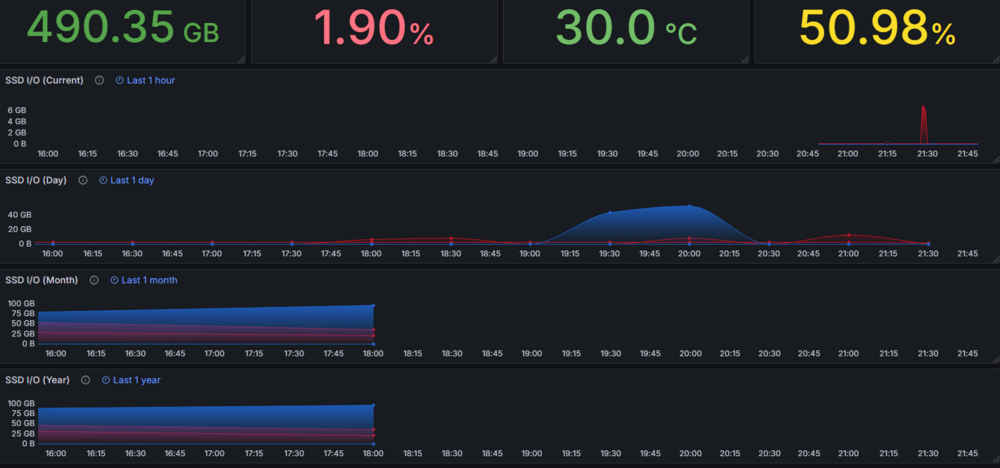
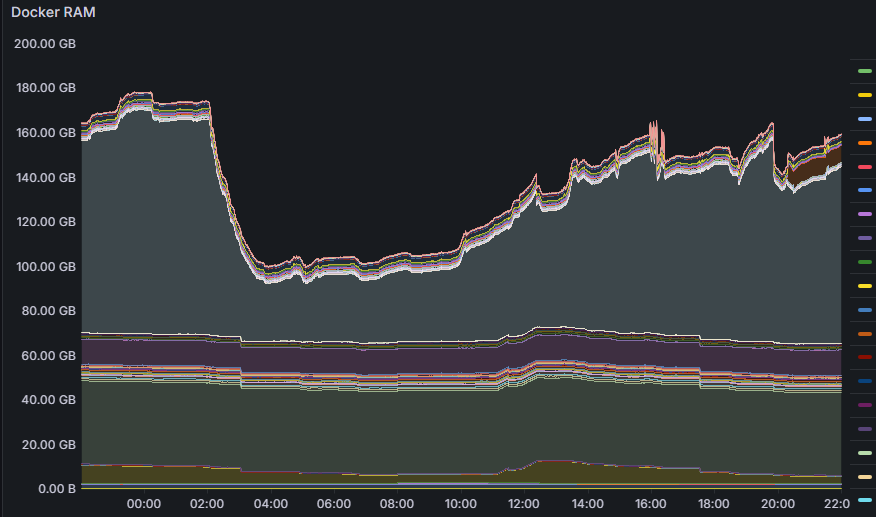
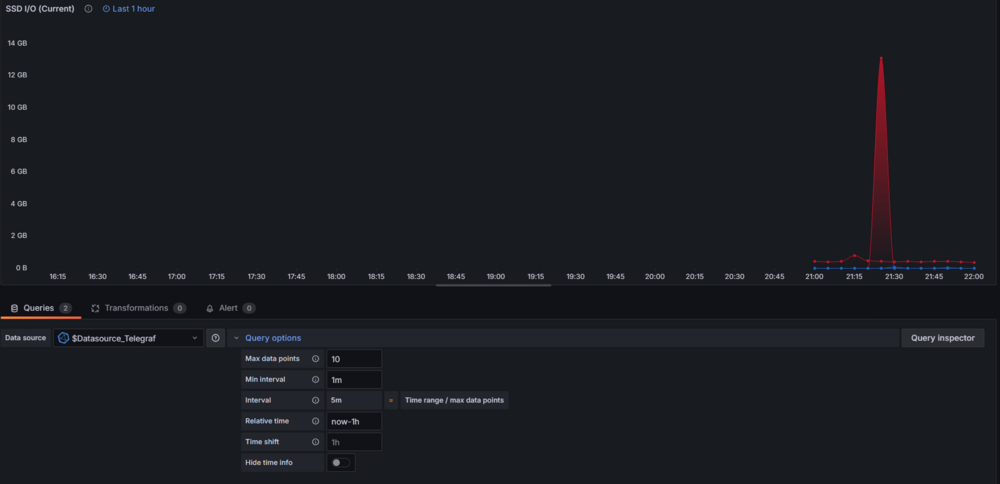
Does anyone know why the time-series graph panels are all set to 6h? Its like they aren't respecting the time picker, nor the relative time options on the panel itself. This was for "Last 24 hours" in the time picker. Anything that does not modify query options is fine. If you make any modifications to query options, it snaps back to now-6h... EDIT: I found it. Under Dashboard Settings > General > Time Settings > Refresh Live Dashboards, Toggle that off. They all appear correct now.