





thedigitaldevil
Members
-
Joined
-
Last visited
-
I've been looking for software just like this. I'm wondering if this is still maintained. I did some digging but I'm not convinced either way.
-
Decided to go with IPVLAN.
-
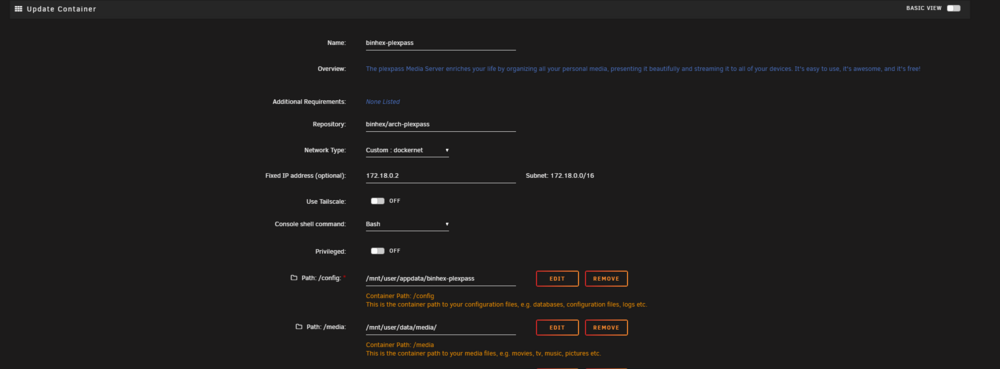
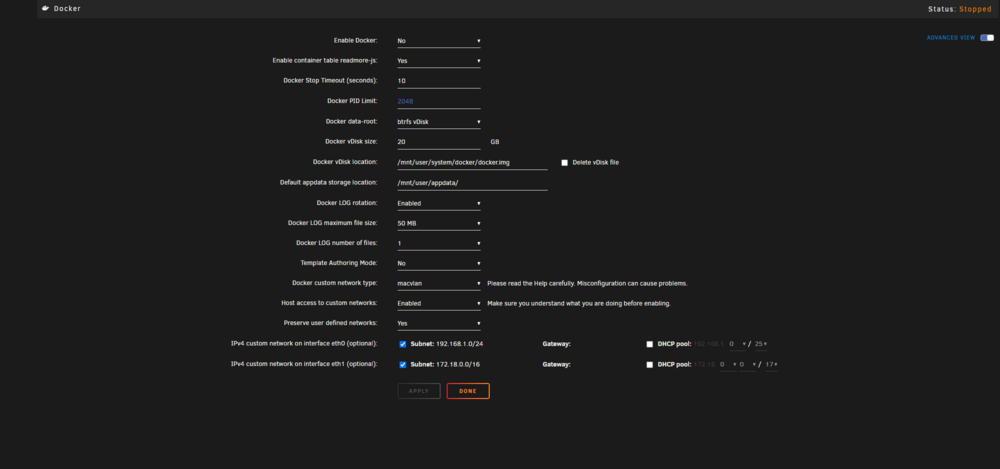
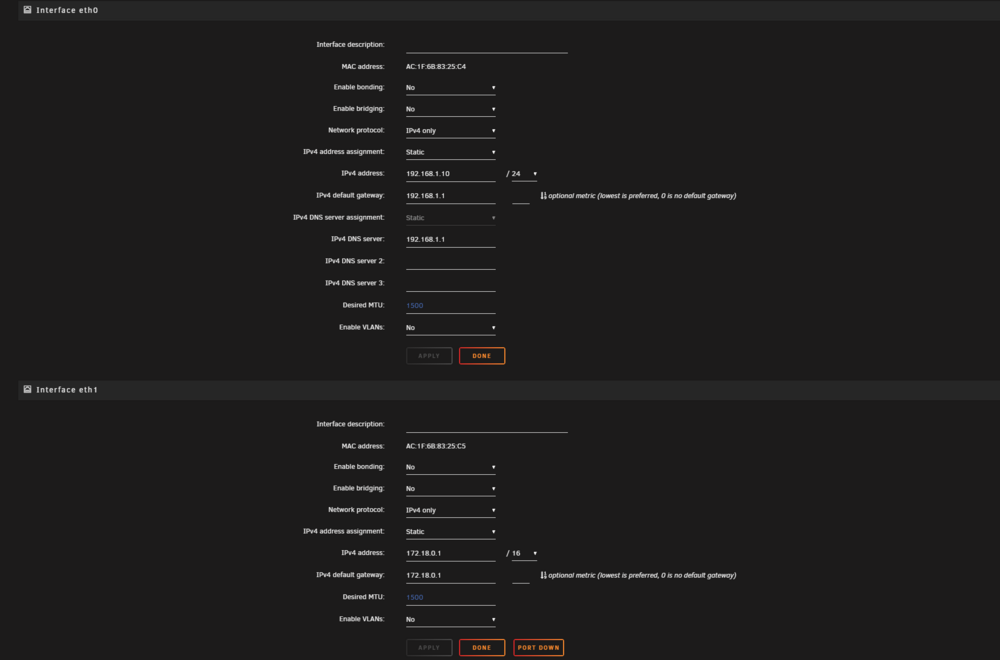
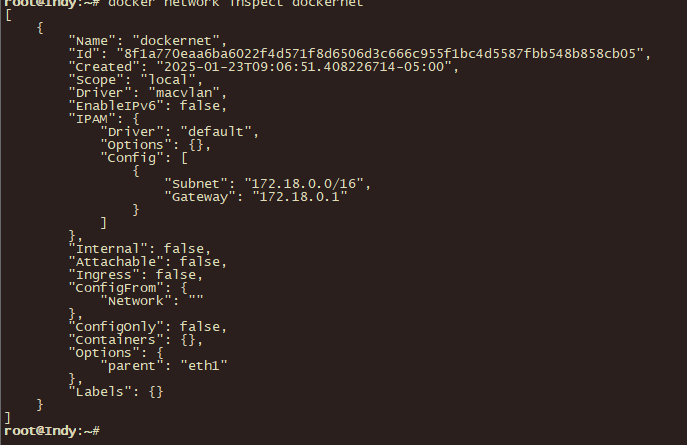
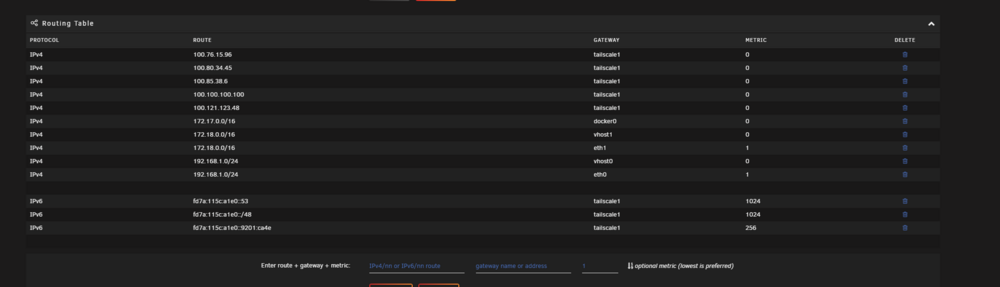
Hi all. I'm really struggling and have spent days on this. Any help would be very, very much appreciated. Issue: I can't access any web gui of containers within the docker network I created. My setup: I followed this documentation for macvlans here: https://docs.unraid.net/unraid-os/release-notes/6.12.4/#fix-for-macvlan-call-traces I created the docker network with the following: docker network create -d macvlan \ --subnet=172.18.0.0/16 \ --gateway=172.18.0.1 \ -o parent=eth1 \ dockernet Ive tried setting it to the eth0 and eth1. I can see the IP of the container in my Ubiquiti dream machine. I've tried adding a static route on the router. I dont know what else to try. I'm losing my mind at this point.

-
So I was able to resolve my previous issue by creating a docker network using the following and specifying a subnet that didn't overlap with an existing one. docker network create -d macvlan \ --subnet=10.0.1.0/24 \ --gateway=10.0.1.1 \ -o parent=bond0 \ dockernet After setting a docker to use this network, I got another error when starting up the container... Docker: Error response from daemon: failed to create the ipvlan port: device or resource busy Update... I followed the documentation here https://docs.unraid.net/unraid-os/release-notes/6.12.4/#fix-for-macvlan-call-traces and was able to get the private doicker network setup. I'm have further issues accessing the web gui of any container within that network. I'm going to make a separate post on that since the title to this one is misreprenting the issue. That, and I've had no reply.
-
Hello all! I'm just starting out with UnRaid and it's been a blast so far. There's so many resources and information available out there. The community is amazing! I am running into some issues here and there. I created a custom docker network using the commands 'docker network create'. It worked however, when I set a docker to use that network (say Plex), it wont map to a 192.168.x.x address. In tutorials and guides, I see it gets mapped to a 192.168.x.x which is what I would expect. I'm also on 7.0 stable. How can I have it map propperly?



