





stampie
Members
-
Joined
-
Last visited
-
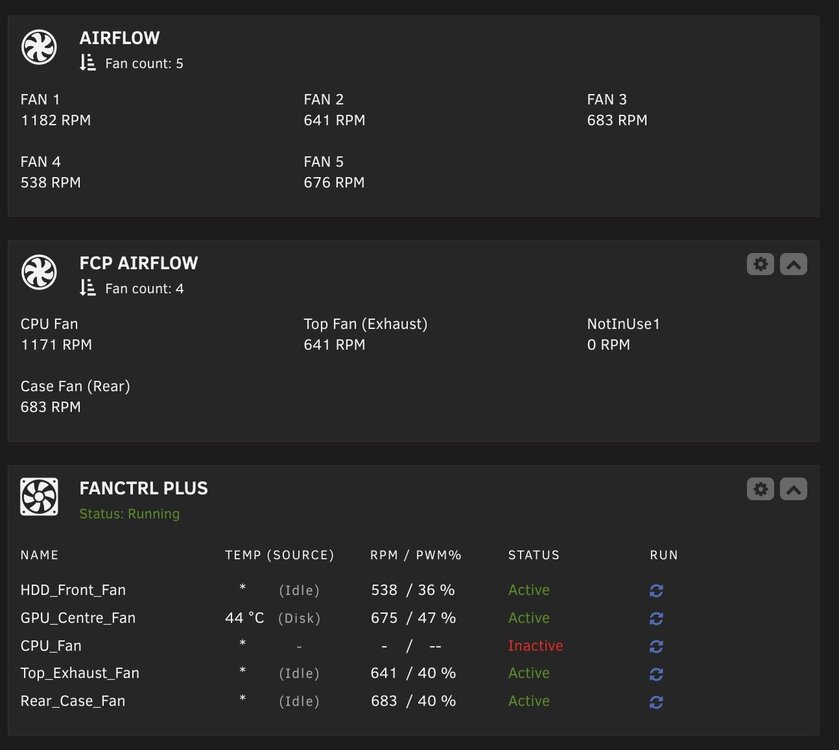
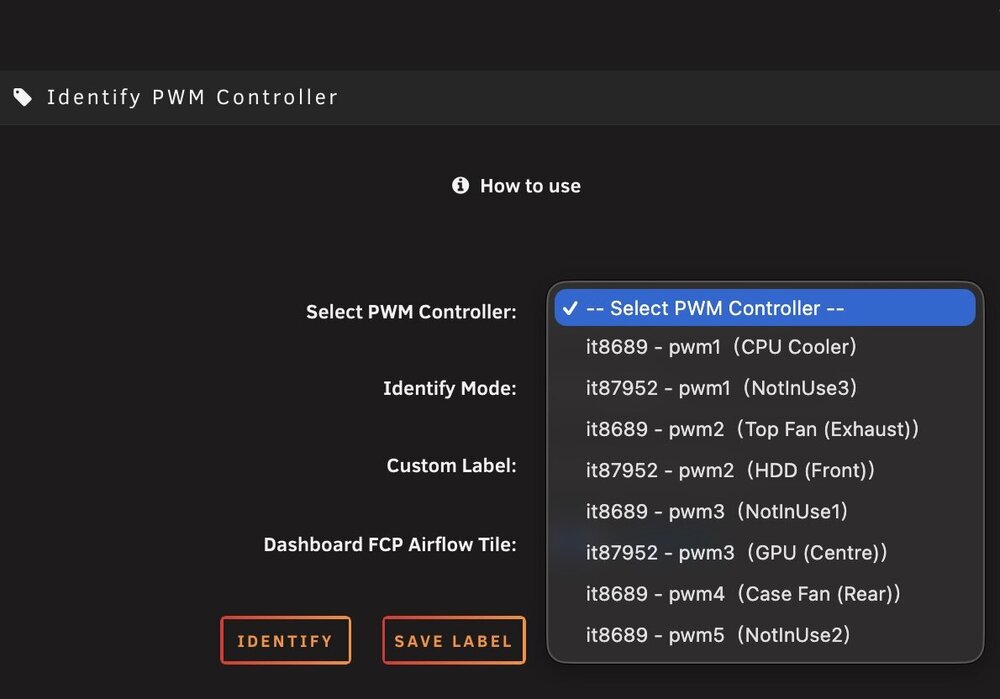
Hi, and thanks for creating this plugin - I've just installed it and mostly have it working as required except for the following issue with the airflow tile. The screenshot below shows all the pwm fans on my server. I have 5 fans connected (including the CPU cooler) across it86 & it87. Unfortunately, the FCP airflow tile is only showing some of the fans, including one that is not in use. I can't see any way to configure this, so assume there is some sort of UI issue with plugin. This is shown in the second screenshot. Is this a bug, or am I doing something wrong? Thanks. Nick
-
I'm running W11 with NVME passthrough and not experiencing long start-up times. I realise it isn't exactly the same, but I have some differences in my template which might be relevant (I'm an unraid newbie and no expert I'm afraid). The differences are: CPUs - I'm using more of the available logical CPUs than you (Intel) BIOS - Using TPM option USB controller - usb 3 (qemu) CD ROM Bus: SATA Nvidia graphics multi-function set to Yes Graphic ROM BIOS is loaded I used spaceinvaderone's YT video as my guide Hope you find a solution As an aside, I have a problem where the VM screen contents go blank after it's been running for a while. I have a separate forum topic for this and am interested if you have the same issue or not - here's a link -
-
In that case, I'm not sure there is much more I can do at this point. I'm new to unraid so have no experience as to whether this was also present in v6 or not. The VM does function ok, and I guess commands can be run from the terminal if necessary (using virsh) to prevent having to reboot the server too often. Happy to do more testing
-
Hi JorgeB, No, so I have done that now and can confirm the problem has re-occurred almost immediately. Nick
-
Hi JorgeB, So, as requested I ran a new W11 VM for a couple of days and the problem did not reoccur. I then also started my main VM and the problem has reoccurred. I should point out that my main VM is using my bare metal install of W11 which is on a separate NVME drive with the controller passed through. Nick
-
Hi JorgeB, here's an update. - With the VM in a stopped state the problem did not reoccur - Several hours after then starting the VM, the GUI went blank again. I was lucky enough to spot within 5mins of when this happened, checked the logs and there were no entries at all at this time - I also tested with the VM usage statistics disabled, but the problem still re-occurred - If I leave the VM page open on a second device (and don't refresh it), then I can still interact with the GUI (after it is blank on the other device), but the usage stats % do not change, so it is frozen, but I can still select start, stop etc. (although if I select edit, the page does not load beyond the logo at the top) Any other ideas? Nick
-
I've not noticed any USB device issues when working in the Windows 11 VM, so no idea what the disconnect messages are about - shame it doesn't specify the device. From recollection I think this only happens when the VM is running, but I will retest by rebooting and not running the VM to check that this doesn't happen when the VM is stopped. Nick
-
Hi JorgeB, please find attached updated diagnostics as requested. Regards Nick tower-diagnostics-20250303-0208.zip
-
Thanks JorgeB. I've added the boot entry from the linked post, rebooted and launched the VM. I will post updated diags as requested. Nick
-
I can confirm that the problem also occurs when booting in safe mode, so looking for next steps please to progress this further. Diagnostics from when the issued occurred in safe mode attached. tower-diagnostics-20250301-1058.zip
-
ok, I have just launched the vm after a safe mode boot and will report back.
-
Ok, so after the VM has been running for just under a day I spotted that the problem has reoccurred. Updated diagnostics attached Hope someone has some ideas of what to try to resolve the issue of confirm the bug. thanks Nick tower-diagnostics-20250227-1735.zip
-
I've updated to 7.01 and launched my W11 VM. I will update this thread if the problem re-occurs.
-
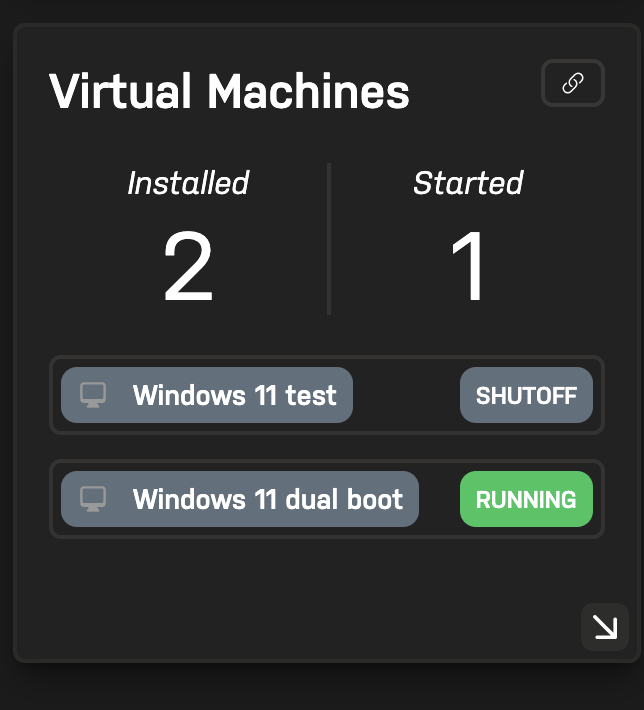
Unraid connect displays the correct information, so this looks like an unraid UI issue on some sort.
-
I'm experiencing the same behaviour with VM manager GUI. The VM list is also blank on the dashboard. The VM is still running according to virsh command in the terminal. The running VM is Windows 11 and is a dual boot PC with unraid. The only solution I have found is a reboot, which isn't ideal. Nick tower-diagnostics-20250224-2039.zip


