





Wisnia99
Members
-
Joined
-
Last visited
-
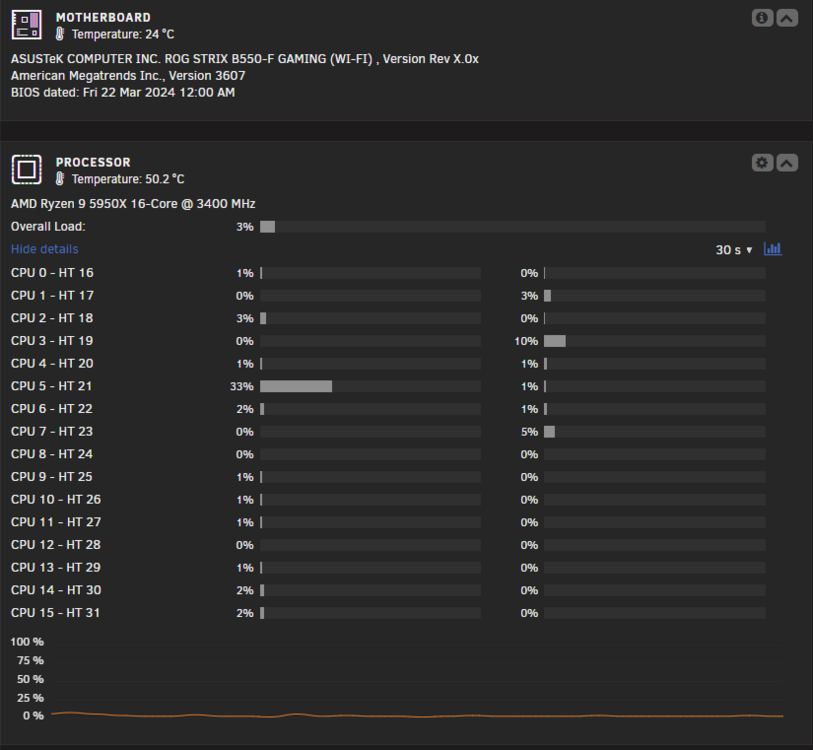
Just to update on the server crashes. I have turned off the C-power in bios and seems like its stable I have been running the server for 4 days without issues. Below is my system just in case someone runs into same issues. I hope C-power was the problem 🙂
-
Hi, I started having issues last week. Server became unresponsive after couple days. Now every couple of hours. Should I disable docker and run it for some time to see if its the services causing it? Here is the last crash syslog. May 14 10:44:49 S1D emhttpd: spinning down /dev/sde May 14 10:44:49 S1D emhttpd: spinning down /dev/sdf May 14 10:44:49 S1D emhttpd: spinning down /dev/sdi May 14 11:26:56 S1D ntpd[2507]: no peer for too long, server running free now ( This is the time when the crash happened.) Below is after the hard reset. May 14 11:40:52 S1D rc.rsyslogd: Syslog server daemon... Started. May 14 11:40:53 S1D root: Delaying execution of fix common problems scan for 10 minutes May 14 11:40:53 S1D emhttpd: Starting services... Thanks for any help!
-
Hi, I'm running into issues copying files from my windows 11 pro to the mapped network drive on unraid. The wired thing is that its random and it stops in the middle of the copying. Once I hit Try Again it works for a while and than does it again. I'm on wired connection. Is windows doing that? Thanks!

-
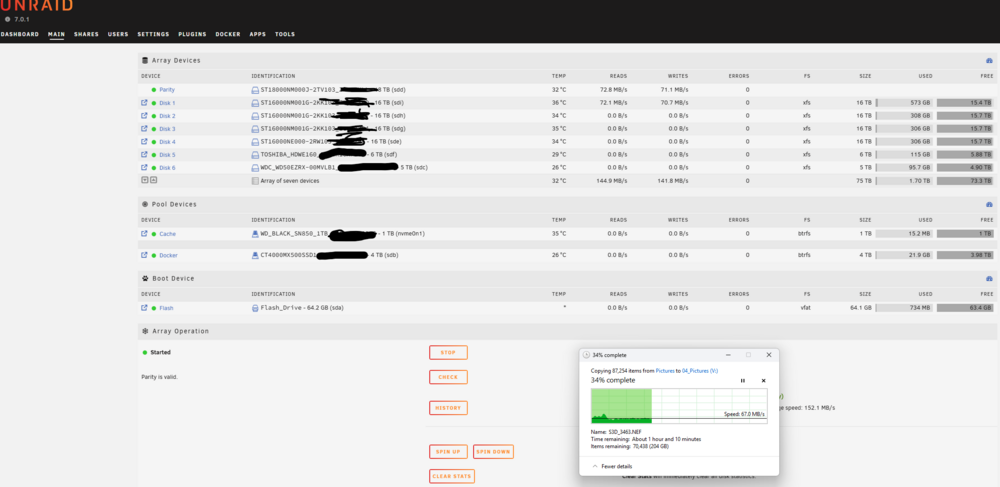
Hi, I'm copying a big picture folder to the server using windows both connected to a switch with 2.5gbe wire. Why are the speeds so slow. Is this normal? Im new to this but I thought this would be faster. Thanks!
-
Thanks! this is exactly what i needed to know
-
Hi All, Im building the nas using the JONSBO N5 case and my old PC parts Processor AMD Ryzen 9 5950X 16-Core Processor 3.40 GHz Installed RAM 64.0 GB NVIDIA GeForce GTX 1070 (8 GB) My usage case will be emby server downloading torrents Next cloud and local backup as well as docker apps and stuff. I will not be running VMs. I will also be using dual 10gb network card connected to Unify Fiber router. From what I have read ZFS is not capable to upgrade the drives to bigger size later on. Im looking for suggestion on how to set up the arrays and catche to get good performance. Im looking for parity as well. Im all new to this Thanks! Hers is the list of the drives I have available: Spinning 2x5tb 4x12tb 4x16tb 1x18tb SSD 1x4tb 1x1tb Nvme 1x WD_BLACK 1TB SN850 NVMe



