frank_sp61
Members
-
Joined
-
Last visited
Everything posted by frank_sp61
-
I have a Plex server installed on a Win10 machine that I cannot upgrade to Win11. It has all the media on an external drive. This works fine but I'd like to move it to my Unraid server, 1st as a test and then permanently. I think I need to use the "unassigned devices" to accomplish this. Has anyone tried doing this? Since this is mainly a read-only type of device (mostly) is there anything to be concerned with? Thoughts? I looked for a topic but didn't see one. Model: Custom M/B: LincPlus TVD7321X Version 1.0 s/n 000000000 BIOS: American Megatrends International, LLC. Version TVD7321X_3961FE4D_202502201635 Dated 02/20/2025 CPU: Intel® N97 @ 2871 MHz
-
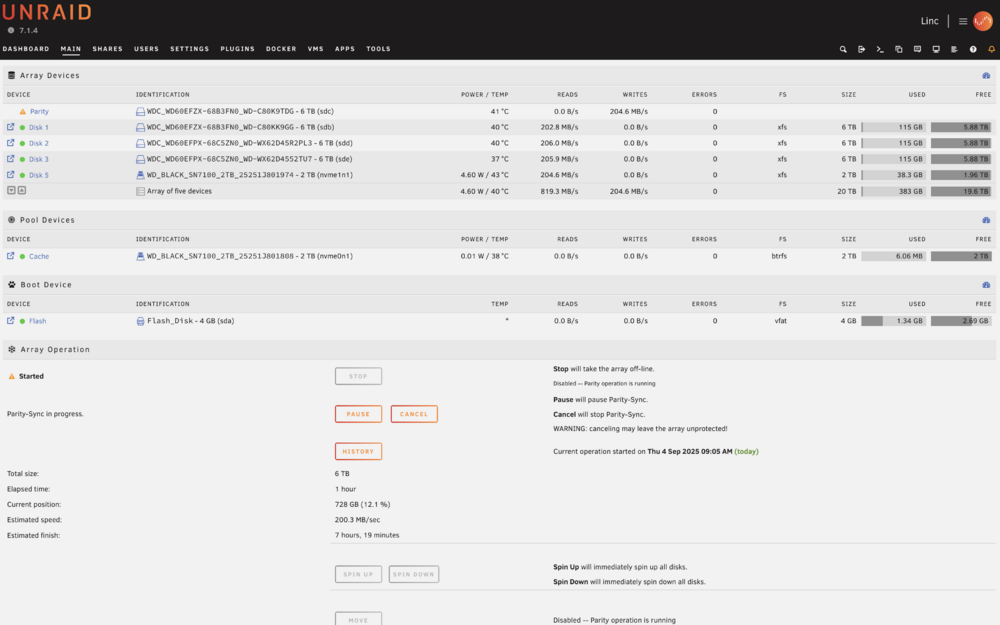
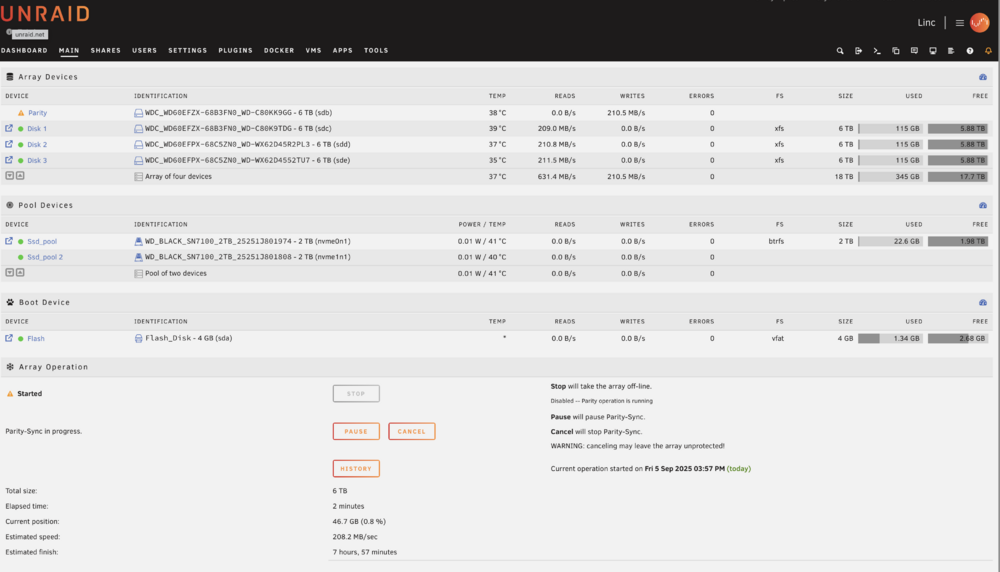
Thank you, that makes sense. I also noticed per the above screenshot that there are 2 2TB nvme's but only 1 shows that it has space. Shouldn't this say 4 TB instead of 2 TB for the pool? Or is the pool always parity backed up (i.e. uses the other) ? Also, I read that XFS should be used for the array but am seeing Youtube videos from Space Invader that ZFS might be better?
-
Okay, this is my new config. But I am wondering why the system automatically used btrfs for the NVME pool drives. Is this correct or should I use xfs there as well?
-
Thanks - do I just create a new pool call "whatever_pool" and put both nvme devices in it? Do I not need a cache drive at all?
-
Hello all - I have a new build I'd like to confirm is setup correctly before I begin adding any data. Below I have 4 6TB drives. 3 used in the array and 1 used as parity. I also have 2 2TB NVME drives. 1 in the same array and 1 as cache. My thoughts are to use the array for basically everything in my house, NVR, backups of other devices and computers, central storage for photos, etc. The NVME as cache should work to offload the writing to this array, correct? I wanted a second NVME drive for Docker instances but didn't know If I needed a separate array or if it needed to go in the pool as a separate issues. I appreciate any insight and education here before I start copying data from my other locations. Frank