Dsopinka
Members
-
Joined
-
Last visited
-
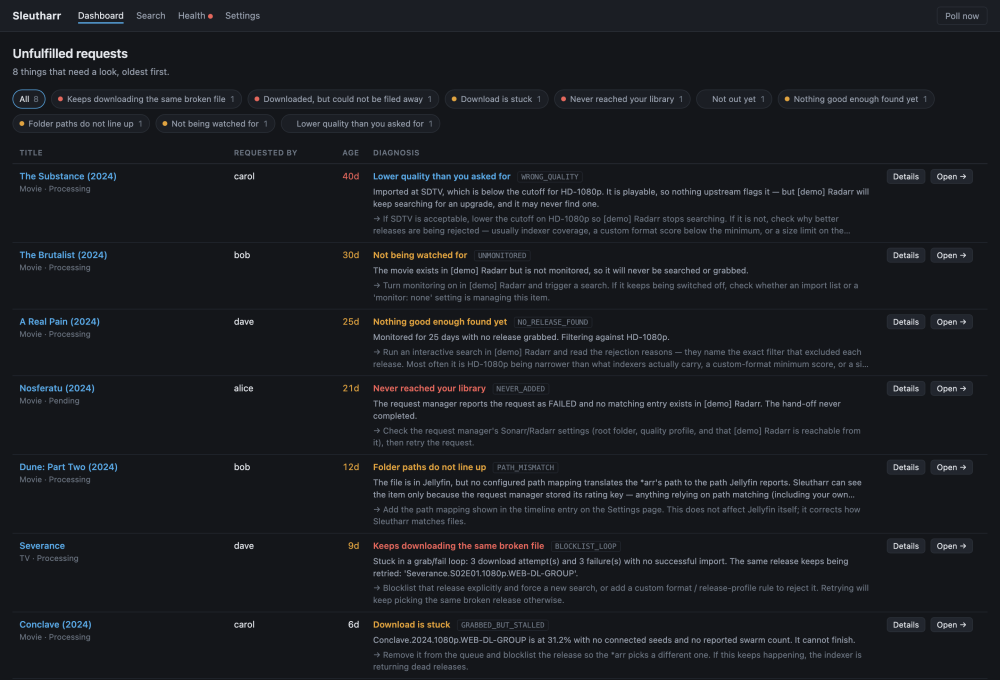
Sleutharr answers one question: I requested this — where did it die? It reads your request manager, Sonarr/Radarr, your download client and your media server, stitches one request into a single timeline across all of them, and tells you which link in the chain broke. Instead of opening five web UIs and correlating timestamps by hand, you get a sentence: this was never added to Radarr, your indexers are down, it downloaded but the import failed with this exact error, it is in Plex but your path mapping does not reach it. What it talks toRequests Seerr, Overseerr, Jellyseerr, Ombi Library Sonarr, Radarr — any number, including 4K splits Downloads qBittorrent, Transmission, Deluge, SABnzbd, NZBGet Media server Plex, Jellyfin, Emby Add your request manager on the Settings page and press Find my other services — it reads the rest of your setup out of it rather than making you type it all in again. It is read-onlySleutharr does not touch your files and does not change your setup. There are exactly three actions that write anything, each behind a confirmation and each logged: Remove & blocklist — goes through Sonarr/Radarr rather than straight to the download client, so the *arr blocklists the release, clears its own queue and history, and searches for a replacement itself. Retry the request — asks the request manager to push it to Sonarr/Radarr again. Seerr, Overseerr and Jellyseerr only; Ombi has no retry endpoint, so the button does not appear there rather than pretending it will work. Search again — off by default. Removing with blocklist already makes the *arr search, so this is redundant most of the time; it exists for the case where nothing was ever grabbed at all. Enable it in Settings if you want it. Nothing happens automatically. There is no auto-remediation and no setting that turns one on. InstallOn Unraid: Apps → search "Sleutharr" → Install. Defaults are fine. Setting Value WebUI port 8080 Config path /mnt/user/appdata/sleutharr → /config PUID / PGID 99 / 100 TZ your timezone CSRF trusted origins only needed behind an HTTPS reverse proxy, e.g. https://sleutharr.example.com Then open http://your-server:8080. Image: ghcr.io/dsopinka/sleutharr (also on Docker Hub as dsopinka123/sleutharr — same build, same digest). latest always points at a released version, and every release is also tagged by number, so :2.17.0 works if you want to pin or roll back. A note on what it is forThe whole value of this thing is that the verdict is right. A confidently wrong diagnosis is worse than no diagnosis, so it is built to stay quiet when the evidence is not there — if a service is unreachable, or a library has not finished scanning, it says "cannot tell yet" instead of guessing. If you ever see it state something confidently that is not true, that is the most valuable bug report you can send me, and there is an issue template specifically for it. Where to report thingsSomething wrong with a verdict, or a service it reads badly: GitHub issues — https://github.com/Dsopinka/sleutharr/issues — there are templates for wrong verdicts and for service-specific reports, and they ask for the raw payload the request detail page already shows you. Anything else, or you would rather not use GitHub: post here. I read this thread. Known limitationsTV is season-level, not episode-level. A part-grabbed season is diagnosed as a season. amd64 only. Unraid is x86_64 so this affects nobody here, but worth stating. rTorrent/ruTorrent is not supported yet. It is free, MIT licensed, and stays that way.
-
root@DavesUnraid:/# diagnostics bash: diagnostics: command not found
-
I have 78GB of ram usable. I am using a SAMSUNG BAR Plus 64GB. I have 63.3GB free space on this USB
-
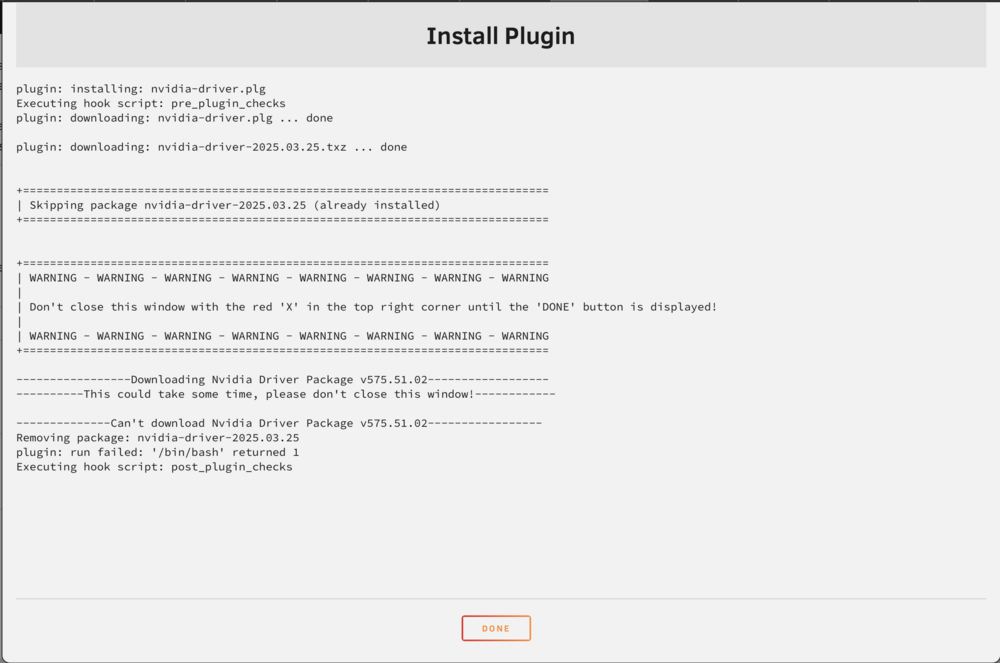
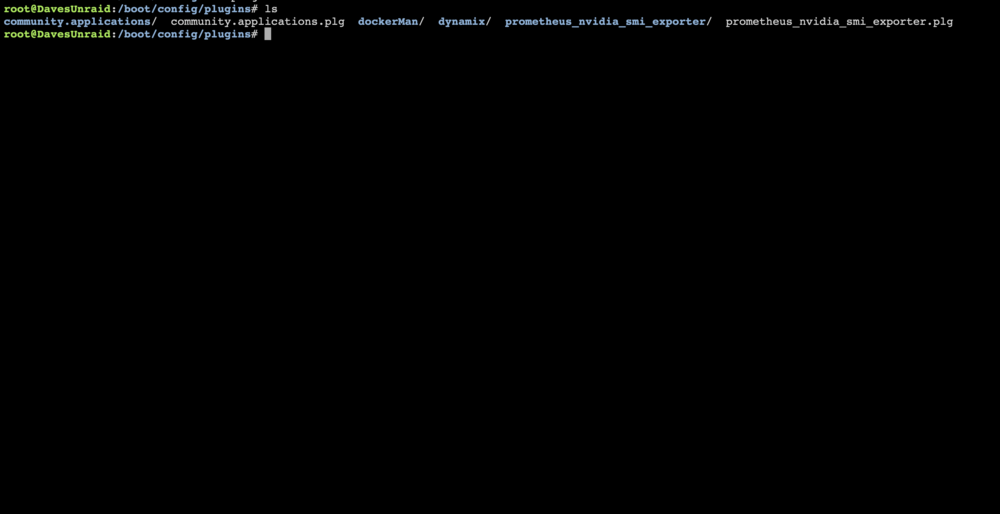
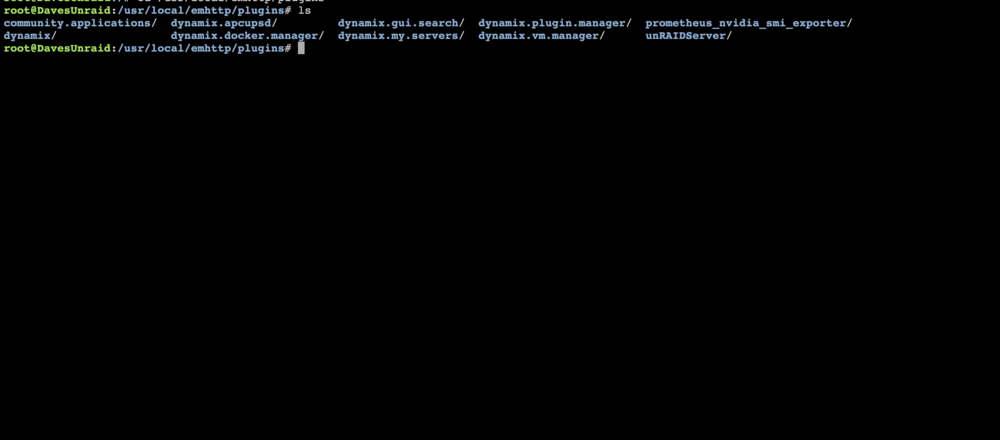
I have attached some logs below: May 19 12:15:40 DavesUnraid plugin-manager: creating: /boot/config/plugins/nvidia-driver/nvidia-driver-2025.03.25.txz - downloading from URL https://github.com/unraid/unraid-nvidia-driver/raw/master/packages/nvidia-driver-2025.03.25.txz May 19 12:15:40 DavesUnraid plugin-manager: checking: /boot/config/plugins/nvidia-driver/nvidia-driver-2025.03.25.txz - MD5 May 19 12:15:40 DavesUnraid plugin-manager: running: upgradepkg --install-new /boot/config/plugins/nvidia-driver/nvidia-driver-2025.03.25.txz May 19 12:15:40 DavesUnraid plugin-manager: creating: /usr/local/emhttp/plugins/nvidia-driver/README.md - from INLINE content May 19 12:15:40 DavesUnraid plugin-manager: running: 'anonymous' May 19 12:15:56 DavesUnraid kernel: block nvme0n1: the capability attribute has been deprecated. May 19 12:15:56 DavesUnraid kernel: r8169 0000:24:00.0: invalid VPD tag 0xff (size 0) at offset 0; assume missing optional EEPROM May 19 12:15:58 DavesUnraid nginx: 2025/05/19 12:15:58 [error] 4382#4382: *514646 open() "/usr/local/emhttp/davesunraid-diagnostics-20250519-1515.zip" failed (2: No such file or directory) while sending to client, client: 192.168.68.89, server: , request: "GET /davesunraid-diagnostics-20250519-1515.zip HTTP/1.1", host: "192.168.68.117", referrer: "http://192.168.68.117/Tools/Diagnostics" May 19 12:16:15 DavesUnraid monitor_nchan: Stop running nchan processes Diagnostics have returned a 404 error when trying to save to .zip?? When I navigate to /boot/config/plugins/nvidia-driver/ it doesn't exist. When I navigate to /usr/local/emhttp/plugins/nvidia-driver/ it doesn't exist. This is a pretty fresh install of unraid. I only set it up about 2 days ago..
-
Hello, I am having an issue trying to install the Nvidia-Driver plugin. I am new to Unraid so go easy on me. I have looked through the forum and on the internet and could not find how to fix this. I am running on unraid 7.1.2, 3060 GPU.