




-
That made the update a much bigger download but immediately runs into the same error. But understanding it was likely something in appdata helped - removed existing docker, wiped entire appdata, reinstalled. It was fine then. Was using mostly default settings anyway so not a big deal. Cheers.
-
Having a problem after jdown2 tried an update.
-
-edit- Uuuhhhh, since doing the debug report it seems like the problem has massively decreased. Now it can handle 150 connections and while that thrashes CPU2 (6 core CPU) it doesn't interfere with the operation of unraid. I changed nothing else and this is not the first time I restarted it or changed any settings. So. Uh. I'll let you know. -edit- Just started using a new tracker and now binhex-qbittorrentvpn hogs the CPU to the point of nothing else on the unraid server works for about 10-30 minutes when unraid crashes out completely. In Glaces it seems like the openvpn task is the main hog but qbittorrent-nox is doing a lot too. If I reduce the max global connections to 10 it makes the server usable. 20 is enough for CPU overrun and crash. Using the torguard magnet link it is successfully using the VPN. I'm a beginner in both unraid and linux generally. Thanks for your time. unraidqbitexecution.txt qbitdebug.log
-
It was not. Can't prove it because I've already fixed the problem. But it was not.
-
Tried it after recreating the array - still no Erase option. Thanks for the info and problem solved though. I'm sure there's a command line equivalent in unRAID/Linux but I'm more familiar with Windows so I just did it there.
-
So taking @JorgeB explanation about partitions into account I plugged the 8TB drives back into Windows and used diskpart to clean them. Back in unRAID, Tools New Config, set up again, Format works now. No idea why I didn't diskpart clean the first time instead of just deleting the partitions in Disk Manager but there it is.
-
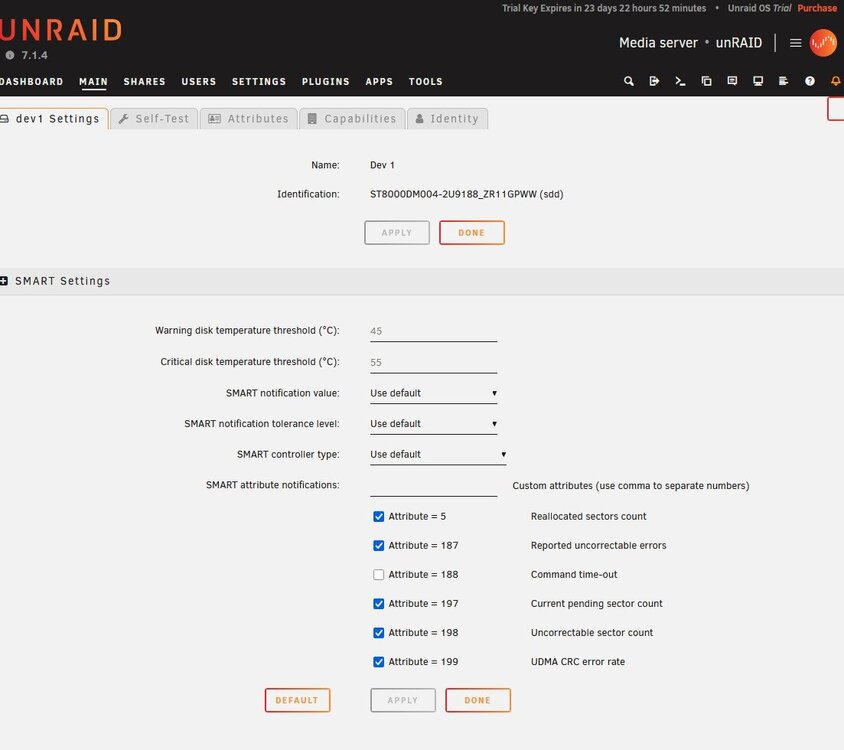
Cheers, just tried that. Can't see any Erase option on the disk's page. -edit- Ah crap I missed the Keep All option. Neat. Guess I have to recreate the array? -edit2- And I've wiped out my 28TB, apparently. Neat. -edit3- OK it just looked like that because before you recreate the Array it shows the FS as Auto which I took to mean not xfs. It's all there once you recreate the array. Still no Erase option though.
-
Attached. unraid-diagnostics-20250914-1402.zip
-
bonzamate joined the community
-
Just set up unRAID, still on trial. The basic procedure I've done: Set up an unRAID box with a new 28TB HDD. Copy the data from my 2x8TB in my regular Windows box over to unRAID. Use diskmgmt.msc to remove the partitions from the 8TB drives. Remove the 2x8TB from the Windows box and put them in the unRAID box. Add the disks to the unRAID array, click the Format box, agree to the warning... And the result is the listing of the two new drives on the Main tab is "Unmountable: wrong or no file system". I assume I missed a step somewhere?

View in the app
A better way to browse. Learn more.

