





joshua777
Members
-
Joined
-
Last visited
Everything posted by joshua777
-
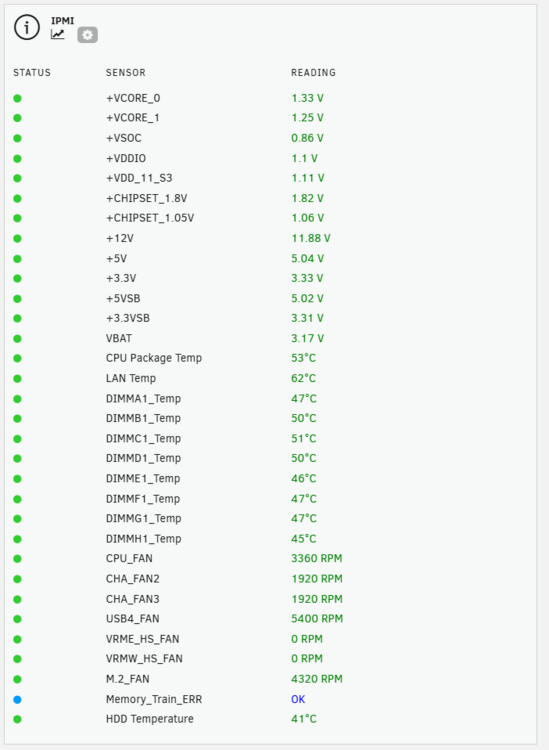
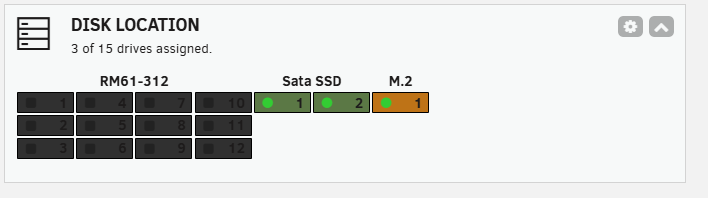
Running the new 11/7 version of IPMI Widget with the widget data empty on the Dashboard, I clicked on the Show/Hide content a couple times on the System Widget and suddenly the IPMI widget data showed up. Strange. Looks like your fix to the Plugin worked, SimonFair! I'm also using your GPU Statistics and USB Manager plugins and I love them! I also noticed FlamonOle's Disclocation plugin who posted previously and installed it. Works like a charm.
-
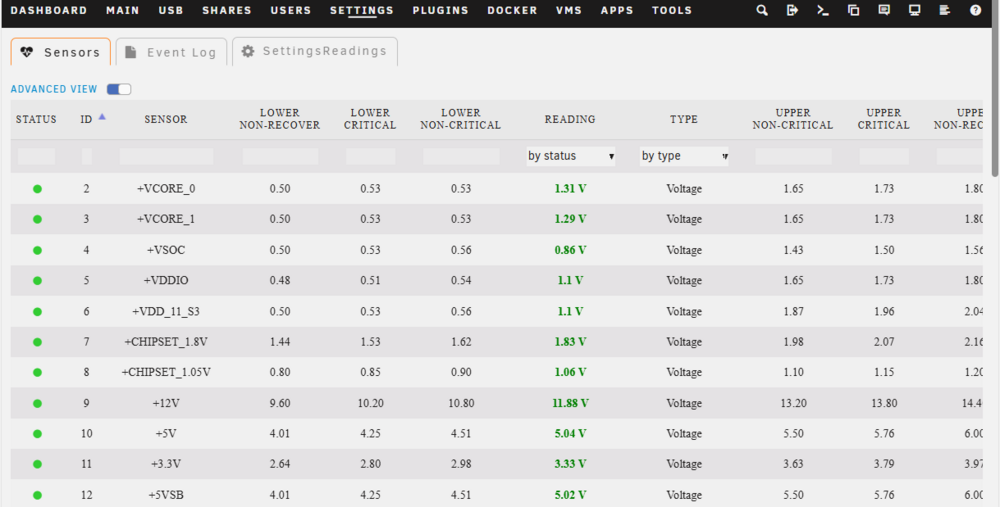
Its an onboard IPMI. Even with Enable Network Connections turned off: 1. The IPMI section of the dashboard is EMPTY, even though the config page is set to display all sensors. 2. Readings are shown on the Readings Tab and also in the footer. They just don't show up on the Dashboard. 3. Rebooting the server doesn't help fix the blank IPMI display on the dashboard. Thanks for your quick turn-around on a new version today!

-
Install process log: __________ +===============================================================================+ | Installing new package /boot/config/plugins/ipmi/ipmi-2025.11.07-x86_64-1.txz | +===============================================================================+ Verifying package ipmi-2025.11.07-x86_64-1.txz. Installing package ipmi-2025.11.07-x86_64-1.txz: PACKAGE DESCRIPTION: # IPMI unRAID Plugin # # The ipmi plugin allows you to view your system sensors and # events using your ipmi hardware. Allows for local or remote # access and event notification. # # https://github.com/dmacias72/unRAID-plugins # # Executing install script for ipmi-2025.11.07-x86_64-1.txz. Package ipmi-2025.11.07-x86_64-1.txz installed. loading ipmi drivers... starting ipmi services... ----------------------------------------------------------- ipmi has been installed. Copyright 2015-2021, SimonFair Version: 2025.11.07 ----------------------------------------------------------- plugin: ipmi.plg installed Executing hook script: CA_postHook Clearing Community Applications plugin cache Executing hook script: post_plugin_checks Plugin installed ________________________________ System logs Nov 7 18:29:18 __________ plugin-manager: creating: /boot/config/plugins/ipmi/freeipmi-1.6.15-x86_64-1sf.txz - downloading from URL https://raw.githubusercontent.com/SimonFair/IPMI-unRAID/master/packages/freeipmi-1.6.15-x86_64-1sf.txz Nov 7 18:29:20 __________ plugin-manager: checking: /boot/config/plugins/ipmi/freeipmi-1.6.15-x86_64-1sf.txz - MD5 Nov 7 18:29:20 __________ plugin-manager: running: /sbin/upgradepkg --install-new /boot/config/plugins/ipmi/freeipmi-1.6.15-x86_64-1sf.txz Nov 7 18:29:20 __________ plugin-manager: creating: /boot/config/plugins/ipmi/ipmi.cfg - from INLINE content Nov 7 18:29:20 __________ plugin-manager: skipping: /boot/config/plugins/ipmi/fan.cfg already exists Nov 7 18:29:20 __________ plugin-manager: creating: /boot/config/plugins/ipmi/ipmi-2025.11.07-x86_64-1.txz - downloading from URL https://raw.githubusercontent.com/SimonFair/IPMI-unRAID/master/archive/ipmi-2025.11.07-x86_64-1.txz Nov 7 18:29:21 __________ plugin-manager: creating: /boot/config/plugins/ipmi/ipmi-2025.11.07-x86_64-1.md5 - downloading from URL https://raw.githubusercontent.com/SimonFair/IPMI-unRAID/master/archive/ipmi-2025.11.07-x86_64-1.md5 Nov 7 18:29:21 __________ plugin-manager: creating: /tmp/start_ipmi - from INLINE content Nov 7 18:29:21 __________ plugin-manager: setting: /tmp/start_ipmi - mode to 0770 Nov 7 18:29:21 __________ plugin-manager: executing inline script: /bin/bash '/tmp/inline10-ipmi.sh' Nov 7 18:29:22 __________ kernel: ipmi device interface Nov 7 18:29:23 SHOMERM1 plugin-manager: ipmi.plg installed Nov 7 18:31:00 __________ monitor_nchan: Stop running nchan processes ============================ I noticed you updated the plugin today, so I : 1. uninstalled it, 2. deleted the /boot/config/plugins/ipmi/ipmi.cfg 3. Tried to reconnect to the IPMI IP Same problem. It looks like its trying to connect to port 80 instead of 443. My IPMI is only accessible via 443 ssl. I can't configure it to not use SSL.
-
After upgrading from 7.1.4 to 7.2.0 on an Asus WS WRX90e-Sage motherboard where the plugin was working for months, the IPMI plugin: 1. Say "Connection failed" 2. Hangs Unraid for several seconds repeatedly. 3. Raises cpu util I had to uninstall the plugin waiting for you to update it to comply with 7.2.0. When will you be coming out with an update. I enjoyed that plugin. Thank you for your efforts. SimonF

