





Everything posted by MHzTweaker
-
Nevermind. I restarted the SERVER and it cleared the "pending" install.
-
Basic user here: How is this plugin installed?

-
okay, the 2nd ticket got it fixed 😌
-
using the tutorial that was linking inside of unRAID OS itself, part 2 for existing systems. I converted to internal boot for my main server this morning.... figured out where BOOT + DATA partitions are created on the SSD so I got that sorted. Still, the license transfer for my MAIN server doesn't work either. License mismatch error. Still help with that... 😰 Apparently this isn't something I have authority to fix myself. EDIT: I just opened a separate ticket for the 2nd server since no one seems to acknowledge my continued pleas for help in the 1st ticket....
-
Well, never-mind Apparently, a person must open a ticket to have this done behind the scenes. Not sure what the MOVE TO TPM button is supposed to do. It did nothing for me. EDIT: Glad I did all this BETA testing on the backup server and not my MAIN Media Server. I believe this would have sent me over the edge before bedtime as I usually watch something as I fall asleep. EDIT to the EDIT: Also, the tutorial said there would be a boot and a data partition created on the SSD. My drive ended up with the entire 500GB as a BOOT partition and no DATA partition at all. My main Server has a pair of pricey 2TB Samsung 9100 Pro drives which I plan to use as a mirrored boot drive. Is this wise or should I just stick to a single drive. I have another 1TB 9100 Pro not doing anything in the MAIN server.
-
Another unRAID update... more problems I upgraded to 7.30 to be able to use the vacant NVMe drives I installed to boot from. Now I can... sort of.... eventually... it's just a huge mess After like 50 tries, I FINALLY got unRAID to boot from the SSD. I tried transferring the license but that doesn't work correctly either. First I had a license mismatch the first 20 times I tried, now it just sits and spins on CHECKING SERVER ACTION. Does anyone TEST this stuff before releasing it ? 😢🤬😰
-
That's not what I asked. I am looking for usage statistics. Of course I know who "HAS" access. I built the thing.
-
Things are chugging along with unRAID and I have settled into an effortless daily routine. One thing I would like to know what shares are being accessed and by who? Does anyone have a favorite plug-in that would allow this?
-
A little help?
-
Something that is curious about this report are the following lines, mainly the last line: SMART Extended Self-test Log Version: 1 (1 sectors) Num Test_Description Status Remaining LifeTime(hours) LBA_of_first_error # 1 Extended offline Completed without error 00% 47072 - # 2 Extended offline Completed: read failure 90% 46967 26411574888 # 3 Short offline Completed: read failure 90% 46951 26411574888 2 of 2 failed self-tests are outdated by newer successful extended offline self-test # 1
-
OK, extended SMART test completed in 24 hours with no errors on the 14TB drive in question. Can anyone look at this report and tell me what I should be concerned about and what I am looking at? backupserver-smart-20260406-1815.zip
-
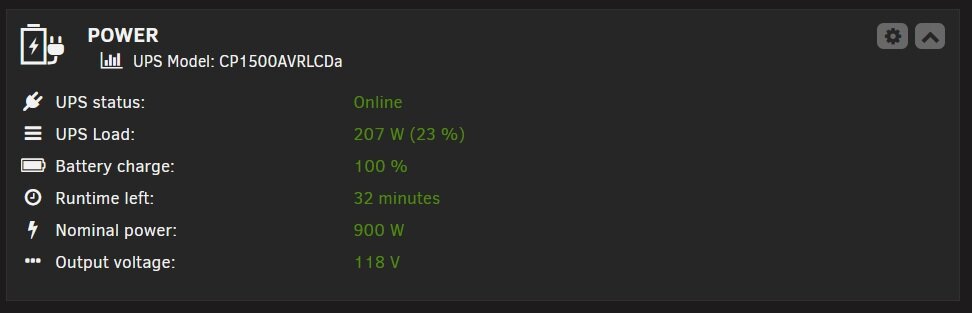
Backup server power draw
-
@Veah I decided NOT to spin my drives down because of stress, wear and tear on them. I would rather pay the extra $10 a month in electrics than have to buy a $600 hard drive. My BACKUP server has the most drives because some are 26, 22, 18, 14 and 12TB drives so there are 13 array drives soaking up watts, an SSD drive and currently a questionable 14TB drive I am testing, so that's what? 15 drives? Main Server has 10 big spinners and 3 Samsung 9100 Pro NVMe drives soaking up 170watts.
-
@Trurl thank you for reminding me that I need to once again put in place workstation backups like I "used" to do. Six months ago I had a Crucial T705 crap the bed and go into READ ONLY mode as it started degrading towards death. The drive was practically NEW (6 months old) but the double sided PCB was only being cooled on the top side. I assume it cooked itself. Anyway, I had no current backup so the fact it allowed me to read all the recently modified personal files was a butt saver. My current MAIN server is new, top to bottom. Remaining drives populated a 214TB BACKUP server and a 3rd 90tb misc STUFF server and I still have leftover drives. I've spent a bit of time "curating" (i.e. hoarding) a ton of digital content I cannot imagine replacing if lost. I guess I still do not have quite a solid enough backup strategy yet with only 2 on site unRAID parity backed copies. I am currently working on a hoard of 25 old drives from a window who's husband was something also of a hoarder. I've been given the task of recovering personal stuff like DOCs, Video and photos from the 25 drives. They are mostly 1, 2 and 3tb drives so far. They contain a lot of antiquated system backup images. At the end, she gets the condensed gathered data on a drive and I get the remaining working drives and a payment for recovery. I also still have several 4tb, 6tb and 8tb drives left over from my original Windows Server cast offs. It's possible I can get enough together for a 3rd offsite backup.
-
Ok, thanks @trurl , copy that. Currently at 20% ..about to clock out for the night here. It could be done by late morning. I really don't have an "Offsite" option but I could separate the servers from my home and put one in my outside workshop office structure. Everything here is 10gbit linked so it'd make no difference to them.
-
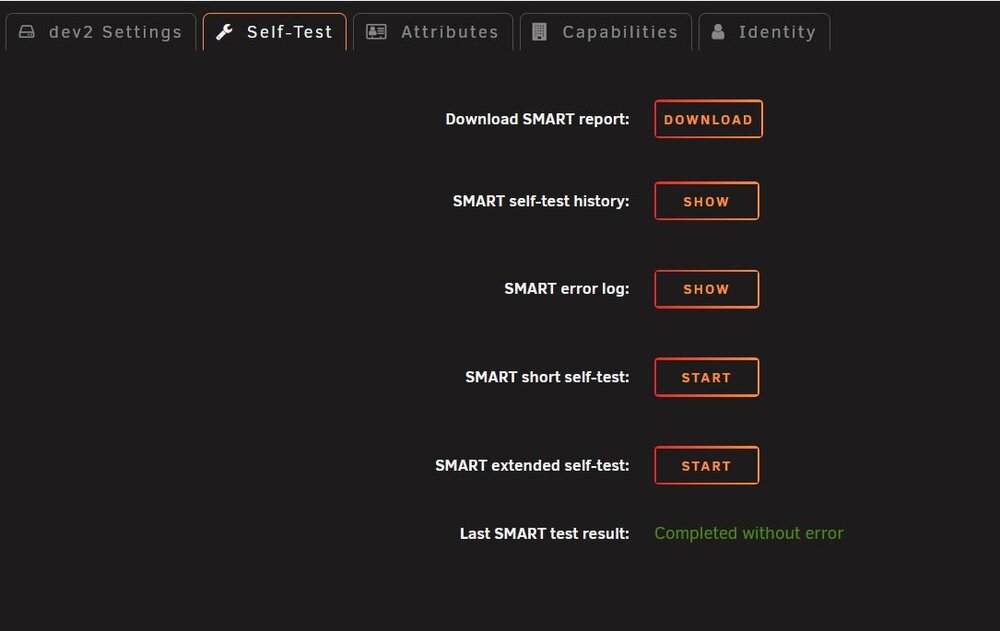
I forgot to ask, is this SMART extended self-test going to take another 2 to 3 days? SMART Extended test started a few minutes ago.
-
@Veah I'm not sure ditching a perfectly good socket 1200 i7-11700k CPU and motherboard for an N100 surface mounted CPU/MB combo is going to work for me. Anything replacing it needs to support a PCIx 8 lane LSI 9305 HBA SAS card and a PCIx 4 lane dual ported 10gig NIC card. It could be possible to replace said 125w 11700k with a lesser CPU such as a 35w Pentium G6505T CPU, although the 11700k is drawing very little power at the 1 - 5% LOADS it sits at all the time. I say all this because I went down a power saving adventure with my Socket 2011-3 Xeon CPUs, replacing a 125w Xeon 14 core with something like a 45w Xeon 10 core and it only made less than a 20w difference in power draw. I also have a new Pentium Gold G-6400 CPU new in box, which claims 58w max draw. https://www.cpu-monkey.com/en/cpu_socket-lga_1200 A core i5 11500T would be another 35w drop in replacement. A used replacement 11500T seems to sell for $80 on ePrey. A used Pentium G6505T for under $40. I have a TON of used motherboards, CPUs and hardware on hand. I own and have operated a computer services business for 20 years and have been in I.T. for over 40 years. The main server power draw with ten 26TB drives and an Ultra 5 245k cpu is about 170w. The BACKUP server power draw with 13 misc hard drives and the i7 11700k cpu swings between 216s and 243w with pre-clear running. EDIT: There is also the possibility of both underclocking and undervolting the 11700k processor for power savings. I'm 98% done with step 5 (Post Read) of pre-clear, so I will have some answers soon.
-
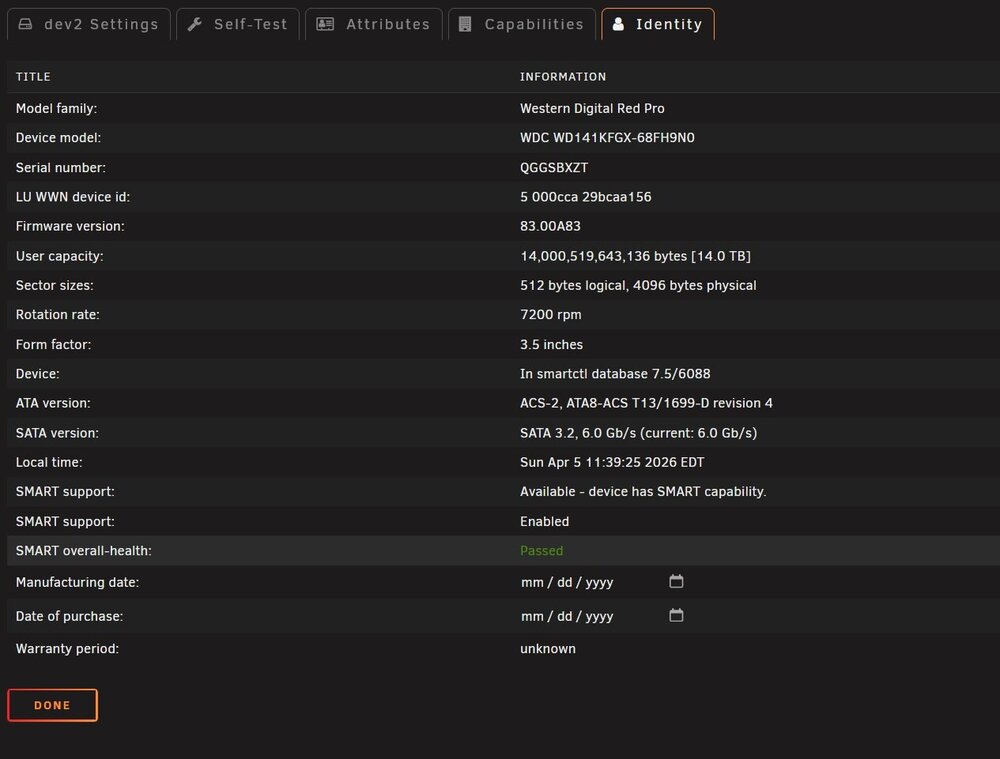
Now it seems to say S.M.A.R.T. test are passed... what in the world?
-
Okay, not seeing any indication of reallocation yet.... odd48.5 hours into the pre-clear of the 14TB, I am 66% finished with Step 5 of 5 (Post-Read). So, it's looking like this afternoon sometime as an E.T.A. for completion. Again, where and how should I investigate whether Pre-Clear has marked out those "8 weak sectors" revealed by the S.M.A.R.T. data and externally using HD Sentinel software? Obviously I can format the drive and see how the system reacts to it in "unassigned devices". I just wonder where in the hoard of REPORTS data this might be. Also, thinking about the energy costs here to keep the BACKUPSERVER powered up with a 24 hour a day with a 200watt consumption, I am considering power the entire server off except for 1 day a week to backup changes made to the MAINSERVER. I've never had any kind of redundancy before unRAID except to keep 2 servers with same drive sized volumes live at all times. With 2 parity drives on what is a brand new machine and drives I am not sure it is necessary to keep the BACKUP server burning 200 watts of electricity for 7 days a week. Any thoughts on this?After 24 hours, its only 33% done with Zeroing (step 2) I am thinking it will take 3 days to pre-clear this 14TB drive. It's a good thing multiple drives can be done simultaneously. The backup server is an i7 11700k with 64GB DDR4 and a 9305 24i HBA, workload rarely exceeds 5% CPU so I guess it really is just how fast this WD Red Pro can physically move internally. No matter, I feel I am over much of the anxiety I had jumping head first into unRAID after using Windows Server for 10 years. Life goes on, meals get eaten and my grass still needs cutting while these servers chug along. I rarely ever had to do anything to the Windows servers except restart to install patches and blow the dust out once a year outside with my air compressor. I am wondering how long some people here have had their servers running without a restart? I think periodic power outages here and limited UPS capacity would be my limiting factor. I have a 13k Watt generator I can plumb into the house but I'd never run servers off this dirty power even though I have both UPS's and PowerVAR Toroidial power filter systems in front of my servers and main rig desktop.LOL There always seems to be some extra sauce I forget to order. I'm not sure how thorough it is being cleared. I should have looked everything up before stomping the GAS pedal. There are like 5 different stepsOkay, I will post that Report once PreClear completes...... which could be some time. It looks like this procedure gives a drive a good beating. 🤕 I have no idea how long a 14TB drive takes to finish. It will be interesting to see how or if it can pass afterwards.




