jnye6601
Members
-
Joined
-
Last visited
Everything posted by jnye6601
-
I'm not sure what you mean by "USB not recommended for assigned drives for many reasons." My plan was to have my main storage drives in one enclosure, and the parity drives in another. Is this not recommended?
-
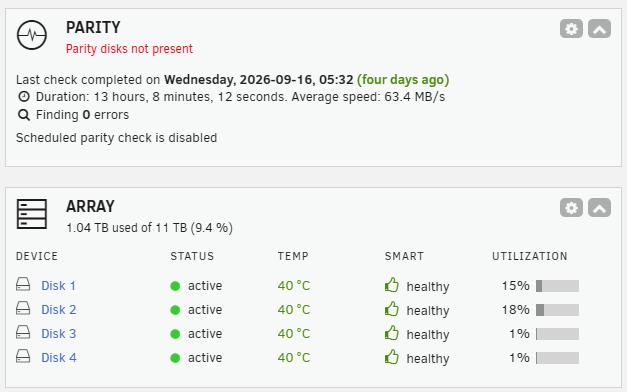
Currently running Unraid 7.3.2 Drives consist of 3 3TB (disks 1-3) and 1 2TB (disk 4) for a total of 11TB of storage in a 4 bay enclosure No Parity drives installed at this time I want to add 4 parity drives of 13TB total 3 4TB drives and 1 1TB drive. I am unsure of the operational stste of the 1TB drive I believe that all parity drives must be larger than the main storage drive. Can the sum of the three remaining parity drives (12TB) act as a full parity of the four main drives? In the case that the 1TB is functional, and I will learn this when I have the new enclosure, how do I go about re assigning disk 4 as a parity drive, and the 1TB as a main drive? This would then provide 10TB of storage, and 14TB of parity And then what is the process of simply adding the new drives as parity?