





jmos1277
Members
-
Joined
-
Last visited
Everything posted by jmos1277
-
I can confirm, I am still experiencing this issue on v6.12.11.
-
Yes! I've been following the Samba bug on the Samba-Bugzilla. I saw it was patched in 4.17.8 and have been checking unRAID release notes since then. Looking forward to unRAID v6.12.3 (hopefully). In the meantime, I put the following two commands into a shell script that I run periodically: find "$1" -type f -name "._*" | while read n ; do rm "$n"; echo "Removing " ; echo " $n" ; done ; find "$1" -type f -name ".DS_Store" | while read n ; do rm "$n"; echo "Removing " ; echo " $n" ; done
-
I came across that when trying to determine what was going on. It wasn't clear to me if this was fixed yet. I guess that status of "Assigned" kind of implies that it is still unresolved.
-
Thanks for the update and the suggestion. I currently have my own script that I used to run periodically. I stopped when I started using the 'veto files' option. Looks like I'll be using my script again until I can figure this out.
-
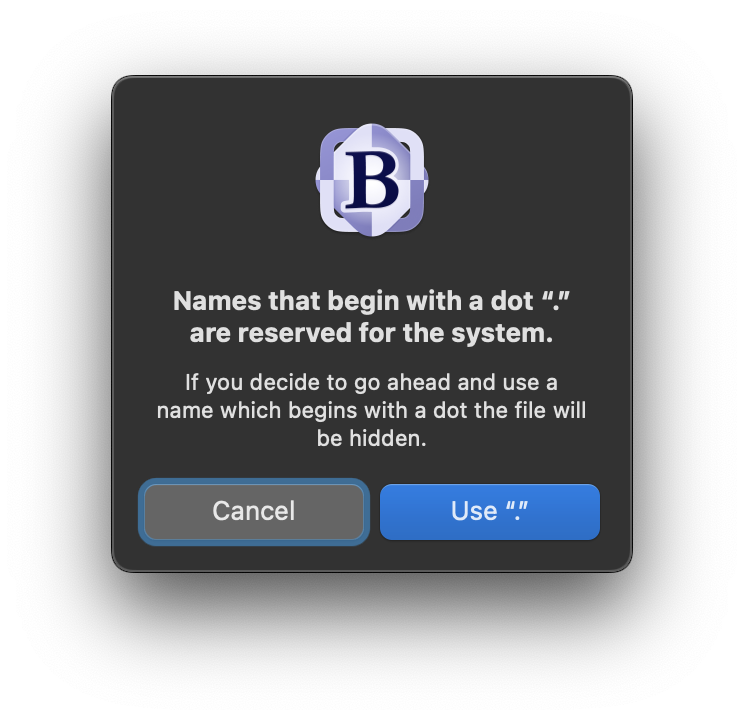
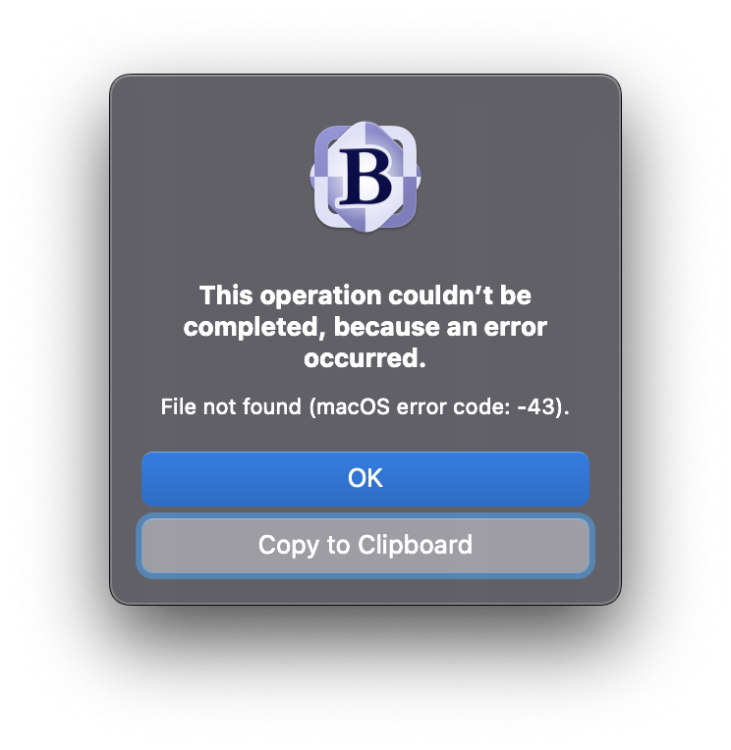
Hmmm .... the mystery intensifies. I ran your experiment using BBEdit and attempted to write to my share directly from BBEdit's save dialog box. I received two errors, back to back ... "Names that begin with a dot "." are reserved for the system." with the option to "Use "."" I selected Use it. Then, a second error popped up: "This operation couldn't be completed, because an error occurred." Finally, I checked my sambaShare ... and the FILE was there despite the error message ... LOL!
-
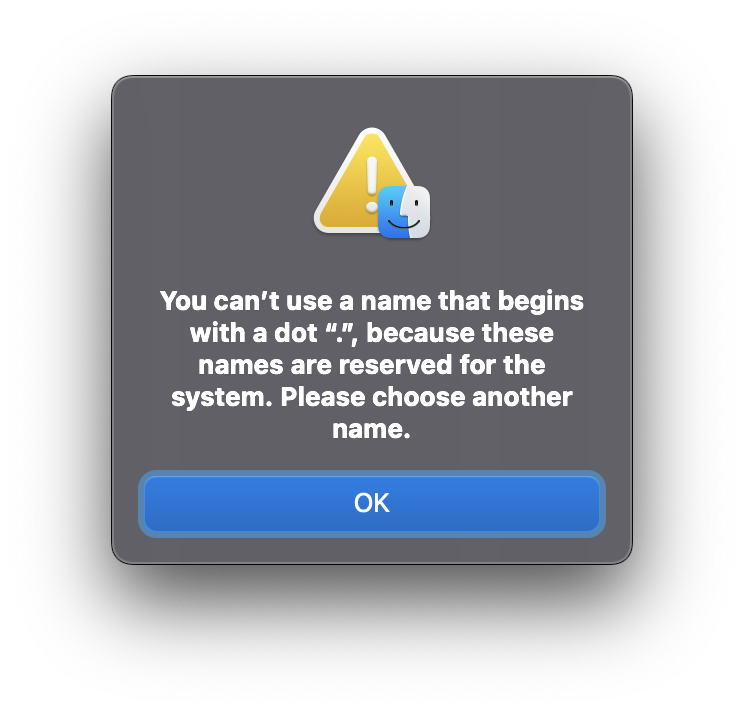
@wgstarks, what version of unRAID are you currently running? I only started having this problem when I upgraded to 6.10 (and now 6.11). My setting worked previously when running 6.9.x. I have rebooted several times as I've been experimenting. I've also started/stopped my array numerous times. Just out of curiosity, when you attempted to create the ._test file, was the error that you received a macOS Finder error or was it a Samba error? I ask because the macOS Finder will throw an error and prevent your from creating a file called ._test even on your local drive. Is it possible that the error you saw was a Finder error? The attached image illustrates the finder error. I attempted to recreate your experiment whilst side-stepping Finder ... opened up Terminal ran "touch ._test" to create the "._" file ran "cp ._test /Volumes/sambaShare" As expected, the write to my sambaShare succeeded even with my veto files setting. If things were working properly, the write should have failed. Thanks again for taking the time to run your experiments and for responding!
-
Thanks for the reply. I just read through the thread that you referenced but still have some questions related to the 'veto files' option. Does the 'veto files' option still function properly for files other than the macOS dot files? According to the Samba v4.17 docs, veto files is still an option and should still work. Are the macOS dot files treated differently than a standard file by Samba thereby requiring the use of "Enhanced macOS interoperability"? Is it possible that this bug, "Samba v4.17rc1 BUG 15143" was not fixed in time for release of v4.17? I read through the Samba v4.17 release notes and it's not clear to me if this bug was fixed. Samba v4.17 Release Notes As a side note, I've played around with enabling "Enhanced macOS interoperability" and tried again just this afternoon after reading your post. My problem has always been that I have hundreds of files that seemingly include forbidden characters in their name ("/", "?", etc.). WIth "Enhanced macOS interoperability" enabled, those files are not even visible when browsing my Samba shares. One of these days, I will take the time to rename them. The funny thing is ... those filenames are valid on macOS and those files were all created on macOS and copied to unRAID withOUT "Enhanced macOS interoperability". I am able to see/edit them without "Enhanced macOS interoperability". However, when I enable "Enhanced macOS interoperability" those files are no longer visible. I don't know everything that's going on under the hood ... but this seems backwards to me.
-
I recently upgraded my unRAID server and I noticed that the pesky macOS-generated dot-files have returned! I haven't changed my server Samba configuration since June 2021, but it appears some of the underlying changes in recent updates require that I do. It seems my 'veto files' setting is no longer functioning properly. My 'Settings -> SMB -> SMB Extras' entry looks like the following: [global] #prevent 'dot' files from getting created veto files = /._*/.DS_Store/ #prevent Windows from creating DOSATTRIB in extended file attributes store dos attributes = no #unassigned_devices_start #Unassigned devices share includes include = /tmp/unassigned.devices/smb-settings.conf #unassigned_devices_end I've also attached my testparm output in hopes that someone might see something wrong in there. The testparm settings clearly shows that 'veto files' is included and set in the [global] section. However, it doesn't appear to be doing anything. Any Samba experts out there that might have an idea what changed and what I need to do to get this working again? To be clear, I'm not interested in simply hiding the dot files. I want to ensure they are never written to my server when I copy files from macOS to unRAID (or edit them). It's not clear to me if it matters (I don't think it should), but I have the "Enhanced macOS interoperability" setting in unRAID set to "No". testparm.2022.10.10.txt
-
Ok, of course, immediately after posting my message I tried "one more thing" and may have solved my problem. Maybe someone can chime to let me know if this makes sense. I simply rearranged my settings in my SMB Extras config. I moved my: [global] veto files = /._*/.DS_Store/ to the very top of my config file and moved the include for 'unassigned devices' below that (this was previously at the top). Now, when I run testparm, the unassigned devices drives no longer have a blank 'veto files = ' line. And, more importantly, they appear to be obeying the global setting. Would rearranging my extras config affect things in this way?
-
I'm not certain if I'm the only one ... however, I recently noticed that my 'veto files' setting is no longer functioning. I've had the following in my SMB Extras for quite some time: veto files = /._*/.DS_Store/ ... and it has worked for quite a long time to prevent those pesky macOS files from littering my unRAID server. Just recently, I noticed that my unRAID server is no longer preventing these file from getting created. I haven't changed any configuration options, but I did update to 6.9.2 not long ago. The release notes for 6.9.2 do indicate that SAMBA was updated to version 4.12.14, but I cannot say for certain that the problem only appeared after the update to 6.9.2. I have confirmed that my smb-extra.conf is getting included in my smb.conf file. My smb-extra.conf also contains my smb-settings.conf for my 'unassigned devices' plugin and those are mounting and working properly. I ran testparm -v and found that my 'veto files' setting was only getting applied to a single share from my unassigned devices plugin. I thought I was clever and added the [global] tag above the 'veto files' line in my SMB Extra config. Now when I run testparm -v it shows my 'veto files' setting in the global section of the output and a blank 'veto files = ' under my unassigned devices shares. Has anyone else had any recent issues with the 'veto files' setting? Am I doing something wrong with the veto files setting? I've attached my testparm output Any suggestions on how to root out the issue? testparm_output.txt
-
I REALLY like this idea. A share that is mirrored on multiple disks...
-
Raj ... it only looks like a huge amount of room because that MiniITX board is SOOO tiny. If you stick an ATX, or even MicroATX board in there, things will get a bit tighter.
-
Sure ... I'd love to stop by Berlin ... I've never been there. Is airfare included?
-
Zip ties and zip tie anchors are an absolute MUST HAVE for any PC build.
-
Hey folks, built my first unRAID server about a month ago ... just now getting around to posting some pics. Here's my config: -------------------- Antec Nine Hundred Two Case (w/ 1 extra Antec drive cage for 3 total) SuperMicro X7SPA-HF Mini ITX Board (IPMI rocks) G.SKILL 4GB (2 x 2GB) 200-Pin DDR2 (667) Corsair 650HX 650W Modular Power Supply Verbatim TUFF-'N'-TINY 4GB Flash 1 x 2TB Western Digital Caviar Black (parity drive) 2 x 2TB Western Digital Caviar Green (WD20EARS) 2 x 2TB Hitachi Deskstar 7K2000 -------------------- If I remember correctly ... Parity build speed ~60MB/s Parity check speed ~75MB/s Sorry, I'm a lousy photographer. Such a tiny board in such a big space ... The Verbatim TUFF-'N'-TINY is installed directly into the motherboard. It's very tiny and barely noticeable. I took the time to braid all of the exposed wires (e.g. case fans, front panel IO, etc.) even though they are mostly routed behind the motherboard tray. Looks nicer that way. -------------------- Here's a better view at the drives. I only have 5 in there right now (8TB data + 2TB parity). I will expand as I need more. They're spaced out right now, so the drives stay very cool. During parity checks, the WD Black maxes out at 30 degrees, the WD Greens max out around 28 degrees, and the Hitachi drives max out at 29 degrees. These temps are with all of the case fans running at their slowest speeds. -------------------- A look at the backside wiring. Not too bad ... glad it's hidden. Zip-tie anchors are a must-have. Also bought a nice braided 12" power cable extender to help route the power behind the motherboard. Without the extender, the power cable wasn't long enough to route behind the MB tray. -------------------- Oooh ... pretty blue lights. Cast this bad-boy in the next 'Fast & Furious' flick! Ok ... seriously, I chose this case because it had nine exposed drive bays and it was fairly cheap ... not because of the blue lights. -------------------- The case came with two drive cages ... each holds 3 drives, has a fan, a fan-speed controller, an air filter, and funky disco lights. I bought a third drive cage from Antec. -------------------- The case has a window ... it sure made me self-conscious about my wiring. --------------------
-
Ok ... first post here. I just finished my first unraid build (I'll post pictures soon) ... currently pre-clearing my disks. I was reading through this thread and thought I should point out that anti-static bags are conductive!!! Please don't power on your components while they are sitting on an anti-static bag!!!

