





Everything posted by dlandon
-
Use something like Midnight Commander to move files and folders.
-
There are two issues here: The File Manager is not allowing any UD devices (/mnt/disks or /mnt/remotes) to be selected when trying to copy/move files from shares. The file picker allows /mnt/disks to be chosen, but not /mnt/remotes. Some changes were made in these two areas to try to control the path that can be selected. We'll have to take another look at that.
-
You should be posting this question here: You are posting in the preclear post. The answer to the question is you can't copy files from a user share to a UD mounted share at /mnt/remotes/ with the file manager because the selection for /mnt/remotes/ is not available. Feel free to post a feature request.
-
We believe we have resolved the NFS issues.
-
Thanks for the feedback. I'll add the permission adjustment to the plugin installation. This probably occurs when restoring the database from the flash as that would reset the permissions. I don't think Unraid has a group "root:samba", but I think you might be set now. I'll have to take a look, but I'm pleased that things seem to be working for you.
-
I was testing here on an Unraid server with a user with special characrters, and it was failing. I remember now that Unraid has some special character limits.
-
The share /mnt/user/Backup has a permission issue. Check your permissions, but you might try this: chmod -R 770 /mnt/user/Backup chown -R 10000:10000 /mnt/user/Backup The var/lib/samba/ permissions can probably be fixed with this: chmod 644 /var/lib/samba/share_info.tdb chown root:samba /var/lib/samba/share_info.tdb If that fixes the permission, I'll add that to the plugin to fix this when it installs.
-
I do see that there is an issue now with CIFS accepting special characters. UD is handling thme just fine. I am looking at a resolution because the way I pass the credentials to the CIFS mount seems to trip up CIFS on special characters. If using legacy SMB protocols (e.g., SMBv1), the password length may be limited to 14 characters due to legacy LM/NTLM hash limitations.
-
I don't see any issues here. The only suggestion I have is to double check the password. If you can give me a test password that doesn't work, I can check it.
-
I recommend you use the defaults as they are the best for general use. TIt should work fine for you. The other database options are used for special needs that an Unraid user will not generally need. I only included them for completeness. Click on the link in the page for more information about setting up AD on Samba. Please let me know if the new settings will work for you. We would like to resolve the issues with AD.
-
It's a credentials issue. That's why they won't list in the shares. Be sure you are using the latest version of UD that can handle special characters in the password. If you are using any special characters, let me know what they are and I can verify that UD handles them properly. Not sure why it shows multiple times in the drop down. It's not supposed to do that.
-
The Recycle Bin only works with SMB shares. It does not work with the File Manager.
-
Stable only.
-
Switch to the Lyrion Music Server. The Logitech Media Server docker container is deprecated, no longer supported, and will eventually be removed from CA.
-
Enter 'XXXX-SUB3.YOUR-STORAGEBOX.DE.LOCAL' for the server name on the 'Remote Servers' tab. If that does not work, use the IP address.
-
It's at '/flash/logs/ud_diagnostics.zip' with the date imbeded in the name.
-
Your best bet is to upgrade to 7.0.0-rc2 as the NFS issue with NFS stopping properly has been fixed.
-
And the current UD root share doesn't do that?
-
Update the container. I added a missing library.
-
The rootfs is used for a disk buffer by preclear and it is quite full: Jan 01 11:23:46 preclear_disk_WL20VL9M_21211: rootfs 32808748 28269032 4539716 87% / Something is using a lot of memory on rootfs. Try to figure out what it is and rectify it.
-
The /mnt share method just shares /mnt but does not include any share features like the recycle bin. It will also include all shares, even UD shares. The UD root share is a bind mount so share features like the recycle bin will work. I attempted to include the disk shares when I first set up the root share, and the bind mount crashed shfs. What is your use case in needing a root share including everyrhing?
-
No.
-
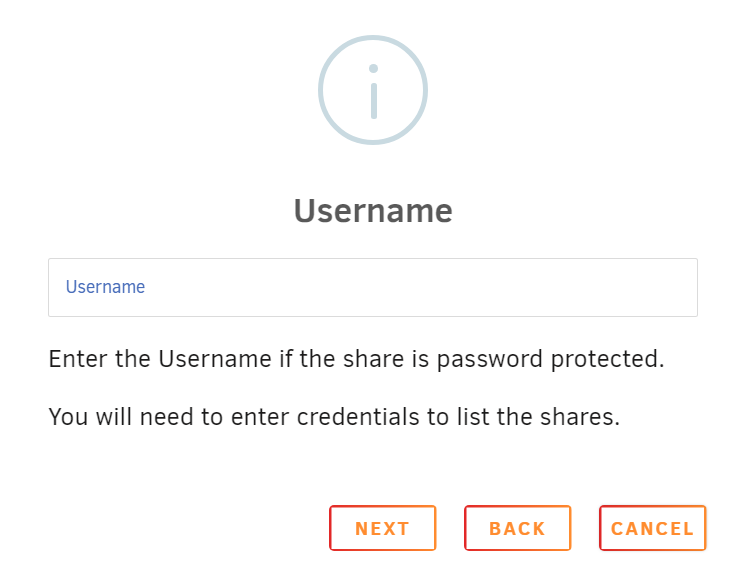
You need to enter Windows credentials (login credentials) to show the shares and mount the remote share, even if you have it turned off.
-
The best way to do it is to click add a share, select the Windows icon, then click on "Search for Servers", choose the Windows computer, then enter your credentials. Once you get on the Choose Share dialog, click on "Load Shares". If shares don't show, you have a credentials problem. If the "Search for Servers" does not show the Windows computer, go to the Settings->Unassigned Devices, click on the "Remote Servers" and enter the Windows computer name and see what UD finds about the Windows computer and SMB sharing.
-
I don't understand how it is mounting. Do you have a script somewhere that is mounting the USB device with the UD script? To keep UD from doing anything to the USB device, unmount it, then go to the device settings and mark it 'Passed Through'.


