dlandon
Community Developer
-
Joined
-
Last visited
Everything posted by dlandon
-
Just to the right of the 'Historical' switch in the upper right of the page.
-
UD is not picking up the file system on that partition. Try clicking on the double arrow icon and see if the file system shows and the mount button turns active.
-
Show a screen shot after a reboot when the mount button is grayed.
-
One of the disks has an issue with an empty partition: Aug 25 12:06:02 Unraid unassigned.devices: Mounting 'Auto Mount' Devices... Aug 25 12:06:02 Unraid unassigned.devices: Partition '' does not have a file system and cannot be mounted. Aug 25 12:06:03 Unraid unassigned.devices: Mounting partition 'sde1' at mountpoint '/mnt/disks/3TB'... Aug 25 12:06:03 Unraid unassigned.devices: Mount cmd: /sbin/mount -t 'xfs' -o rw,relatime '/dev/sde1' '/mnt/disks/3TB' Aug 25 12:06:03 Unraid kernel: XFS (sde1): Mounting V5 Filesystem Aug 25 12:06:03 Unraid rsyslogd: [origin software="rsyslogd" swVersion="8.2102.0" x-pid="15158" x-info="https://www.rsyslog.com"] start Aug 25 12:06:03 Unraid kernel: XFS (sde1): Ending clean mount Aug 25 12:06:04 Unraid unassigned.devices: Successfully mounted '/dev/sde1' on '/mnt/disks/3TB'. I don't think this is your particular issue because this is the internal disk. The USB disk doesn't seem to have an issue. Please post a screen shot of UD showing the two disks.
-
How are you coppying files to the UD disk and what is the source of the files? There is no minimum free space on a UD disk, so I don;t understand what limit you are running into. Unraid doesn't have any control over UD disks.
-
Go to a command line and type 'ud_diagnostics', then upload the /flash/logs/ud_diagnostics.zip.
-
None of your disks are mounting. They are all showing unmountable.
-
To overcome the problem for the time being, navigate to the UD webpage and then hot plug your device. I'm working on a fix for the next release.
-
Let me do some testing.
-
You can't have two different devices with the same mount point attached at the same time. Either change the name of one of them, or only have one device at a time attached.
-
You successfully mounted a disk at mount point '/mnt/disks/USB-Backup_Raster': ug 11 05:21:21 Raster unassigned.devices: Mounting partition 'sdc1' at mountpoint '/mnt/disks/USB-Backup_Raster'... Aug 11 05:21:21 Raster unassigned.devices: Mount cmd: /sbin/mount -t 'btrfs' -o rw,relatime,space_cache=v2 '/dev/sdc1' '/mnt/disks/USB-Backup_Raster' It was properly unmounted: Aug 19 19:21:24 Raster unassigned.devices: Unmounting partition '/dev/sdc1' at mountpoint '/mnt/disks/USB-Backup_Raster'... Aug 19 19:21:25 Raster unassigned.devices: Synching file system on '/mnt/disks/USB-Backup_Raster'. Aug 19 19:21:25 Raster unassigned.devices: Unmount cmd: /sbin/umount -l '/mnt/disks/USB-Backup_Raster' 2>&1 Aug 19 19:21:25 Raster unassigned.devices: Successfully unmounted '/dev/sdc1' Then you attempted to mount another disk at mount point '/mnt/disks/USB-Backup_Raster': Aug 19 20:44:36 Raster kernel: BTRFS: device label USB-Backup_Raster devid 1 transid 23336 /dev/sdh1 scanned by udevd (26907) Aug 19 20:44:36 Raster unassigned.devices: Error: Device '/dev/sdh1' mount point 'USB-Backup_Raster' - name is reserved, used in the array or a pool, or by an unassigned device. Aug 19 20:44:36 Raster unassigned.devices: Disk with serial 'WD_My_Passport_25E2_57584C31453636465A4E4C35-0:0', mountpoint 'USB-Backup_Raster' cannot be mounted. Is the second disk a different disk with the same mount point? Go to a command line and type 'ud_diagnostics' and then post the /flash/logs/ud_diagnostics.zip file.
-
The mount point is the same on this device as another device. Post diagnostics for a closer look.
-
I guess your server needed a rest. Maybe there is something in your hardware that reset with a power off.
-
There's really no limit, but memory is consumed so eventually you might have memory issues. Inotify doesn't use much memory though and new servers have a lot of memory. Just keep increasing it until File Activity finally works for you.
-
You are getting an inotify watches error: Aug 3 20:44:07 Tower inotifywait[12274]: Failed to watch /mnt/disk3; upper limit on inotify watches reached! Aug 3 20:44:07 Tower inotifywait[12274]: Please increase the amount of inotify watches allowed per user via `/proc/sys/fs/inotify/max_user_watches'. Aug 3 20:44:08 Tower file.activity: File Activity inotify exiting Install the Tips and Tweaks plugn and increase the number of inotify watches allowed. The T&T plugin will show you what you currently have. Increase the number of watches as needed to get file activity to run.
-
Did you not say that you removed and re-entered the remote share on every reboot? If so, I am wanting you to redo it in case there is a typo or the config file got corrupted. I asked you to be sure to use a password without special characters as a test to be sure there are no problems with special characters. Also, look at the Settings->PHP Settings log and see if we have any php errors.
-
Post diagnostics.
-
Special characters can be a problem for php. Be sure the password is characters and numbers only and see if it works.
-
This is going to be a problem because I see you are using credentials and they are not available unless UD does a mount. I am sort of out of ideas for the moment. Edit: Try removing the remote share and then add it back. Let UD search for the server and enter the credentials. Then tell UD to search for the shares. If the shares don't show, you have a credentials issue you need to sort out. Then try to mount the share again and see if it works. I am seeing some information that credentials can cause the -112 and -512 errors you are seeing.
-
Run this command first: mkdir /mnt/remotes/FLATSTAR_PlexMedia
-
I do see one thing that is different when mounting a CIFS share. It may be a samba change. Try this command to mount the remote share: /sbin/mount -t 'cifs' -o rw,relatime,noserverino,nounix,iocharset=utf8,file_mode=0777,dir_mode=0777,credentials='/tmp/unassigned.devices/credentials_FLATSTAR_PlexMedia' '//FLATSTAR.LOCAL/PlexMedia' '/mnt/remotes/FLATSTAR_PlexMedia' I removed the 'uid' and 'gid' options. I am seeing this in your log that I've not seen before: Aug 7 10:02:04 Tower kernel: CIFS: enabling forceuid mount option implicitly because uid= option is specified Aug 7 10:02:04 Tower kernel: CIFS: enabling forcegid mount option implicitly because gid= option is specified You might also have to specify a SMB version in the mount command if the drobo needs it.
-
I just did a test to a server that only supports SMB v1.0 and I got the -112 errors when UD tried to mount a remote share. Check the SMB settings on the drobo server.
-
UD is seeing the remote server online. This is the online status UD detects when checking the remote server being online. This is from the ud_diagnostics. { "FLATSTAR.LOCAL.SMB": { "no_pings": 0, "online": "yes", "changed": "no" } } What this means is the remote server SMB port (445) is open and the remote server is acting as a SMB server. Is there a conflict with port 445? UD polls the remote server to determine which protocol the server supports. The -112 means the remote server connection failed for network reasons. It doesn't seem to be a protocol issue. The mount command timed out: Aug 7 10:02:49 Tower kernel: CIFS: VFS: cifs_mount failed w/return code = -512 Aug 7 10:02:49 Tower unassigned.devices: Warning: shell_exec(/sbin/mount -t 'cifs' -o rw,relatime,noserverino,nounix,iocharset=utf8,file_mode=0777,dir_mode=0777,uid=99,gid=100,vers=1.0,credentials='/tmp/unassigned.devices/credentials_FLATSTAR_PlexMedia' '//FLATSTAR.LOCAL/PlexMedia' '/mnt/remotes/FLATSTAR_PlexMedia' 2>&1) took longer than 15s! Aug 7 10:02:49 Tower unassigned.devices: SMB mount failed: 'command timed out'. Aug 7 10:02:49 Tower unassigned.devices: Remote Share '//FLATSTAR.LOCAL/PlexMedia' failed to mount. SMB 1.0 may not be supported on your drobo server. Try this: Go to Settings->SMB and enable NetBIOS. It shouldn't be needed unless Unraid is acting as a SMB v1.0 server.
-
Here is some more information on the error you are getting: The mount error you are encountering (cifs_mount failed w/return code = -112) indicates that the mount operation failed due to a network-related issue. Specifically, the return code -112 corresponds to a connection timeout or a problem reaching the SMB server. This typically occurs when: The server is unreachable: The network connection to the SMB server (FLATSTAR.LOCAL) might be down or misconfigured. DNS resolution issues: The system may have trouble resolving FLATSTAR.LOCAL to an IP address. Firewall issues: A firewall could be blocking the connection between your Unraid server and the SMB server. To troubleshoot this issue, you can try the following steps: Check network connectivity: Verify that the SMB server is reachable from your Unraid server using a simple ping or nslookup command. Check firewall settings: Ensure that there are no firewall rules blocking the connection between your Unraid server and the SMB server. You might also want to examine the logs on the SMB server for any signs of connection attempts or errors.
-
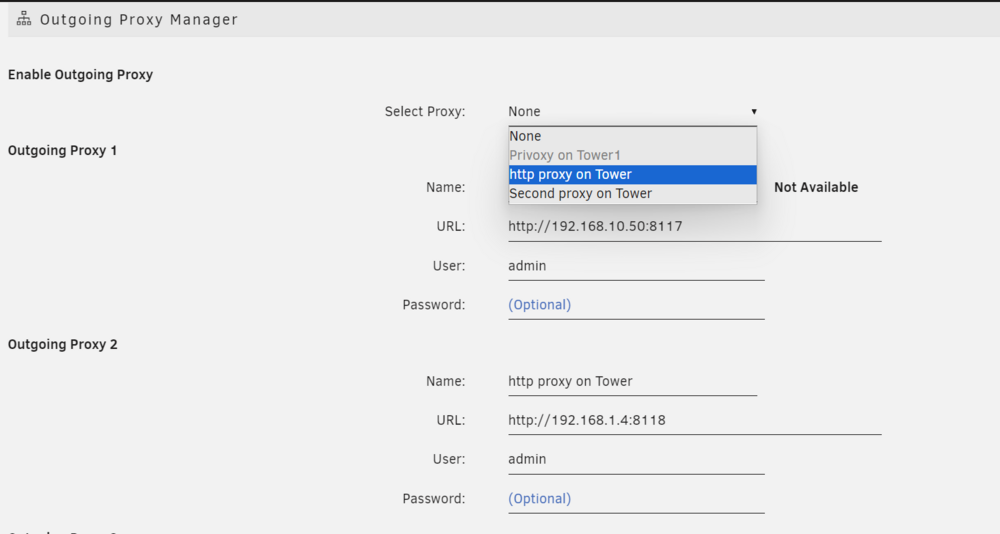
In my case, you can see that Proxy 2 is available and active: