ToXIc
Members
-
Joined
-
Last visited
Everything posted by ToXIc
-
changed and seems to be moving the files now.. i'll audit the other shares.. thx for the help
-
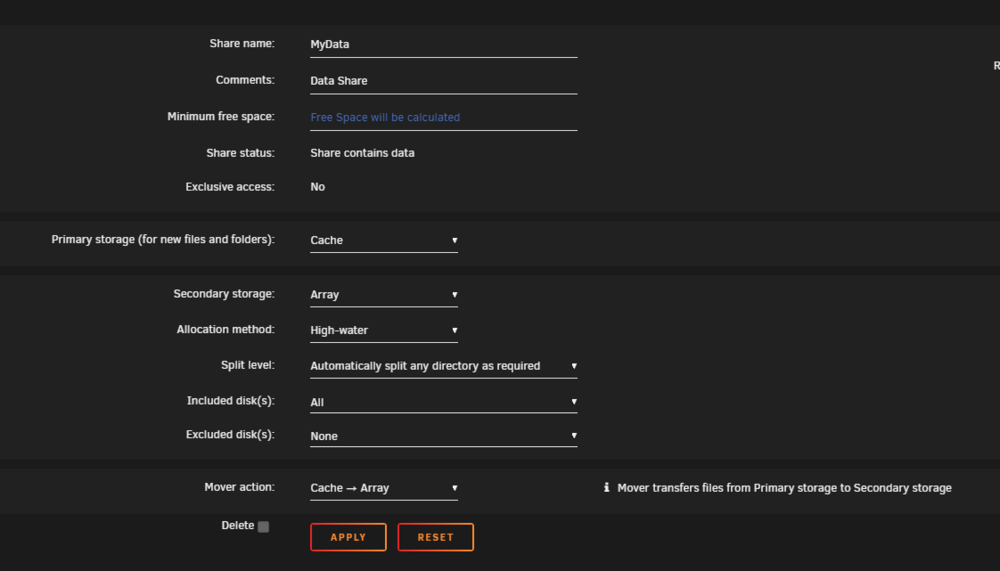
kinda weird that its set to Array but its going to cache.. i see filed from last night in there
-
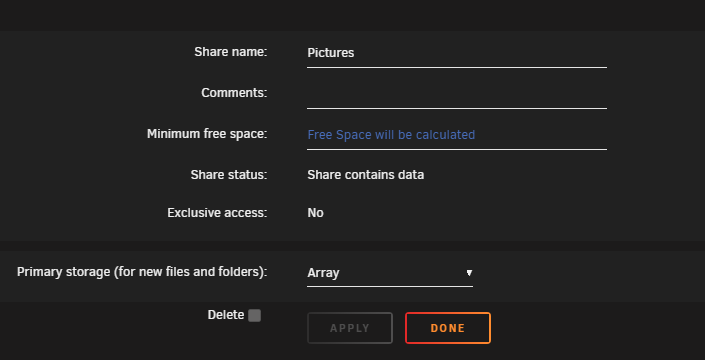
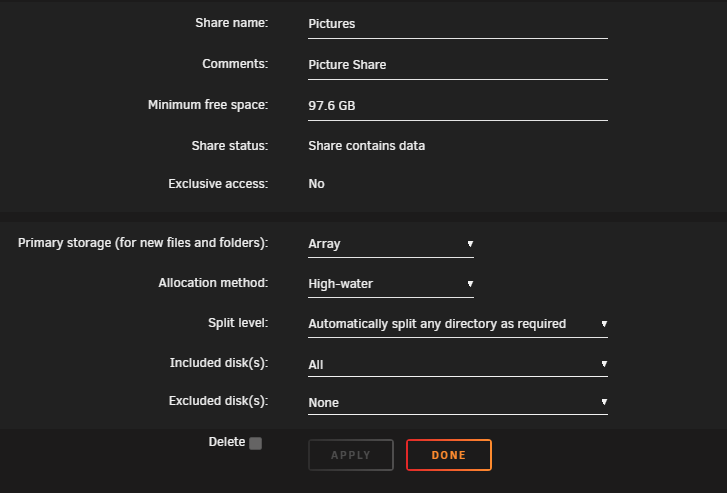
so it showed up like this added a description and now its like this was this because of the 7.0 upgrade? edit: should i change to this?
-
Everything in MyData Pictures
-
having issues with mover.. shows it ran but there is no reduction in cache size.. rebooted and tried again no change. enabled logging and downloaded dig, please see attachment. i browsed the cache folders and it definitely have data that should be moved off. fatjoe-diagnostics-20250210-1116.zip

-
poke around at my dockers i dont see it.. *shrug*
-
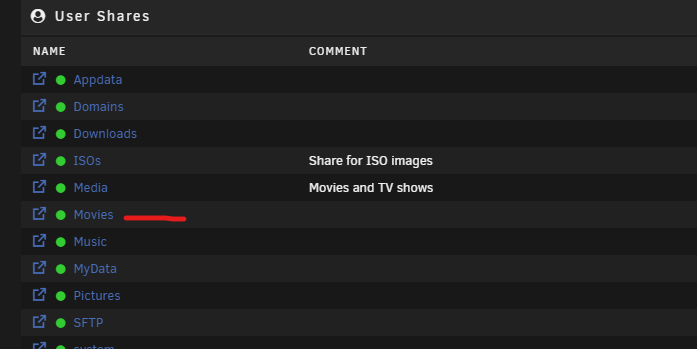
what the heck.. lol looking over the server this am and the movies share is back... lol zombie share.. i even opened my browser in incognito mode and its showing up.. ill put a desc. do not use lol
-
*zips up flame suite* ok roast me. i truly dont know why/when i changed the mapping to the legacy location.. i activated the legacy share and used MC to move the files off then remapped the dockers and stuff is showing up.. smh sry guys thx for your time. ive deleted the legacy share after moving the files hopefully it wont happen again
-
i swear to god i hate myself... i think i know whats going on now.. im effing loosing my mind.. its a theory.. looking at my shares i dont even see Movies listed as being shared.. i guess it once existed back in the day (this server been around since v4.3 i believe) so the dockers are configured to use "Movies" back end loc and its copying media to those folders, i can see new media it Movies in the file browser, and "media" share have all the legacy media. i think i need to turn this share and move the files to media then remap the dockers, sonarr and radarr to /mnt/user/media/HD and TV from /mnt/user/movies then remove that share i rly dont know when I may have change sonarr and radarr. and why i would off? but above makes sense to me
-
should i also move /mnt/user0/old_share to /mnt/user/new_share
-
whats the best way to move the date inside unraid on the box and not to pc and back using windows, krusader?
-
ok trying that now also so thats what one of my questions were... what happened to the data if i change or remove a share.
-
its all a mess, windows shares, dockers and Dynamix File Manager are all mixed up.. some showing data from /mnt/user and some showing data from /mnt/user0 nothing is showing the combined amount.whats happening is that dockers are seeing files in the /mnt/user0 file path but not the /mnt/user file path even tho the docket is mapped to /mnt/user/Media/TV or HD.. seeing this problem with sonarr, radarr and plex. it maybe occuring with others but havent looked.im also trying to understand why the cache pool is affecting the array. nzbget is saving to an unassigned drive and sonarr and radarr is mapped to the movies share thats not using the cache.
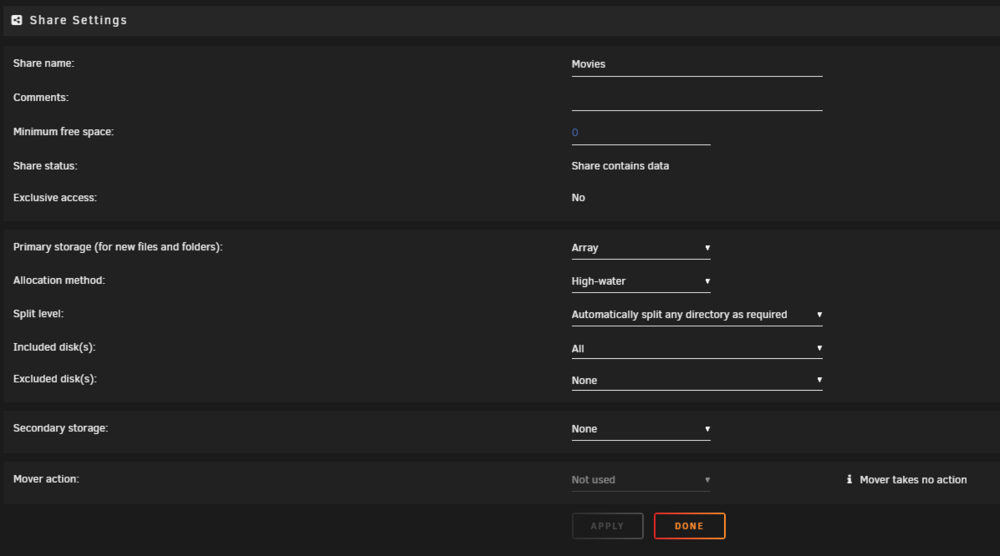 ok will setup monitoring. but how to get the shares to see both backend file paths on the array?UUID: ef5ea931-d0eb-4d2a-b8f7-386fa8a9698b Scrub started: Mon Dec 2 12:25:35 2024 Status: finished Duration: 0:05:21 Total to scrub: 110.16GiB Rate: 351.40MiB/s Error summary: no errors foundi can run it on that. thats just my cache and where my appdata is, my data is on the arraymy server is just an array no poolsdo you have a guide link i can use. only finding mentions of it and the description in the wiki cant seen to find where to kick it off at.this have been working for the past few years i dont believe ive changed anything mapping wise in forever, then a few months back it stopped working and the dockers are not seeing everything in the shares. I did not manually move anything between the user and user0 i didnt even know that was a thing till i started digging. i never changed my maps its always been /mnt/user/Movies/TV or /HD i only started to play around with mappings after having the issue. all docker paths match from when they were setup years ago. the last big change was following this guide to shrink away two 1tb drives using unbalance so i can upgrade my dual cache drives.. it may be related to this shit.. this may be the issue.. the script was older and the array wasnt stopping. so i found this users comment in that video to create a virtual disk and that helped my blocker but i dont know if i ran the clean up after the array stopped.
 my server seems to have a split personality between back end files structure of user and user0 file paths, ive been told that the front end shares shouldn't treat it differently but my dockers are not seeing the data in /mnt/user its only seeing the /mnt/user0 even tho the docker user path is /mnt/user/ attached fatjoe-diagnostics-20241201-1003.zipis there a way i can reset shares or something? anyone? should i submit a bug report?
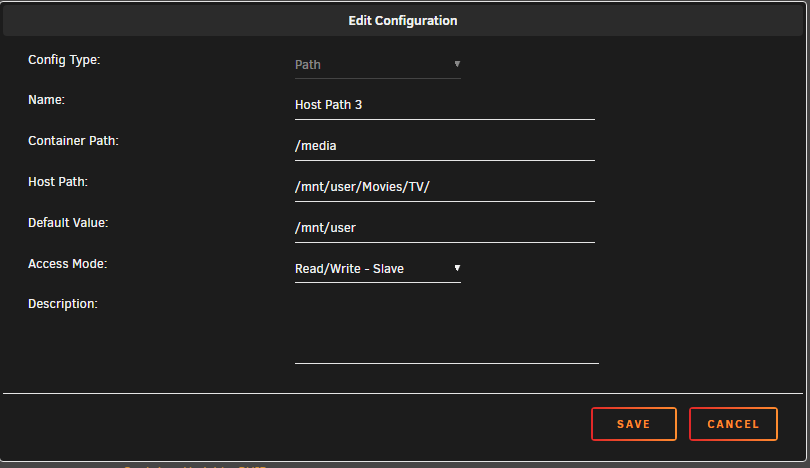
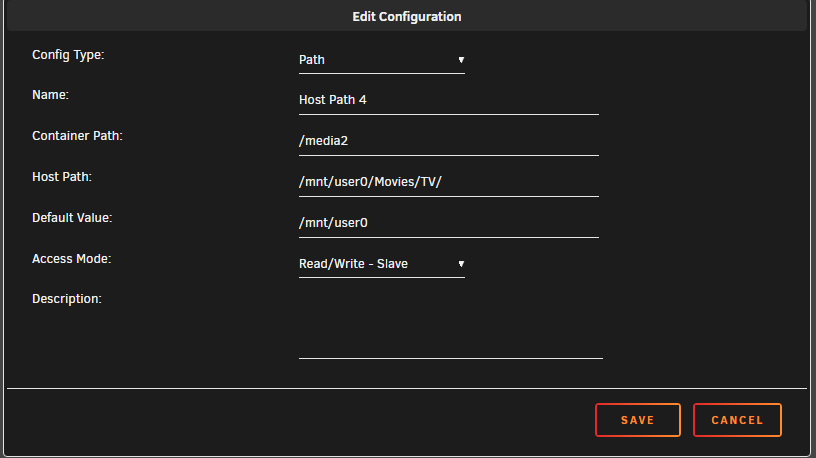
 decided to try and throw in the 2nd path "host path 4" but sonarr is saying its all existing and wont let it import