ToXIc
Members
-
Joined
-
Last visited
Everything posted by ToXIc
-
@JonathanM @itimpi just updated to 6.12.14 but still have the issue.
-
damn just saw this is happening with my photos share also.. thats a totally different share
-
looks so on sonarr and radarr

-
any ideas?
-
this stuff be working for years, and only a few days ago i realize the disconnect from back like Juneish 2024
-
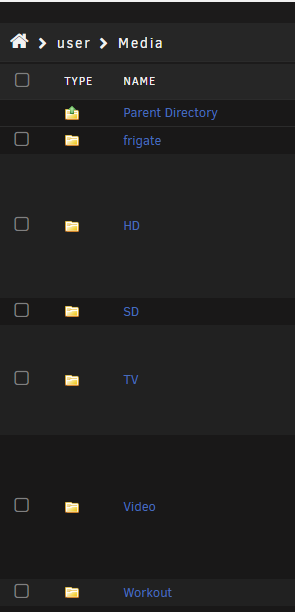
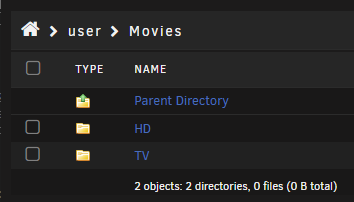
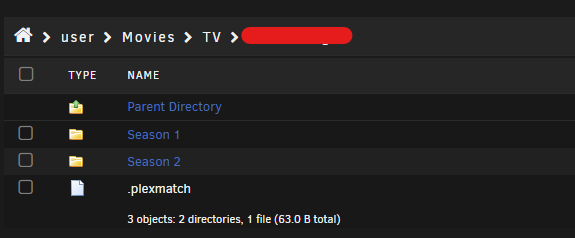
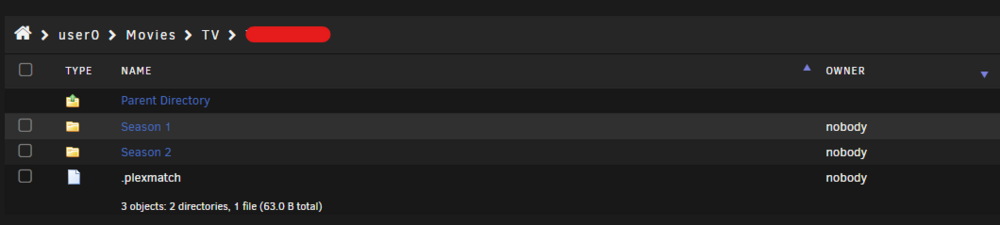
more weirdness.. i have a media share and a Movies share dockers are mapped to the movies mapping /mnt/user/Movies/TV/ now same show sonarr is only seeing season2


-
ahh thx guys sry for being derp..
-
well this is fricking oddd. installed the file manager and had to google how to find/use it found an unraid thread that said it should give you an option to browse from the shares tab but i still dont see it

-
no, its the same. still broken so a little while back i do remember fix common problems said to do some permission fix is there a way to look back and see what that was i dont remember
-
its clear
-
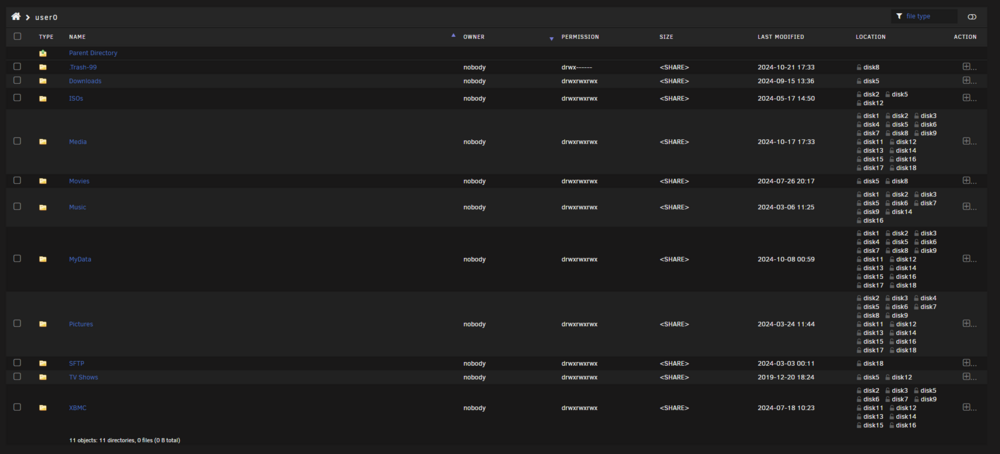
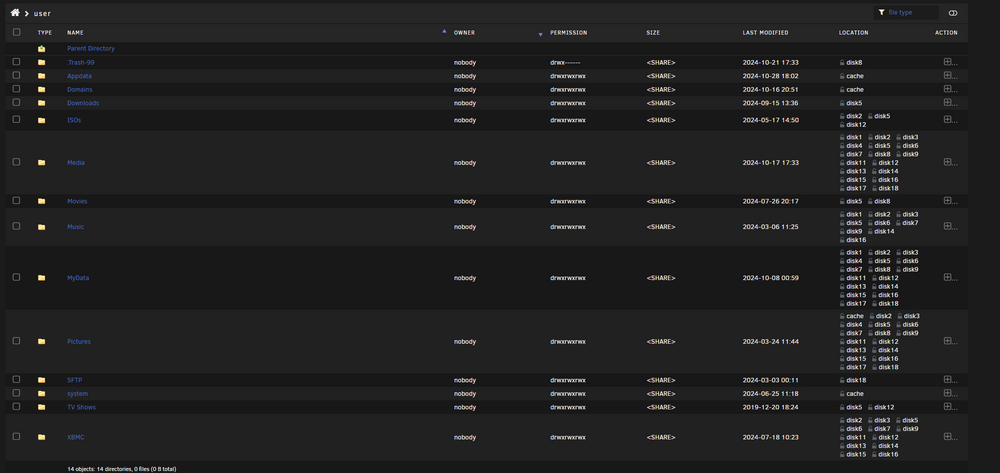
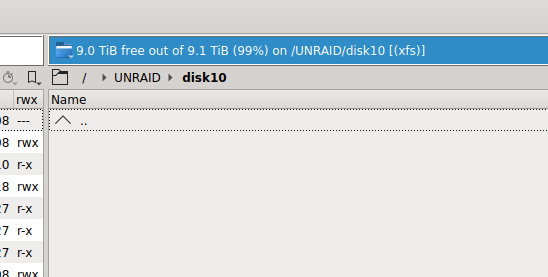
Phase 1 - find and verify superblock... Phase 2 - using internal log - zero log... - scan filesystem freespace and inode maps... - found root inode chunk Phase 3 - for each AG... - scan (but don't clear) agi unlinked lists... - process known inodes and perform inode discovery... - agno = 0 - agno = 1 - agno = 2 - agno = 3 - agno = 4 - agno = 5 - agno = 6 - agno = 7 - agno = 8 - agno = 9 - process newly discovered inodes... Phase 4 - check for duplicate blocks... - setting up duplicate extent list... - check for inodes claiming duplicate blocks... - agno = 0 - agno = 2 - agno = 4 - agno = 6 - agno = 9 - agno = 1 - agno = 7 - agno = 5 - agno = 3 - agno = 8 No modify flag set, skipping phase 5 Phase 6- check inode connectivity... - traversing filesystem ... - traversal finished ... - moving disconnected inodes to lost+found ... Phase 7 - verify link counts... No modify flag set, skipping filesystem flush and exiting.googling how to do it and not finding much.. do you have a link on how to accomplish this?all show my share folders except for disk 10 it doesnt show anythinggreat lol.. what can i do? check some logs redo perms?i was waiting for 7.0 to be fully released before upgrading to it.. should i just load the Dynamix File Manager from community apps ? but also in my user shares in windows i dont see anything thats on the user0 file structurei hear you its really weird heres what i see in krusader
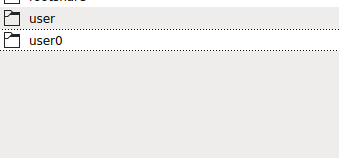
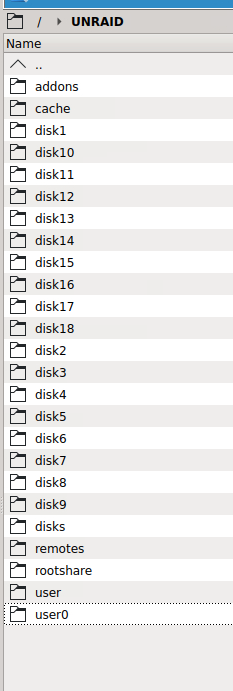 the docker config is mapped to use /mnt/user/ but its moving the files from nzbget download folder to /mnt/user0/ and just seeing the files in there all the previous media on /mnt/user/xxxx/xxx is now showing missing.. and plex is just looking at /mnt/user/xxxx/xxx its not seeing the new stuff. also when i browse my user share to see the files via windows i only see what in the /mnt/user/ space nothing from user0recently saw that some media docker files arent being picked up but plex. I can see after the file is downloaded its moved out from the downloads folder but its not showing up in my media folders.. reloaded dockers same thing.. looking at my user shares and disk shares i see nothing funny everything looks ok. then poking around in krusader i see my user folder that the media dockers are mapped to /mnt/user/xxxxxx/xx/ but then i see a user0 under the user folder so i look in and i see an exact copy of my user shares but with the media thats the sonarr and radarr dockers are showing.. all the older media in my user folder isnt showing up in those dockers although they are mapped to there.. My file share for media doesnt reflect any of the new stuff in user0 folders any idea that caused the split and how can i recombine it and get the dockers to look into the original folder. (sry created this in the wrong subforum moved it here)just realized i may have made this in the wrong subforum please lock and delete.my dockers dont think they are the same.. plex isnt seeing user0 and sonarr and radarr isnt seeing user even tho sonarr and radarr is mapped to user but its using user0 edit: and if i goto the media file share it doesnt reflect whats in user0recently saw that some media docker files arent being picked up but plex. I can see after the file is downloaded its moved out from the downloads folder but its not showing up in my media folders.. reloaded dockers same thing.. looking at my user shares and disk shares i see nothing funny everything looks ok. then poking around in krusader i see my user folder that the media dockers are mapped to /mnt/user/xxxxxx/xx/ but then i see a user0 under the user folder so i look in and i see an exact copy of my user shares but with the media thats the sonarr and radarr dockers are showing.. all the older media in my user folder isnt showing up in those dockers although they are mapped to there.. any idea that caused the split and how can i recombine it and get the dockers to look into the original folder.reloaded it docker but seems that its still doing the same.. not seeing the local file and thinks its downloaded current released media edit: started browsing with krusader and found something weird.. dockers are mapped to /mnt/user/xxxxxx/xxxx/ but they are physically going to a user0 share instead... not sure how thats happening or why but looks like its all split.
 morning, having a weird issue.. my sonarr and radarr are working fine(ish) i can add new media search and download with the assistance of nzbget however when its downloaded the file disappears from the downloads folder and not placed into my media folders if i goto the media management and i click on my path it just states "All series in /media have been imported" its weird because it shows in Sonarr that i am caught up with the latest media thats available. Ive tried to download a episode again but believes it already have it so it deletes the download. i may have fubared my perms somehow? was thinking just backup the config and remove and add back the dockers? or is there something less destructive i can do.i tired that a few times, but still keep getting that error in the gui edit: just rebooted and still getting the error edit2: got it!! thanks i forgot to change back to config config to point to the yaml file