





pcgirl
Members
-
Joined
-
Last visited
Everything posted by pcgirl
-
I do have another issue though. When I am in the WebUI in chrome and I try to click on a URL link such as a "plugin homepage" link in a plugin, nothing happens. It doesn't go anywhere. I tried adjusting the tweak "change the programs that are run when opeing files/URLs" but it isn't working when I set it like this openers_by_scheme = {'http*': 'Google Chrome.lnk %u'}. I am assuming that it is because this is running through a docker on unraid. How do I get these links to open a web browser page?
-
I actually found that if I just put in https://your ip address:8181 into your browser, your calibre should open. The issue is that you can't use the WebUI from the docker because it is set to use the http://ip address:8080. You need to type in the correct address into the web browser yourself.
-
You need to find out what is using the 8181 port on your system and then maybe change that port to something else.
-
This doesn't seem to be working. Too bad because it was working before. Anybody have any ideas on how to get this working? Really loved it when it was working.
-
NVM....I figured it out and it is working now.
-
OK, I am trying to install this from a fresh install and I am wondering how to change the host port? Do I change the GUI port? Or do I change the Webserver Port? Also, should I set it as Bridge or Host?
-
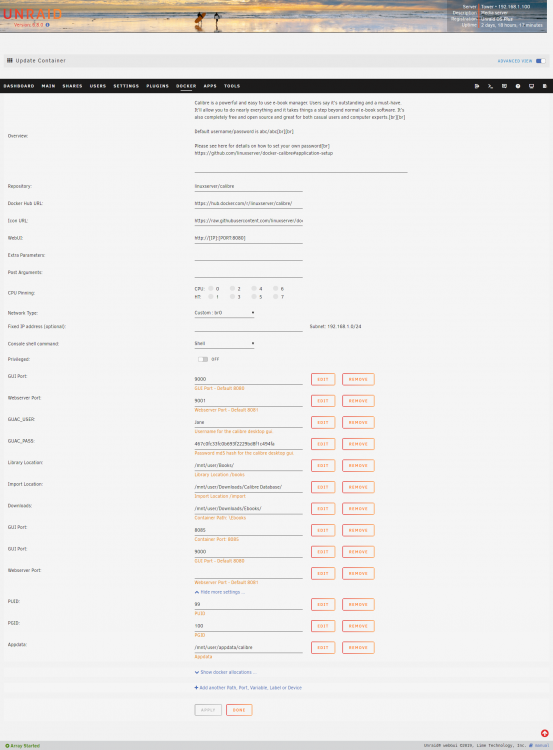
Here is the Advanced view. I don't think I have changed anything but I am trying to get it to use a different port. However, when I change the network type to Custom br:0, and I click on WebUii, a Guac login page opens and I can login. When I first did this, the page didn't come up right away...gave me an error page but then a few seconds later the login page came up. This seems to be the only way to get this to work for me.
-
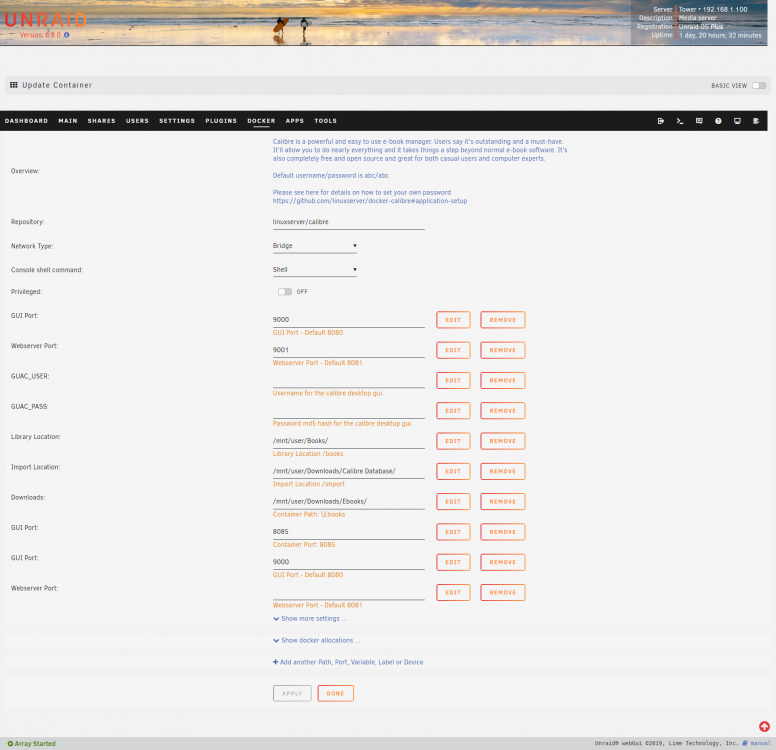
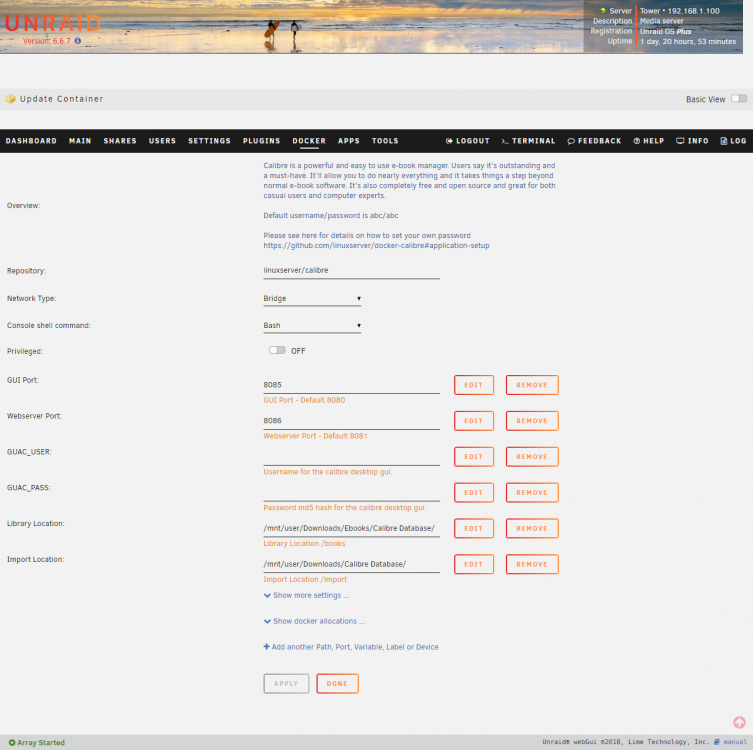
I have a problem with accessing my Calibre GUI. It keeps taking me to port 8080 which is my SABnzbd. Even though I have changed the port in the settings it doesn't seem to recognize it. Here are my settings. Can anybody help me get this going?
-
Under "Apps" tab do a search for "Auto Update". It will come up as CA Auto Update.
-
Ah, that works, thanks!
-
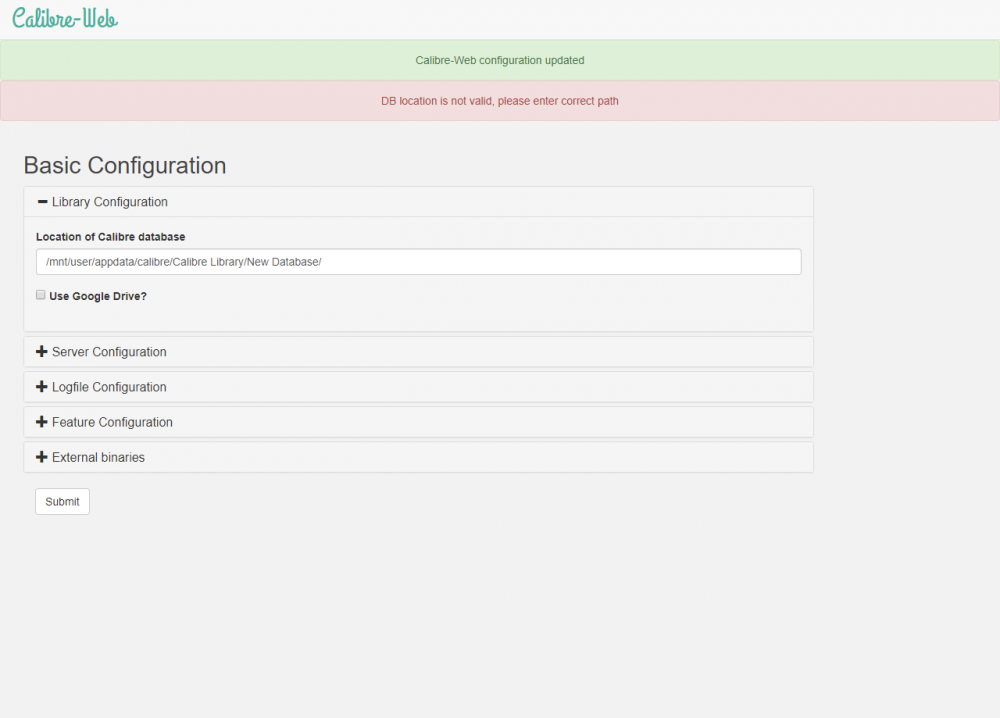
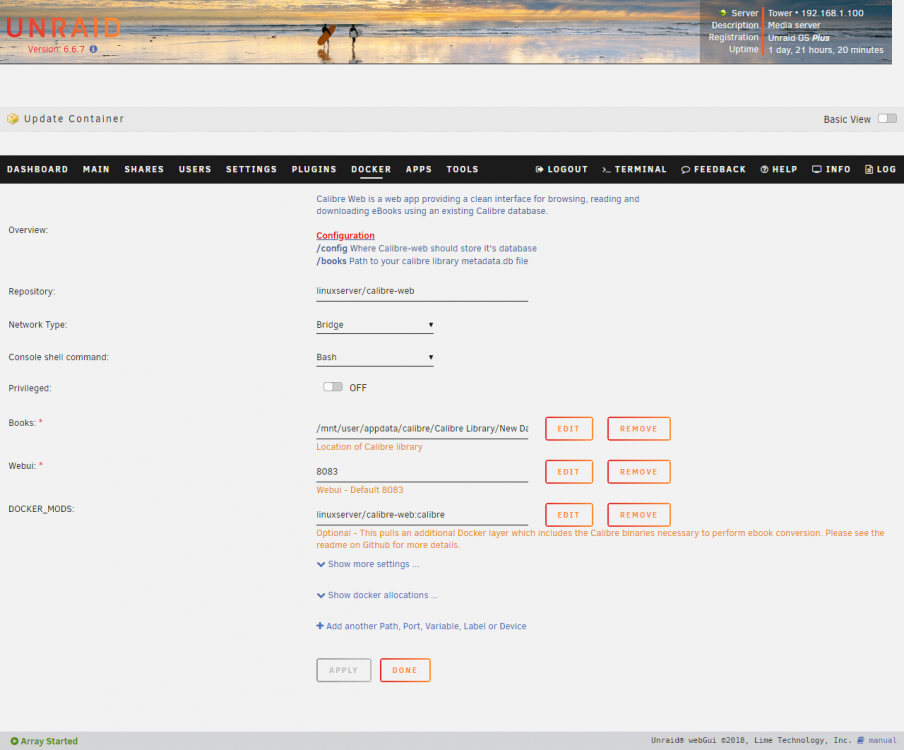
I am trying to set this up and I keep getting the error "DB location is not valid, please enter correct path" when trying to enter the path to my calibre books and database. I can see the books and the db in the directory and I have set it the same way in the container configuration. But it still won't work. Any suggestions?
-
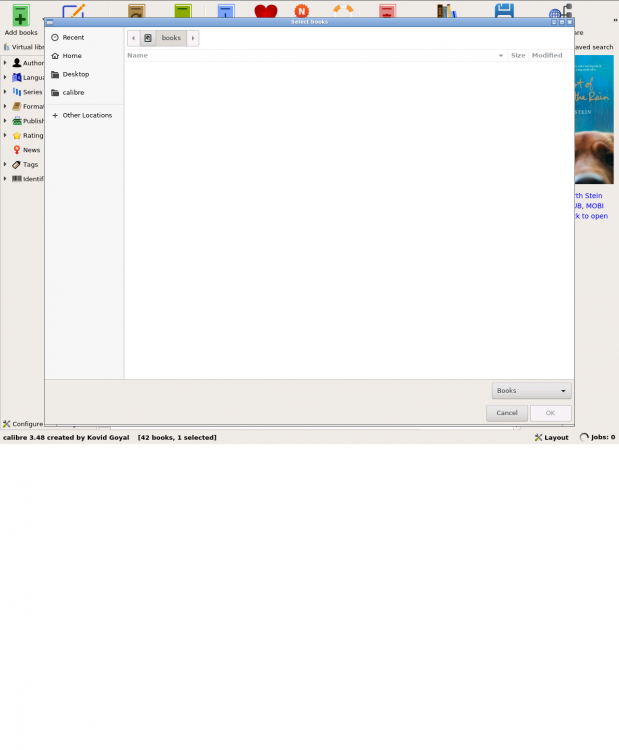
I did have it setup this way when I did the install. However, when I click on books, there isn't anything there. I had to move the exported file into the appdata\calibre folder for it to be able to see it to import. This isn't ideal though and I would like to have it in the folder that I set it up with. See pictures.
-
I would like to import my calibre database from another computer. I have exported it and copied it to a folder on my unraid computer. However, I can't seem to get to the folder in Calibre. I copied the exported file to /mnt/user/Downloads/calibre database but when I select "Other folders" and then mnt in Calibre import there isn't anything there. I am not very good with linux so I might just be looking in the wrong place. Can anybody direct me as to where I will find my file?
-
Glad I could help!
-
I use Sabnzbd. And I believe that it dumps it into my Completed folder and then Sonarr and Couchpotato look in there.
-
So you have your radar downloads in the same folder as your movie downloads? I have a Movies subdirectory and a TV Shows subdirectory in my Completes directory. This way you can direct couchpotato to look in \Completes\Movies and radarr to look in \Completes\TV Shows.
-
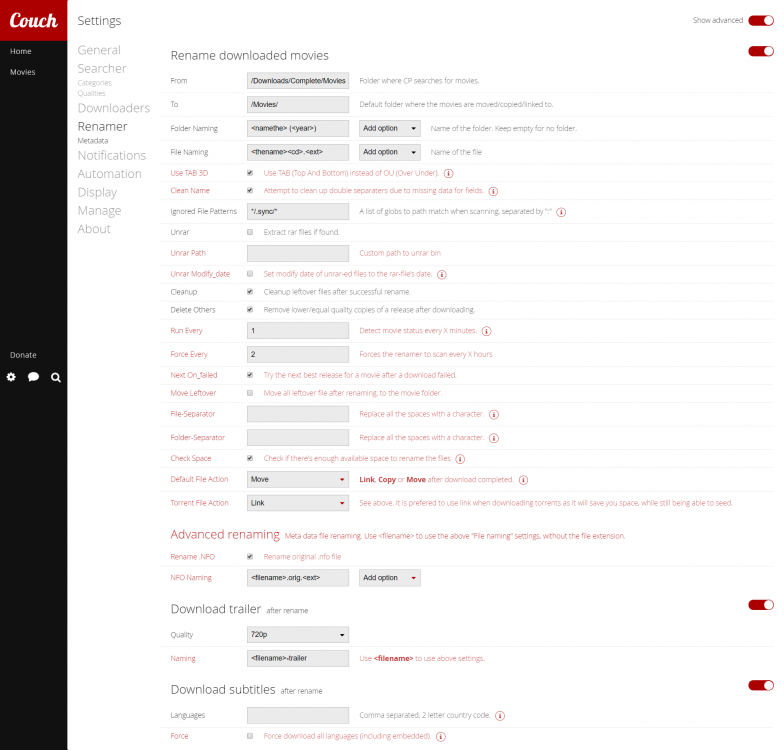
Sorry for the delay in answering. So you need to setup your Renamer section so that couchpotato knows where to look for the movies and what to do with them. Here is how I have it setup.
-
Got it! Thanks! Seems to be working great! I am wondering how to ad more filters?
-
How do I get it into unraid docker without using community apps? Do I have to do it through terminal?
-
How did you get this into unraid docker? I don't see it in Community Applications.
-
How do you have your your settings setup for Renamer in couchpotato? Looks like it can't seem to find the movies to move them.
-
I am getting this error " ERROR[tato.core.plugins.renamer] The from folder "" doesn't exist. Please create it. " But when I try to see what the folder is for renaming a blank box comes up and I can't see anything. It won't let me do anything in the box. This has happened since the last update. I have tried using firefox and explorer but both the same. When I look in the config file it seems that my setting for /Downloads is there but I am getting this error an the movies aren't being renamed and moved.
-
I am using this command from the instructions. rsync -avPX /mnt/disk10/ /mnt/disk11/ Will this work?
-
What method is that? I used the rsync method for the other disks.
-
Can anybody advise how to convert the Cache drive? I have converted my other drives but not sure how to do the Cache drive.


