





julianhj
Members
-
Joined
-
Last visited
-
I've just had this issue. Is it indicative of a particular problem that I need to address?
-
Further to the last - prompted by your comment I've run through steps 10-13 again (i.e. the New Config) and it's worked. Not sure what happened there. Thank you for your help.
-
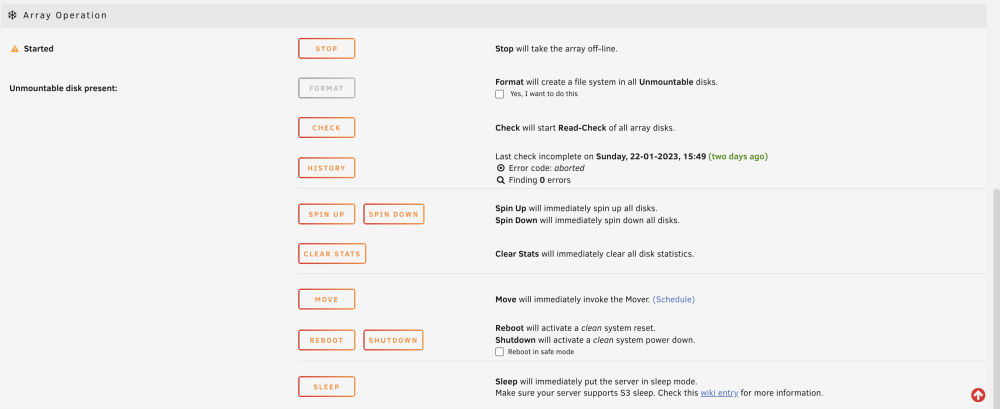
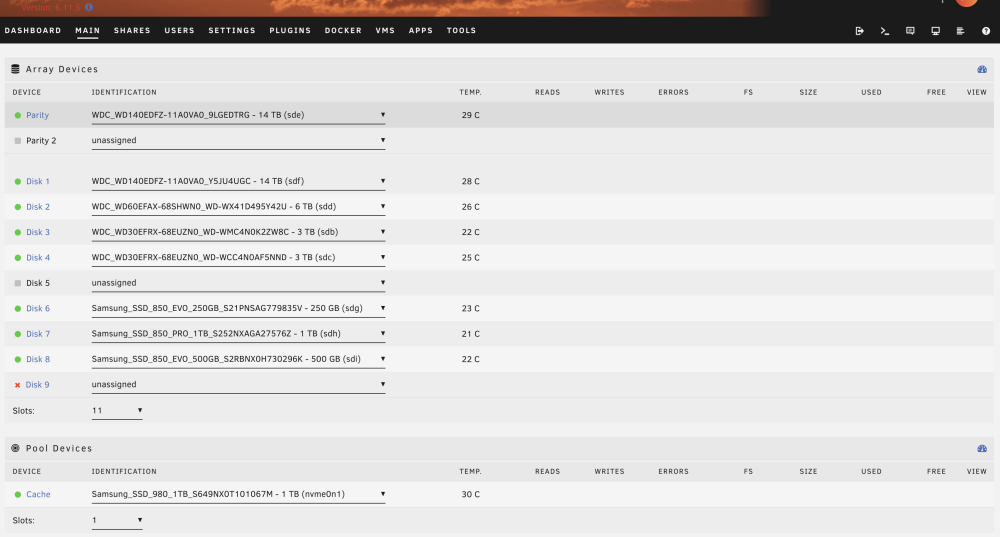
Apologies, I misunderstood. Yes, I went to Tools then New Config and Retain Current Configuration. I then unassigned the drive, but did not have a check box for Parity Is already Valid.
-
As requested, thanks.
-
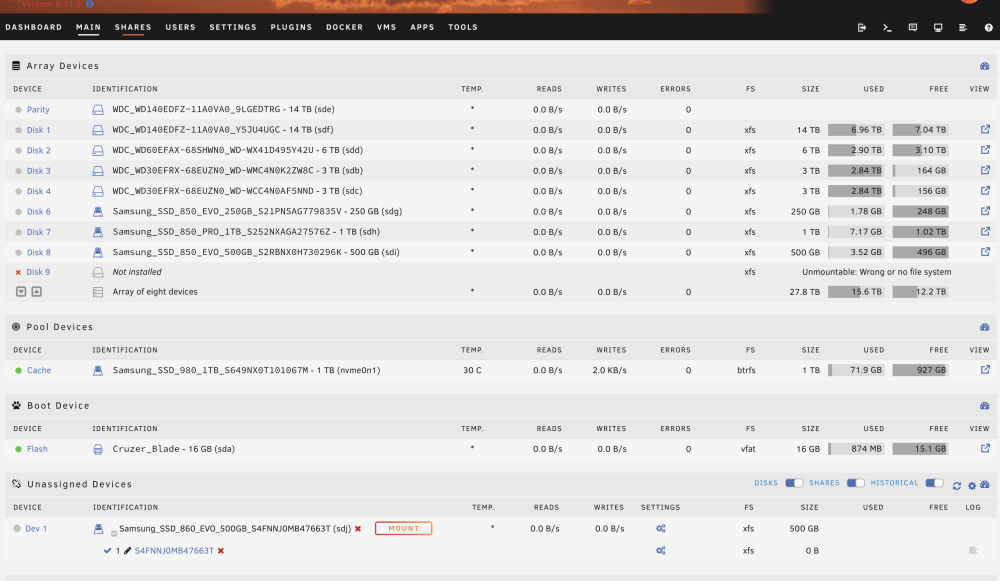
I've followed the Shrink Array guide as I wanted to remove an unused SSD from the array. I followed the "Clear Drive Then Remove Drive" Method. This went fine until point 14 - I did not have a 'Parity is already valid' check box. I'm not sure what has gone wrong. I can start the array (having checked all the other disks are correctly assigned), however I'm not sure what to do next to remove the drive from the array so it's not considered a missing device. If I do start the array I have a 'Read Check' option rather than Parity Check. I'm trying to remove Disk 9, and the array when stated lists it as 'Not Installed', with the disk being listed under the Unassigned Devices tab. I have an option to Format the disk, stated as Unmountable Disk Present. I'm on version 6.11.5. Can anyone advise what I should do to complete the removal process successfully?
-
Thank you, much appreciated!
-
I've recently built a new 11th gen Intel i5 machine, part of which includes a Samsung 980 1TB NVMe SSD as a cache drive on an Asus B560M-A. I've been receiving increasingly regular alert notifications that the drive is overheating - it's now happening several times a day. The time period from warning to notification of return to normal temperature is always 30 or 31 minutes, and the temperature is always listed as 84C. On each occasion the system has been idling. Today I was able to monitor it with a thermal camera to hand. This showed that the drive's heatsink was around 31C, rather than 84C. I've seen any errors with the drive, and I'm not sure how to go about troubleshooting the issue. Can anyone advise what I should be looking at?
-
Just a quick thank you from me - I've spent the best part of three hours looking for this solution!
-
I’ve got a couple of Microservers running Unraid and I absolutely love them, so much so that I’m trying to get my employer to move over to it.


