



Skip to content
View in the app

A better way to browse. Learn more.

Unraid

A full-screen app on your home screen with push notifications, badges and more.

To install this app on iOS and iPadOS
  1. Tap the Share icon in Safari
  2. Scroll the menu and tap Add to Home Screen.
  3. Tap Add in the top-right corner.
To install this app on Android
  1. Tap the 3-dot menu (⋮) in the top-right corner of the browser.
  2. Tap Add to Home screen or Install app.
  3. Confirm by tapping Install.

Trapizomba

Members
  • Joined

  • Last visited

Everything posted by Trapizomba

  1. Hi... I've installed the binhex-plexpass app and I'm stuck with "Looking for servers..." I've tried to SSH tunnel: $ ssh 192.168.1.16 -L 8888:localhost:32400 ssh: connect to host 192.168.1.16 port 22: Connection refused My UnRAID server is an headless server... Please, help me! Thank you!
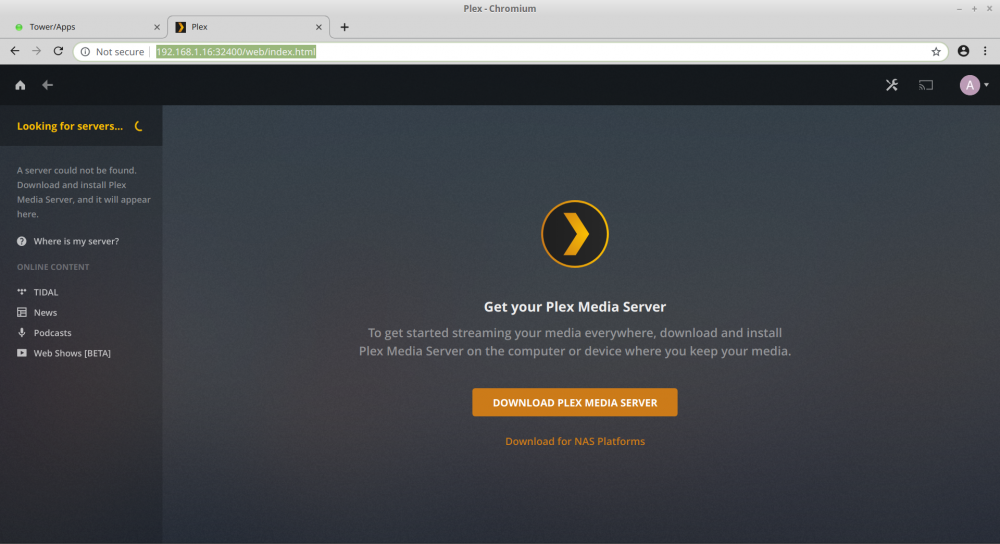
  2. unRaid 6.6.7 Works nice with Chromium Version 72.0.3626.119 (Official Build) Built on Ubuntu , running on LinuxMint 18.3 (64-bit)
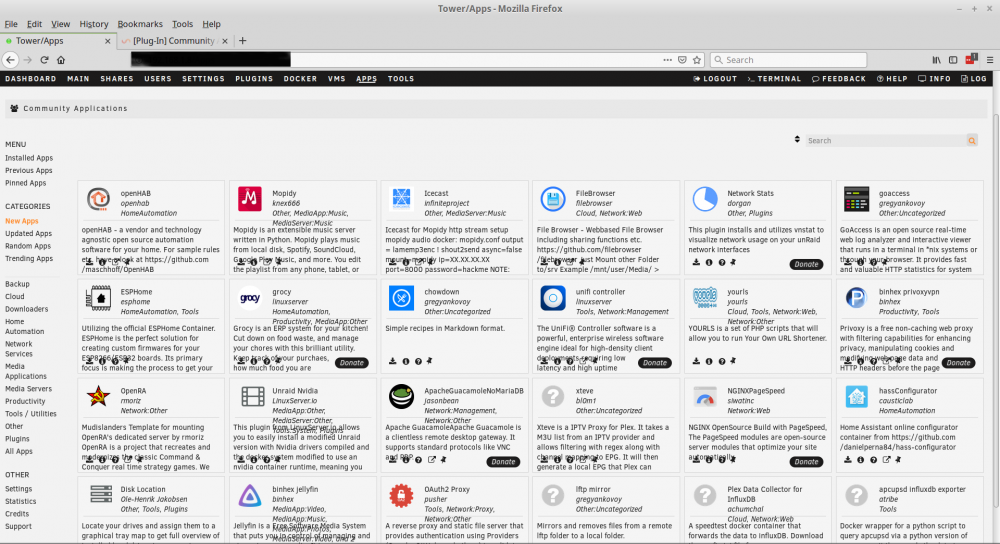
  3. The description text of many apps are over the icons. Unfortunately I can't install a lot of apps because I can't click on the icons that are under the text. I'm using Linux Mint Cinnamon 18.3 with Firefox 65.0.1 (64-bit). I already tried to zomm in and zoom out but it didn't solve the problem.
Account

Navigation

Search

Search

Configure browser push notifications

Chrome (Android)
  1. Tap the lock icon next to the address bar.
  2. Tap Permissions → Notifications.
  3. Adjust your preference.
Chrome (Desktop)
  1. Click the padlock icon in the address bar.
  2. Select Site settings.
  3. Find Notifications and adjust your preference.