Ndgame
Members
-
Joined
-
Last visited
Everything posted by Ndgame
-
This resolved my problem. I want to thank you for your help and support. I would like to ask if there is a zpool backup that I should be performing just incase this ever happens again? Thanks!
-
Ok I have all the devices from that pool unassigned, however when I scroll down and click start and I am still getting the message "Wrong Pool State" "media_pool - NO_Devices" So it wont let me start the pool to stop it so that I can reassign the drives. tower-diagnostics-20240828-1043.zip.crdownload
-
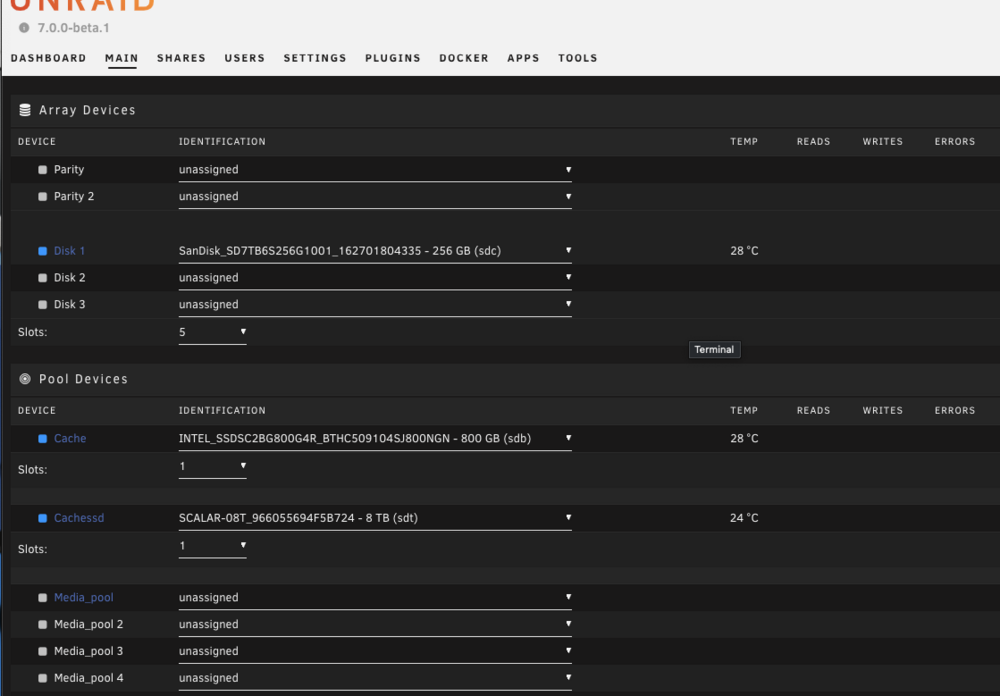
I went through and selected No Device for each slot but when I go to start the array it is greyed out. Do I need to go to tools and click new config and clear them?
-
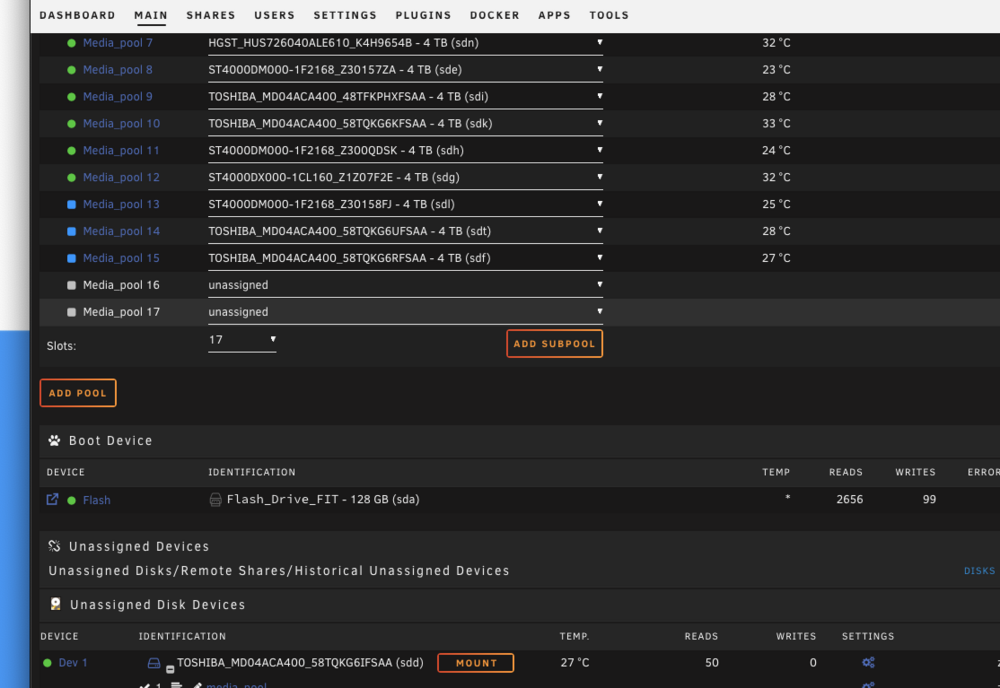
if you look at this screen shot you will see that SDD1 is in unassigned devices.
-
Here are the results. I did reboot afterwards and tried starting the pool and I am still getting the same error. zpool status pool: media_pool state: ONLINE status: Some supported and requested features are not enabled on the pool. The pool can still be used, but some features are unavailable. action: Enable all features using 'zpool upgrade'. Once this is done, the pool may no longer be accessible by software that does not support the features. See zpool-features(7) for details. scan: resilvered 91.2G in 07:00:10 with 0 errors on Tue Aug 27 23:06:02 2024 config: NAME STATE READ WRITE CKSUM media_pool ONLINE 0 0 0 raidz1-0 ONLINE 0 0 0 sdp1 ONLINE 0 0 0 sdq1 ONLINE 0 0 0 sdr1 ONLINE 0 0 0 sdk1 ONLINE 0 0 0 sds1 ONLINE 0 0 0 raidz1-1 ONLINE 0 0 0 sdn1 ONLINE 0 0 0 sdo1 ONLINE 0 0 0 sdf1 ONLINE 0 0 0 sdj1 ONLINE 0 0 0 sdl1 ONLINE 0 0 0 raidz1-2 ONLINE 0 0 0 sdi1 ONLINE 0 0 0 sdh1 ONLINE 0 0 0 sdd1 ONLINE 0 0 0 sde1 ONLINE 0 0 0 sdg1 ONLINE 0 0 0 errors: No known data errors root@Tower:~#
-
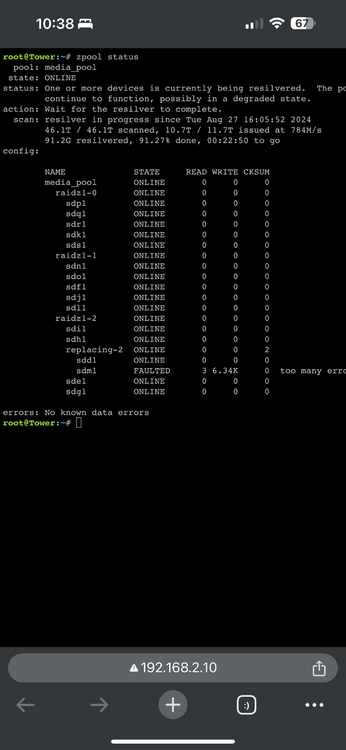
I have another drive I can exchange. In looking at this which drive would I replace?
-
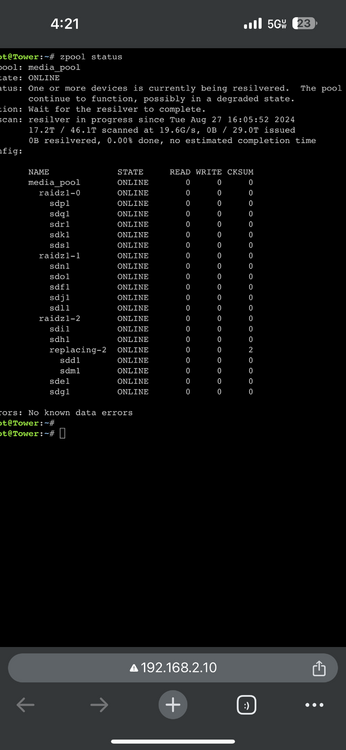
Here a screen shot of the status
-
It still comes up with the "wrong_state" error and I can't mount the pool.
-
Here is the results after it completed. root@Tower:~# zpool export media_pool root@Tower:~# zpool import pool: media_pool id: 8629751917395333284 state: ONLINE status: Some supported features are not enabled on the pool. (Note that they may be intentionally disabled if the 'compatibility' property is set.) action: The pool can be imported using its name or numeric identifier, though some features will not be available without an explicit 'zpool upgrade'. config: media_pool ONLINE raidz1-0 ONLINE sdp1 ONLINE sdq1 ONLINE sdr1 ONLINE sdk1 ONLINE sds1 ONLINE raidz1-1 ONLINE sdn1 ONLINE sdo1 ONLINE sdf1 ONLINE sdj1 ONLINE sdl1 ONLINE raidz1-2 ONLINE sdi1 ONLINE sdh1 ONLINE replacing-2 ONLINE sdd1 ONLINE sdm1 ONLINE sde1 ONLINE sdg1 ONLINE pool: cache id: 5497895395851579887 state: ONLINE status: Some supported features are not enabled on the pool. (Note that they may be intentionally disabled if the 'compatibility' property is set.) action: The pool can be imported using its name or numeric identifier, though some features will not be available without an explicit 'zpool upgrade'. config: cache ONLINE sdb1 ONLINE root@Tower:~#
-
JorgeB, I must be a little confused. I have been out of town for the past 2 weeks and I haven't installed any new drives. When it crashed on me I used a old photo that I took of the pool and made sure the drives were in that order. So I am not sure why it is in device replacement mode. Just wanted to bring that up.
-
The Pool won't mount and when I type that command in and hit enter it just goes to a secound line and is blank. Nothing is happening. when I try to start the pool in unraid I get the message that the "Wrong_pool_State" error.
-
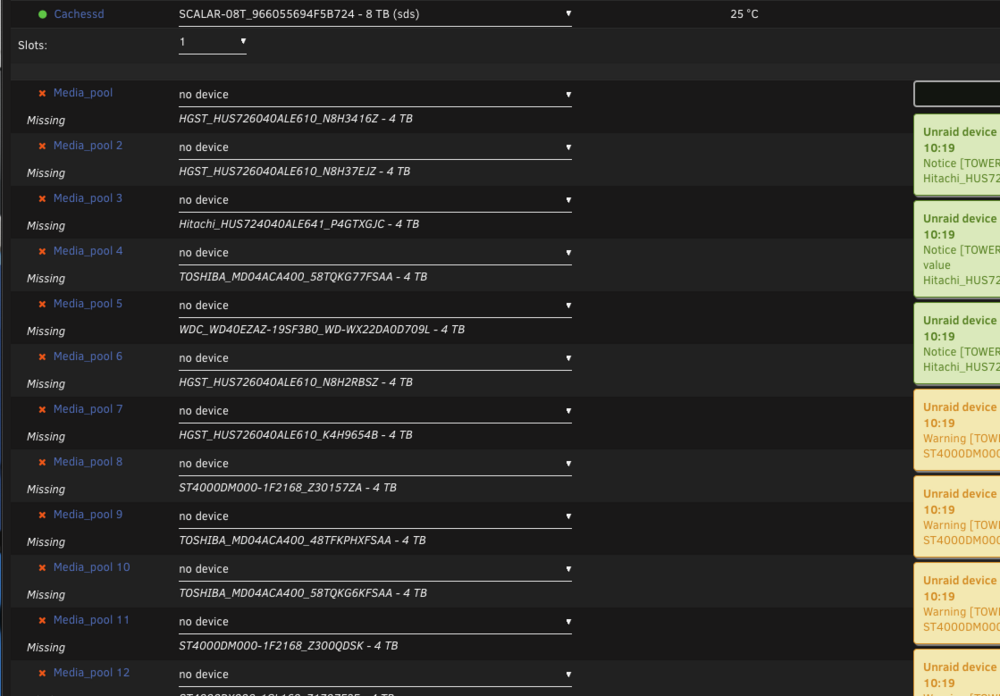
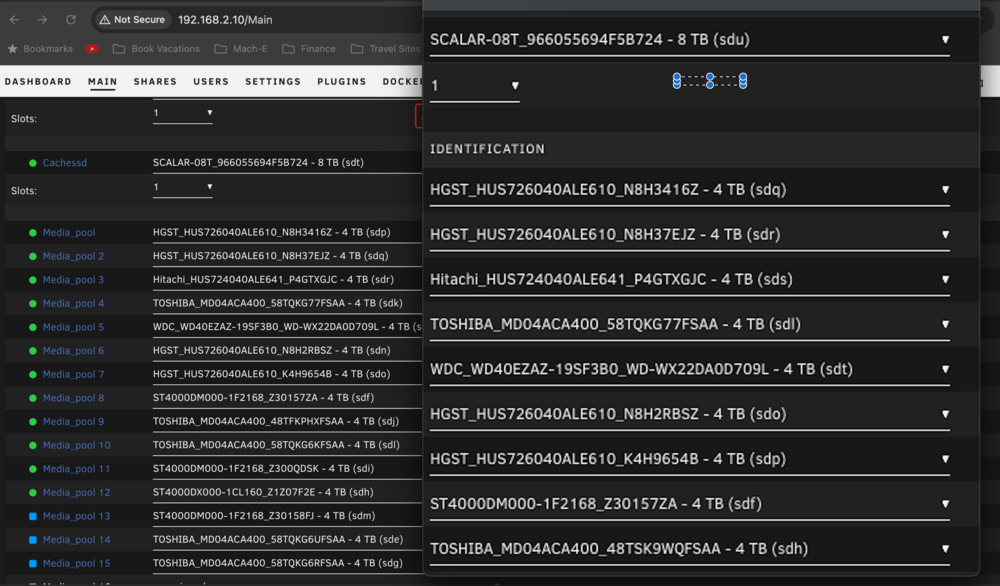
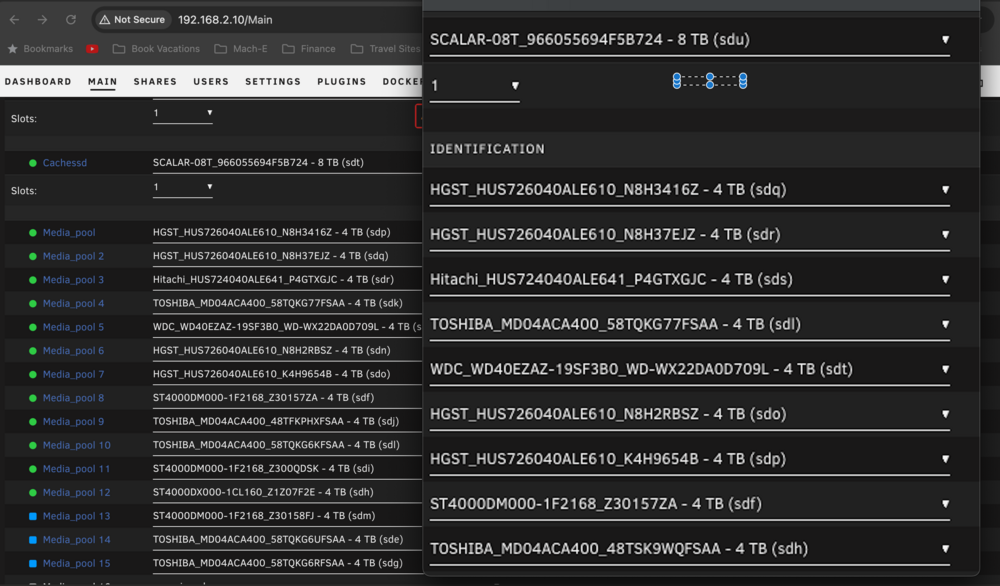
something else that I have noticed is that drives with the 3 letters in the (...) example (SDS) aren't on the same drives. Look at this screenshot. the right side is a picture I took a few months ago when I switched this to ZFS and the left side is now.
-
Sorry been travelling and just now got a chance to get this for you. Thank you for your help. root@Tower:~# zpool import pool: media_pool id: 8629751917395333284 state: ONLINE status: One or more devices were being resilvered. action: The pool can be imported using its name or numeric identifier. config: media_pool ONLINE raidz1-0 ONLINE sdp1 ONLINE sdq1 ONLINE sdr1 ONLINE sdk1 ONLINE sds1 ONLINE raidz1-1 ONLINE sdn1 ONLINE sdo1 ONLINE sdf1 ONLINE sdj1 ONLINE sdl1 ONLINE raidz1-2 ONLINE sdi1 ONLINE sdh1 ONLINE replacing-2 ONLINE sdd1 ONLINE sdm1 ONLINE sde1 ONLINE sdg1 ONLINE pool: cache id: 5497895395851579887 state: ONLINE status: Some supported features are not enabled on the pool. (Note that they may be intentionally disabled if the 'compatibility' property is set.) action: The pool can be imported using its name or numeric identifier, though some features will not be available without an explicit 'zpool upgrade'. config: cache ONLINE sdb1 ONLINE root@Tower:~#
-
Also I am not the strongest in linux and code. So if you suggest me to try something can you please give me some notes how to do it? Thanks
-
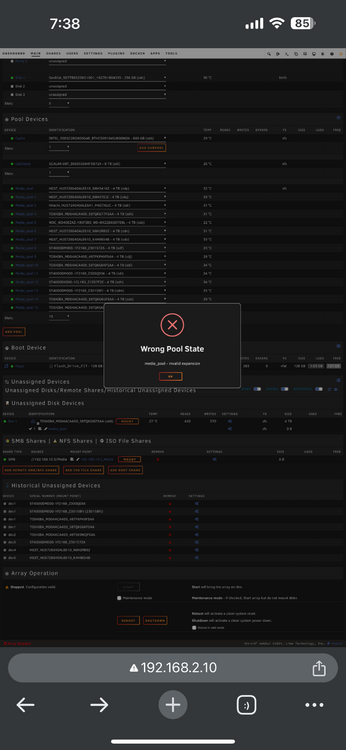
My server was updated to OS7 Beta 2 and after a reboot my ZFS pool wouldn't load with an error "Wrong pool State". I found a disk.old fild in my boot/config folder and I renamed it to disk.cfg and now it is saying that 12 of my disk are unmountable and it wants to format them. I have 42TB's of data that I don't want to loose. I have attatched the Diagnostics would greatly appreciate some help please. tower-diagnostics-20240826-0802.zip.crdownload
-
Hello, I have installed the MakeMKV Docker and I put --device=/dev/sr1 --device=/dev/sg22 in the Extra Parameters. When I launch MakeMKV it is not detecting the drive. What am I missing?
-
How do I do that and not loose my config?
-
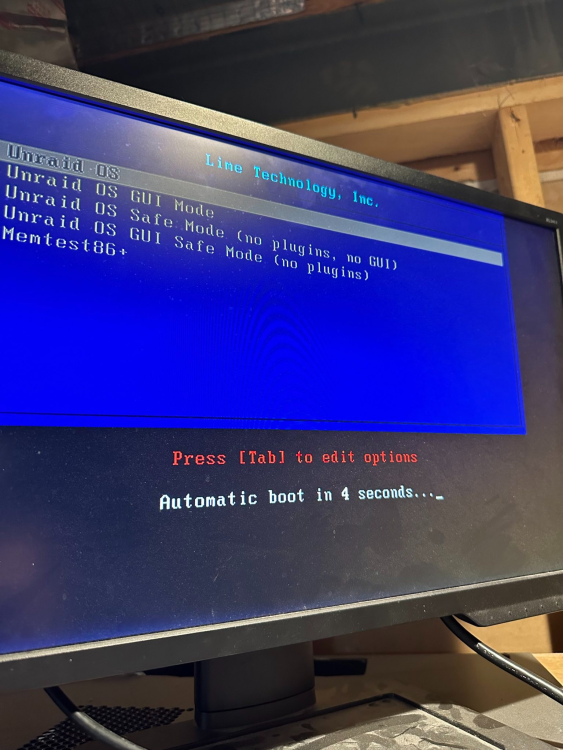
I was on my unraid server and I went to run updates and decided to check for NEXT OS update and there was one for RC4. So I clicked install. I clicked the restart option when done and now my server is sitting at a continuous state on this screen. it starts at 5 and counts down and starts over 5 and counts done over and over again. I have tried all the modes you see on the screen with the same error. How can I fix this so I don't loose data on my disk? H
-
Also here is another diag after taking the card out and connecting the power cable it. tower-diagnostics-20230303-1956.zip
-
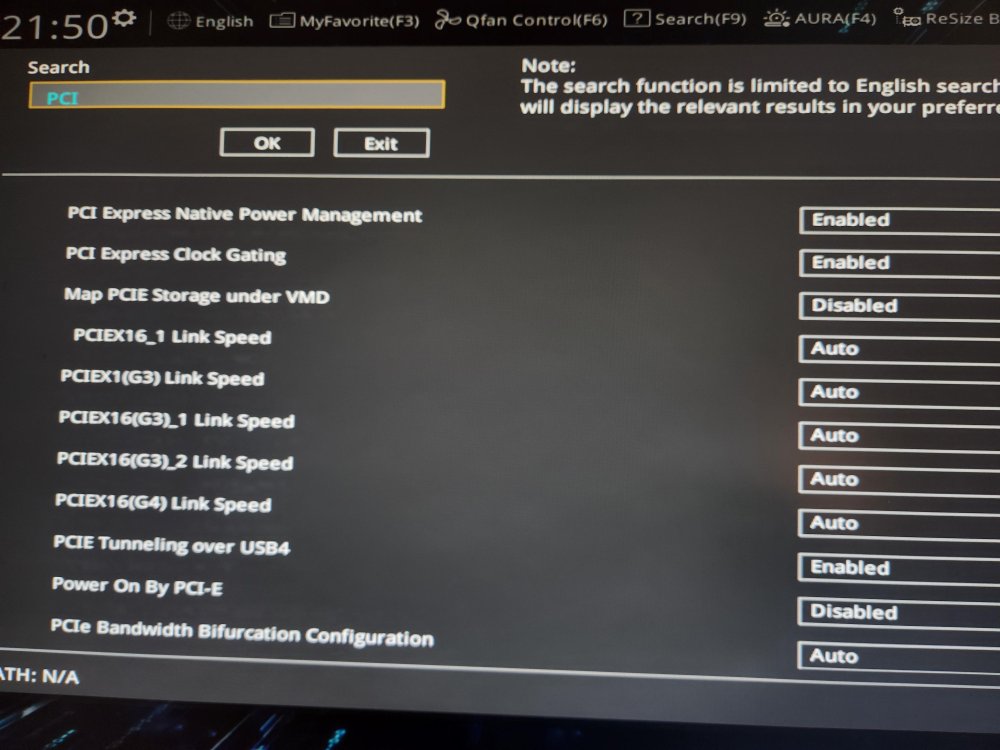
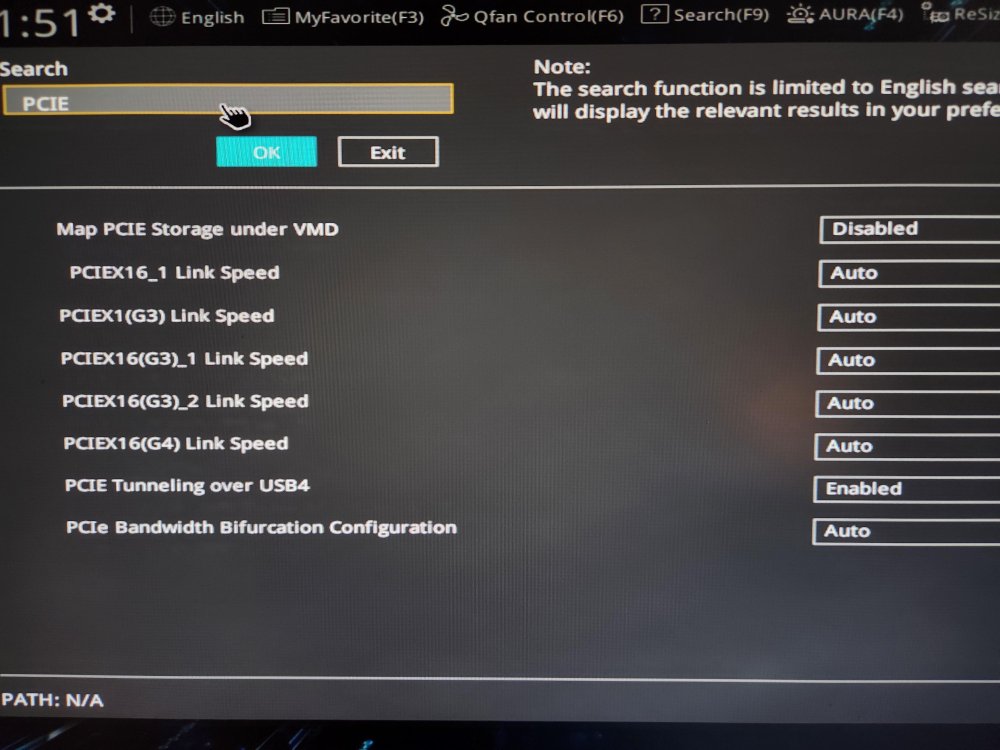
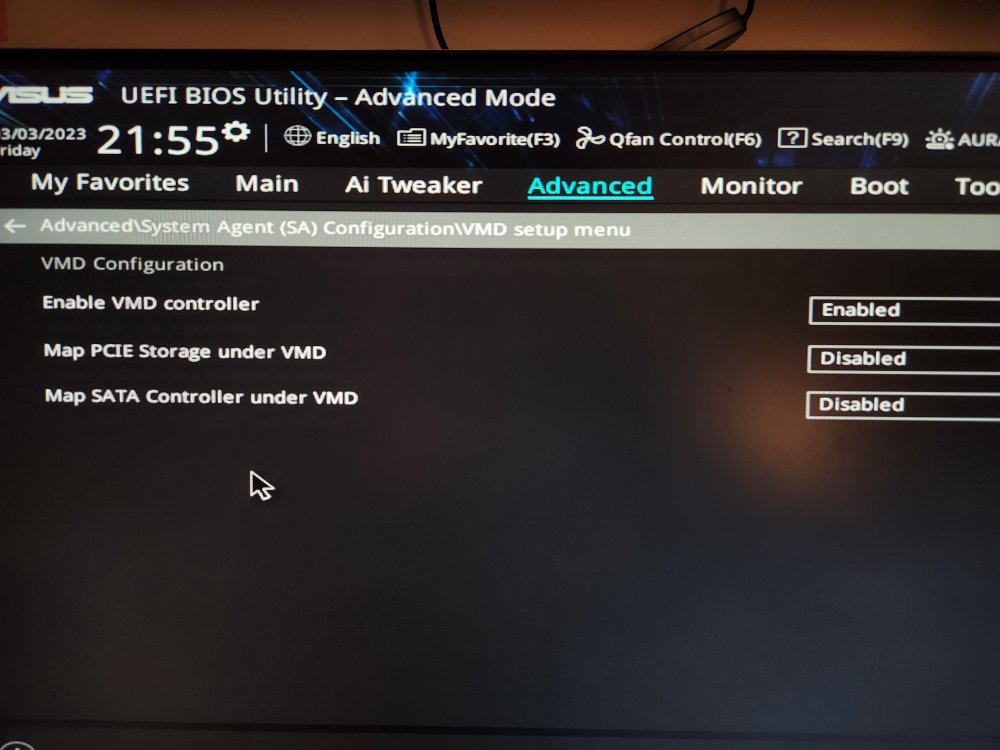
This is what’s in my bios. Am I missing anything
-
Before I get into the problem I will give a little of the back story. I upgraded my Unraid server from a Asus MB with a 4790K to a new Asus MB with a 12700K CPU. All I did was switch out the hardware and put the Unraid thumb drive in and I made the adjustments in the bios that I was using for my VM. In my Old build I had a VM with GPU passthru and I had a PCIe Usb card that was passed through as well. Everything was working great. Well until I upgraded my hardware. After upgrading the VM boots and I was able to Bind the GPU to passthrough with no problems. However I don't even get the option to bind the USB PCIe controller now and when looking at the properties of the VN at the bottom under Other PCI devices there is nothing there. What I have done to troubleshoot is I have since purchased 3 new cards from Amazon with 1 of them being the exact same card. Still no luck. I am unable to figure why I can't passthru the USB PCI card on the new MB. I have attached the Diagnostic hoping someone else could look thru them and give me a hand. Thanks in advance for any support. Aaron tower-diagnostics-20230228-0858.zip
-
Anyone? I could use a 2nd set of eyes on this.
-
Before I get into the problem I will give a little of the back story. I upgraded my Unraid server from a Asus MB with a 4790K to a new Asus MB with a 12700K CPU. All I did was switch out the hardware and put the Unraid thumb drive in and I made the adjustments in the bios that I was using for my VM. In my Old build I had a VM with GPU passthru and I had a PCIe Usb card that was passed through as well. Everything was working great. Well until I upgraded my hardware. After upgrading the VM boots and I was able to Bind the GPU to passthrough with no problems. However I don't even get the option to bind the USB PCIe controller now and when looking at the properties of the VN at the bottom under Other PCI devices there is nothing there. What I have done to troubleshoot is I have since purchased 3 new cards from Amazon with 1 of them being the exact same card. Still no luck. I am unable to figure why I can't passthru the USB PCI card on the new MB. I have attached the Diagnostic hoping someone else could look thru them and give me a hand. Thanks in advance for any support. Aaron tower-diagnostics-20230228-0858.zip
-
I haven't done this yet but not a bad idea. Maybe this weekend I will try this out and see what happens. Thanks for you input and help.
-
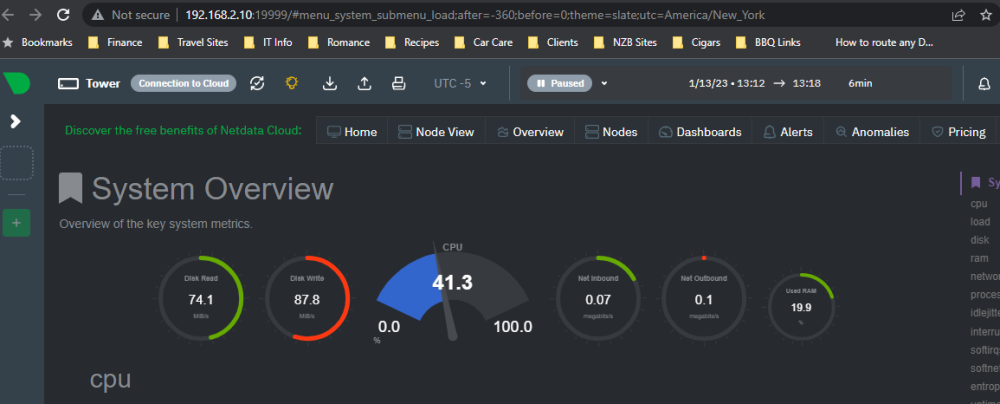
I installed NetData and as you can see my CPU is spiking during a file transfer. Why would the CPU be touched for data movement?