keymaster
Members
-
Joined
-
Last visited
Everything posted by keymaster
-
Hi wow, it has worked......I am so happy you will never know. I want to sincerely thank you both for your perseverance with me and your words of encouragement. Best wishes K P.S. Just made a small donation
-
Hi Thank you, unfortunatly it never went right, but I didn't know until it start downloading. Update - changed to settings above but still not working Can you please tell me exactly what screenshots needed to see where its going wrong. My other worry is we now have about 20gig of downloads somewhere on my system taking up space. K
-
Hi Great, you need a thanks, like or kudos button on your forum - I much prefer Xenforo to SMF K
-
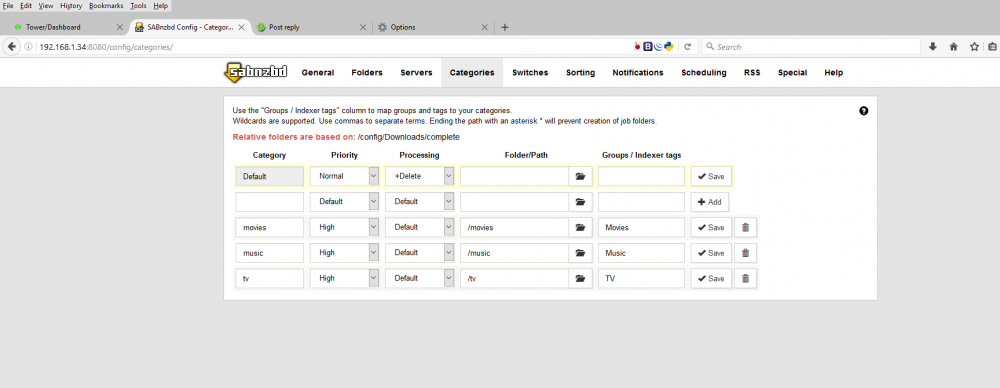
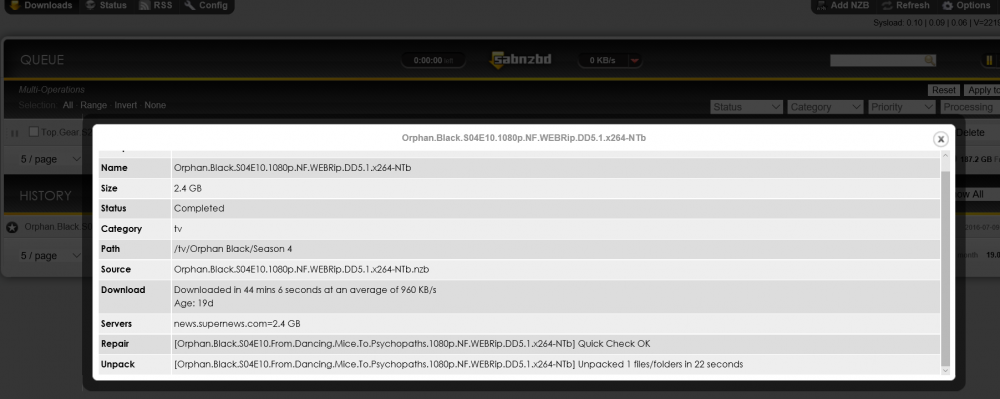
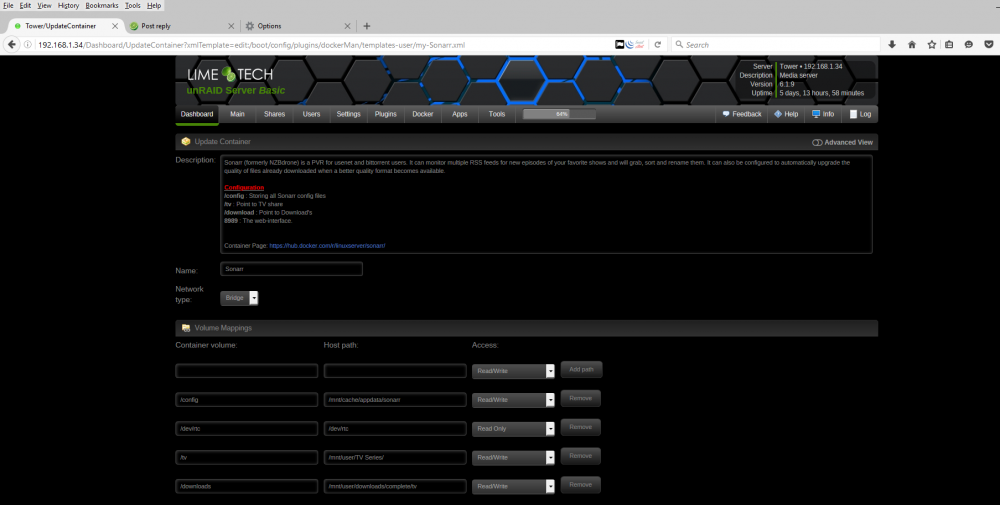
Hi Thank you, so changed mappings in all to /mnt/user/downloads, so what do I need to change in SAB catagories? Many thanks K
-
Hi Guys Thanks for the encouragement, much appreciated. I really am trying and thought I had it (when Mr Panozzo was showing me in session) but I am very concerned changing all the things he did. The whole thing looks great, works great and is perfect, XFS and Docker I love, but after it downloaded 13gig of media through the night I cannot find it and feel so helpless as I just don't get it. > Anyway thanks again for the words of encouragement and wisdom - I am off work today and am seriously trying to get it working. Many thanks K
-
Hi I read through them but they all seem contradictory, with I use this way and others do this way, this being my issue (I think) => http://lime-technology.com/forum/index.php?topic=40937.msg387919#msg387919 But having changed from windows server 2012 R2 for no other reason than I liked the look of unraid, with my pocket $150 lighter and my server mostly offline for 2 weeks I am begining to think this was no more than a folly. My thinking is that if Mr Panozzo's version of the mappings didn't work what chance do I have with my very limited understanding. I am giving it one last go this morning then, off back to Mr Gates with tail between legs, thank you very much for your help however, much appreciated. Frustrated from UK
-
Hi thank you, but no, I installed system and dokers and they dealt with mappings and port conflicts during session. but i will read docker links you sent shortly when i get up. thanks again k
-
Hi thank you for your replies, I will read up on th3 links you included for me, although I didn't set up the mappings in first place, was a support session, so worried I wont be able to do any better many thanks K
-
Hi thank you very much for reply, can you please explain in more detail what I need to do, I am use to windows system, I bought UNRAID and paid for UNRAID to set up dockers for me - I really appreciate your help. Thanks K
-
Hi Thank you for reply, I posted some already. do you mean pic of SAB after download finish and not appear in tv folder? K
-
Hi Thanks for teply, unfortunatly didnt work. :-( K
-
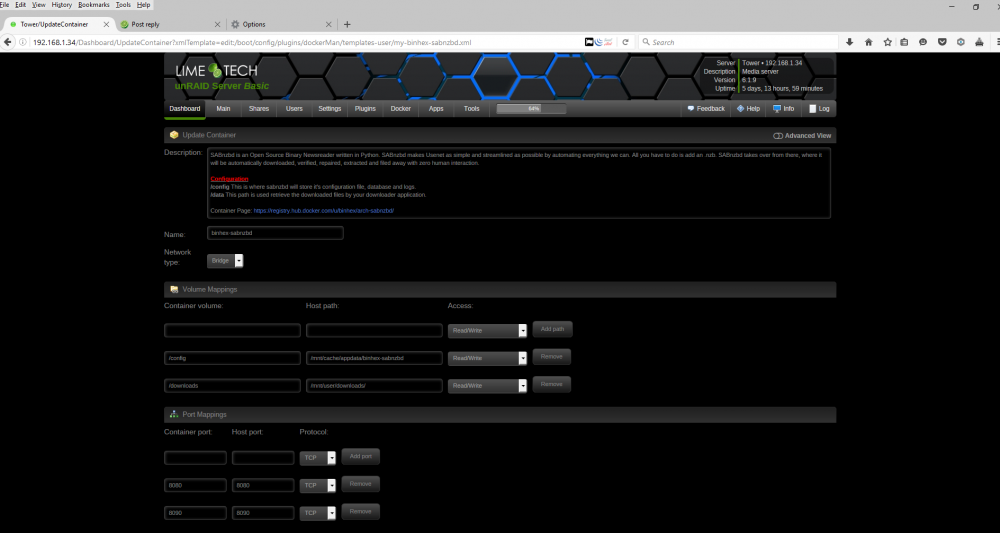
Hi Here is my other settings
-
Hi I am really sorry I am total newbie to UNRAID although long time user of SAB, CP and Sonarr for NZB, in windows server. I installed UNRAID, Plex, SAB, CP and Sonarr and paid for UNRAID service to check it all over(and correct some errors). I used all Binhex plugins as was told they were well supported and good (will make beer donation when sorted). Now everything is perfect and I am now happy with server with one big exception. My downloads all download fine, unpack and repair then I dont know where they go, they dont appear anywhere in my media folders, please help as I don't want to go back to Winblows. Many thanks K