Sh0dan
Members
-
Joined
-
Last visited
-
Also worked for me. 100% of my problems with Unraid have been the buggy AF btrfs implementation. Have lost cache drives 3 times this year, despite the drives actually being fine. Retire them to a windows machine as a cache and they still work fine with 0 disk errors. Something is borked in either unraid or btrfs that keeps causing the BTRFS pool devices to become unmountable...
-
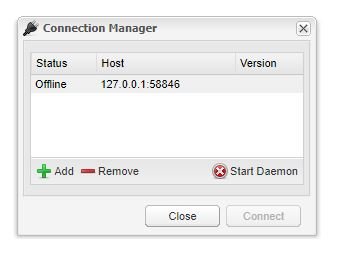
Went thru these exact steps after the last update, and option 1 still isn't working. Started the Docker with the VPN disabled, and the connection manager popped up saying with a status of offline? Can't seem to get the daemon to start either. To my knowledge, nothing changed on my end. But then again I'm usually wrong EDIT: **CLOSED** Read thru my log files, and determined there to be some sort of state error. Cleared out /config/state and restarted and worked just fine. Lost my in progress Linux ISOs, but no worries