





ratosaude
Members
-
Joined
-
Last visited
-
Just did and it worked perfectly, thank you!
-
This goes back to my initial post, after I edit this .ini and run the server, it creates a ghost directory with new files running standard and ignore every other file I edited.
-
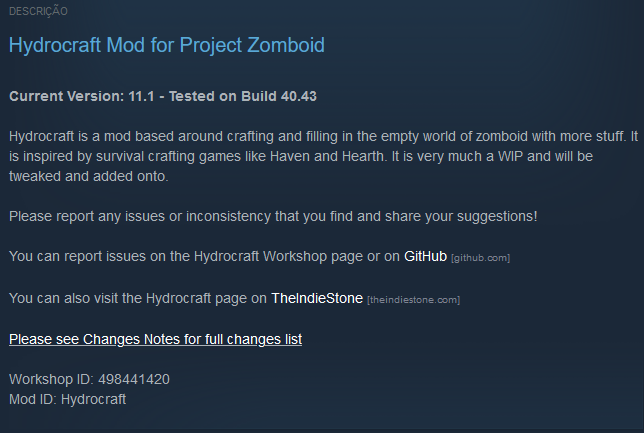
Can't really give a link, since it's bits of information here and there, but it's quite simple. There's two lines inside server.ini that you need to fill that's modId and workshopItems. Usually they provide both in the steam workshop page of each mod, if it doesn't the workshopItem is in the address bar of the mod and the modId you would need to download in steam workshop than go to your steam instalation folder>steamapps>workshop>content>108600(PZ steam id)>mods and find the mod.info file which contains the modId. And inside the .ini you separate them with a ";" for each mod you want. There's 4 mods I want installed: hydrocraft, zombie loot extended, orgm and show damage.
-
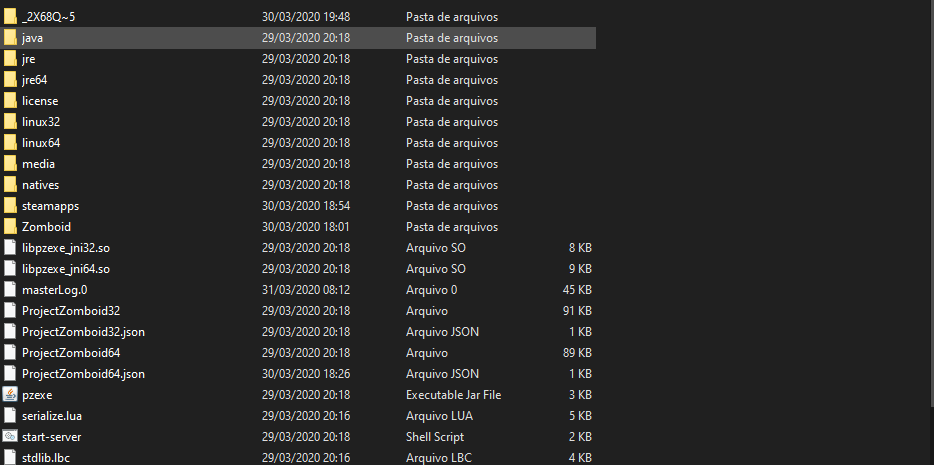
It creates a new directory, that first one with new server files and run from that, ignoring the Zomboid folder and files in there. I can edit the file however it doesn't load the mods even after restarting the server.
-
I'm having some trouble with the Project Zomboid docker, when it creates the server, he's building a blank template server.ini file, ignoring the server.ini I had editted and thus not implemeting the mods in-game. Any idea what it could be?
-
Running on VGA I managed to create a ROM, however when I shutdown to apply on the XML, the VM didn't start until I rebooted the server
-
hi When I try to do this procedure on my GTX550ti I get the error below root@Frank:~# lspci -v | grep VGA 03:00.0 VGA compatible controller: Advanced Micro Devices, Inc. [AMD/ATI] Park [Mobility Radeon HD 5430] (prog-if 00 [VG A controller]) 04:00.0 VGA compatible controller: NVIDIA Corporation GF116 [GeForce GTX 550 Ti] (rev a1) (prog-if 00 [VGA controller]) 0d:00.0 VGA compatible controller: ASPEED Technology, Inc. ASPEED Graphics Family (rev 21) (prog-if 00 [VGA controller]) Flags: VGA palette snoop, medium devsel, IRQ 19, NUMA node 0 83:00.0 VGA compatible controller: Advanced Micro Devices, Inc. [AMD/ATI] Ellesmere [Radeon RX 470/480] (rev c7) (prog-i f 00 [VGA controller]) 84:00.0 VGA compatible controller: Advanced Micro Devices, Inc. [AMD/ATI] Juniper PRO [Radeon HD 6750] (prog-if 00 [VGA controller]) root@Frank:~# echo "0000:04:00.0" /sys/bus/pci/drivers/vfio-pci/unbind 0000:04:00.0 /sys/bus/pci/drivers/vfio-pci/unbind root@Frank:~# cd /sys/bus/pci/devices/0000:04:00.0/ root@Frank:/sys/bus/pci/devices/0000:04:00.0# root@Frank:/sys/bus/pci/devices/0000:04:00.0# cd /sys/bus/pci/devices/0000:04:00.0/ root@Frank:/sys/bus/pci/devices/0000:04:00.0# root@Frank:/sys/bus/pci/devices/0000:04:00.0# echo 1 > rom root@Frank:/sys/bus/pci/devices/0000:04:00.0# cat rom > /mnt/user/isos/gt550ti.dump cat: rom: Input/output error root@Frank:/sys/bus/pci/devices/0000:04:00.0#

