





bradtn
Members
-
Joined
-
Last visited
-
Just a thank you post for ich777, Got the new GPU in and all is as it was! thank you
-
1060 Super specifically has Turing NVENC the non super 1060 doesn't. 1660s are Turing far as I am aware Atleast the one I have coming is
-
If you want best of near everything bare minimum a 1060 SUPER(specifically) or 1660 would be better
-
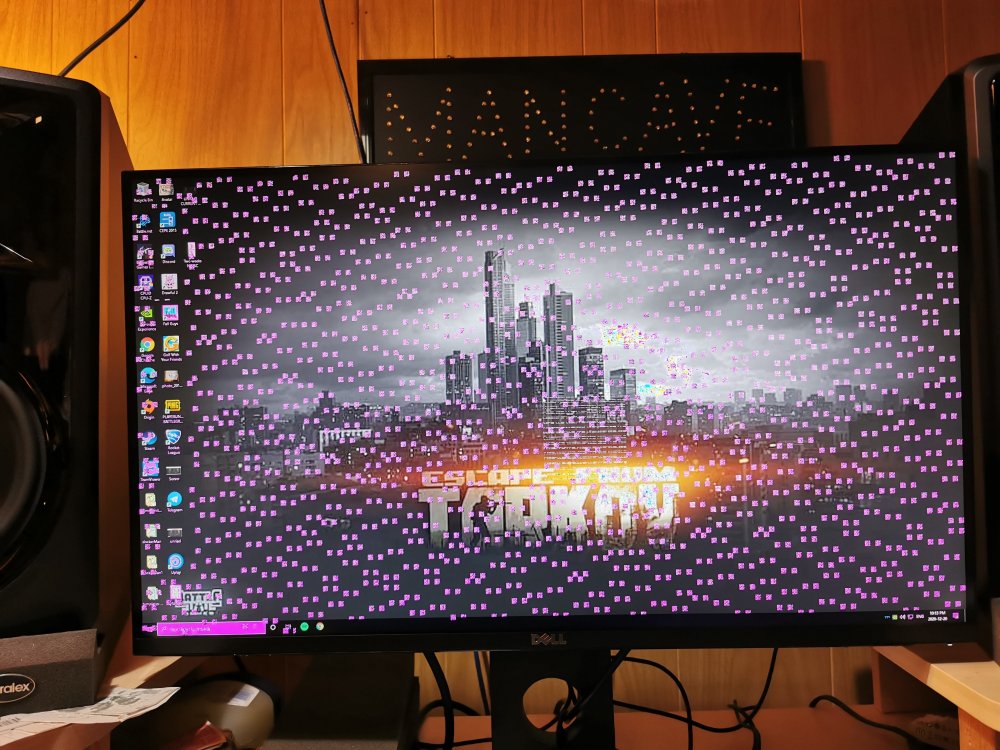
Well just an update I finally pulled that card and put in my other pc to test it, "worked" like you said until driver install and then this (see attachment) what a coincidence though it dies during my drive replacements etc.
-
4g decoding what heading is this typically under?
-
Nope no riser cables etc. I do have a seperate pc if I put this gpu in that pc and gpu works what would that mean for unraid? In respects to the BIOS reset. Do I pose any risk to my unraid setup in any fashion by doing this? If so what precautions should I take/make?
-
I don't even know what vfio means or is so I suspect no. I'm familiar with bios but define what you mean by reset. Also I do find it strange that so many other people in the old thread started having same issue as me?
-
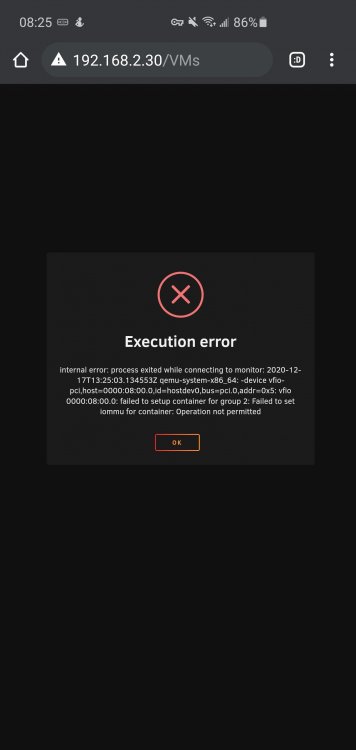
Plugin removed no more errors in log, editing my one vm and simply switching from vnc to my 1070 and starting produced this.
-
Booting uefi mode atm. I'll try the plugin removal now
-
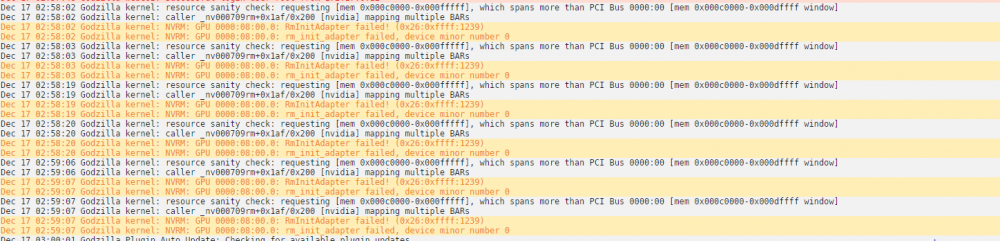
so I did the reseat and power reseat and upon rebooting into the system and eagerly opening the nvidia driver plugin I screamed with joy! my card was detected as it was before! I went to go resetup my plex docker as it once was. Completed that and went to test the transcoding and run the nvidia-smi watch command and BOOM "no devices were found". Check the plugin page again, gpu disappeared. Rebooted again for fun , no devices were found. Just as a side note my motherboard bios is up to date checked that as well and I also had a DP cable plugged into the gpu as i did read that could cause issues. I checked system log and I did get a bunch of errors that ive never seen before , hopefully you understand it? Thanks for everything I did find this post online which seems to reference the exact issue but this is all chinese to me and they seem to reference that a much earlier driver iteration than the plugin provides "fixes" it https://forums.developer.nvidia.com/t/linux-driver-410-73-gtx-980-nvrm-rminitadapter-failed/67231/25 Dec 17 02:58:02 Godzilla kernel: resource sanity check: requesting [mem 0x000c0000-0x000fffff], which spans more than PCI Bus 0000:00 [mem 0x000c0000-0x000dffff window] Dec 17 02:58:02 Godzilla kernel: caller _nv000709rm+0x1af/0x200 [nvidia] mapping multiple BARs Dec 17 02:58:02 Godzilla kernel: NVRM: GPU 0000:08:00.0: RmInitAdapter failed! (0x26:0xffff:1239) Dec 17 02:58:02 Godzilla kernel: NVRM: GPU 0000:08:00.0: rm_init_adapter failed, device minor number 0 Dec 17 02:58:03 Godzilla kernel: resource sanity check: requesting [mem 0x000c0000-0x000fffff], which spans more than PCI Bus 0000:00 [mem 0x000c0000-0x000dffff window] Dec 17 02:58:03 Godzilla kernel: caller _nv000709rm+0x1af/0x200 [nvidia] mapping multiple BARs Dec 17 02:58:03 Godzilla kernel: NVRM: GPU 0000:08:00.0: RmInitAdapter failed! (0x26:0xffff:1239) Dec 17 02:58:03 Godzilla kernel: NVRM: GPU 0000:08:00.0: rm_init_adapter failed, device minor number 0 Dec 17 02:58:19 Godzilla kernel: resource sanity check: requesting [mem 0x000c0000-0x000fffff], which spans more than PCI Bus 0000:00 [mem 0x000c0000-0x000dffff window] Dec 17 02:58:19 Godzilla kernel: caller _nv000709rm+0x1af/0x200 [nvidia] mapping multiple BARs Dec 17 02:58:19 Godzilla kernel: NVRM: GPU 0000:08:00.0: RmInitAdapter failed! (0x26:0xffff:1239) Dec 17 02:58:19 Godzilla kernel: NVRM: GPU 0000:08:00.0: rm_init_adapter failed, device minor number 0 Dec 17 02:58:20 Godzilla kernel: resource sanity check: requesting [mem 0x000c0000-0x000fffff], which spans more than PCI Bus 0000:00 [mem 0x000c0000-0x000dffff window] Dec 17 02:58:20 Godzilla kernel: caller _nv000709rm+0x1af/0x200 [nvidia] mapping multiple BARs Dec 17 02:58:20 Godzilla kernel: NVRM: GPU 0000:08:00.0: RmInitAdapter failed! (0x26:0xffff:1239) Dec 17 02:58:20 Godzilla kernel: NVRM: GPU 0000:08:00.0: rm_init_adapter failed, device minor number 0 Dec 17 02:59:06 Godzilla kernel: resource sanity check: requesting [mem 0x000c0000-0x000fffff], which spans more than PCI Bus 0000:00 [mem 0x000c0000-0x000dffff window] Dec 17 02:59:06 Godzilla kernel: caller _nv000709rm+0x1af/0x200 [nvidia] mapping multiple BARs Dec 17 02:59:07 Godzilla kernel: NVRM: GPU 0000:08:00.0: RmInitAdapter failed! (0x26:0xffff:1239) Dec 17 02:59:07 Godzilla kernel: NVRM: GPU 0000:08:00.0: rm_init_adapter failed, device minor number 0 Dec 17 02:59:07 Godzilla kernel: resource sanity check: requesting [mem 0x000c0000-0x000fffff], which spans more than PCI Bus 0000:00 [mem 0x000c0000-0x000dffff window] Dec 17 02:59:07 Godzilla kernel: caller _nv000709rm+0x1af/0x200 [nvidia] mapping multiple BARs Dec 17 02:59:07 Godzilla kernel: NVRM: GPU 0000:08:00.0: RmInitAdapter failed! (0x26:0xffff:1239) Dec 17 02:59:07 Godzilla kernel: NVRM: GPU 0000:08:00.0: rm_init_adapter failed, device minor number 0
 God I sure hope so, just seeing it on and lights and fan and seeing it detected didn't make me think that was even a possibility but I'm sure stranger things are possibleOnly thing I've done is add and remove drives and do a new config for that. I'll definitely check power when I get home thenI'm not home atm but I did a quick remote login and edited the one vm I do have and I am able to select the Nvidia card in that menu. Have not reseated etc yet. Seeing as I can see it in the vm I shouldn't have to?"No devices were found "




