





Merijeek
Members
-
Joined
-
Last visited
Everything posted by Merijeek
-
I've recently setup, and I had it working (I'm just using it for access to Unraid from remote devices) as an alternative to Tailscale. However, I did a reboot and, while everything was fully functional, after a reboot of my server I can't get anywhere. Everything seems to start fine, I can still connect my remote client to it, but from that client I can't ping or open the unraid server. Any suggestions on how to troubleshoot that?
-
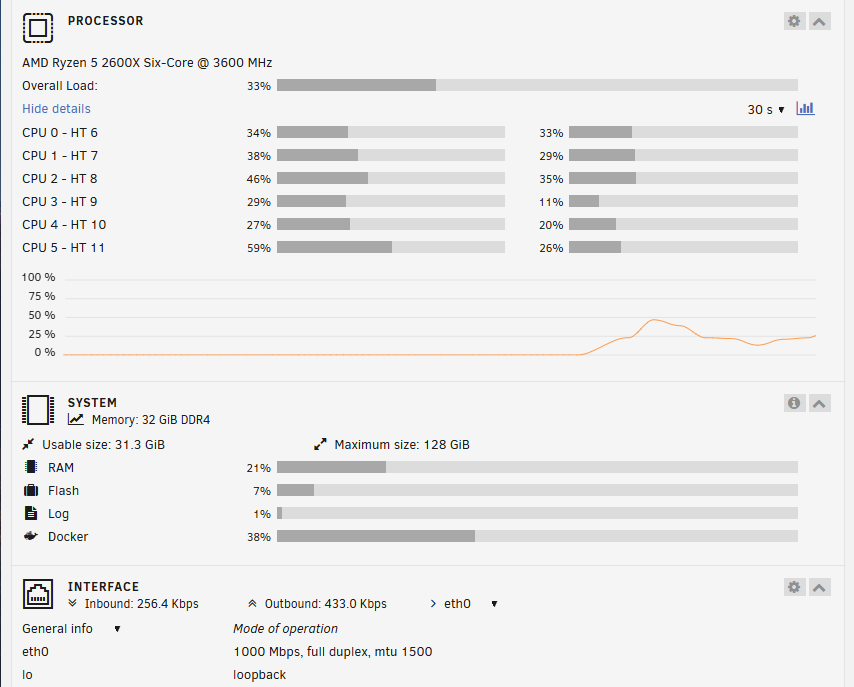
Interesting, whenever I look, I see basically minimal RAM usage: It's basically always right around 20% when I look. Any chance we're just looking at a bad RAM stick? Can you point me to info on limiting RAM for services?
-
Here you are: unraid-diagnostics-20250227-0857.zip
-
Typically, I'll just come down in the morning to do something and find my mapping from my desktop disconnected. Then I'll see my dockers are unresponsive, etc. The system will ping, that's it. No SSH. I have to do a force shutdown with the power button to get it back to life. syslog-192.168.1.44 - Copy.log I can probably connect a monitor to it if necessary, but I'd really love to avoid that if possible. If anyone can give me an idea what I could have going on here, I'd appreciate it.
-
Tried running an extended SMART test and it quit at 10% with a read failure. Attaching what files there are. I've got a replacement ordered already, but it'll be like 2-3 days if I'm lucky. Any suggested steps for trying to get it back online, or is it just likely gone? unraid-smart-20240825-1527.zip
-
Silly question....how? If there's an obvious option, I'm not seeing it. NVM, found it. Not the most intuitive thing out there.
-
When you say "the pool" you're referring to my single cache drive, correct?
-
Diagnostics attached. Happened some point overnight. unraid-diagnostics-20240725-0919.zip
-
Noticed that all my dockers were throwing fits. Went in and looked, and am seeing this kind of thing in the logs: 2024-07-24 12:00:02.706862 [info] Host is running unRAID 2024-07-24 12:00:02.734310 [info] System information: Linux UnRAID 6.1.99-Unraid #1 SMP PREEMPT_DYNAMIC Tue Jul 16 10:06:03 PDT 2024 x86_64 GNU/Linux 2024-07-24 12:00:02.758340 [info] Image tags: IMAGE_RELEASE_TAG=1.40.5.8761-1-01 2024-07-24 12:00:02.790806 [warn] TRANS_DIR not defined,(via -e TRANS_DIR), defaulting to '/config/tmp' 2024-07-24 12:00:02.853498 [info] SHARED_NETWORK not defined (via -e SHARED_NETWORK), defaulting to 'no' 2024-07-24 12:00:02.885870 [info] PUID defined as '99' 2024-07-24 12:00:02.953527 [info] PGID defined as '100' 2024-07-24 12:00:03.557877 [info] UMASK defined as '000' 2024-07-24 12:00:03.588423 [info] Permissions already set for '/config' 2024-07-24 12:00:03.625671 [info] Deleting files in /tmp (non recursive)... chmod: changing permissions of '/config/supervisord.log': Read-only file system Glutun example: 2024-07-24T19:08:28Z INFO [firewall] enabled successfully 2024-07-24T19:08:29Z INFO [storage] merging by most recent 19425 hardcoded servers and 19425 servers read from /gluetun/servers.json 2024-07-24T19:08:29Z ERROR writing servers to file: open /gluetun/servers.json: read-only file system 2024-07-24T19:08:29Z INFO Shutdown successful Essentially, it looks like everything on my /mnt/user/prod (where my docker files go) has become unwriteable to my containers. I've done the docker-safe new permissions. Doesn't seem to have made a difference. So...kind of stuck as to what I should be doing next.
-
OK, will do. Changed from macvlan to iplan and did the update.
-
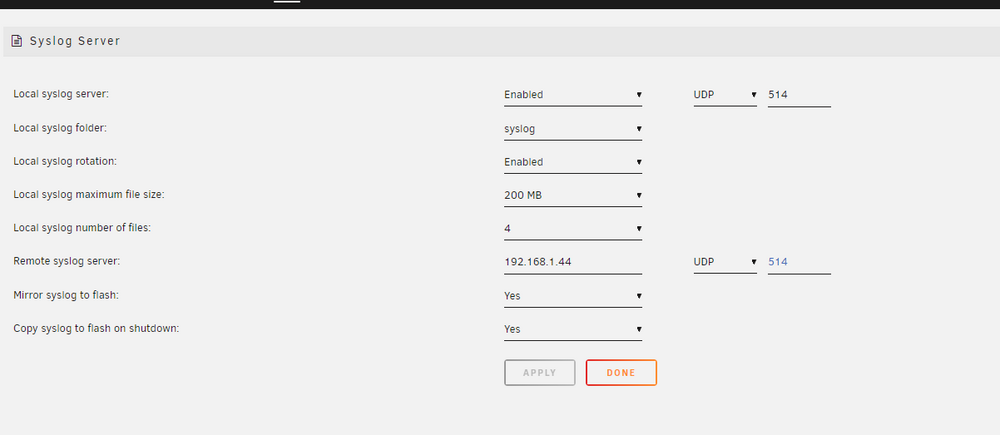
Ah there you go. It was from the flash drive. Here's the one from that share. syslog-192.168.1.44.log
-
I thought I had. There a setting I'm missing?
-
...no, not that. Running off the array and already crapped out again. First I lost dockers, then WebUI, then SMB, and finally, ssh. Attaching syslog and diagnostics. unraid-diagnostics-20240717-2100.zip syslog
-
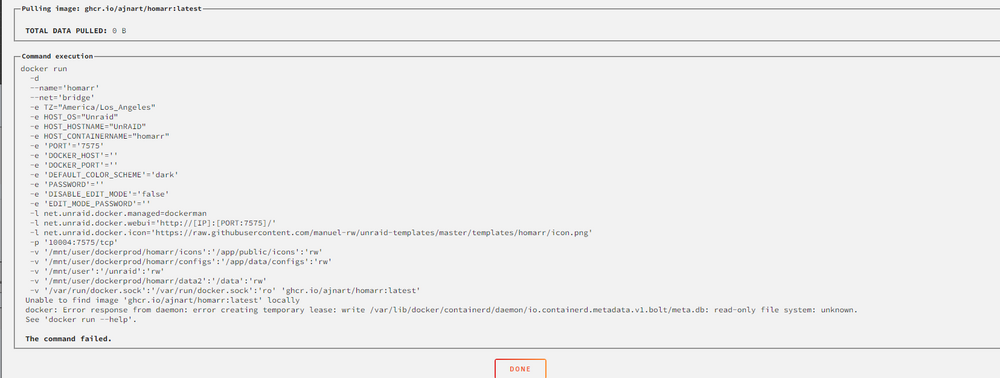
...okay, right. Hosed docker.img and macvlan. Fixing those and rebuilding my dockers... And got a ways through re-adding them all when I got: ETA super exciting update. I moved my docker.img to my main array and was able to install everything. Problems with my cache drive?
-
Alright, problem the first. Noticed a docker acting funny. Went to restart it. Got a "server error". Refreshed Docker page, saw the container (Audiobookshelf) was stopped. Tried to start it and got a Server Error 403. Since a 403 is a forbidden in the world of http I went ahead and ran docker-safe permissions and...nope. So right now I've got one I just plain can't start. Then I stop a couple others and...can't start them either: syslog

-
OK, I've got it writing to flash.
-
In the last few days, I've had some big old stability issues. I think I've had four forced shutdowns in the last couple days. Dockers acting weird. Losing GUI or the ability to ssh. Logging in via ssh sometimes taking a good 5 minutes from the time I hit enter on my password to actually getting a system prompt. No hardware changes. I've added and removed some dockers, but that's pretty much it. So far I've had the system continue to function (dockers) but was unable to get into GUI or ssh. But I could do SMB. I've been unable to do any sort of regular shutdowns - if I do, it says the system is going down, but just sits until I hold down the power button. Most recent crash, just before this diagnostics was taken, I was backing up a folder from the UNRAID box to my local PC (because, you know, instability) and the thing went completely unresponsive. Even pings failed at that point. Yes, it was still on, but if not for the lights you'd never know it. I've now got a keyboard and monitor connected to the thing after the latest reboot. Now I'm just looking for help determining what is going on here. unraid-diagnostics-20240717-0257.zip
-
I did, and the restart piece seems to be working since it's got an uptime of about 10 seconds, along with my other connected containers. Figuring out why the OVPN container seems to crap out so often would be nice, but isn't all that important as long as containers are rebooting correctly. The IPv6 thing was just trying to understand things more than anything else.
-
Yeah, that's how I've always been set on my NICs. Isn't there an advanced command switch in Docker that can be added to a container that says no ipv6? Right now I've got them all disabled except OVPN. And OVPN upon start is giving me a veth interface.
-
I think the point is I don't know HOW to disable it entirely. The only way I can see to add or remove IPv6 is if I have an interface that is set for both. Looking at my ifconfig, I've got a bunch of virtual addresses like this: veth0c92aa4: flags=4163<UP,BROADCAST,RUNNING,MULTICAST> mtu 1500 inet6 fe80::24f4:b3ff:fe7b:596e prefixlen 64 scopeid 0x20<link> RX packets 0 bytes 0 (0.0 B) RX errors 0 dropped 0 overruns 0 frame 0 TX packets 4 bytes 308 (308.0 B) TX errors 0 dropped 0 overruns 0 carrier 0 collisions 0 All the IPv6 veths go away if I stop the Docker service. But I don't know how to actually disable IPv6 everywhere.
-
Yup, thought of that: As far as IPv6, I don't need it. But literally the only place I can find IPv6 anywhere in my network settings of my server is a single Tailscale route. Otherwise, all my interfaces are IPv4 only. It seems unlikely something is already bound to that port, but either way I can't find any commands that could tell me that which actually work on the docker.

-
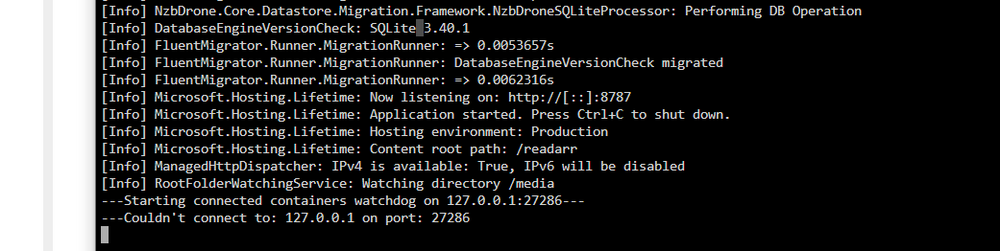
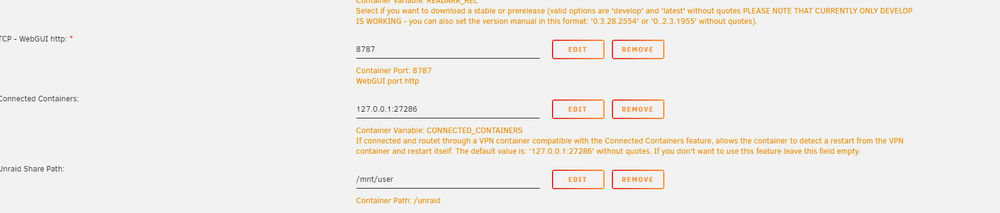
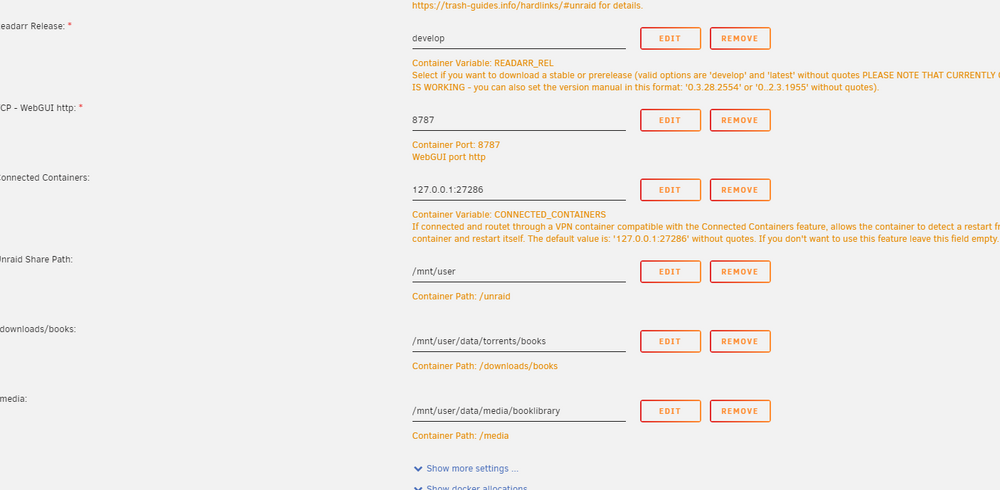
Everything else is working. Readarr is showing this: The config in the container for that is identical to that in all the other containers:
-
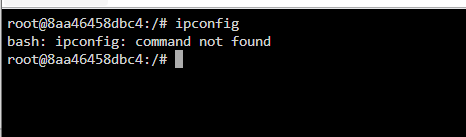
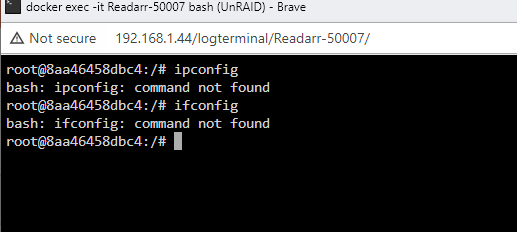
@ich777 -The good news, it seems like all the restarts are working. The bad news, "all" seems to be an overstatement. I've got a pile of stuff working just fine. However, one of your containers (readarr) isn't restarting with the others. What I've noticed (again, still nowhere near an expert on Docker stuff) is that this particular container, once it's dropped off can't even run ifconfig: Oops. Windows habit:
-
I believe I had taken out the restart-unless-stopped when I was just randomly poking at values trying to determine WTF was going on. I've made my changes. We'll see what happens!
-
Argh, wrote these stupid things a few times and it felt like info kept changing. So, from the top one more time. Script wasn't executable, so I fixed that. Attaching TVH log. Nothing interesting (to me). From the container I can manually run the script: root@8aa46458dbc4:/etc/cont-init.d# ./91-connected-containers fetch http://dl-cdn.alpinelinux.org/alpine/v3.20/main/x86_64/APKINDEX.tar.gz fetch http://dl-cdn.alpinelinux.org/alpine/v3.20/community/x86_64/APKINDEX.tar.gz v3.20.1-94-g87a0c982bb1 [http://dl-cdn.alpinelinux.org/alpine/v3.20/main] v3.20.1-96-g8bab5148359 [http://dl-cdn.alpinelinux.org/alpine/v3.20/community] OK: 24152 distinct packages available OK: 538 MiB in 311 packages No mention of starting connected containers. ...and to add to the "I have no idea what is going on here", if I stop the OVPN container, the TVH container stops completely. If I restart the OVPN container, the TVH container stops completely. Silly question...is this (from one of your containers): Supposed to be added to the non-ich777 containers AS WELL AS the alpine script? tvh.txt







