





amstel
Members
-
Joined
Everything posted by amstel
-
Hey, started the routine but got confused I am using: USB 2.0 on board(2 ports), USB 3.0 on board(4 ports), USB 3.0 Header (2 ports) my output: ~#lspci | grep USB 00:14.0 USB controller: Intel Corporation Sunrise Point-H USB 3.0 xHCI Controller (rev 31) ~#lsusb Bus 002 Device 002: ID 0951:1666 Kingston Technology DataTraveler G4 Bus 002 Device 003: ID 0781:5590 SanDisk Corp. Bus 002 Device 001: ID 1d6b:0003 Linux Foundation 3.0 root hub Bus 001 Device 005: ID 04b3:3025 IBM Corp. NetVista Full Width Keyboard Bus 001 Device 004: ID 03f0:2b17 Hewlett-Packard LaserJet 1020 Bus 001 Device 003: ID 045e:0083 Microsoft Corp. Basic Optical Mouse Bus 001 Device 002: ID 046d:c52b Logitech, Inc. Unifying Receiver Bus 001 Device 001: ID 1d6b:0002 Linux Foundation 2.0 root hub IOMMU group 3 [8086:a12f] 00:14.0 USB controller: Intel Corporation Sunrise Point-H USB 3.0 xHCI Controller (rev 31) well, looks like the 'USB 2.0 onboard' and the 'USB 3.0 Header', sharing the same bus (BUS 001). I only want to passthru all the devices from Bus 001, how do I do that?
-
mmm, well, I tested 4 different combinations with GeekBench cpu benchmark and those are the results (singlecore, multicore): 4 cpu's, no isolation: 3805, 6951 2 isolated cpus (1,3): 3323, 4041 2 isolated cpus (1,3) + 2 shared cpus: 3632, 6588 2 isolated cpus (1,3) + 2 shared cpus + emulatorpin=2: 3554, 6781 it seems that the normal configurations gives the best benchmark result. what am I missing here? Thanks.
-
well, I have changed cpu (1,3) to be isolated. now, I'd like to assign all 4 of them to the VM. <cputune> <vcpupin vcpu='0' cpuset='1'/> <vcpupin vcpu='1' cpuset='3'/> <vcpupin vcpu='2' cpuset='0'/> <vcpupin vcpu='3' cpuset='2'/> <emulatorpin cpuset='2'/> </cputune> do I still need to use the emulatorpin feature? if yes, which CPU should I assign there? Thanks.
-
yes I know that, I just don't want the VM to be too slow, cause using 'only' 2 hyperthreaded cores (1 cpu). I will give those 2 different configurations a try and will test each to see which will act better. Thanks for the help!
-
thanks for that. last question, can I isolate 2 cpus and use 4 cpus for that VM? I mean, just like now when I'm passing the 4 cpus, only that 2 of them will be isolated for this VM only ? Thanks.
-
Thanks for the reply. I'm using the unraid (beside for the VM) for: TVHEADEND: record and stream DVB-T TV. Transmission: download/upload files 24/7. SMB: sharing local files for home TV streaming. quassel-core: connected to irc server. I guess that it should work well, is it? another question, can the unraid server use those isolated cpus while the VM is not running? Thanks.
-
Hey, I'm using i3-6100 cpu on my unraid and passing it thru to win10 VM. I have to following cpus: (0,2),(1,3) should I isolate cpu (1,3) ? should I also write "<emulatorpin cpuset='0,2'/> ? does isolating cpu (1,3) will decrease the unraid performance? would appreciate any information.
-
will this also be good for me if I have only 4 cpus? should I isolate (1,3) ? Thanks.
-
Hey, any news about the "a1aina Site Down" message? Thanks!
-
did that... now getting error message: An unknown PHP error occurred. This is most likely a syntax error in config.php in phpVirtualBox's folder. The most common errors are an unclosed quote or a missing semicolon in a configuration item that has been entered (e.g. location, username, or password). Depending on your PHP configuration, navigating directly to config.php in your web browser may display the PHP error message. I have changed the config.php file back to config.php-example and still getting the same error messages.
-
I have uninstalled the plugin, then installed apache server as a docker, config looks bit different. after configuring few things, I am able to enter the phovirtualbox. but, am getting this message: An error occurred communicating with your vboxwebsrv. No more requests will be sent by phpVirtualBox until the error is corrected and this page is refreshed. The details of this connection error should be displayed in a subsequent dialog box. after clicking ok, receiving the following error: Could not connect to host (http://127.0.0.1:18083/) Thanks.
-
Apr 12 19:37:54 Tower php: /usr/local/emhttp/plugins/apache/scripts/start Apr 12 19:37:56 Tower apache: AH00534: httpd: Configuration error: No MPM loaded.
-
no firewall.. did you notice that on the webserver plugin page it says: Status:Stopped ? what is wrong?
-
not working. This site can’t be reached 10.0.0.11 refused to connect. ERR_CONNECTION_REFUSED
-
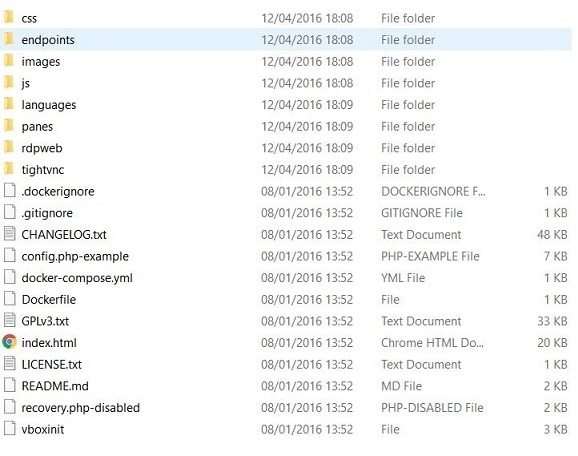
I also tried that... went into webpage with header: Guacamole 0.9.6.
-
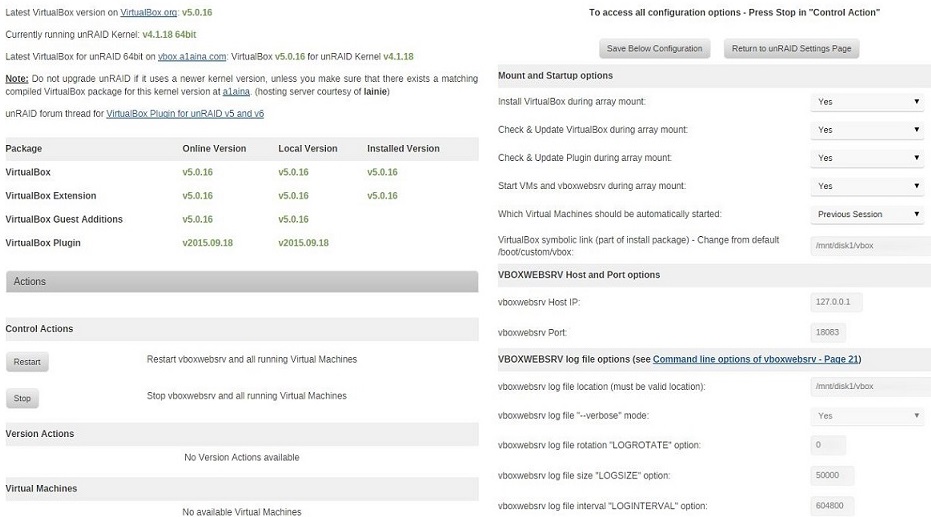
attached all, trying to connect to 10.0.0.11:18083 which is my unraid IP address.

-
Hey, I installed the virtualbox plugin, installed apache webserver, put the phpvirtualbox.. now, when I connect to the webserver, I can see RECENT CONNECTIONS and ALL CONNECTIONS there is dolphin plugin there that works.. but, how can I add new windows 7 for example? Thanks.

