theone
Community Developer
-
Joined
-
Last visited
-
I don't want to know if the backup server is connected to network I want to now that the actual array pool is on so I can backup to it.
-
I am also looking into this and plan to use FreeFileSync. I wake up my remote unraid (doing it over IPMI - working OK) Wait until remote unraid is up and running - How do I get the remote unRAID server status (Array On)? Start backup from local to remote backup server (FreeFileSync) Powerdown the remote unraid (doing it over IPMI - working OK) How do I do the wait part without a wait for X minutes command but with some sort of polling or notification?
-
I tried installing Immich on a test/backup server I just built that is on the same network (ip 192.168.1.113 vs 192.168.1.104 of the main server) and it downloaded in <30 seconds !!! So I think it is something server related. All other dockers not updating from ghcr.io or lscr.io update without issues. I did a clean installation of all my dockers lately from image to folder configuration but it is still slow (as before the change) Any additional help would be appreciated.
-
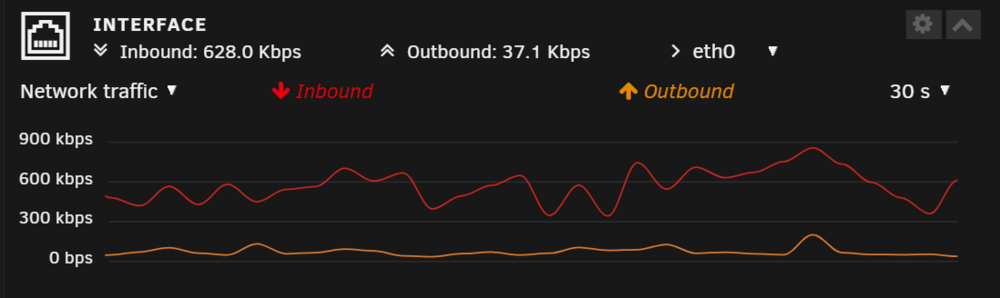
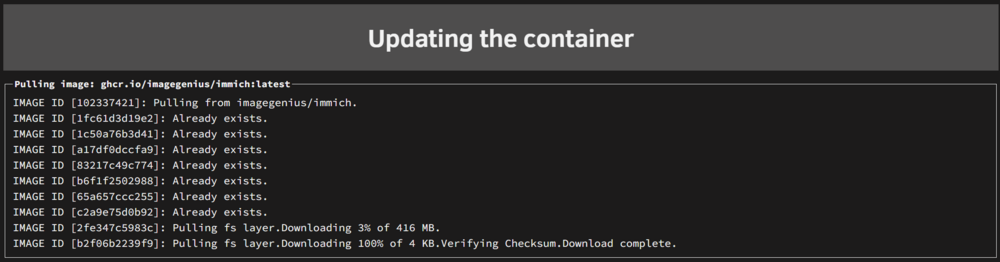
So I got around to rebooting my routers but it didn't help. Downloading immich update now from ghcr.io/imagegenius/immich:latest at ~300-600Kbps (<75KB/s) 😪 For a 416MB package it will take me ~50 minutes.
-
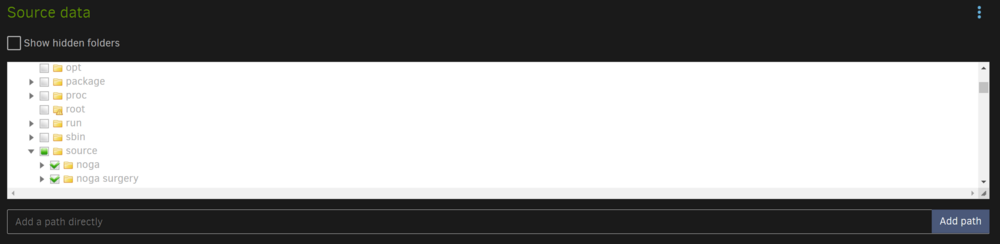
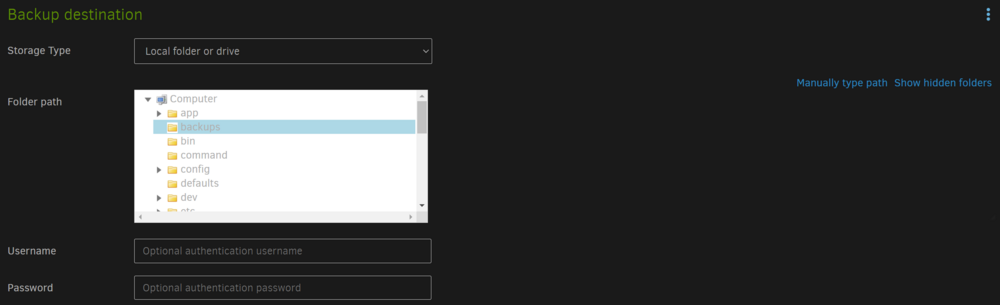
I have setup Duplicati in a test environment (simulated files on temporary cache drive fodler) as following and each time I try to run a backup I get the same error messages: "MessagesActualLength": 3, "WarningsActualLength": 0, "ErrorsActualLength": 2, "Messages": [ "2024-06-14 22:13:16 +03 - [Information-Duplicati.Library.Main.Controller-StartingOperation]: The operation Backup has started", "2024-06-14 22:13:16 +03 - [Information-Duplicati.Library.Main.BasicResults-BackendEvent]: Backend event: List - Started: ()", "2024-06-14 22:13:16 +03 - [Information-Duplicati.Library.Main.BasicResults-BackendEvent]: Backend event: List - Completed: ()" ], "Warnings": [], "Errors": [ "2024-06-14 22:13:16 +03 - [Error-Duplicati.Library.Main.Operation.BackupHandler-FatalError]: Fatal error\nFileNotFoundException: Could not find file \"\"", "2024-06-14 22:13:16 +03 - [Error-Duplicati.Library.Main.Controller-FailedOperation]: The operation Backup has failed with error: Could not find file \"\"\nFileNotFoundException: Could not find file \"\"" ], /usr/local/emhttp/plugins/dynamix.docker.manager/scripts/docker create --name='duplicati' --net='bridge' --cpuset-cpus='1,2,15,16' -e HOST_OS="Unraid" -e HOST_HOSTNAME="Tower" -e HOST_CONTAINERNAME="duplicati" -e 'CLI_ARGS'='' -e 'PUID'='99' -e 'PGID'='100' -e 'UMASK'='022' -l net.unraid.docker.managed=dockerman -l net.unraid.docker.webui='http://[IP]:[PORT:8200]' -l net.unraid.docker.icon='https://raw.githubusercontent.com/linuxserver/docker-templates/master/linuxserver.io/img/duplicati-logo.png' -p '8200:8200/tcp' -v '/mnt/cache/temp/duplicati_destination/':'/backups':'rw' -v '/mnt/cache/temp/Noga'\''s Documents/':'/source':'rw' -v '/mnt/cache/temp/duplicati_tmp':'/tmp':'rw' -v '/mnt/cache/unRAID_Apps/Docker/appdata/duplicati':'/config':'rw' 'linuxserver/duplicati' I added the tmp path (although it ins' in the template) but fails with and without it. When doing a cp from the docker console from /source to /backups it works - so no permissions problem. What could be the problem?
-
I have been running NGINX Proxy Manager (NPM) for a few months now with my personal registered domain for different docker apps (immich.<mydomain>.com, overseer.<mydomain>.com, jellyfin.<mydomain>.com, etc...). My domain is registered and namecheap. I have lately stumbled across across tailscale (and this Plugin) while seaching to improve security and use a VPN. I have installed this great plugin and got it working to access the unraid webui server from different remote devices. I can also access the apps on the VPN using tower:<port number> (for example immich at tower:8080) I am now trying to combine the two so I (and others that I let) can access the apps using <app>.mydomain.com. I saw the below video but don't know how to do it for NPM and the Tailscale plugin. I the example in the video it seems there is a dedicated server for the reverse proxy (Caddy) but if I do this for the unraid server doesn't it expose the whole server to all allowed users? Does anyone have a step-by-step tutorial for achieving this in unRAID with NPM and Tailscale plugin? If it is possible...
-
So I am still having this problem - for all dockers from lscr.io and ghcr.io for lscr.io dockers I remove the lscr.io prefix and used linuxserver directly (for example, changed sonarr repository from lcsr.io/linuxserver/sonarr to linuxserver/sonarr and it now updates very FAST. I Google searched for similar issues and found many references to the same problem, but no solution 😞
-
Whenever I install or update a Linuxserver (lscr.io) docker it takes a VERY long time to download/pull the images. It can take > 10 minutes for ~100MB. This does not happen for other docker distributions - just Linuxserver. Does/Has anyone else expererienced this?
-
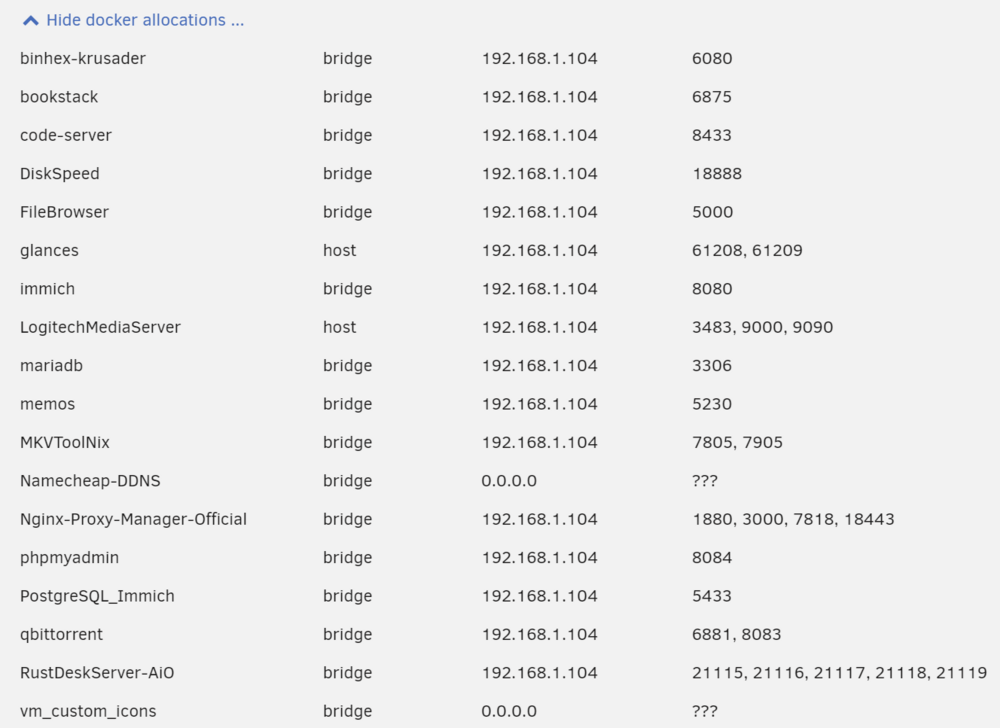
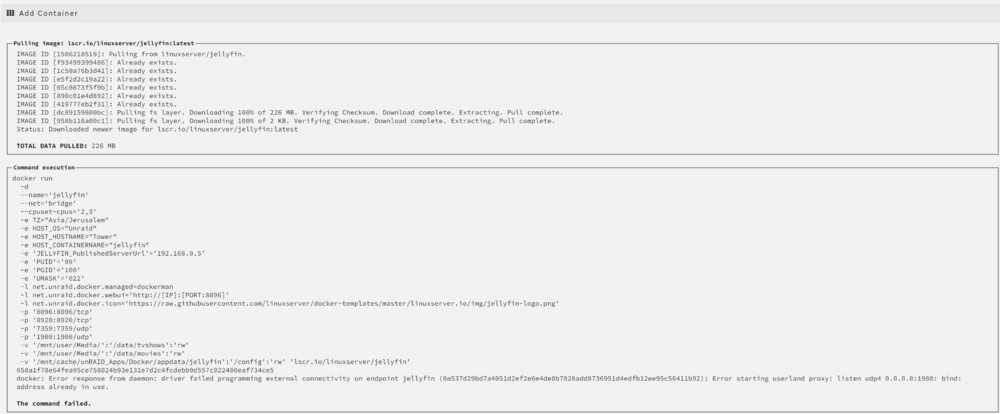
I need help I had jellyfin up and running for the last souple of years without issues. Today I updated to Jellyfin 10.9 and something happened (maybe during the update) but my docker fails to run (runs and the stops) with "address in use" in docker log. So I removed/deleted the docker, restarted the server (power cycle) and tried to reinstall the docker but no get error during install. Here is the result of the docker install The existing allocatted docker ports are below - see no Jellyfin (as it is not installed yet) What is the problem?
-
How is this done? And will it preserve all dockers, settings, appdata? Or do I need to reinstall them all?
-
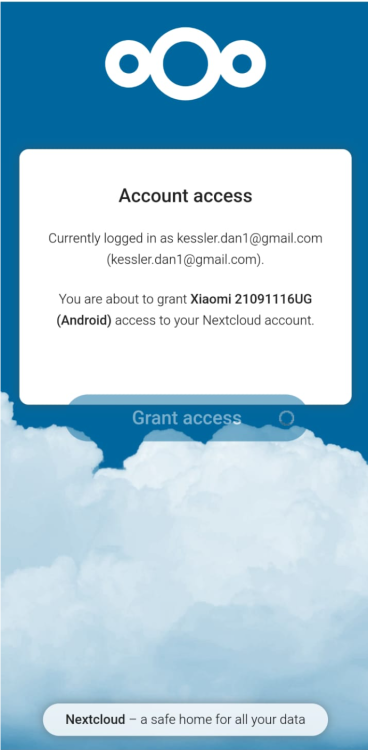
What's weird is that if I do back at this stage I get the message "Currently logged in as .... You are about to grand <phone name> access ...." and then pressing "Grant Access" it gets stuck there...
-
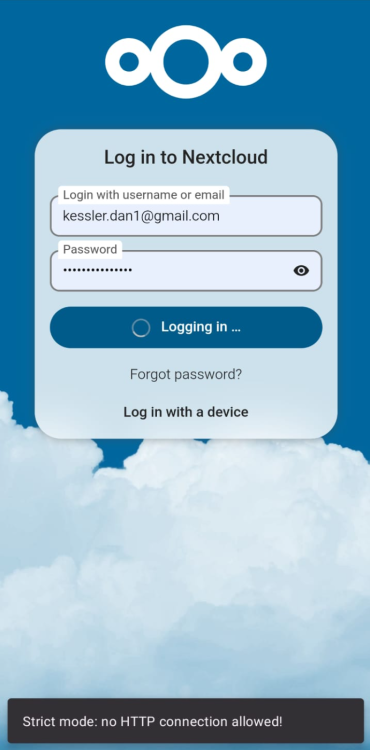
Did both but still after entering username and password the message appears at the bottom for a couple of seconds and then the login wheel turn endlessly without actually logging into the account.
-
No change - still the same problem
-
I don't have a problem with Chrome. I have a problem with the Android Nextcloud App
-
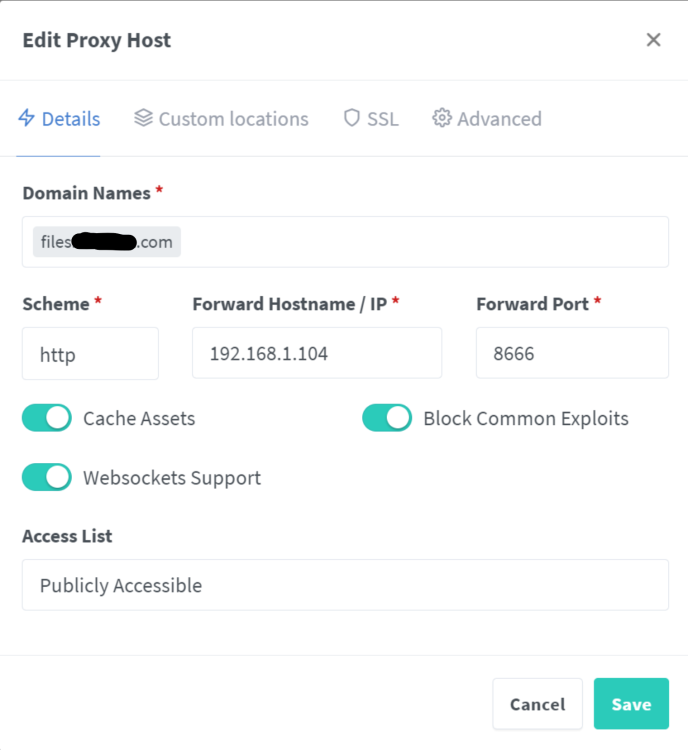
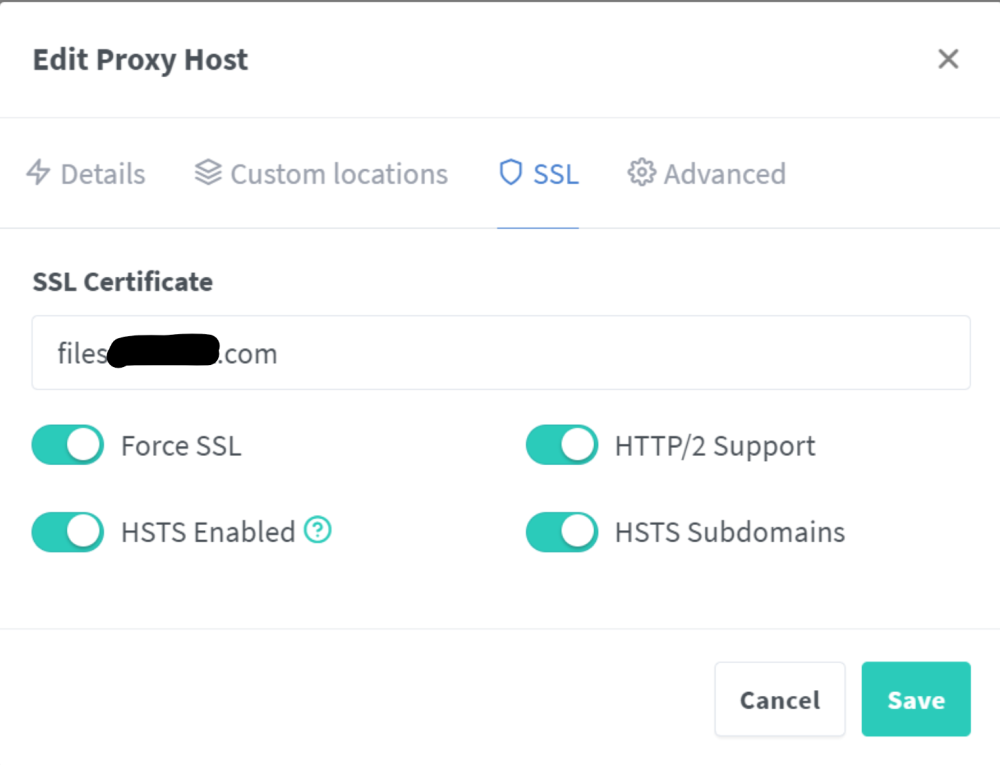
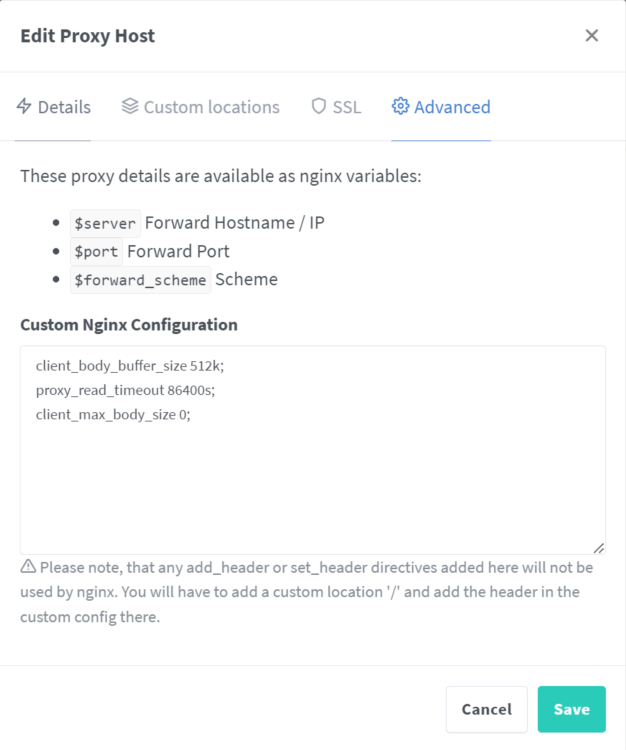
I have recently setup NEXTCLOUD on my server and I can't access it using the Android Nextcloud App on my phone. I have it setup also via NGINX reverse proxy manager. I also have the following lines in my Nextcloud config.php file 'overwrite.cli.url' => 'https://files.avidank.com', 'overwritehost' => 'files.avidank.com', 'overwriteproticol' => 'https', 'overwrite.cli.url' => 'https://files.<mydomain>.com', 'overwritehost' => 'files.<mydomain>.com', 'overwriteproticol' => 'https', and 'trusted_domains' => array ( 0 => '192.168.1.104:8666', 1 => 'files.<mydomain>.com', I can access it OK from my PC and phone from a web browser locally (192.168.1.104:8666) and remotely files.<mydomain>.com. When I try to access it locally or remotely from the Nextcloud Android app It gets stuck (endless turning wheel) on either Granting Access page or login page and sometimes show message at the bottom "Strict mode: no HTTP connection allowed!" What is the problem?