





darrenyorston
Members
-
Joined
-
Last visited
Everything posted by darrenyorston
-
I really dont know if i fixed mine or it just came good. I could only see code 43 when i used vnc. I read though that using vnc will often show code 43 anyway. I thought to update the driver using device manager, via vnc, but most buttons were greyed out. I could uninstall the 1080 though. So i did. After reboot i noticed the buttons in device manager for the 1080 were no longer greyed out. So i closed vnc and acessed the vm via teamviewer. I updated the driver via device manager. The moment i did my displays started working. I rebooted the vm and all is working normal. I dont what this had to do with linux vms though.
-
That worked. I presume each time I want to edit the plugin Ill just need to change the port? Thanks for the help. Much appreciated.
-
Thankfully a short lived issue. Though it was a bizarre solution. I read on the net someone suggesting using Teamviewer. I accessed the VM using VNC, installed Teamviewer. I un-installed the GTX1080 then restarted the VM. Once restarted I got the Teamviewer pwd then closed the VN client. Accessing the VM via Teamviewer I updated the driver. Once I restarted the VM the 1080 worked with no problems. For some reason the Linux VMs also began to work. No idea why. They didnt display video but once I changed the Windows 10 device the Linux devices started working.
-
Appears I have been struck by the Code 43 issue. I moved my GTX1080 to a different PCIe slot and my VMs, Windows 10 and Linux, would start but there was no display output. I set a primary video display as VNC with the 1080 as secondary. When looking via VNC I could see the error on the 1080 in Windows System Devices. The Linux VMs crash straight soon after boot so I cant see what they are doing. I tried using a new edited ROM but it didnt resolve the issue. Hypervisor is off in the VM template and obviously isnt there for Linux VMs. At the moment cant get display output on any VMs. Any suggestions?
-
Unable to connect Firefox can’t establish a connection to the server at d7b7dd5f31171a775e28111b7128e5ddc8c08b3c.unraid.net:2379. The site could be temporarily unavailable or too busy. Try again in a few moments. If you are unable to load any pages, check your computer’s network connection. If your computer or network is protected by a firewall or proxy, make sure that Firefox is permitted to access the Web. On the settings page it shows the ControlR Status as Stopped. It wont start on port 2379
-
If I change the port to 2379 the server wont start. It shows stopped even though Enable Control Server is set to Yes. And yes I clicked Apply and Done. Its the same error code regardless of the port I try: SSL_ERROR_RX_RECORD_TOO_LONG
-
Didnt work. I tried a few other ports as well. Same result. SSL is set to yes.
-
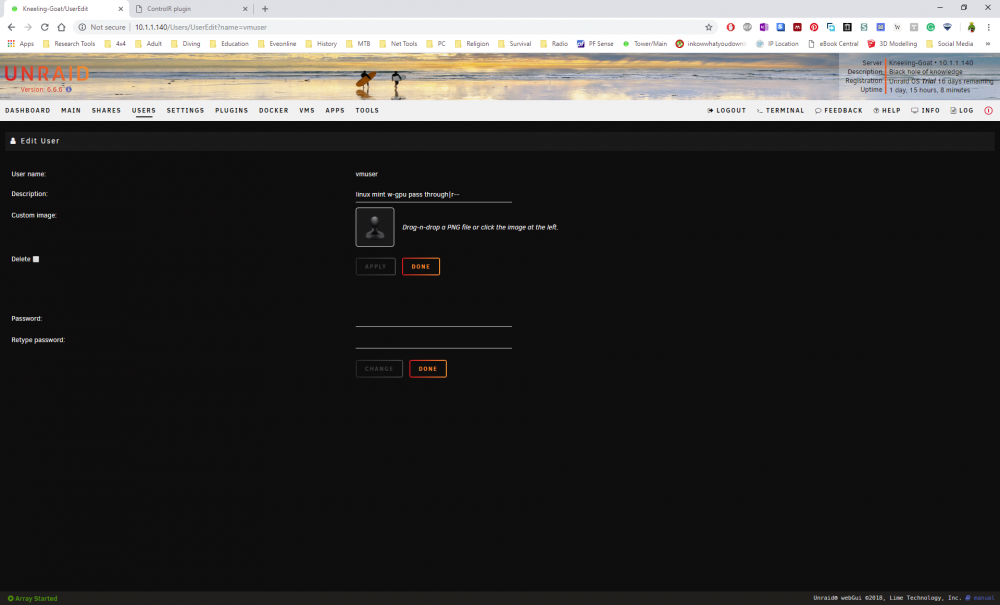
Finally got the opportunity to have a look at the update. I am having an issue where the web UI isnt accessible with SSL active. Do I need to edit something in the plugin to allow it to work with SSL?I did. Thats where the 11.9gb came from.No problem.Yeah ive noted thats how containers update. I use quite a few of your containers and have never had an issue. As a result i thought nothing of updating the container. I was not surprised when it said the container was deleted. Only when it said it was finished. As i said not a huge issue with deluge as it takes only a few minutes to set up.Let me try to make it clearer for you. I DID NOT RECEIVE A WARNING THAT THE CONTAINER WAS GETTING FULL. Furthermore, I would not call 12GB in a 20GB container "getting full". As I said I am not overly concerned that the container was deleted as it was easy enough to re-install. I am more concerned that clicking update caused the container to delete. Makes me hesitant to update any container.I did not say it was the containers fault. Try reading my post again. Yes I do receive notifications. All updates are selected, as are all notices, warnings, and alerts. I did not receive a warning. My containers showed as "Update Ready". I updated the container and it deleted it. My only issue is that when I selected update it would have been preferable to be notified the container was going to be deleted. If it had I would not have selected update. Thankfully it was not something or greater value. According to the O/S my containers total 11.9 GB. My container size was set 20GB when this occurred. As a consequence I raised it to 30GB. I have since raised it to 50GB so as to stave of similar issues in the future.Resolved it. Seems the docker contain was getting full. Stopped docker and increased its size and all was good. Cant say an auto-delete of the container was great. A warning might have been better.Yeah man. When I checked my containers every container I have said there was un update available. I started with deluge as its first on the list. The container started updating. It processed, deleted the container then stopped. The container was then gone. I had to reinstall it.US Texas end point doesnt support port forwarding. https://www.privateinternetaccess.com/helpdesk/kb/articles/how-do-i-enable-port-forwarding-on-my-vpn Also check your LAN NETWORK config. I am assuming 10.0.0.102 is you unRAID server. If so change the fourth group to 0 and not 102.So a bunch of binhex containers are showing as "update ready". I updated deluge but the update said it was deleting the container instead. now its gone. what gives?Yes. I am logging in from the Android app using a user I created called "vmuser". I have to utilise the root password as the one for the actual "vmuser" does not find a server. By unselectable, I mean that the VM is listed with the start, edit, and undefine options greyed out. There is also some weirdness going on with checking the various boxes next to a VM in the plugin. If I check a box another previously checked box disappears and another one appears. It is like playing whack-a-mole. As an example I just removed all check marks. When I check "Visible" for a VM "Read" also is checked. When I then check "Exec" it stays checked for a few seconds then becomes unchecked. If I then go to another VM and check "Visible" it stays checked for a second or so then becomes unchecked. However, the "Exec" which I had previously checked, which went unchecked, now becomes checked. I am using Chrome v 71.0.3578.98. On the Android device, I would like to only have displayed a "Start" and "Stop" button for whatever VMs I want to be selected. I am intending to use your app as an interface to start whatever VM I want onto my monitors. So whilst I have a bunch of VMs I dont need to have shown on the app as starting them doesn't do anything because they don't have GPU pass-throughs. For example, when I am no longer using my desktop VM I want to shut it down and turn off the monitors. When I do want to use it again I can start whichever VM I want to utilise using the Android app. Which means only VMs with GPU passthroughs. The description changes every time I make alterations in the plugin as well.
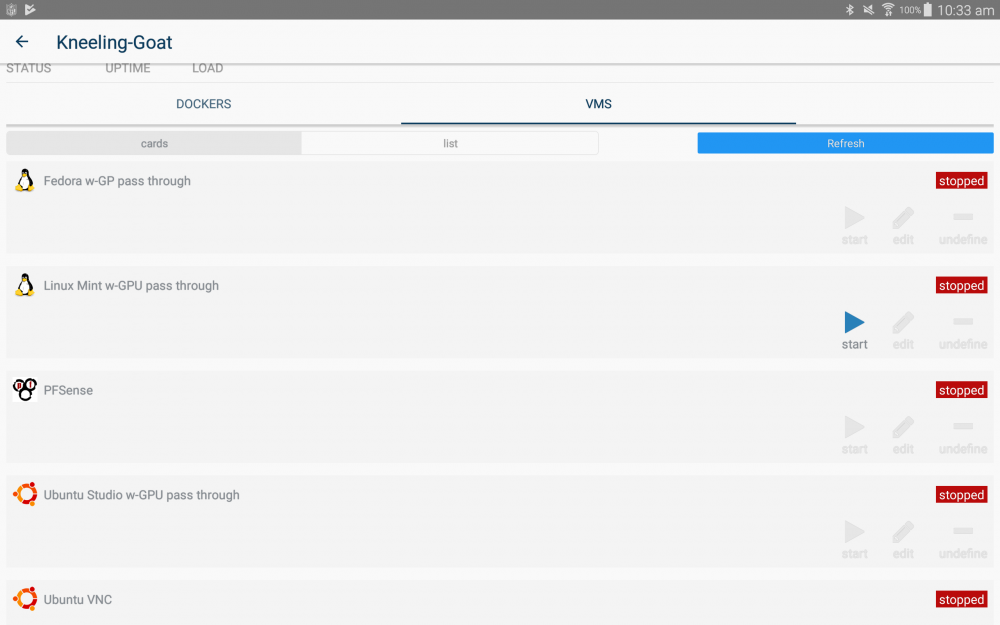
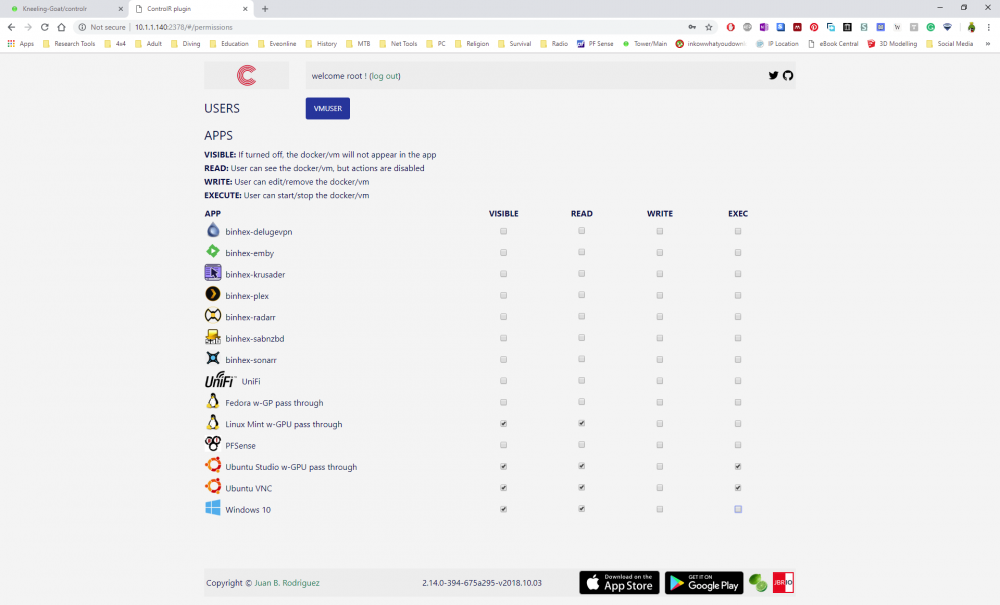
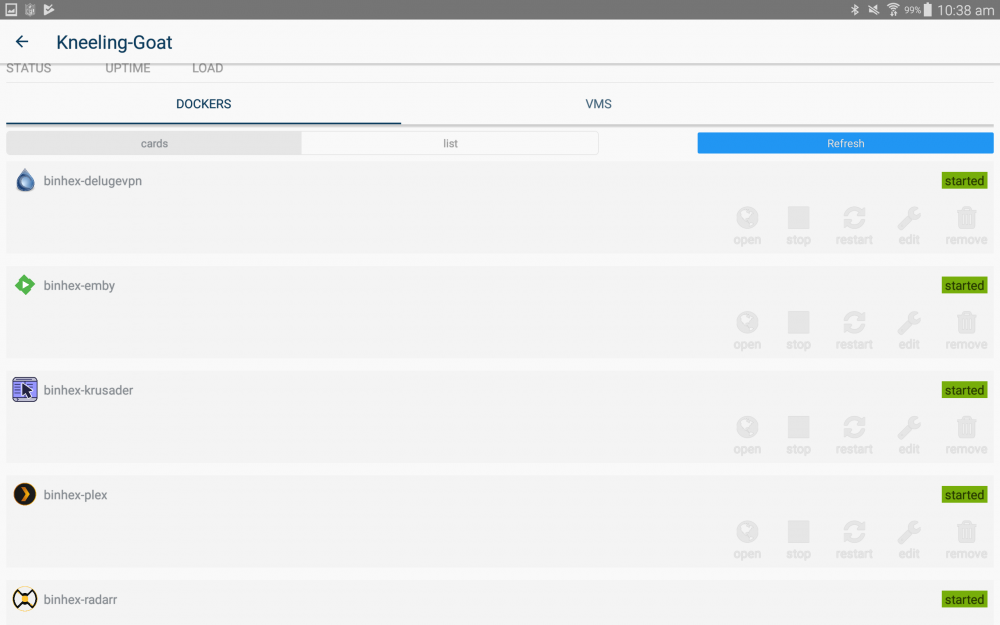
 Hi there. I am using unraid v 6.6.6, ControlR v 2018.10.3, and ControlR android app v 4.5.0 I have the user account set to only show a single VM with visible, read, and exec checked. All other VMs or Docker containers are blank. When I log into the app on my tablet, however, all Docker containers are visible (though not selectable). Also, all VMs are visible (though not selectable). How do I prevent Docker containers or VMs even being visible when they have not been selected in the plugin UI? I dont need Dockers to be accessible via the app and also want to control which VMs are visible.My daily driver is a Windows 10 VM. I also utilise various Linux VMs. At the moment I have an Android tablet on my desk which I utilise to start and stop VMs. However, its not ideal as its just the VM webpage which has way more data than I need. I would like to have on my tablet a webpage which would have buttons for the various VMs I utilise. So I could click an icon to start a VM, click it again to shut the VM down. It would be interesting as well whether a device such as an Elgato Streamdeck could be utilised to start and stop VMs. I think it would be extremely functional to have a small device on the desktop to do this. Is there a way to do this already?Mine is working fine. Other than having to download new client software all the time. Too much babysitting.I have tried adding cameras to Zoneminder but they remain red in the console. My cameras are Dlink DCS-4602EC. I utilised the settings per https://wiki.zoneminder.com/D-Link#DCS-4602EV The log file is attached. I know the cameras work zm-log.txtI tried to install the container but wont keep operating. The log reports: Port 8080 not available2018-05-27 19:54:06,299 INFO exited: unifi (exit status 255; not expected)2018-05-27 19:54:07,301 INFO spawned: 'unifi' with pid 892018-05-27 19:54:08,302 INFO success: unifi entered RUNNING state, process has stayed up for > than 1 seconds (startsecs)2018-05-27 19:54:16,147 WARN received SIGTERM indicating exit request2018-05-27 19:54:16,147 INFO waiting for unifi to die2018-05-27 19:54:16,152 INFO stopped: unifi (exit status 143) I tried altering the port from 8080 but it wont accept anything else.


