






knex666
Members
-
Joined
-
Last visited
Everything posted by knex666
-
You can change everything on your belongings. If you want to store data somewhere else just change the folder mapping. If you are running on host ip you should add a port-mapping. For me it seems to be the best way to run it on br0 with a seperate ip. Cheers
-
It would be great if the folder does not belong to the "root" group. Set chown to nobody:users. You can do that in your normal terminal ssh to your unraid. drwxrwx--- 1 nobody users 240 Apr 8 11:10 data/ If you are working with GUID etc. it will work. Otherwise it maybe throws some error. Cheers
-
You are shure you are running nextcloud:latest as repository and not LSIO (linuxserver.io) version? Ah okay. Thats because the changes of GUID etc. did not have effect to that folder if it is created. You can exec it into the container and change the owner / rights or if you have no sensible data you can change chmod on that folder to get access. Cheers
-
Are you running on a X64 Machine? Then that should work if you install all apps from the start. No the solution is just about the user rights you have at that folder. If you are not able to access that folder maybe the share is set to private? Do have have access to other share folders?
-
okay, this is a bit more advanced. and a bit offtopic here. nice that you are getting it to work. The curl error is very common and has to do with the package size of the document server app. maybe that will help you out. I am on discord for further discussion
-
Why Did you Do that, in your last Video you showed that everything is working well including onlyoffice. After Installation it Should be working out of the box. If you change your IP that could be a reason to have a look to the onlyoffice settings.
-
Okay, just to be clear - you are very shure you´re installing this docker and not LSIO (linuxserver.io) ? (repository is set to nextcloud:latest(or version number)) second: you are shure you did not skip that? If you could answere both with yes we should meet at discord or skype. Cheers
-
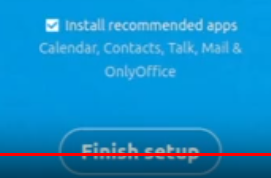
Hi, thats not ok. Did you see this Screen on installation? Or did you skip install AddOns? The static ip will not be a problem. Cheers
-
Hey, this is no problem. I have 2 instances one for my private stuff one for friends. You just need a new entry in your letsentrytp config that points your new subtomain to this instance. I have both running on br0 on IPV6 thats why it was very very easy to get this working. Cheers
-
Are you on repository :latest? If so you will get all new updates from the official image. if they update it. 18.0.3 is the latest image.
-
Hi Are you shure you are running this Image and not lsio linuxserver Image. Since if you choose to install Apps at the Start it works fine (See Page 1) Please try to Mount the php ini Since your change get lost Else Cheers
-
Hi, Please read about docker network you can not reach a brige docker from host or br0 you will See very clear after reading about docker Networks. There is no Port in the integrated Version. Its just a virtual folder mapping to /apps/... Cheers
-
By setting the repository to the version nextcloud:18.0.3-apache. But from 18.0.2 to 0.3 I got some errors but it worked. Cheers
-
Hi together, I dont think so. I used to install all updates by changing to repository version. I now changed it to nextcloud/apache:latest but you can go like this choose nextcloud/apache:18.0.2 and apply then change to latest and click apply. you should not update via the webapp. Edit: nextcloud:latest or 18.0.3-apache but I got stucked starting the container. I restarted the container and for the first time I saw the update screen. I applyed and it failed but works. I am cunfused... Cheers
-
Hey, Thats a network error. The container nextcloud cannot reach the host Port. You are running nextcloud on br0 or bridge Mode, host Mode? Best way is to have them both in a bridge or a br0 network. Try to ping from within the nextcloud container. Docker exec -it nextcloud ping [IP] I am running it with a MySQL DB, IT is working well. Cheers
-
Did you local Scan your files? After setting the path?
-
Hi everyone, I changed the repository to nextcloud:latest since nextcloud choose to use apache2 as default image. Everyone who is using this container should edit the repository to get the newest releases. Cheers, keep safe @ home!
-
you have to use a reverse proxy to port 80. In that reverse proxy you install the ssl certificates. take letsencrypt docker image.
-
Hi, I updated the template today and it seems to be broken. I hope it will soon be displayed again. But you can choose this template from the dropdown box once you loaded it. Cheers
-
Please more details. You setup a reverse proxy with ssl certificates You can reach nextcloud with https but if you switch to overwriteprotocol it fails? Cheers
-
You can give it a try by setting up a new container and backup everything so you cannot loose it. I will find the time some day but I dont have that much free time.
-
You're genius! Thanks I will give it a try and include it to the template! Cheers
-
Yes its a very big difference. so you will find help there Follow spaceinvadeons video, that works for the most of LSIO users. Or just move to this container
-
It was not possible to set this script to post execution. The container will not start up then. So please if you update your container run the docker exec. To update your container please change the repository. So now you can change to nextcloud:18.0.2-apache and after pulling execute docker exec. I dont know how to make it more confortable. Sorry
-
Hi, if you are using LSIO than please use the right support thread. For this container knex666/nextcloud with integrated ONLYOFFICE I updatet now to the official 18.0.2. image by changing the repository in the template and it works all well. Cheers


