Forusim
Members
-
Joined
-
Last visited
Everything posted by Forusim
-
I would like to know, how did you solve the issue? I am using the latest 6.2.2 Unraid. According to slackware wiki I only need enter "setxkbmap de" in the terminal (GUI boot mode) to change the language. The input language changes properly for the terminal and the browser to german. However I cant get this work with the /boot/config/go #!/bin/bash # Start the Management Utility /usr/local/sbin/emhttp & # Set German Input Language setxkbmap de & What am I doing wrong? Help is very appreciated.
-
I am also interested in the latest version of ps3netsrv. Could someone update it, or at least guide me how to update the ps3netsrv in the current docker?
-
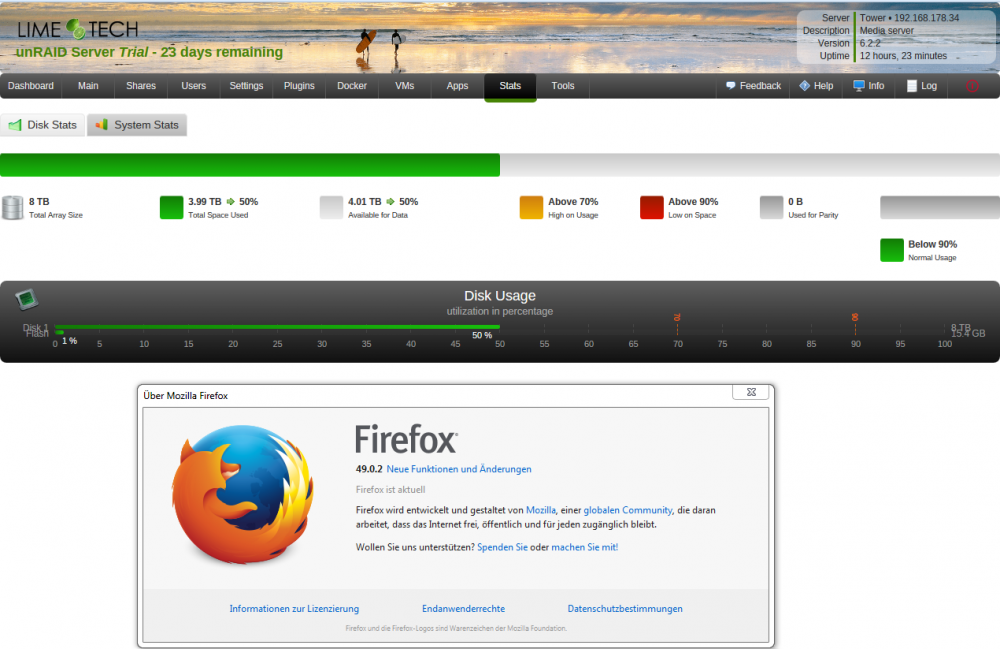
Indeed, after adding a cache drive the chart looks OK now. Thank you.
-
Hello, I am new to Unraid. While copying my files to the new array, I installed the Dynamix System Statistics (2016.09.13) plugin from the official link. However I encounter a display glitch in the disk stats tab - please see the attached screenshot. Same picture with latest Chrome 54.0.2840.71 m (64-bit). Is that because I have only 2 (flash and hdd) assigned devices? Thank you.