





phileeny
Members
-
Joined
-
Last visited
-
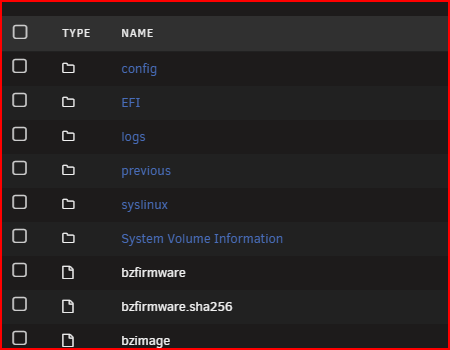
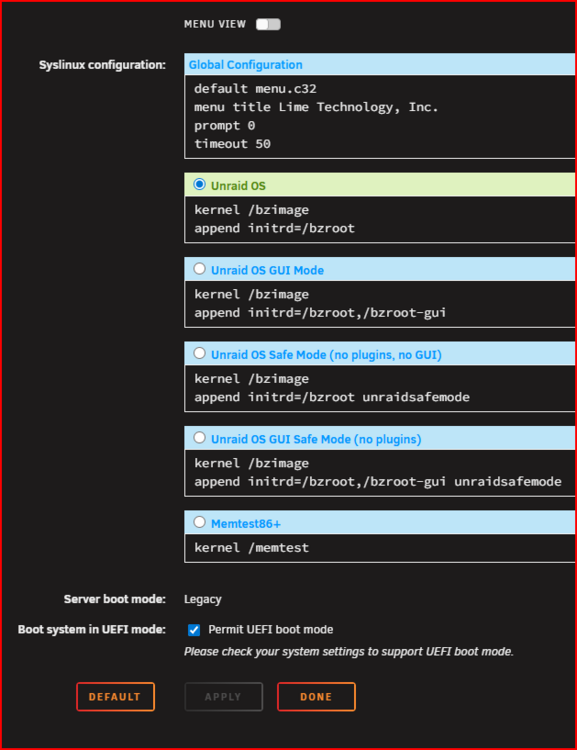
Done it Thank you, I went back in to the bios to check my setting for legacy/UEFI I changed the boot option to legacy only but my sandisk cruser edge 8.02 still didn't show only the UEFI one, then back in unraid I un-ticked Permit UEFI boot mode which renamed EFI to EFI~ then went back to the bios and my sandisk cruser edge 8.02 showed up in the boot option when I set the bios to legacy boot only again Thankyou for pointing me in the right direction.
-
I will try that, but my sandisk cruser edge 8.02 looks to be set to legacy boot, but the motherboard bios will not let me set default legacy boot so is there a way to change the sandisk cruser edge 8.02 to EUFI boot
-
legacy by default? yes I think. EFI folder on the flash drive without a trailing ‘~’ character
-
When I need to boot my system in to unraid I have two options "sandisk cruser edge 8.02" or "UEFI sandisk cruser edge 8.02" in my bios. My bios will only default to "UEFI sandisk cruser edge 8.02" I have to manually go in to the bios tell the system to use "sandisk cruser edge 8.02" each time Is there anything I can do change memory stick to use UEFI without changing my settings. Thanks
-
well it took me a while, I did a system clean and rebuild, and changed out some hardware, so hopefully it's working better now my new diagnostics file tvtower-diagnostics-20251107-2007.zip
-
I don't know what the above means. I was thinking it could be the controller, my other server has a Avago SAS 9305-24i bought new back in the day, and is solid as a rock. I was looking for a HBA like the Broadcom SAS 9305-24i from ebay but I don't trust some ebay sellers or any on amazon. maybe go for something like HBA 9500-16i
-
Sorry it finished before I got to download a new diagnostics but here it is anyway tvtower-diagnostics-20251027-0533.zip
-
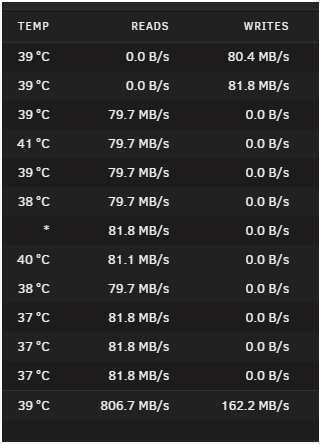
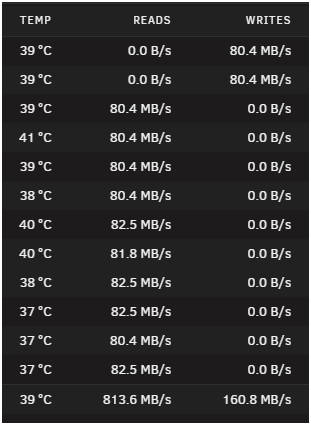
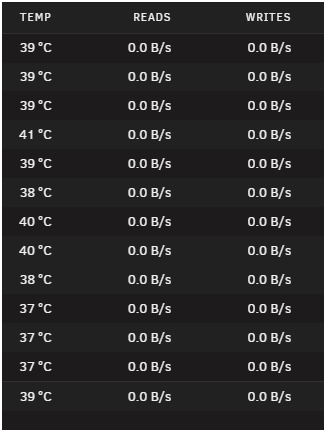
Again, Sorry for the delay in my reply as I'm a busy boy. I checked my cables and connections, my drives are in a 4u server case to a backplane, I did a new config as I needed to remove a drive I think was fake and it has been slow to rebuild the Parity, 2 days 1 hour estimated finish 3 to 12 hours, as you can see from the attached shots it reads and writes the Parity fine them stops for a bit, and the temp reading stops on some drives and it seems random it had been in Parity and different data drives, and some times in both. Do you think it could be a HBA controller issue?
-
Sorry for the delay in my reply, attached is my diagnostic file taken this morning after a server restart. I restarted the server a few days ago then reset permissions, I found that all my files on the server were set to read only on windows 11, sorted that the began to move files from windows to the server. Last night I tried to play a video file from disc 5 on the server, the video file didn't play but the error count in disc 5 was counting up, this morning I restarted the server and the video file played fine tvtower-diagnostics-20251015-0606.zip
-
I have had some issues with a HDD on my Server, now some files have had their attributes changed to archive when I look at the file properties in windows 11. On unraid I have run New Permissions but no joy, when I look at the files the owner is nobody permission is -rwxrw-rw- and when In go to action to change or delete the file nothing happens. I would like fix the permissions or delete the few offending files and reupload, any suggestions would be helpful.
-
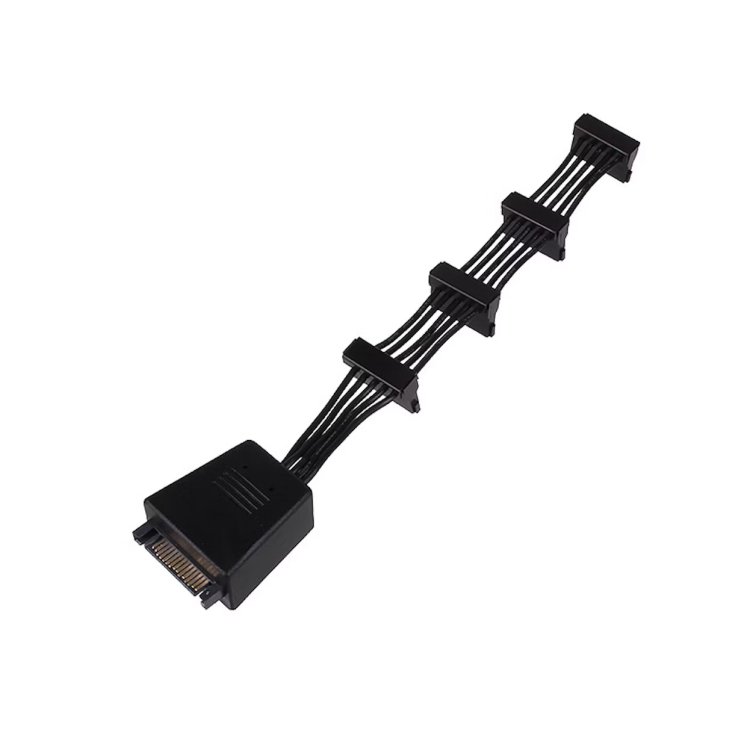
Its been a while, so just a quick update. I was going to buy some new 1x4 cables as per the suggestion then I remembered I had some older 1x4 cables I could try, and it turned out I had three of the Silverstone SST-CP06 power cables, these have two high quality 2200µF capacitors included on the cable to provide stable voltage to all connected devices, so I removed the two 1x5 sata power cables and fitted these, and for now all drives started first time.
-
Thanks I knew about the dodgy connectors, I will have a look at getting new cables to see if this solves my issue and get back to you.
-
So if I get a molex to 4 sata cable "beefy" as you say, and I would need three, would I connect all three to the same rail? also, any recommendations of a "beefy" cable.
-
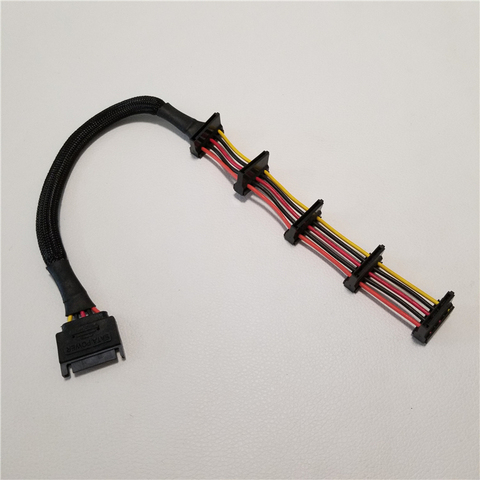
Sata to Sata like this
-
PSU is Corsair CX500M 500W, splitters yes x2 1 to 5 SATA


