





unraid_user
Members
-
Joined
-
Last visited
-
Phew, ok thanks for your help, I really was at a loss before you chimed in. I will rebuild this server with reliability and backup in mind. Please consider this issue resolved. Thanks again.
-
Thanks for helping with the diagnosis, it's much appreciated. There is no irreplaceable data, just time and effort in building so no need to go through great effort/cost to do data recovery. I do have one last question. When you say: "suggesting the device was fully trimmed or wipefs was run on the partition before deleting that as well" Could the drive have gotten into this state on it's own via hardware failure or a bad configuration or an obscure bug? If not, and the only way it could have gotten into this state is by someone typing those commands, then it implies my server was compromised. If that's the case then I need to start looking at that.
-
I'm prepared to rebuild it, there was no irreplaceable data, only time and effort into putting it together. (a proper backup will be part of that new build :)
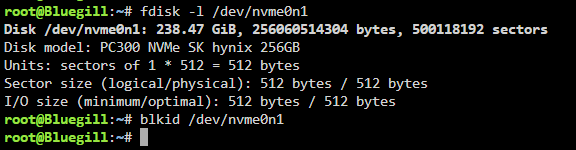 Thanks for the reply, this is what I get: "no pools available to import" Can't be a good sign.Background: First, let me apologize if I get some of the details or terminology wrong, I'm still learning. I have a small unraid box that I have been using to run OPNSense as a VM and a few containers, PiHole, Uptime Kuma and maybe one or two other containers. I have no Array, I have a single NVMe configured as a ZFS cache pool where I had my containers and VM's. It has been running great for months and months, but we had a power outage while I was away and I came back to find my NVMe "unmountable: unsupported or no file system". Unraid Version: 7.1.3 VM: OPNSense Dockers: PiHole, Uptime Kuma Plugins: Tailscale, ZFS Master for Unraid Other: I passthrough 4 ethernet NICs to the OPNSense VM Of course I have no backup. Not too sure if recovery from the NVMe is possible or if I should just rebuild everything. Any insight would be appreciated. smart.dump.zipbluegill-diagnostics-20250830-1133.zipIs what I'm trying to do just impossible or maybe just difficult or is it that very few people have this configuration? Really any thoughts would be appreciated. Thanks.If it helps, here is a screen cap of the logs from that VM and the VM's configuration.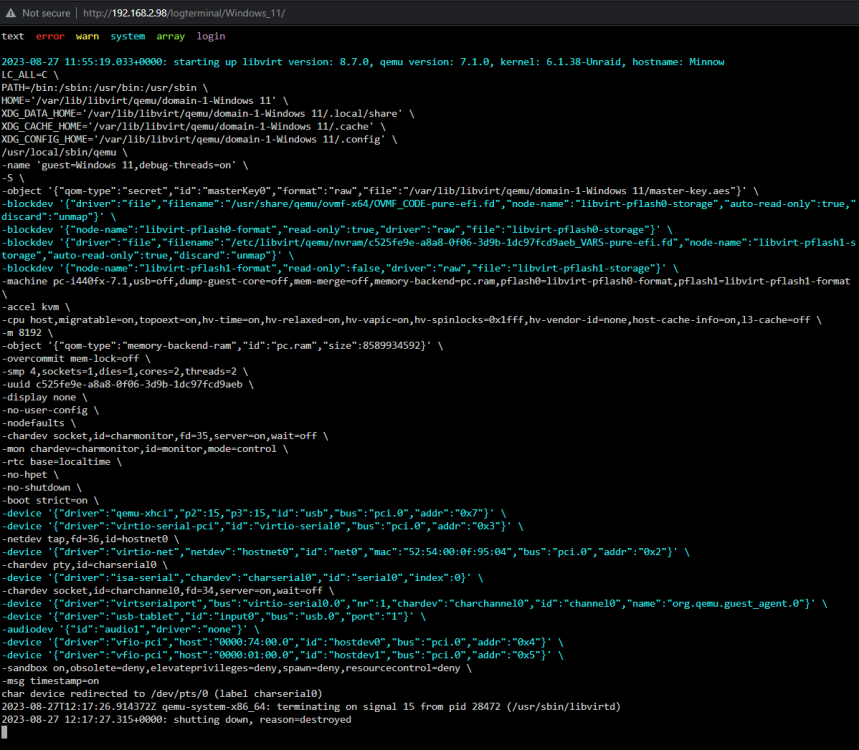
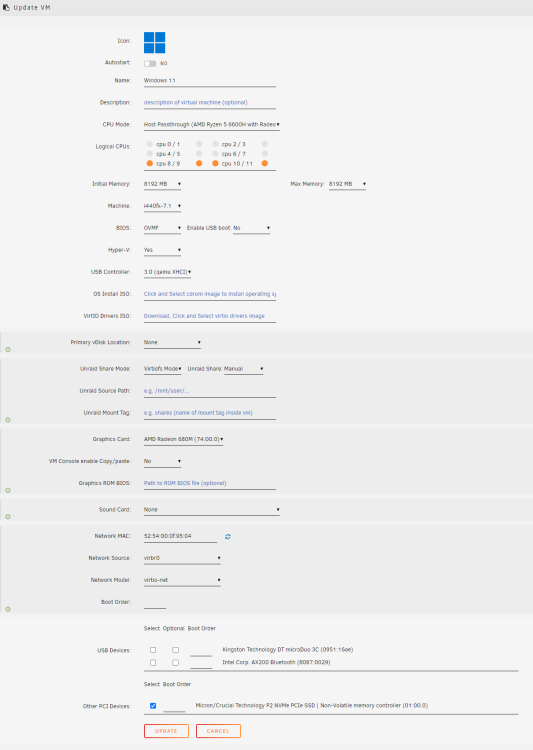 Hi All, I have a Beelink SER6 mini pc with an AMD Ryzen 5 6600H APU. I'm trying to pass through the M680M iGPU to a Windows 11 VM. Below is what I'm passing through. I have Win 11 installed onto the NVME and that seems to pass through OK as I can boot the VM successfully from it and display via VNC. However when I try to use the GPU passthrough I don't get any video out. I've put my monitor on both video out ports and neither seems to produce any video. I thought I might need to have a copy of the bios so I did make an attempt to dump it, with GPU-Z but it doesn't seem to be an option for this iGPU and I can't find a copy online. Is what I'm trying to do possible? If so can someone point me in the right direction to get this working? Thanks.
 I'm a bit of a newb. I have an HP EX920 and have run into this bug. Before I dig deep and try to understand and apply this work-around, https://bugzilla.kernel.org/show_bug.cgi?id=202055#c42, can someone confirm that this should work with my NVMe? I don't want to spend a lot of time/effort and risk breaking my server if it's known to not work. Also I want to say I am very grateful to the Unraid team. Unraid provides great features, is stable, continues to evolve and support is beyond expectations. Even if I can't get this NVMe to work I've certainly gotten good value from my license. Thanks in advance.



