





Gorosch
Members
-
Joined
-
Last visited
Everything posted by Gorosch
-
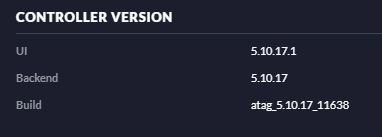
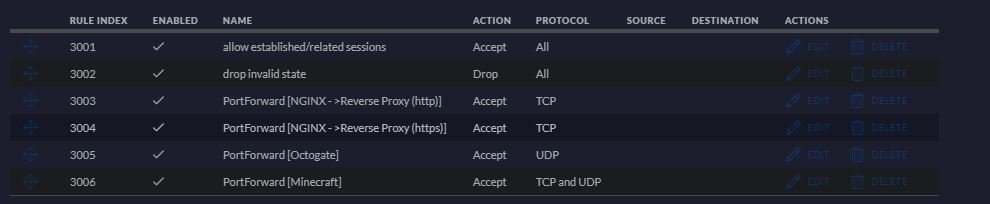
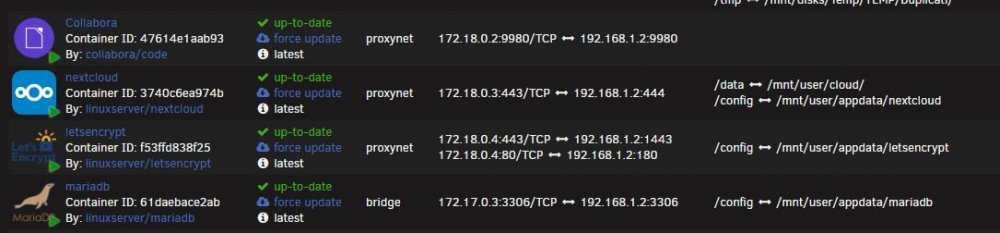
Hello everybody! Yesterday I did the latest update for the Unifi Controller according to the instructions described here. Through the updates, my USG3P was patched to the current firmware. Since then, the port forwardings no longer seem to work. Two ports (80 and 443) were forwarded to a letsencrypt docker responsible for a Nextcloud container. The whole thing went wonderfully until yesterday's update. According to CLI and WebGUI, all rules are in place, but the cloud is beyond reach. Also other port forwardings to a test network and a Minecraft server do not work. Thus, I exclude a mistake in the Docker containers. Does anyone have a similar or even the same problem and a solution for it? The whole thing runs on the current Relase version of Unraid (6.6.6). Grettings



-
Hello, same problem for me. Last change on Sytem was update the letsencrypt container. Nextcloud Container is up to date (12.0.2.0) Here is the log:


