bdee1
Members
-
Joined
-
Last visited
Everything posted by bdee1
-
for while now, whenever I launch couchpotato, i just get the left navbar and the right side is just blank white. If I try to add a movie, it says "movie didn't add properly, check logs" when i look in the logs, its chock full of errors. below is a small sample. any idea how to troubleshoot this? 09-10 20:11:01 ERROR [31m[tato.core.plugins.renamer] Failed checking snatched: Traceback (most recent call last): File "/app/couchpotato/couchpotato/core/plugins/renamer.py", line 956, in checkSnatched rels = list(fireEvent('release.with_status', ['snatched', 'seeding', 'missing'], single = True)) File "/app/couchpotato/couchpotato/core/plugins/release/main.py", line 536, in withStatus for ms in db.get_many('release_status', s): File "/app/couchpotato/libs/CodernityDB/database.py", line 991, in get_many "Index `%s` doesn't exists" % index_name) IndexNotFoundException: Index `release_status` doesn't exists [0m 09-10 20:12:01 ERROR [31m[tato.core.plugins.renamer] Failed checking snatched: Traceback (most recent call last): File "/app/couchpotato/couchpotato/core/plugins/renamer.py", line 956, in checkSnatched rels = list(fireEvent('release.with_status', ['snatched', 'seeding', 'missing'], single = True)) File "/app/couchpotato/couchpotato/core/plugins/release/main.py", line 536, in withStatus for ms in db.get_many('release_status', s): File "/app/couchpotato/libs/CodernityDB/database.py", line 991, in get_many "Index `%s` doesn't exists" % index_name) IndexNotFoundException: Index `release_status` doesn't exists [0m 09-10 20:13:01 ERROR [31m[tato.core.plugins.renamer] Failed checking snatched: Traceback (most recent call last): File "/app/couchpotato/couchpotato/core/plugins/renamer.py", line 956, in checkSnatched rels = list(fireEvent('release.with_status', ['snatched', 'seeding', 'missing'], single = True)) File "/app/couchpotato/couchpotato/core/plugins/release/main.py", line 536, in withStatus for ms in db.get_many('release_status', s): File "/app/couchpotato/libs/CodernityDB/database.py", line 991, in get_many "Index `%s` doesn't exists" % index_name) IndexNotFoundException: Index `release_status` doesn't exists
-
were you able to resolve this? I am gettign the same error when trying to install the docker.
-
did you ever resolve this issue? I am getting the same thing when I try to install
-
Honestly I'm not quite sure what I would search for to find that out.
-
All the titles that I have been trying so far have been old kids dvds. Things like Alvin and the chipmunks or scooby doo. Trying to get my kids movies so he can easily access them. So far they all have run into copy protection issues. Are the more modern titles working more consistently?
-
I keep running into copy protection issues when I am just using makemkv.
-
Is there any way to use this with anyDVD or some other product like that? After I buy a bluray or DVD I want to rip it so it is available to my streaming devices and I generally can't do this without anyDVD.
-
nevermind - i got it working... VPN_PROV was not properly set. once i fixed that, the web ui loaded right up. thank you!!
-
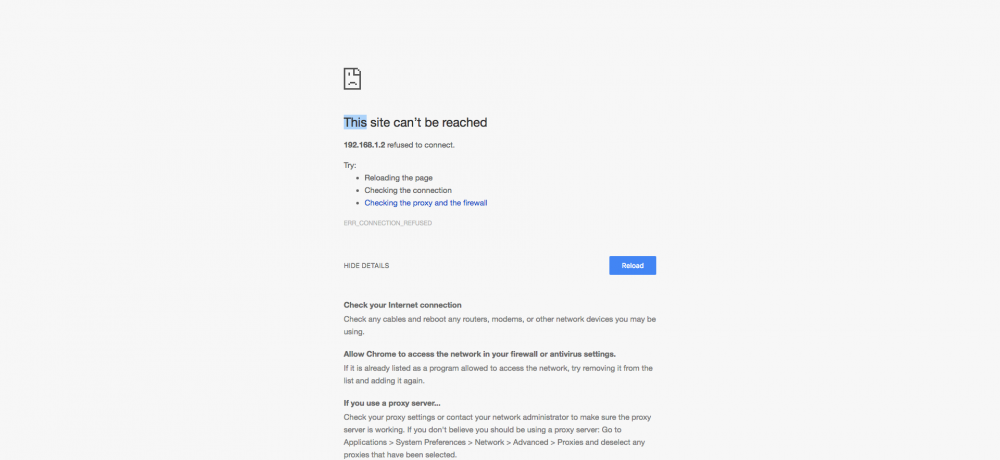
Thank you for that tip. I didn't see the advanced option before. Now I see the lan_network option. It was set to 192.168.1.0/24 My server ip is 192.168.1.2 That should be correct right? What else could be preventing me from seeing the web ui?
-
hey everyone - I am new to this and I installed the delugevpn docker and when i click on it and choose webUI it will not connect. I get ERR_CONNECTION_REFUSED. Is there some other configuration that needs to happen to enable the web ui?