





barakthecat
Members
-
Joined
-
Last visited
-
Just wanted to give an update here in case anyone has similar issues. I've been working with George R on the Unraid Support forum. I tried blacklisting the GPU driver with no improvement I followed JorgeB's recommendations on Ryzen servers here - https://forums.unraid.net/topic/46802-faq-for-unraid-v6/page/2/#findComment-819173 I already had C-States disabled I updated my BIOS from 4.6 (dated 2021/8/5) to 5.6 (dated 2024/1/22), which is the latest released BIOS at this time. The crashes became even more frequent after this. I cleared the VFIO mappings per SimonF's recommendations (had no choice as the BIOS update changed my IOMMU groupings), with no improvement. George R noted I am running a mismatched RAM setup and recommended I try removing some RAM to see if stability improves. Prior to trying this I updated the BIOS to beta 5.63 (dated 2024/8/26) and at the same time turned on XMP RAM profiles to run the RAM at its full rated speed (I had not been doing this previously). Since then the server has been up for over 3 days without issue. I don't know if the fix was in the 5.63 beta BIOS or in turning on the XMP RAM profile This weekend I'll try restarting the server and turning off the XMP profile and see if it becomes crashy again, just so I know which of the two changes made a difference.
-
That didn't work, I've had several crashes since then. Here's an updated diagnostics. strongbad-diagnostics-20241220-1709.zip
-
Thanks, I'm trying it now. I had another crash a few hours ago, but nothing was captured in the log this time - last entry was at 8:38 am, but the crash happened at 9:19 am.
-
barakthecat changed their profile photo
-
Ever since updating from 6.12.10 to 6.12.14 I've had frequent server crashing. I finally figured out how to capture the syslog and the most relevant lines seem to be Dec 18 23:06:32 StrongBad kernel: amdgpu 0000:0c:00.0: amdgpu: SMU: I'm not done with your previous command: SMN_C2PMSG_66:0x0000001C SMN_C2PMSG_82:0x00000007 Dec 18 23:06:32 StrongBad kernel: amdgpu 0000:0c:00.0: amdgpu: Failed to export SMU metrics table! Basics of the system: AMD Ryzen 7 5700G ASRock X570 Taichi Everything was working fine prior to the update. I've made no other changes since then. Including my anonymized diagnostics, let me know if you need me to add anything else. Thanks in advance! strongbad-diagnostics-20241219-0011.zip
-
Any suggestions on how to run multiple copies of the Homebridge docker? I have some plugins giving me trouble and I wanted to segregate out the plugins. When I install a second copy they both run off the settings of whichever one starts first. Sent from my iPad using Tapatalk
-
+1
-
Add me in for iSCSI support. Photos library on macOS needs to be hosted on a local drive. Would like to point to an iSCSI target to do that on my MacBook with a too small SSD. Sent from my iPad using Tapatalk
-
I followed Peter_sm's directions and fixed the Security and Setup warnings, but I am also having the Request Entity too Large when trying to upload files larger than a few hundred MB. Anyone have a solution for that?
-
Thanks, going to try this out today!
-
I don't see why you couldn't just set a plugin directory in the template* * says the guy who knows nothing about any of this
-
I got this the first time I opened the plugin page. I modified the settings and hit apply and the error went away. Working great for me.
-
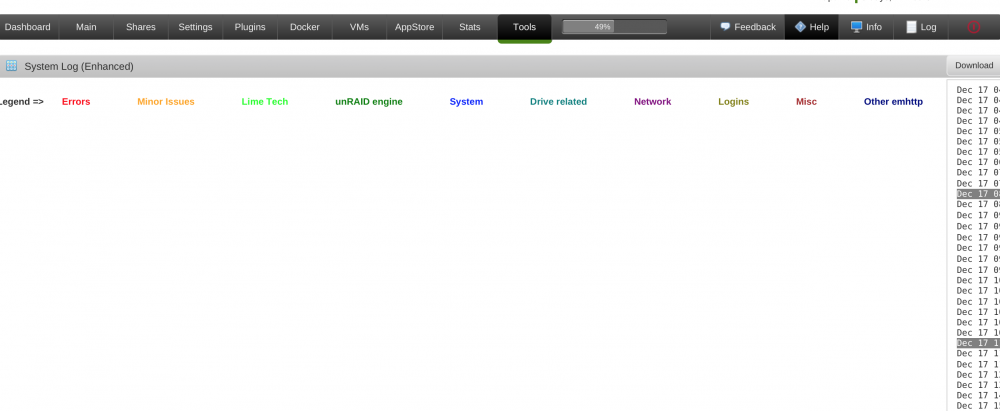
Love it, but I'm having a display issue on my MacBook Pro 13". If I have Safari running at full screen, the log itself is shoved over to the right of the screen (see picture below). If I am not running full screen it works fine, except that then the WebGUI toolbar does't fit anymore.
-
Glad to hear other people interested in this.
-
Can someone roll together a Docker app for Homebridge? https://github.com/nfarina/homebridge I've got some Limitless LED bulbs that I'd love to be able to control via Siri ------------------------- Homebridge is a lightweight NodeJS server you can run on your home network that emulates the iOS HomeKit API. It includes a set of "shims" that provide a basic bridge from HomeKit to various 3rd-party APIs provided by manufacturers of "smart home" devices. Since Siri supports devices added through HomeKit, this means that with Homebridge you can ask Siri to control devices that don't have any support for HomeKit at all.
-
I'll second what TigerDoc said, both about it working fine and about him messing up my backup disk ;-) (8.9 days and counting to backup again . . .). It was a fair amount of work to get it going, but since then it's mostly painless. I would recommend seeding the drive so you don't need to do a full over the internet backup.



