DontJudgeMeMonkey
Members
-
Joined
-
Last visited
Everything posted by DontJudgeMeMonkey
-
So this has happened more than once. As far as I can tell, nothing in my appdata has changed, but binhex-plex has forgotten my Plex server's information. As a result, launching it asks me to set up a new server and have it find all the media and generate the metadata and invite everybody all over again. I've tried to put a claim token in, but it doesn't bypass the server setup page. How do I force it to recognize the existing Plex server?
-
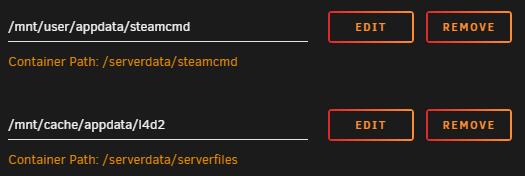
My path is set to cache, not media. Cache is not set to move things to the array. If I try to change it to /mnt/media/appdata, the server does not work. This was its default when I installed it. If I have sv_lan 1, people from outside my network won't be able to join, no? Also, as I said, I did try with and without "-insecure- in the GAME_PARAMS and it made no difference. Update: It seems to be working now. I reinstalled it and changed nothing, but instead of using binhex-krusader I just dropped files in through Windows file explorer. Strange. Thanks.
-
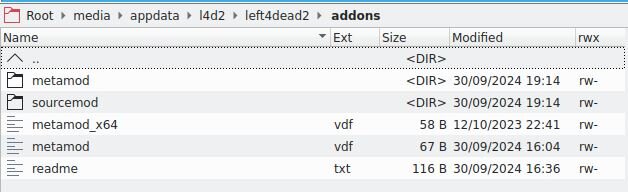
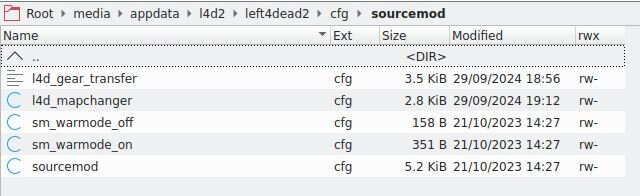
I would like some help with my Left 4 Dead 2 server. The server itself works. I can make it, play on it, change levels, and have other people join me. Here are some issues I am having: This server doesn't automatically exec server.cfg. I tried to add "+exec server.cfg" in GAME_PARAMS but it doesn't work. My workaround was to create an autoexec.cfg and exec server.cfg through that. I am unable to install SourceMod and MetaMod. Here is what I've done: Downloaded the latest stable Linux releases of SourceMod and MetaMod. Downloaded the MetaMod vdf file for Left 4 Dead 2 from here. I unpacked everything and placed them in media/appdata/l4d2/left4dead2/cfg/ and media/appdata/l4d2/left4dead2/addons/ (see attached) using binhex-krusader with root privileges (root privileges seemed to be required to place files inside). I join the server, and when I type "rcon meta" or "rcon sm" into the console these commands aren't recognized. I read somewhere that you need to add "-insecure" to the launch options in order to use SourceMod, so I have tried doing this with and without "-insecure" in the GAME_PARAMS but it doesn't make a difference. I have also created a login token and added a "+sv_setsteamaccount" entry to GAME_PARAMS but it also makes no difference. The goal is to be able to run custom campaigns on this server instead of doing it locally. I would like to get this working so I can install some mods for easier map changes and maybe some better bots and stuff. I would also like to have it automatically install the same workshop content as I have subscribed to with my Steam account instead of having to put custom content manually. Additionally, when I ran a TF2 server before, I was able to enable the downloading of custom content (like maps) so that if you joined the server and didn't have the map, you could download it automatically instead of having to pause and acquire it first - this would be ideal. Any help would be appreciated!