




Skip to content
View in the app

A better way to browse. Learn more.

Unraid

A full-screen app on your home screen with push notifications, badges and more.

To install this app on iOS and iPadOS
  1. Tap the Share icon in Safari
  2. Scroll the menu and tap Add to Home Screen.
  3. Tap Add in the top-right corner.
To install this app on Android
  1. Tap the 3-dot menu (⋮) in the top-right corner of the browser.
  2. Tap Add to Home screen or Install app.
  3. Confirm by tapping Install.

enriquezandrew92

Members
  • Joined

  • Last visited

  1. I appreciate the reply. I deleted the post because I quickly saw my issue was with me added the ip address on HA configuration incorrectly. Once I corrected my mistake the fire sticks showed up and everything has been working flawlessly since then. Thank you for creating this docker. This integration is the only reason I run my HA Supervisor in an Unraid VM since there is an ADB addon built in. My first attempt before this docker template was created never worked so I gave up. I now plan to move away from HA Supervisor to the Home Assistant Core since I use Unraid for everything else.
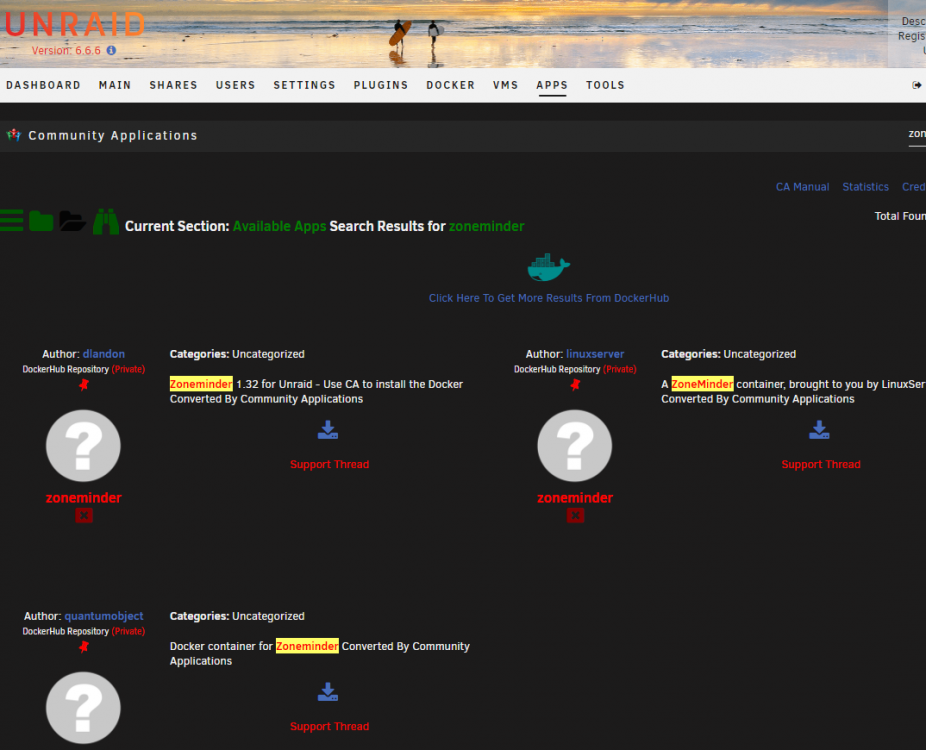
  2. Whenever I search for Zoneminder in CA it only shows the private repos. I try installing it but never seems to work correctly. I would rather just install the Zoneminder preconfigured. Any ideas?
Account

Navigation

Search

Search

Configure browser push notifications

Chrome (Android)
  1. Tap the lock icon next to the address bar.
  2. Tap Permissions → Notifications.
  3. Adjust your preference.
Chrome (Desktop)
  1. Click the padlock icon in the address bar.
  2. Select Site settings.
  3. Find Notifications and adjust your preference.