





Schwiing
Members
-
Joined
-
Last visited
Everything posted by Schwiing
-
Happy birthday Limetech! Unraid has been a fantastic product for me. Finally an easy way to organize my Nas, deploy docker, and host VMs all under one super-easy-to-use package. Recommended this product to a few of my friends and we all enjoy unraid together. Thanks for the constant updates and for making such a great piece of software.
-
Anyone help me with why my Sabrent NVME m.2 (PCIe x4) SSD won't TRIM? It keeps failing and I'm not sure why.
-
Thanks for your help and prompt replies. I appreciate it.
-
Well, I completely forgot about HDtuning ever since I put in my 10G NIC. Only a couple database containers require the config to be in /mnt/cache rather than /mnt/user. Don't know why. Looks like that worked.
-
Installed guacd + guacamole. Still can't get past the login page. Was worth a shot.
-
Didn't know that. Guacamole used to work without it. I'll give it a try though. I put my catalina.out file a few posts ago, right below my screenshot.
-
Still no joy. I don't need guacd by chance, do I? Again, just to make sure we're on the same page...guacamole loads up in the browser just fine. I just can't get past the login screen.
-
Unraid has been running great with the exception of Guacamole. I'll run a scrub and if that fails, I'll make a new docker.img
-
Correct. Extracted fine.
-
/config is pointed to /mnt/user/appdata/ApacheGuacamole. I was navigating in cache while in terminal, but the config is correct in the unraid GUI. I followed your instructions to copy over the .jar file, renamed it to .zip and then extracted. I have a number of folders inside here.
-
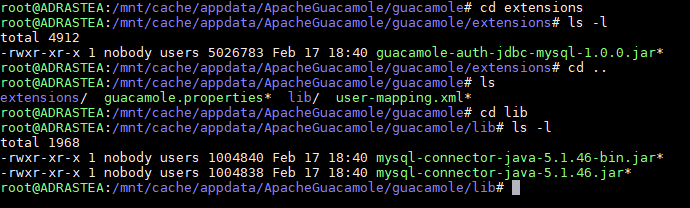
That worked. See attached. Regarding your last, I couldn't save it as a zip before so it didn't work. Screenshots also of the extensions and lib ls -l as well. catalina.out
-
Oh I just meant if I try to copy the catalina.out file, it doesn't let me because it belongs to a different user than the one on my Windows machine (i.e. "nobody" for unraid)
-
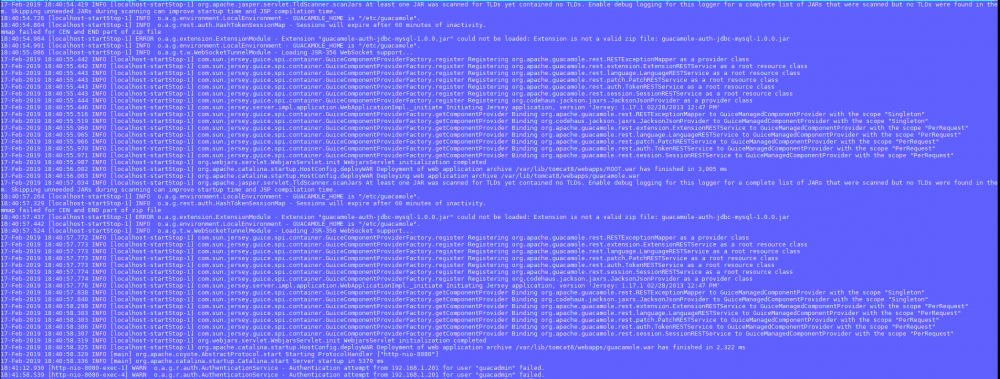
I believe so. Attached
-
Tried deleting the files and starting it back up. Used guacadmin/guacadmin. No joy. Uninstalled the container, cleaned up appdata and re-installed. Deleted the files again. No joy.
-
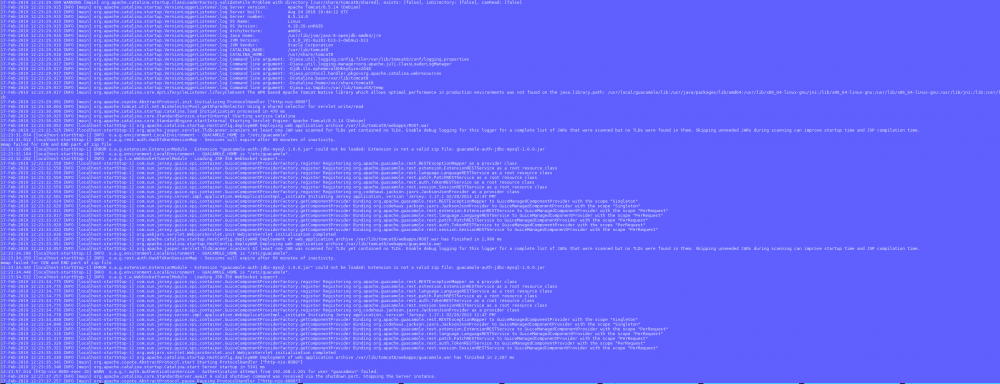
Couldn't post my catalina.out due to permission problems, but here's a screenshot. Not sure what to make of it.
-
How would I go about updating the schema? ELI5 if possible
-
Yes, it's set to Y (since that's the default). I'll install MySQL workbench as well to see what's going on and post back.
-
I also have the same problem. In my case, I have mariadb for nextcloud and that works great. I used to have guacamole working, but 5 clean installs later and I can't get past the login page for both the mariadb version and the version without it. I tried guacadmin for both u/p and it never lets me in. Not sure what I'm doing wrong. Docker console log says: Creating properties from template. Copying MySQL extension. Updating user permissions. 2019-02-12 16:24:04,304 CRIT Set uid to user 0 2019-02-12 16:24:04,306 INFO supervisord started with pid 19 2019-02-12 16:24:05,307 INFO spawned: 'guacd' with pid 22 2019-02-12 16:24:05,308 INFO spawned: 'tomcat8' with pid 23 guacd[22]: INFO: Guacamole proxy daemon (guacd) version 1.0.0 started guacd[22]: INFO: Listening on host 0.0.0.0, port 4822 2019-02-12 16:24:06,333 INFO success: guacd entered RUNNING state, process has stayed up for > than 1 seconds (startsecs) 2019-02-12 16:24:06,333 INFO success: tomcat8 entered RUNNING state, process has stayed up for > than 1 seconds (startsecs) The same docker log for mariadb, except an extra line saying maridb entered RUNNING state, successfully.


