





mdipinto
Members
-
Joined
-
Last visited
-
Hello, I have been using this docker for a while now, and on and off a few problems which were quick to fix. but I'm having a problem that I can't figure out. as you can see below, it's not having any ports to the docker, and when trying to access the webui, nothing loads. giving the standard error can't be reached. I have attemped to change to bridge mode and map 32400 but nothing. this is the log:

-
Anyone using the camera upload feature? I been trying to to get it to upload the videos, tried 3 phone (2 Android and 1 iPhone). All the same, only uploads the pictures.
-
I'm not completely sure if this is something about the docker or a personal problem. In the plex web client, under settings - general it says that it's version 3.83.1 and I'm not sure how that goes in comparison with Windows and other Linux build versions. But I'm trying to upload my phone's camera roll to my server tho plex. It seems to upload all the pictures no problem, but the videos(i took a few quick videos and clicked to sync) doesn't seem to be uploading, it showed to be uploading the 3 new videos uploading, and it finished rather quick, but none of the videos were actually uploaded(checked the destination folder). I looked in the Plex forums to make sure, and it seems that by now it should of been uploading videos and showing them on the photo library. Anyone has any input about this?
-
Thanks, and sorry about it.
-
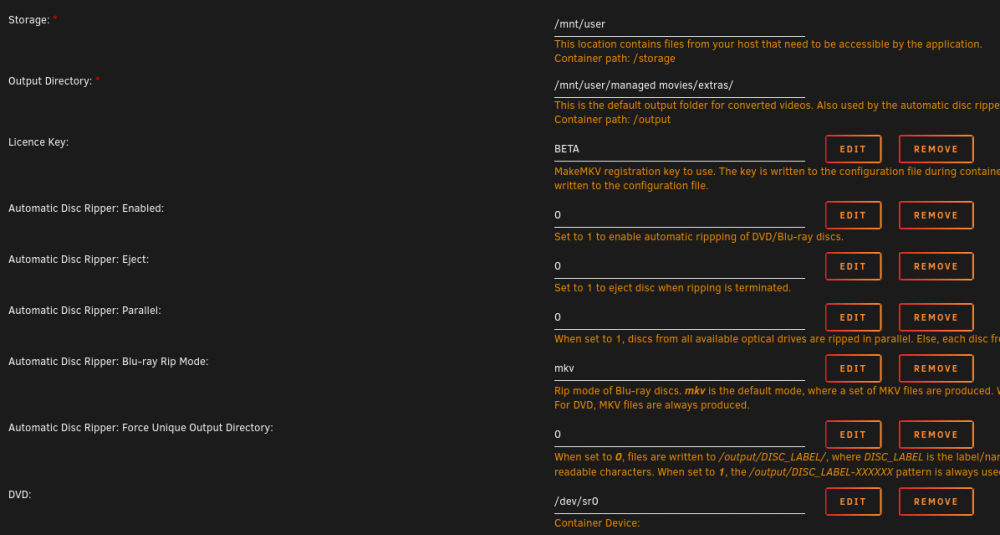
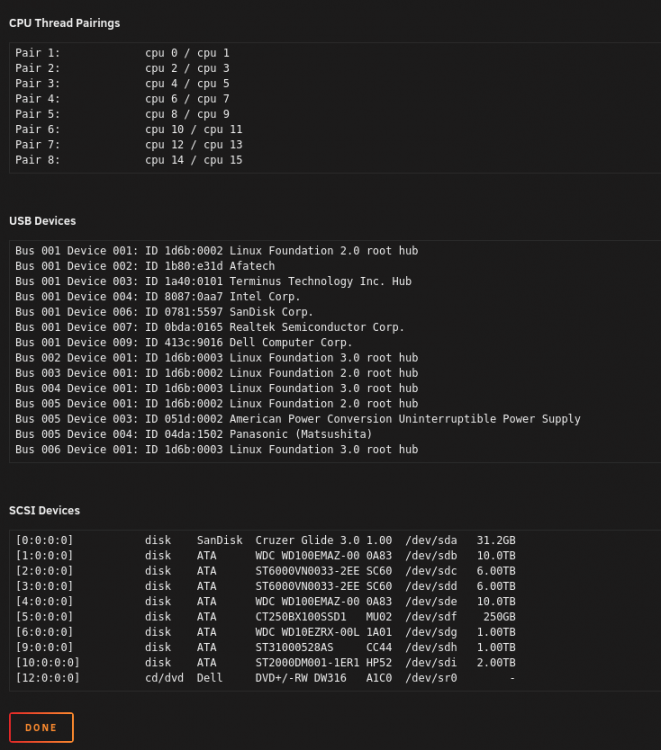
I'm not quite sure what I'm supposed to do. My USB DVD player was attached to a USB hub and to the motherboard, and not working, getting the the "The program can't find any usable optical drives." I'm on version 6.6.6. I did try adding device and /dev/sg0 like mentioned before, and the container wouldn't start, giving error message.
-
Thank you
-
Actually I did not, as it was already selected to yes, but I did make sure it was to yes. But everything sounds good then? Is there a good way to check if it's working well or any leaks? besides putting the wrong login info to PIA
-
I just wanted to make sure, I just installed this in a new machine, and I just installed the binhex-delugevpn. I checked the first page, but I wanted to make sure I'm doing it correctly. I just put my username and password for PIA when installing, it seems that I didn't need to change anything else. I downloaded the PIA ovpn zip and unzipped, I picked CA Toronto.ovpn and I replaced the one that was in root/mnt/user/appdata/binhex-delugevpn/openvpn the file already in there was about 300B and the new is 3.1KB. just wanted to make sure that is all that is needed to ensure it will be safe. much appreciated for the help.

