





piratx
Members
-
Joined
-
Last visited
Everything posted by piratx
-
On the remote server field you mean?! Sent from my iPhone using Tapatalk
-
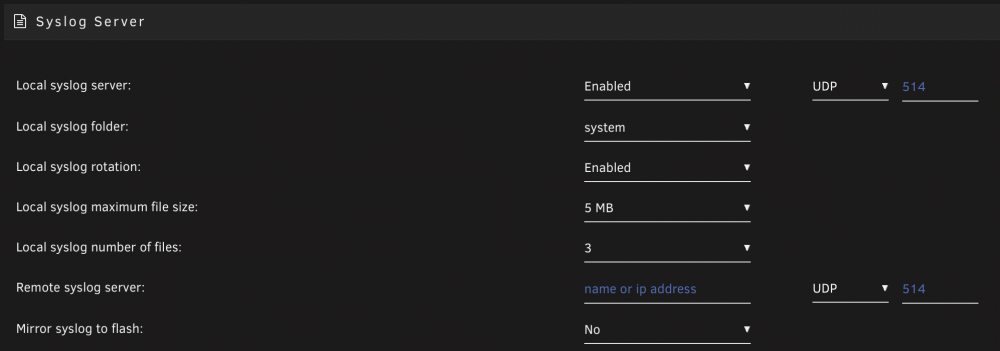
It's ok this way?
-
Ill enable syslog server and will see next time! Thank you! Sent from my iPhone using Tapatalk
-
Hello again trurl, I have finally changed the CPU on my unraid, it's been a week since I did that and today I wasnt able to ping the system from my main computer or login via smb, http etc, even dockers couldn't be contacted by any way.. So I hold the power button and shut it down. Now its back online checking parity. Is there any way I can easily find what caused the crash? Last diagnostics attached of course! Thanks in advance! eleven-diagnostics-20220405-0853.zip
-
No no. Sorry if I confused you there. I had a 4TB which was not working properly and I changed it with a new 8TB I had spare. When I tried to add the 8TB (9v9g) the first time I got 2000~ CRC errors. So I changed the Sata cable with a new one. And I did preclear of the disk before I add it to the array. Now its rebuilding parity and I can't see any errors.. So I suppose problem seems to be solved eleven-diagnostics-20220124-1620.zip
-
Let me know if I can find anywhere other diagnostics.. I've looked but it's not something in tools? The pre-clear process of that HD 9V9G with all those CRC errors just ended. I am thinking I need to give it another go. I've changed the Sata cable for this drive with a new one. This drive is connected directly on the motherboard..

-
Happy new year! I hope the best! It seems that I am still having strange issues with some disk. I had everything ok for a month now and then I saw really high temp on disks (56-59 celcius). So I shutdown the unraid and tried to remove the non needed disks (the 4tb which caused issues before and the smaller nvme) which those stayed on my unassigned devices for a month. And here comes the trouble. I started the unraid after I removed those drive and I didnt saw it running ok at first. It tooks like 5 minutes for the web page to load after that. So I have the array stopped and that cause again disk5 couldnt be seen. I shutdown the unraid again checked the wires and started it. It went faster this time and disk5 was there so I started the array. And after a minute or so I got error about this disk and it said again that sata is emulated. So I shutdown unraid and removed the disk and on its place i installed a NEW 8TB with duration of use 2days 3hours or something. That replace the disk5 slot and I hopped all ok. After barely 20 Minutes I got some errors about that disk. Actually 1996 crc errors and the parity which started before is now stopped. I am starting to think there is some problematic sata (the small plug ones) that is going byebye. Any suggestions are welcome and many thanks in advance! Sent from my iPhone using Tapatalk eleven-diagnostics-20220122-1041.zip
-
It worked Just need to re-check my setup.. cause lidarr is showing me this: i have re-setuped it (but not fully) a month+ ago with TraSH guide.. I'm talking about this folder structure https://trash-guides.info/How-to-setup-for/Unraid/ Anything bad on it? eleven-diagnostics-20211212-1051.zip
-
Anything special actions I need to follow? Or just swap the disk with the new one and then restore?
-
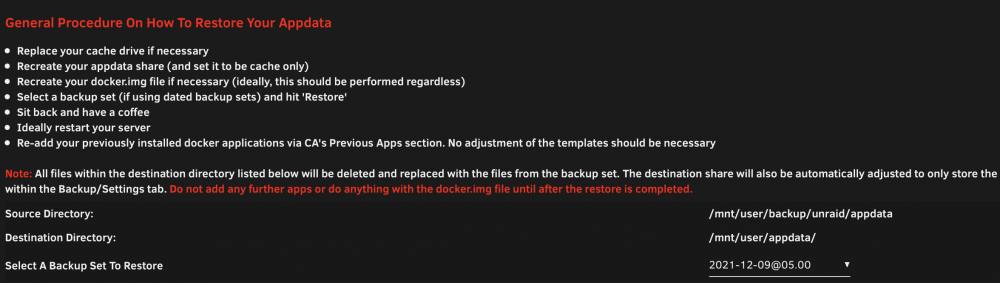
Well, on a second thought, I can remove the 250GB nvme and add the new one of the Sys pool and then restore from here?
-
Well, its my appdata. it would be great if i can fix it somehow!
-
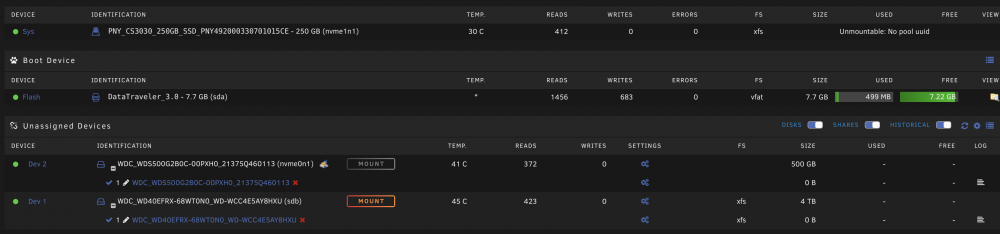
Alright, the new disk is on and array looks good. Now I need to see what's wrong with my Sys pool and add the bigger one there. For some unknown reason my Sys pool isnt working properly.. for example qbitorrent lost the theme I had added and the credentials won't work for me to login All started when this "Unmountable: No pool uuid" appeared.. eleven-diagnostics-20211211-1335.zip
-
Okay! do i need to do this: Right!?
-
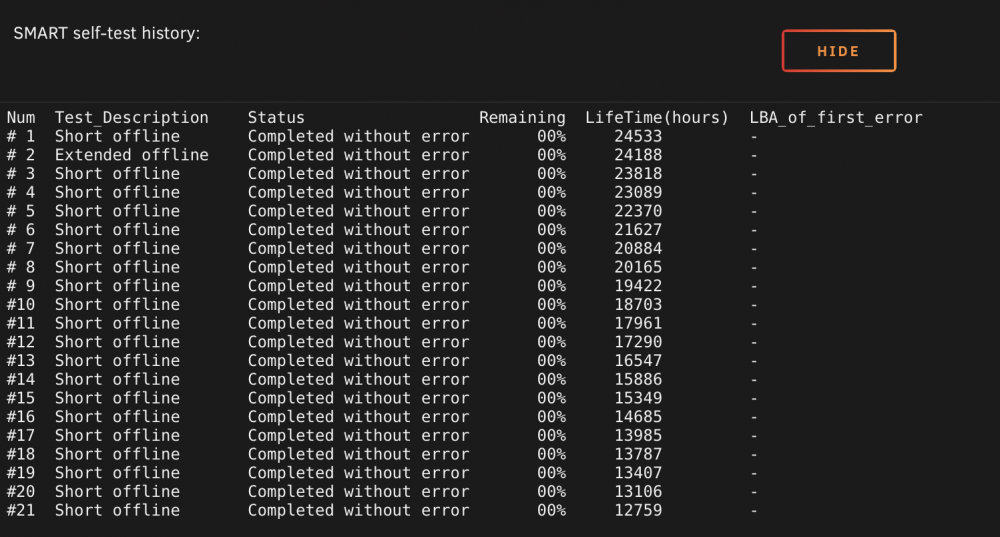
Seems that its over and no errors found!eleven-smart-20211210-1821.zip
-
Running now.. stuck on 10%. I'll let you know! Can I do something else until that finishes? I have something weird on the Sys pool One thing for sure doesn't work it my qbittorrent client. That happened after I tried to add the 500GB new NVMe on my Sys pool

-
Also I might hit that button, more times than needed
-
Oh oh, now it loaded all the info. Attached my SMART report! Thank you! eleven-smart-20211210-0830.zip
-
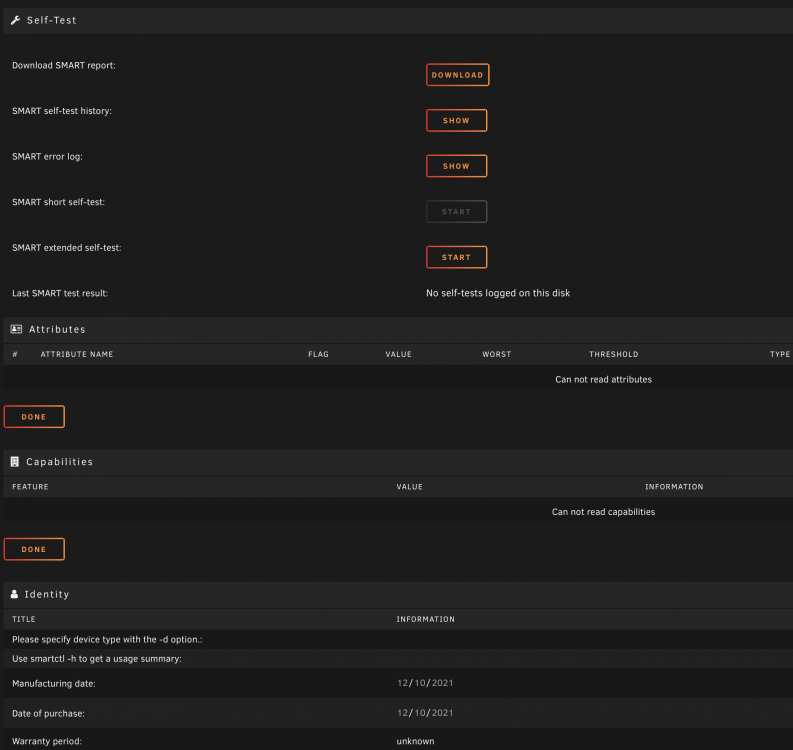
I click it and it stops.. Actually when I click the extended test the short test button seems to be clicked, but again no results. From where I should go on my unraid to run that test if not from Tools > Preclear disk. Sorry for all those questions, it's the first time this happens.. to my unraid, and I am a bit afraid.
-
I am at Tools > Preclear Disk and this is all I get.. it's like the test isnt running?
-
I am running an extended SMART test on that disk. Almost all my disks was WD RED in the unraid. its just the one on external enclosures I am buying lately are white labeled anyway. and from what I read all those disks are same with the red ones and the only thing is missing is the red label. Should I changed the attribute like you said to all those?
-
Here is the log, I havent added the disk to the array, should I? eleven-diagnostics-20211210-0004.zip
-
Adding the disk now!
-
I am removing from that 4tb a photo library archive. Please let me know what I do next Replace the one I have on unraid with this one and rebuild parity or disk somehow?
-
No worries and thank you for all your help. I am moving some files from an old 4tb wd red now!
-
Was on unraid before, I've replaced those with the new 8tb ones.


