





piratx
Members
-
Joined
-
Last visited
Everything posted by piratx
-
No I let it finish with the Parity check, I removed the NVMe, and added the new 8TB in Disk 11 slot Should I preserve current assignments when I use New Config? Thanks again for all the help!
-
Ok. Parity is done without any errors. Nvme is now on unassigned list. Should I run new config option now?
-
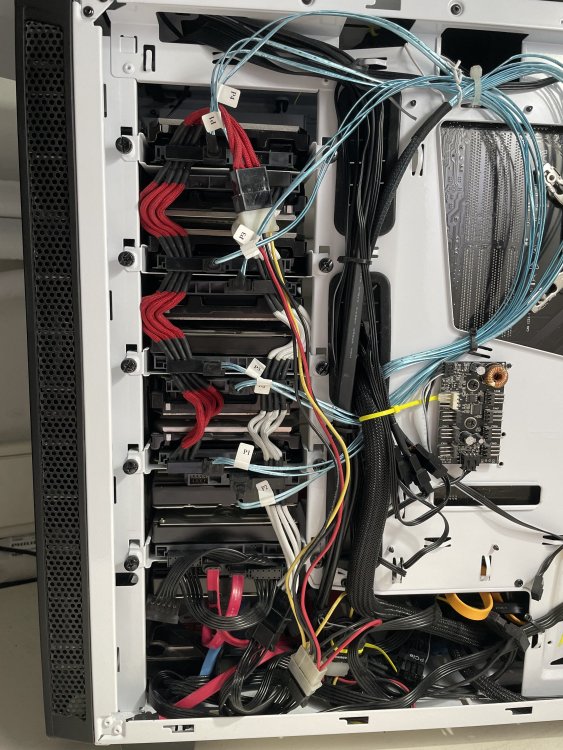
It took me long enough to add that disk.. I am full
-
Oh sorry. Yes i am opening the box to get the disk. I have many installed like that
-
Format was always that in my mind.. or create an empty table to put data on cells. Like I said though, the disk is an 8TB external which have some files, but will find/see it like all the others. Others had files in and I got them on unassigned devices and others I just chose them to be added on the array on start.. unRAID found them unused and it just "asked" me what I would like to do with those. Still backing up.. root@eleven:/mnt/user/backup/unraid/appdata# du -h 47G ./[email protected] 65G ./[email protected] I don't know if I need to clean this up a bit previous backup was 65G and the backup is slow Edit: Okay done just 47G this time.
-
Yes, its an empty disk. No need to worry about it. I let you know if I cannot add it on slot "8" which is missing from the list.. or I shouldn't care New config will do what should be done right?
-
Ok, I'll try to start with the disk addition in a hour or something. Backuping up appdata to my array is fine right? That would make things much complicated Thanks for mentioning it!
-
I've increased docker.img cause it was giving me status reports that it's going to be full from time to time.. Something like this: eleven: Alert [ELEVEN] - Docker image disk utilization of 92% Docker utilization of image file /mnt/user/system/docker/docker.img It's just tests! I've created one of those VMs (the bigger one 200GB) to make some docker setup tests.. so I won't mess up with my original setup.. So that can be moved to the array for future reference or deleted if I keep just my docker compose configs etc. It's not really an issue. So, if it's a matter of NVMe capacity, I could easily swap that one with a 512GB. So, if I got those correct, in that NMVe it will be my appdata and VMs in a new pool. I am removing or not my 4TB disks (disk 5) with the UDMA CRC error and adding my new 8TB in there as well, can be placed on disk 8 which is missing (as a number from the list?) After I do that I run New config so the changes pass to the array.. What's the best way to move my appdata into the NMVe and only have it there? I recall last time I checked my appdata is 42-45GB (Plex library uses almost ~40GB of that?) also, when I'll have appdata in only one disk, I will need backup, or I can use my plugin like before? Thanks for all the help, I've connected to discord channel as well

-
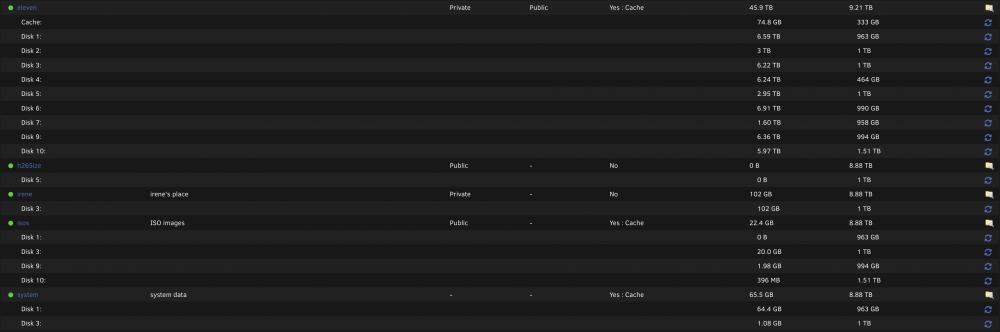
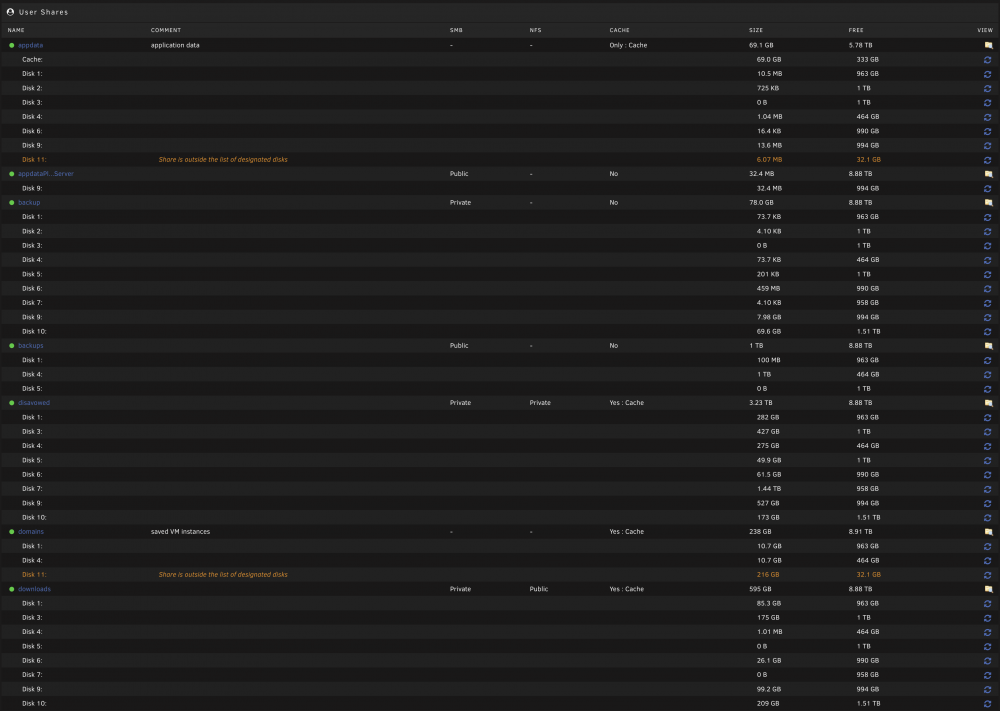
That helped thanks
-
Still loading
-
5.8M /mnt/disk11/appdata 202G /mnt/disk11/domains 202G /mnt/disk11
-
Yes please
-
A year ago for sure... I was just really busy to deal with it
-
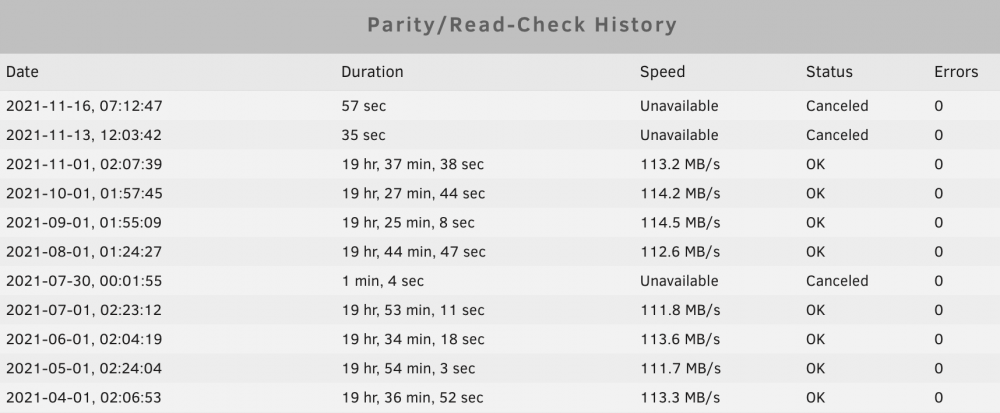
I've checked Parity many times so far.. I don't know how can I check it otherwise?
-
No I had, I am recalling using MC via terminal to move the items from that disk.. it was just that I was +1 disk for some months until I got another 8tb to remove that +1.
-
Yes everything is valid.. Can't remember exactly what I've did sorry. I remember replacing a disk and adding a new one and then I moved back to 10 again.. Was like 8 disks / then 9 disks and then I added the nvme.. can't remember..
-
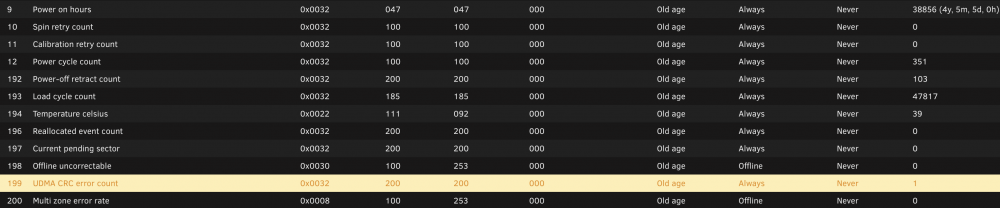
Hello and thank you for your answer! I typed the version wrong.. sshh sorry I have removed the disk cause of problems and I placed a new 8tb instead of 4tb the previous one was. Never did "New config" so far. So no I just left the slot "open" I suppose! Ah sorry Disk 5 is giving me the UDMA CRC errors (WDC_WD40EFRX-68N32N0_WD) I have some disks which I installed from external 8tb disks (all WD) and I got a cheat from a friend for them to work properly on my setup. I want to keep nvme disk 11 on its own pool, probably for appdata (will that make things faster) and VMs.. Diagnostics included eleven-diagnostics-20211116-1735.zip
-
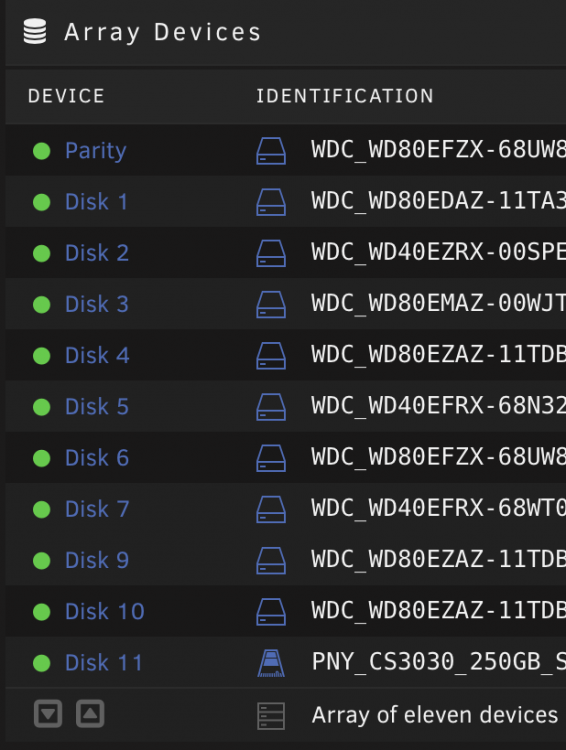
Hello, I am sure this might have been answered in the past but searching for some minutes now and didn't find anything to match my setup. So I have unRAID 6.9.2 with one Parity disks and 10 disks. Little note here, some 4tb disk in the past had issues so I removed it from my array. Cause of this I have now Parity Disk 1-7 and then 9-11, Disk 8 is missing. Now, I want to fix this for a while now but my day was full for the last months.. but I have a new 8tb disk to add in there. What I have done "wrong" in the past was the addition of a NVMe SSD on my array (Disk 11), I've added that to keep my VMs and I couldn't do it with a second pool back then. So I need to remove DIsk 11 from the array and fix Disk 8 which is missing.. problem here is my hardware won't let me add another disk so I need to remove an old one so I can do this. That would be a disk which is giving me this error for some years now. How should I do the above? I have tried to remove stuff from the Disk 11 (nvme) via a crazy way. I've excluded the disk from all the shares but I can still "see" files on it (domains, appdata). An the last thing. Should I continue using Cache pool with 2 SSDs or I can do that with one only? Depends of what I am using those SSDs for I assume? Only : Cache for appdata / Yes : Cache for my main shares. So everything I am copying over the network to array it goes through the SSDs. Sorry for the long text and I 'm looking forward for your replies!
-
Thanks for your answer. I have tried to make my share public and used it the way you showed me. I got No. Prog available and then I deleted my /etc/nfs.conf file and everything worked finally Thank you for all your answers!
-
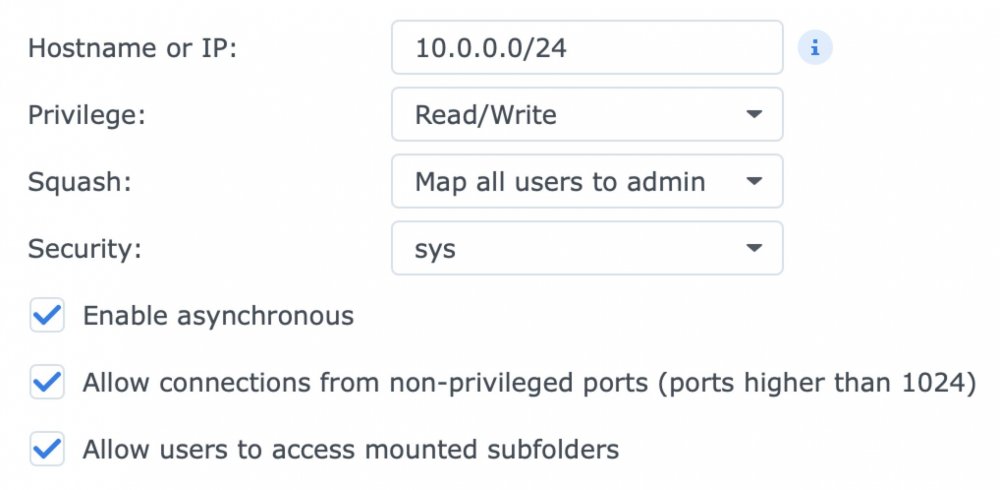
I need the client (my mac) will have to be admin, rw access etc. What is strange, is that Synology shares works with my options provided on the screenshot above but Unraid won't like it no matter what I am trying. On NFS settings the Tunable (fuse_member) is set to 330. Then on shares.. I am going to "eleven" my main share with settings: export: Yes security: Private rule: 10.0.0.0/24(sec=sys,rw,async,insecure,no_subtree_check,crossmnt,anonuid=99,anongid=100,all_squash) But with both Finder and the Terminal cannot mount from Unraid, but as I said synology works Thanks for all the help!
-
Can you help with that link please? I am trying to mount NFS share to my mac without any luck.. Thanks in advance
-
Even, after so many months thank you for this. Couldn't imagined it working this way. Was struggling with the username/password idea (like afp,smb etc). Now I have for quite a while my synology setup with NFS and I would say it's a bit faster that the simple SMB. Moving stuff to unraid though, cause yeah it's still one of a kind and cannot be compared to others. So many disks inside, so few to think about. Anyways. This is my setup, any easy way to type that done in rule on unraid settings? Thanks in advance
-
What about the permissions? I can mount it and all well but when I need to copy, rename, move files I don't have the permissions.. I have tried rw etc
-
Maybe, I'm a little bit late on this convo. I am using mac as my main computer and I need to have access from my mac to the unraid share I have tried to: make a new file /etc/auto_nfs and in there have this : /../Volumes/server-nfs -fstype=nfs,noowners,nolockd,noresvport,hard,bg,int,rw,tcp,nfc nfs://eleven.local:/mnt/user/server and then added the auto_nfs on auto_master like this: /- auto_nfs -nobrowse,nosuid I can see the share just fine but it wont let me make any changes. Is there anything I should fix? Thanks in advance
-
Thank you JoeUnraidUser for these amazing script. I was trying to find a way to kill nzbget leftovers and those helped a lot


