




somethingnew71
Members
-
Joined
-
Last visited
Everything posted by somethingnew71
-
Should I manually delete the folders on the cache disk? I want it on the main array. Is that the right practice?
-
deathlyhallows-diagnostics-20251028-1353.zip
-
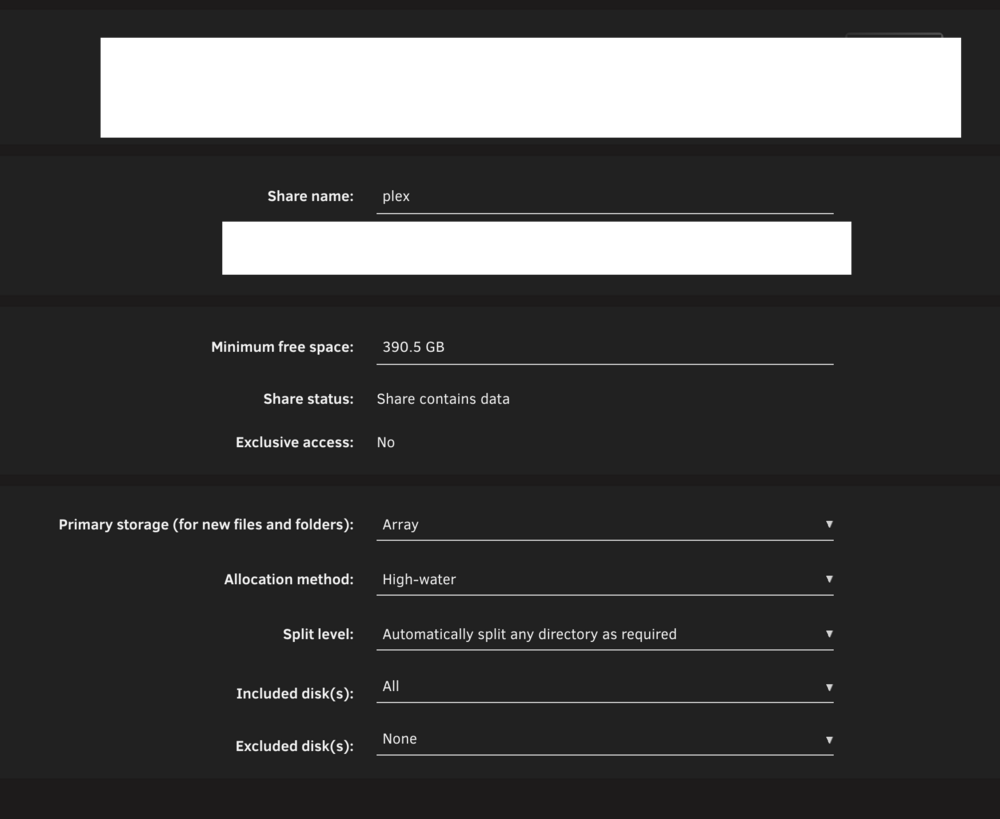
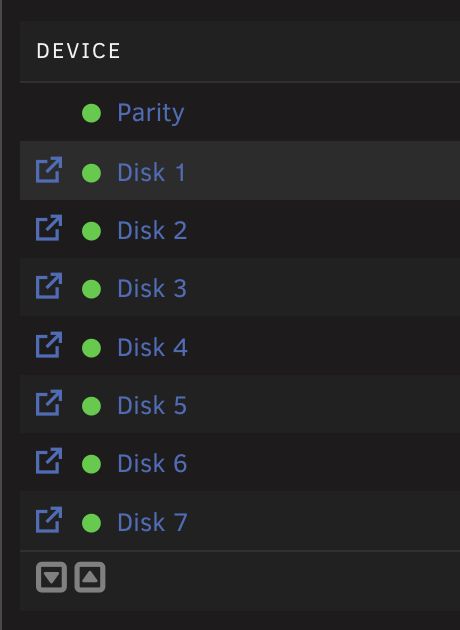
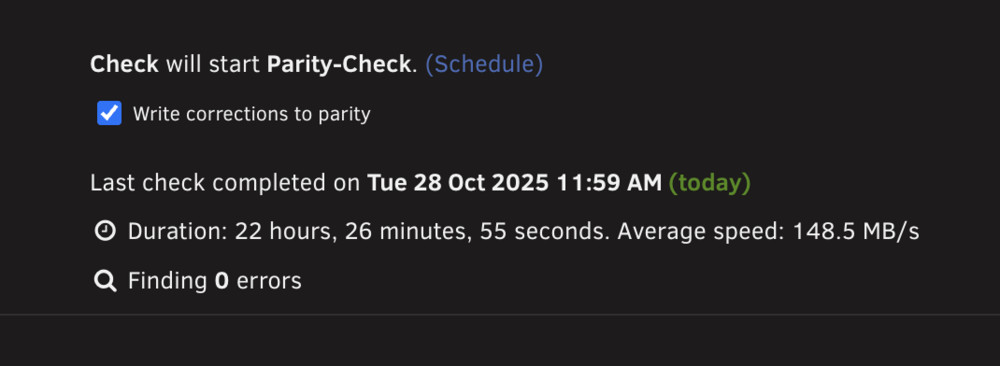
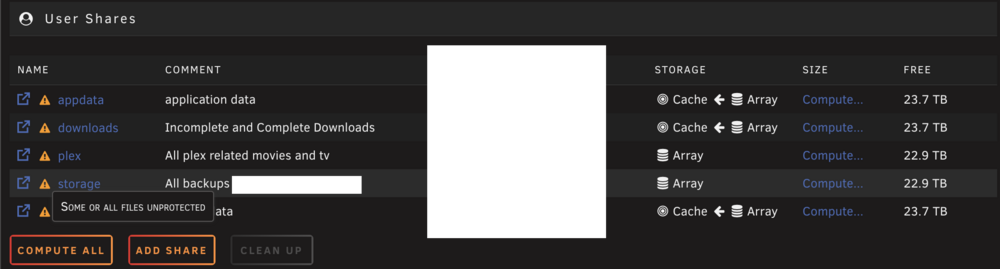
I am really stumped with an issue I am seeing on my Unraid server for two shares. Specifically plex and storage shares which are set to Array only. I am not sure what setting I have misconfigured here, or if I am missing something obvious, but does anyone have any idea why this is happening? I don't want these files/folders to exist on the cache drive at all. They should all be stored exclusively on the array. Parity is listed as being valid.
-
Thank you for this, I was stuck at a black screen on my docker container suddenly and this got my backup running again. Really appreciate you.
-
Thanks for the education guys! Yup I swapped out for another new iron wolf drive and it recognized right away so this one must have just hard crashed/died. It was a 2017 WD Red drive. Lived a good life!
-
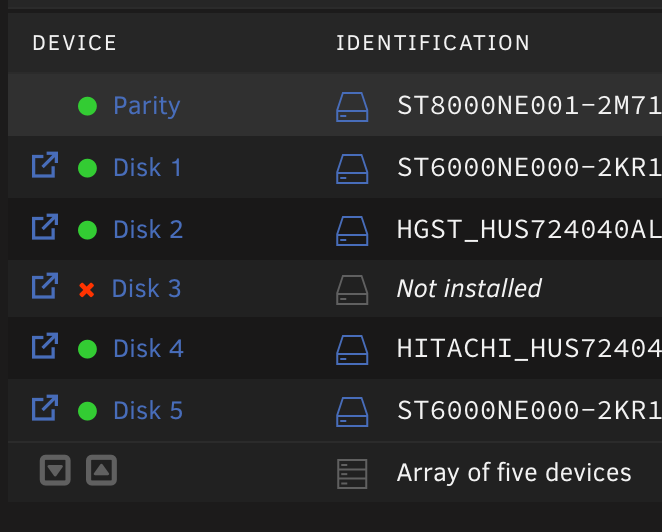
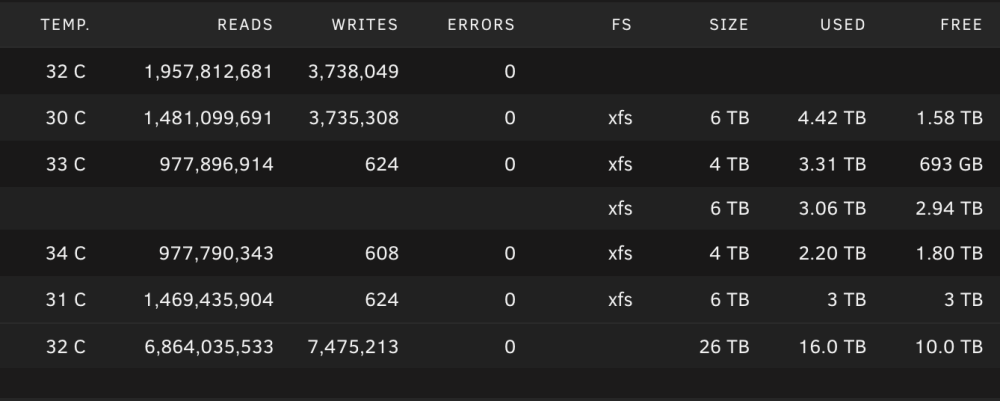
After updating to the newest version of Unraid one of my drives suddenly started getting listed as "Not Installed". The drive still shows all the states associated with it except the Temp, Reads, Writes, and Errors. The file system, Size, Used, and Free are all still viewable and I can look through the directory structure. Any ideas as to why this happened? The weirdest part is there is no historical device information for that drive and when I try to assign the installed drive it doesn't show up in the drop down of selectable drives. Has my drive actually failed or is this related to the software update somehow?
-
Hey folks! I setup a Storj account and was thinking about using it as a way to backup my server itself. Is there any sort of container or setup to configure this with unraid? As I read through this thread I see this is more about letting people use your server as a backup but I am seeking a way to back up my server to Storj. Is the only option via their CLI tools?
-
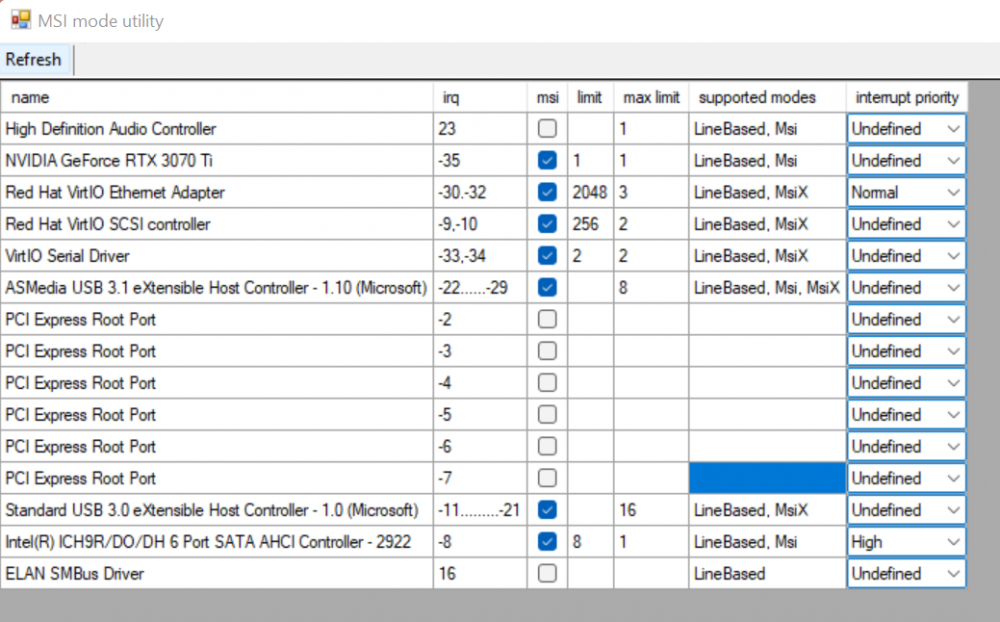
Thank you!! Alright got it installed and from what I am reading based on my numbers here I have no conflicts. MSI is enabled for the USB Controller which is the ASMedia USB 3.1 controller in this list. Should I disable that? OR should these be reordered in some way?
-
Thank you so much for the reply. Turned off the USB power savings in windows but I am struggling to find the post where the msi utility was shared in the forum. Do you have a link to it?
-
Hey everyone question about passing through an entire USB controller on my windows gaming VM. I have successfully passed through the whole controller and it has been working well enough for the past few months. However I have an issue that has been present since day one where all devices disconnect and reconnect at what appear to be random intervals. For my mouse and keyboard its a non-issue as I get a small blip in my mouse response but thats it. For my mic though it seems to break the connection to discord or whatever other audio service I am using and the only way to solve it is to unplug and plug in the mic again. I have tried two different USB controllers, and 3 different USB mics. They all do the exact same thing and I can't seem to find any correlation to when they "blip". Anyone seen anything like this at all? I would really love to figure out a way to fix this as I will be talking in game and people on my calls will just suddenly stop hearing me until the notice I am quiet and say "If you're saying something I cant hear you" and then I toggle the usb cable. System Specs: - Gigabyte Technology Co., Ltd. X570 AORUS ELITE WIFI - ASMedia PCIe USB Controller - https://amzn.to/3L9gMYe - Windows 11 VM (though it was an issue on Windows 10 too)
-
Just FYI if this plugin isn't installed I don't have a "stats" tab at the top of the screen. Once I installed it I was able to view the network stats from your plugin. 🙂


