





nexusjosh
Members
-
Joined
-
Last visited
Everything posted by nexusjosh
-
Update: 7 Hours with no issues. It must have been one of the many plugins I had installed. Le SIGH! After a day or two, I'll begin reinstalling plugins one at a time, and if it crashes, I'll know which plugin is causing the instability.
-
SuperO, doesn't know. But the more I think about it, the more I'm sure there is something going on with UnRaid, because when I have booted it into safe mode, it ran fine, with no issues!!! I'm going to try removing all of my plugins, unmounting my VM, and deleting the docker container I have. Update: I've removed all of the plugins, we shall see if it hard resets again in an hour or so.
-
So, when I was running in safe mode a few days ago, it wan fine for 2 days with no crashes. But then begins to crash when its not in safe mode. So you may be on to something there. Its just so disheartening that there are no error messages or -anything- just BAM, Hard Reset, with zero clues as to the issue whatsoever. I've opened a ticket with SuperO, hoping they will be able to help.
-
Sooo, plugged it into a new UPS, aaand same issue. Power cycles after a while. Going to plug it stright into the wall, just as a "What the hell, lets give it a try." And re-apply thermal paste Anyone else have any other ideas?
-
Sadly I do have power issues. Though if it powers off once again on this new UPS, I'll try that, and hope that a brown-out, or outage, doesn't murder my server. I'll just move the plug from the battery side, to the surge protection side of the UPS lol.
-
I just had the inspiration on... Perhaps it could be the UPS? @.@ I'm going to swap out the Cyber Power UPS I have connected to it with a new APC UPS I got a couple months ago... See if that makes a difference.
-
So, I was hoping the issue was resolved. It was not. After about 8 hours of up time it randomly power cycled once more, and I still have no idea why I did catch it on a recording this time. No errors or anything, just... Boop. Hard Power cycle. In the morning, I suppose I'll perhaps re-apply thermal paste? Any other ideas on possible solutions? I might change out the PSU, but I don't have a spare one on hand. Crash.mp4
-
Thanks for your feedback! I did use a Memtest USB I had, not the one Unraid is coupled with. The one coupled with Unraid actually wouldn't boot for whatever reason. I tested the Flash Drive, and it all tested out fine. I re-connected/seated the power cables after testing the PSU, and the server has been purring along for nearly 5 hours now. Soo... Maybe the power needed to be re-seated?! X.x Ugh. I don't want to yet get my hopes up, but, maybe that was the fix. Even though the issues started after I added in the new ASUS card. Maybe the ASUS card will now function fine.
-
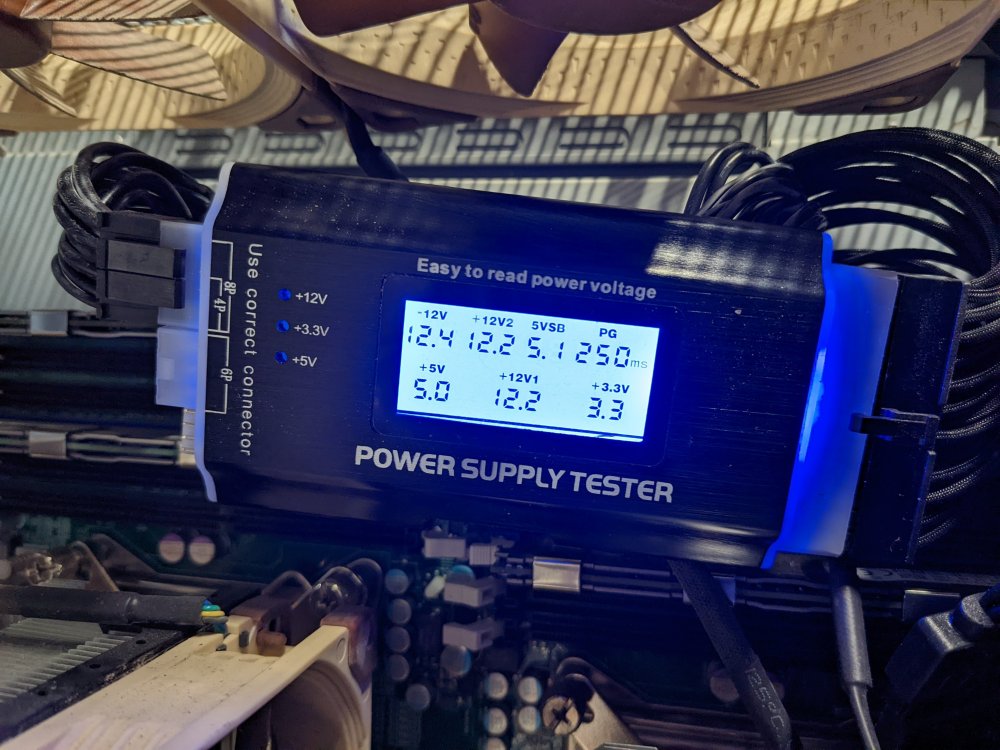
I let the RamTest get to step 2, then halted it. No errors found. Plugged the PSU into a PSU tester, and it tested out fine. I've re-reated the power cables, so... we'll see if it power cycles.
-
A fair idea, though I JUST replaced the PSU about 6 months ago with the overkill EVGA Supernova 1000 T2, 80+ Titanium. I'll plug it into my PSU tester once the memtest is complete... Perhaps the power cabled need re-seating. Ugh. I reseated the PCIE cards about 50 times, but didn't think to re-seat the power cables.
-
A tool to allow for a simple stress testing of individual components (CPU, Ram, etc) before an array is started to check for faults. This sort of goes hand in hand with my ongoing issue here, where I'm getting dirty power cycling, and cannot yet, for the life of me, figure out why.
-
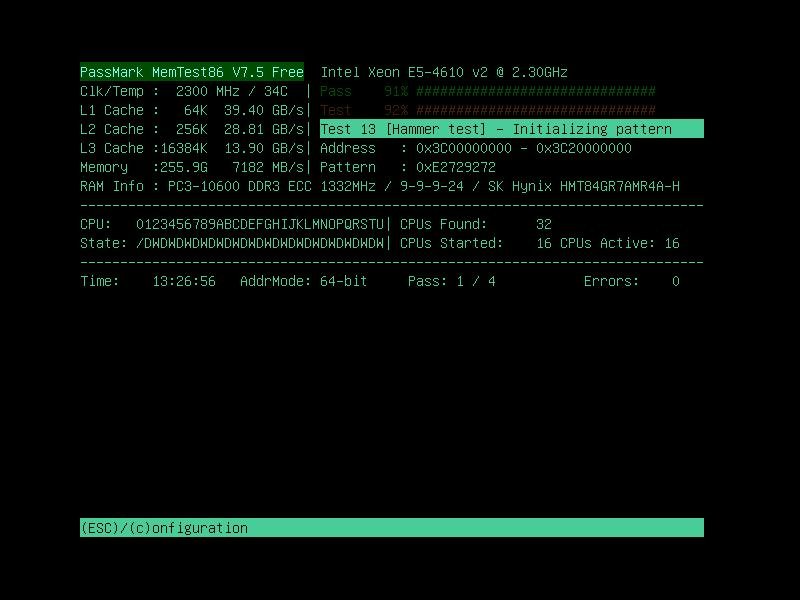
So I'm currently running Memtest, but its going to take a couple of days given my large ammount of Ram. I'm at a loss as to what it could be at this point, unless its, as I've said in a prior post, a CPU, or Motherboard issue, which would be a big shame. I'd be having to build a new server, which wouldn't be the End of the world, but meh. Sigh. Does anyone know if there are any stress test apps by chance on Community Apps, perhaps one to stress individual components, to MAYBE determine the issue. I once had access to Ultra-X when I used to be a Service Manager at Frys Electronics, and their kit was unique, I've looked on and off, and haven't found an alternative for it, which is a big shame.
-
Well, I hope that it is! I've had my server for about 5 years, and haven't had any major issues until now. I've now restored the hardware back to the state it was when it was last stable. I'm unsure what else I can do, other than hope it WAS the USB. If it isn't... Maybe the Motherboard is going bad, or the CPU. Sigh. Its been an hour and it hasn't crashed. Lately its been crashing just about every hour. If less. I'm screen recording the IPMI again, so we'll see what happens.
-
So I scanned the USB, and found 0 errors. So I rebuilt it. We shall see if it stabilizes. Its worth noting, my server is 5 years old, so I could see some sort of corruption on it being the cause. Thoughts?
-
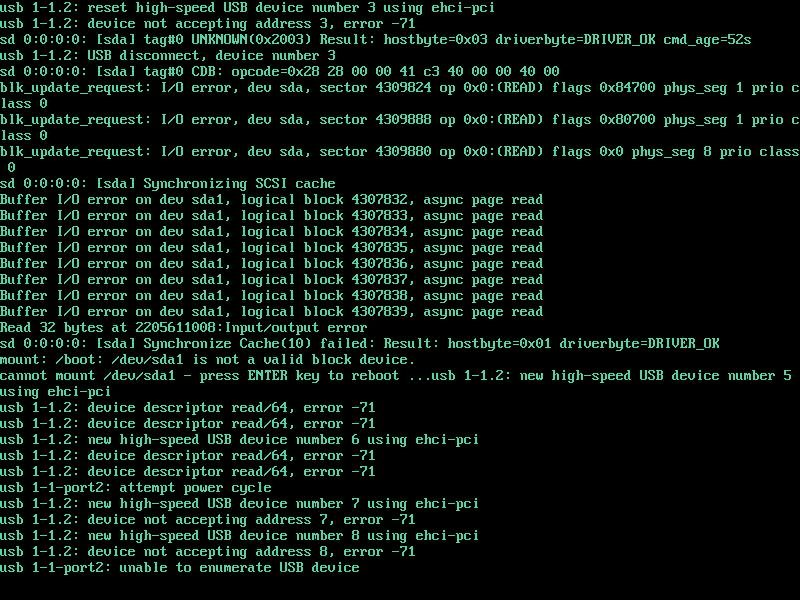
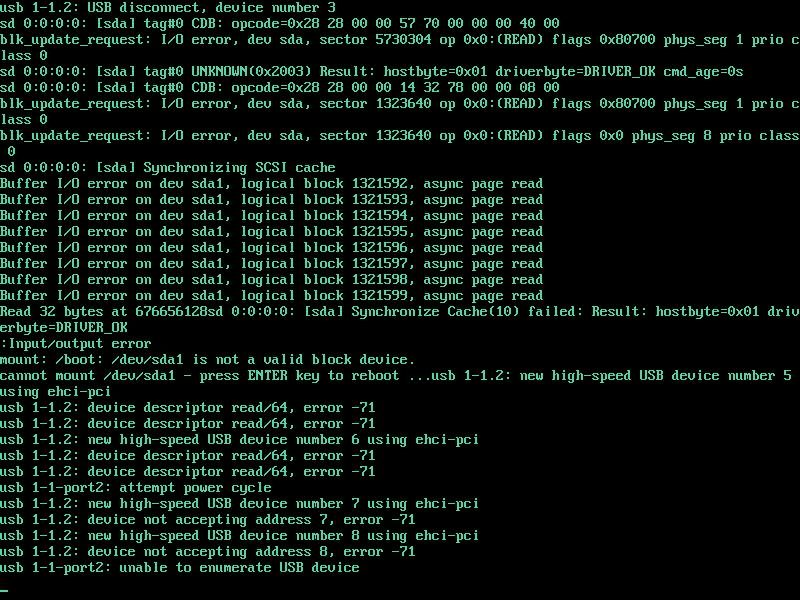
Yep, just got another reset. With the same USB error upon attempting to boot again. I'm going to run scandisk and such on the current USB. In the mean time, anyone know what the read/64. error -71 is?
-
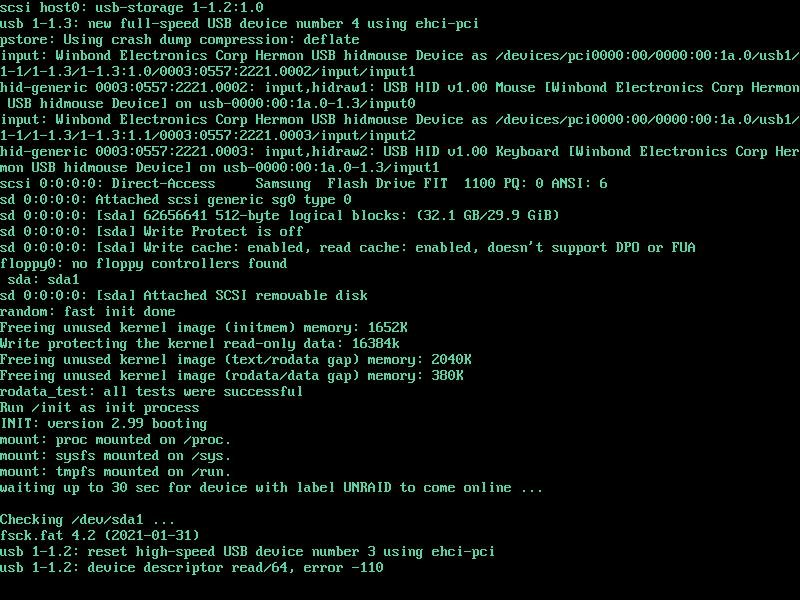
@JorgeB So I just power cycled my server with the option you gave me. And Its hanging during boot. with the attached USB error. I'm going to power cycle the server again, but... Could this entire problem be the bootable USB is failing? @.@ Its a supposedly good Samsung Fit 32GB small form factor flash drive. I'm going to reboot the server again and see if it comes up. Though I might as well run memtest for giggles.
-
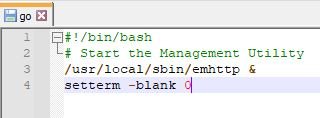
Thanks added. Update. I disabled bifurcation, and it still crashed. I removed the ASUS Hyper, and replaced it with the original single m.2 card. Perhaps the Hyper is causing some sort of issue? We shall see. Sigh. If this DOES fix the issue. I'm going to email SuperO, and see if they have any ideas as to why it doesn't properly work, when one would think it should.
-
Is there any way to disable that? At least temporarily.
-
Update: The server stayed on for almost exactly an hour before just powering off. I had the screen recording it. Though after 10 minutes, the screen goes black? I'm unsure if that is Unraid, or my SuperO Motherboard, instead of it just staying on the login. So it went from black screen, to booting again. Sigh. I'm going to go ahead and turn off bifurcation, and see if that makes a difference. But then I also question it being a hardware issue? Because it stays booted in Safe Mode. And when I had it out of safe mode, I didn't have my VM's, or Docker booted. Maybe a plugin?
-
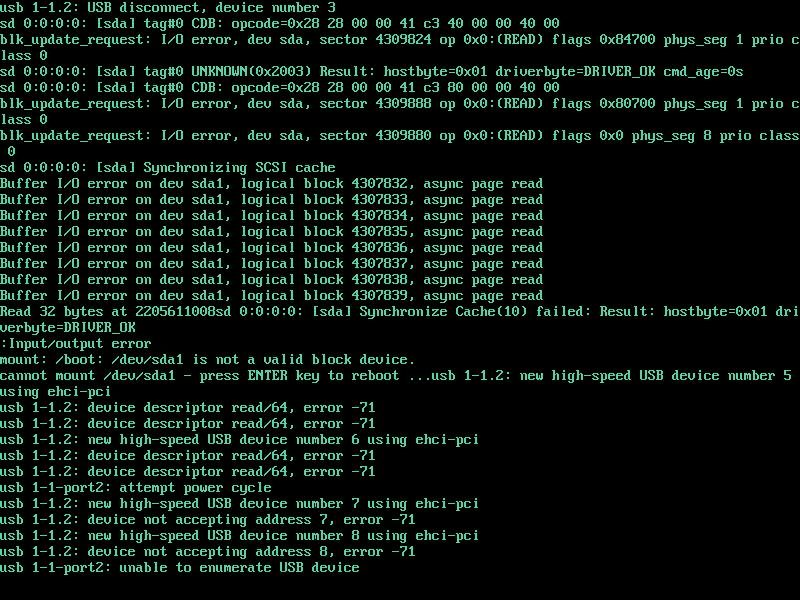
So I decided to go ahead, update the OS, to the new beta build, and restart the server out of safe mode. When I was setting up my IPMI recording the server crashed! I didn't see the damn console, but upon restarting it hung, and I took a screenshot I saw it was throwing USB errors, and there are two front case USB ports. I unplugged them, reset the server, and it came up as per usual. I got the IPMI recording going, so we shall see if it crashes again... Or if something went bad with the front case USB ports. I don't want to get my hopes up... so we shall see! I'm going to leave the server running for another 2 or 3 days to check for stability. Then do a Parity Check. Then boot my dockers and VM's. Also, the sda1 on the screen grab is the OS flash drive? Straaaange. Ty
-
I'm guessing that the Beta version? Any idea when it'll be released in Stable? If not, I'll probably move to the Beta Build.
-
So My server has been up for 2 days, 9 hours in safe mode without issue. Going to wait until tomorrow morning, when it will have been 3 days, and reboot it into regular mode. And see what happens. Its worth noting, earlier when I was having the problems, I wasn't turning on my VM's or Docker containers, just leaving it to run. The Thick Plottens.
-
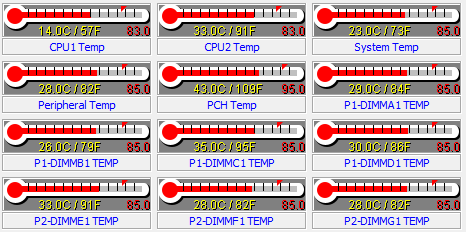
I do suspect there is some hardware issue. It COULD be that one of the two CPU coolers, may need a new application of thermal paste. Tiz been about 4 or 5 years now. And given that one of the CPU's strangely runs hotter than the other CPU. But not to the point of overheating. As of right now, the shut downs are random. Sometimes the server stays on for 24-30 hours, before resetting. Other times, it stays on for 2 or 3 hours, before resetting. As it stands now, in safe mode, we're sitting at 12 hours & 57 minutes and counting, in safe mode. Yeah, I researched it, and found that. Its because the OS doesn't like old logins on a web browser pretty much. Though why doesn't unraid just end the collections it doesn't like, and promot the user to relog, instead of throwing errors. @.@
-
Thats what I figured. The only thing I've changed, is, as I said in my first post, enabled bifurcation, and installed the ASUS Hyper M.2 X16 PCIe 3.0 X4 Expansion Card V2. I'm going to boot the OS into safe mode, see if it stays on for 3 or 4 days. If it does not, I'll disable bifurcation again, and see if it happens again. I only have 1 SSD (Cache) installed in Hyper atm. Also, I had an SK Hynix M.2 I pulled out of a Dell a couple years ago now. I thought the drive was going back, but come to find out. The SSD doesn't Support SMART! What?! Crazy. So because it didn't Support SMART, every time I ran a Smart check, it would freeze and crash the server. But upon plugging it into an NVME Enclosure and plugging it into my system, its still at 96% health, so its a perfectly good SSD still. Edit: If it crashes again, I'm going to set the IPMI viewer to record, and maybe get a recording of the damn thing crashing. That ought to help.
-
I just resolved the Legacy PCI Stubbing, that I've been procrastinating in doing. Though I doubt that'll fix it. We shall see! If no-one has any ideas, I'll turn off bifurcation, and see if that makes any difference.

