FlamongOle
Community Developer
-
Joined
-
Last visited
Everything posted by FlamongOle
-
I still scratch my head with this one, I might have a workaround to fix this, but I need to attack it on the right side. Can you please fetch me one json file of the "failed/flashing" devices from /tmp/disklocation/smart/ and post/send me?
-
The reason I want the output of the commands is that I need to see if there's something strange coming out of it. Disk Location is not supposed to pull any SMART data from sleeping devices, and does normally just use the formerly saved data. It literally checks the state of a drive before pulling the data in auto-mode.
-
Do you have any power settings that forces the disks to turn off, like backplate or HBA configuration of some sort? Any deep sleep functions or whatever they might be called? I'm not sure if some controllers that do these things can temporary store the SMART data while the drives are off, so it can always be pulled regardless of disk state while others do not. Just guessing here. If that SMART data cannot be collected from specific devices, then it will be known as "failed" as that is more likely cause if that data would suddenly be gone. As long as it works initially when doing like "SMART+DB", then it will force wake all drives before pulling the SMART data and it stores them. Later it will run SMART collecting on IDLE/ACTIVE drives. What might be interesting to see, is what state the "failed" drives are in (if it reports, active, idle, standby, off, anything else). You can try to pull that information running (change the sdX to whatever drive that shows failed SMART): smartctl -n standby /dev/sdX | grep -i DeviceRerun the command above after SMART+DB update, it will wake up all the drives if they are sleeping. Typically you should see something like: Device is in IDLE_A mode
-
Can you post me the output of: cat /var/local/emhttp/monitor.ini | grep .ackI would also like to know what's the name of the other pool if you're using it combined with "flash"/internal boot. Thanks
-
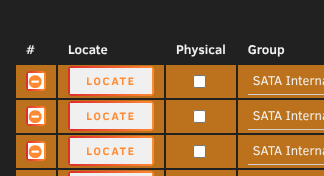
New function and feature in the making: assigning physical slots to device path. This will automatically replace drives in the assigned positions. This function will be experimental, and not all devices are supported. There's no ETA on completion and just a vague idea is made in the development version. It will also be optional to use this per device (see attached picture). Current help text: Some devices can be assigned to be attached to a physical address, using this will auto-replace devices added to that slot in the future. Device PATH are assigned to tray slots instead of device name and serial number. WARNING! If a SAS card, SAS-SATA breakout cables, motherboard has changed or HBA PCI position swap has been done, the physical locations must be reconfigured in the plugin! This function will always be experimental due to endless possible configurations out there. Using HBA cards in a fixed PCI location should keep the same addresses.
-
Update 2026.06.22 Commit #504 - BUG: Power_On_Hours from SMART fails when too high numbers are entered. Added and parses an extra "string" value if the two others default fails, otherwise leave empty. @chasteencs Please try this update (you might have to do a Force SMART+DB as well, but I don't think it should be necessary).
-
There's something odd with this drive, the raw[value] and power_on_time[hours] are both far off, while the raw[string] contains probably the actual hours (29807) with some extra numbers behind. I'll see if I can make a workaround for this one day when I have time. Only workaround for Disk Location now is to pull out the drive :P "id": 9, "name": "Power_On_Hours", ... }, "raw": { "value": 175874615833711, "string": "29807 (159 245 0)" // - value 2: "power_on_time": { "hours": 829080826 },
-
Thanks, can you also give me the output (file) of this: smartctl -x --json /dev/sds &> /tmp/smart_sds.jsonI'm trying to figure out what's going on here, because the 29807 power on hour looks fine. I just wanna see if the json outputs something else or multiple values or something. Thanks.
-
There's something wrong with the SMART "power on hours" on device "sds", "ST8000NC0002-1XX112", SN: ZA1091VX [powerontime] => 829080771 This means "26 years, 3 months, 7 days" power on time. I don't think any 8TB drives existed 26 years ago :P Can you please give me the output of: smartctl -a /dev/sds | grep Power_On_HoursI need to check if your HDD outputs wrong values, or if something happens with the plugin. Thanks.
-
I can't replicate the issue, config look fine. Can you check the PHP logs if there's any error messages related to the plugin there?
-
Update 2026.06.09 + 2026.06.11 Commit #501 - BUG: Devices with square brackets in their SMART name would fail, square brackets are now replaced to underscore instead. .11 improved commit #501 to replace all but expected characters (alphanumeric, dash, dot, underscore). @nicknick923 please try this release and see if it fixes the issues. You might need to run SMART+DB again, or even wipe the old config if that doesn't work. Not sure how it handles possible old files with wrong filenames
-
I wonder if the SandForce device is causing those issues. Possible to remove it and try again? I might check for a possible fix later (no ETA), I hope it is what I think it is. The model name contains brackets [] and this will maybe conflict with the actual array. Never expected that to be a part of a device name really. Rather worrying is that the serial number is "1", maybe related to the brackets.
-
Then changing the "SMART controller type" to "SCSI" under device settings in Unraid should fix your issue. Is that set, or is it "default/auto"?
-
Have you tried with (or without) any of these settings: -d TYPE, --device=TYPE Specify device type to one of: ata, scsi[+TYPE], nvme[,NSID], sat[,auto][,N][+TYPE], usbasm1352r,N, usbcypress[,X], usbjmicron[,p][,x][,N], usbprolific, usbsunplus[/sat], sntasmedia[/sat], sntjmicron[,NSID [/sat], sntrealtek[/sat], jmb39x[-q[2]],N[,sLBA][,force][+TYPE], jms56x,N[,sLBA][,force][+TYPE], areca,N/E, 3ware,N, hpt,L/M/N, megaraid,N, aacraid,H,L,ID, sssraid,E,S, cciss,N, auto, test These can be saved in each device in Unraid (click a disk name). Check SMART controller type if you figure out which device might work. smartctl -H /dev/sd* should work too to give you a PASSED or FAILED (or nothing). You might wanna try this first, but then try any other that might fit your controller (this is an example, dunno if it works): smartctl -H -d sat,auto /dev/sdn I might add a way to ignore empty SMART outputs, but I guess they should be retrievable with the correct setting.
-
What does this output when you enter it in the terminal: smartctl -x /dev/sdj | grep health smartctl -x /dev/sdn | grep health smartctl -x /dev/sdw | grep health
-
Can't do much without debugging file. I would also like a screenshot of your "Configuration" page please. I'm unable to reproduce this without any additional information.
-
Update 2026.06.02 Commit #499 - MINOR: Incorrect power_on_hours value could occur. Declared more variables to prevent picking up invalid values.
-
Update 2026.05.23 Commit #496 - FEATURE: Added Boot/Flash device support for Unraid 7.3. "Temperature N/A" is renamed to "Standby" to clearify difference between "N/A" when in Heat Map view. Adjusted table size for group name in Tray Allocations. Custom colors must be reset to use the default colors, but that's optional. For split devices between flash/boot and other pools on the same disk, only the "Boot" is listed as the name.
-
Use custom colors, no ETA on implementation yet.
-
nope But can you tell me what flash2 was? Usually "flash" is the Unraid USB memory, flash2 would then be like a mirror or so, or just another USB drive? Maybe you use Unraid 7.3 already with the system on disks instead? Reason I ask is if flash2 is a typical device name in Unraid somehow, or if it's sort of "hidden" behind "flash" and that's why it didn't acknowledge it.
-
These values are not stored within Disk Location, but in an Unraid file. I would be interested in the debug file and your /var/local/emhttp/monitor.ini You can also try to "Acknowledge all" under SMART if you enable "Allow editing of Unraid config" under Disk Location -> Configuration. Unless you already tried that.
-
New drives must be added under "Tray Allocations", after they are added and saved, they should not dissappear. Doesn't matter what content is on the disks, it only care about the hardware itself.
-
I don't know why this would continue to fail. It looks like all drives are spun down and this would be the reason why temps are not showing. I probably need a new debug file from this.
-
I can't replicate this, so need a debug file in that case. Make sure the drives are not in standby mode, then temps are not monitored. It does not use same data as Unraid, but probes itself. Any specific controllers used for drives?
-
This is rather intentional as it gives more flexibility for various layouts. If you just wanna add an empty section, you can add number "11" and hide it. Or just create a new group consisting of just 1 tray, move it in between, then hide that.