speedmax1979
Members
-
Joined
-
Last visited
-
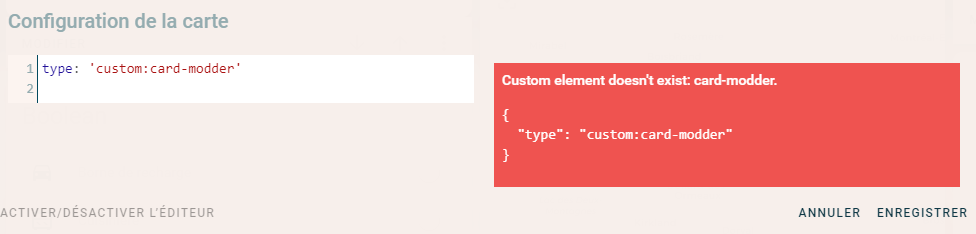
Hello, I have Home-Assistant running on my unraid server. Working fine! I do have a question. To be honnest, i'm not sure this is related to this docker or home-assistant. I try to include some custome node.js files in my lovelace config. It does not seem to work... Do I have to modify something in the docker config? See my lovelace config below... background: center / auto repeat url("/local/surfgirl.png") fixed resources: - type: module url: /local/mini-media-player-bundle.js - type: js url: /local/clock-card.js - type: js url: /local/moment.js - type: js url: /local/slider-entity-row.js - type: js url: /local/card-tools.js - type: js url: /local/card-modder.js - type: module url: /local/button-card.js title: Résidence Famille Guénette views: - badges: - sun.sun cards: - entity: weather.dark_sky name: Météo type: weather-forecast - entities: - entity: light.chambre_maitre - entity: light.wall_switch_1 name: Extérieur Avant - entity: light.wall_switch_2 name: Extérieur Arrière - entity: light.veranda show_header_toggle: false title: Lumières type: entities - entities: - entity: switch.borne - entity: switch.cuisiniere show_header_toggle: false title: SonOff Borne / Cuisinière type: entities - entities: - entity: input_boolean.borne_tesla - entity: input_boolean.cuisiniere - entity: input_boolean.max_home - entity: input_boolean.nad_home - entity: input_boolean.siri_aurevoir - entity: input_boolean.siri_bonjour - entity: input_boolean.siri_nuit show_header_toggle: false title: Boolean type: entities - default_zoom: 10 entities: - entity: device_tracker.max_iphone title: Location type: map - entity: media_player.cuisine_salon type: media-control - entity: input_boolean.borne_tesla hold_action: action: none tap_action: action: toggle theme: palms type: entity-button path: default_view title: Home - badges: [] cards: - entity: alarm_control_panel.home_alarm name: Système d’alarme states: - arm_home - arm_away type: alarm-panel icon: '' title: Alarme So, when I try to add a custom component, I have this error (see attached picture). Any idea? Tks! Max
-
WooHoo!!! it's working! Thank you so mush! I learn a lot today.
-
Also, I was able to connect my Node Red with Home assistant. Now I need to connect from the outside to HA...
-
Yes, this is working. (inside) But, I confirm this is not working with Nginx. (outside) Tks!
-
Yes! But it's not working...
-
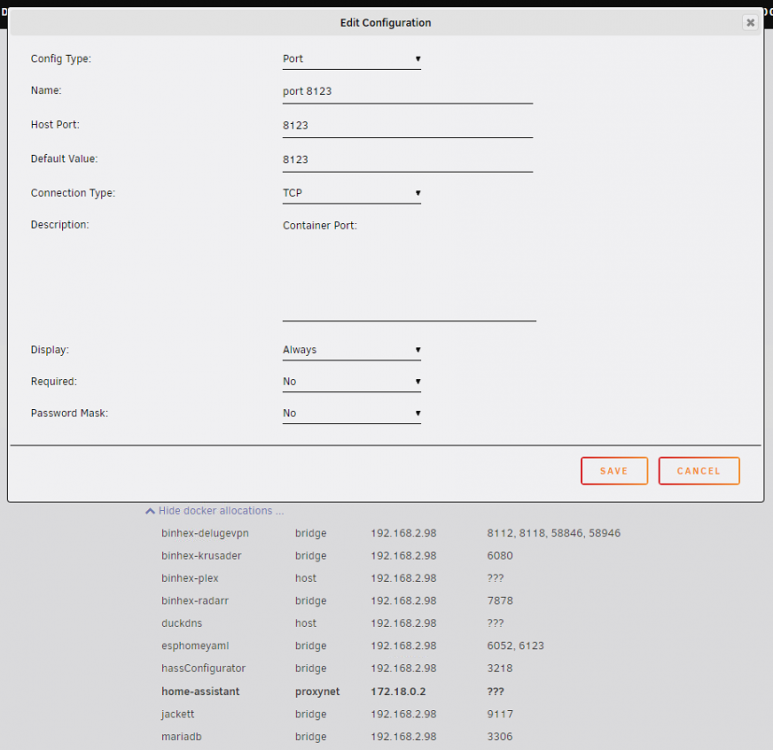
May you show me a config for example? Not sure how to do this... I'm pretty new with docker stuff. But.. I like this!!!
-
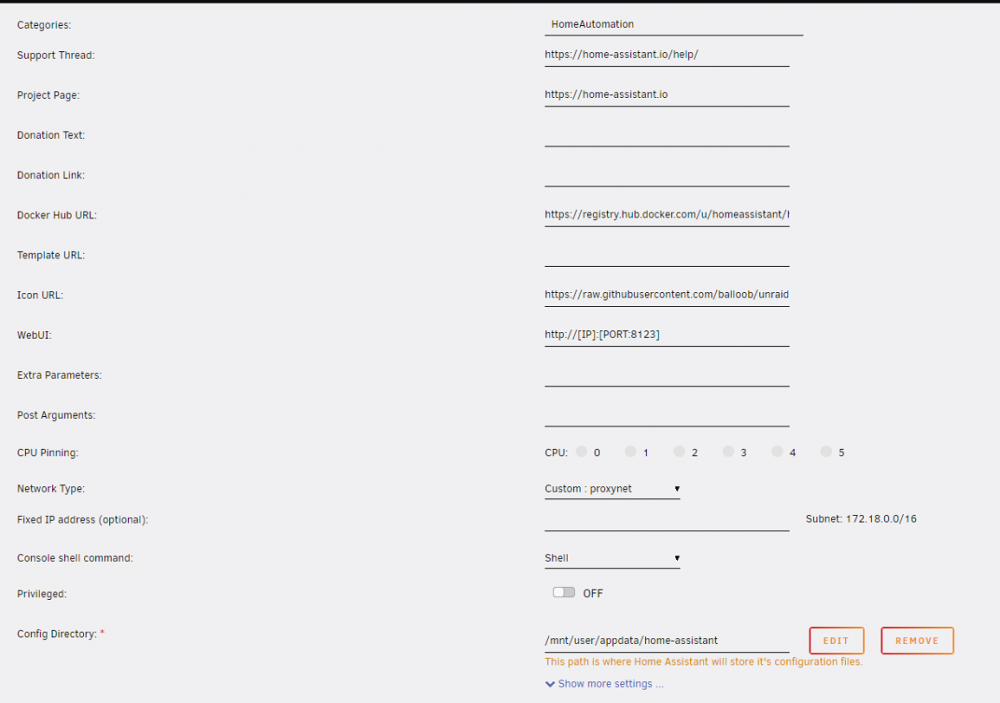
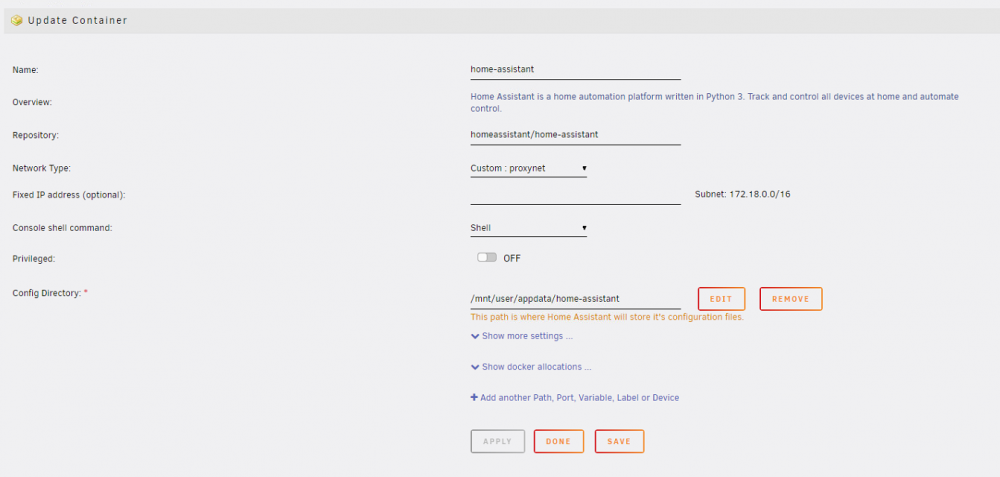
I took a picture with advance view on.
-
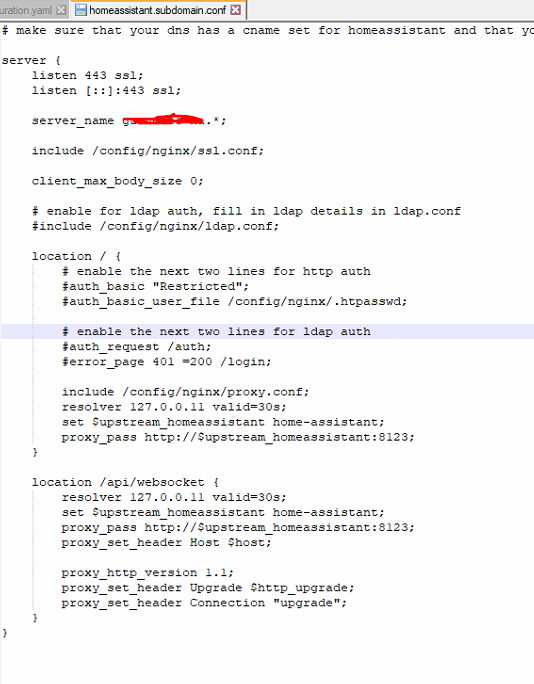
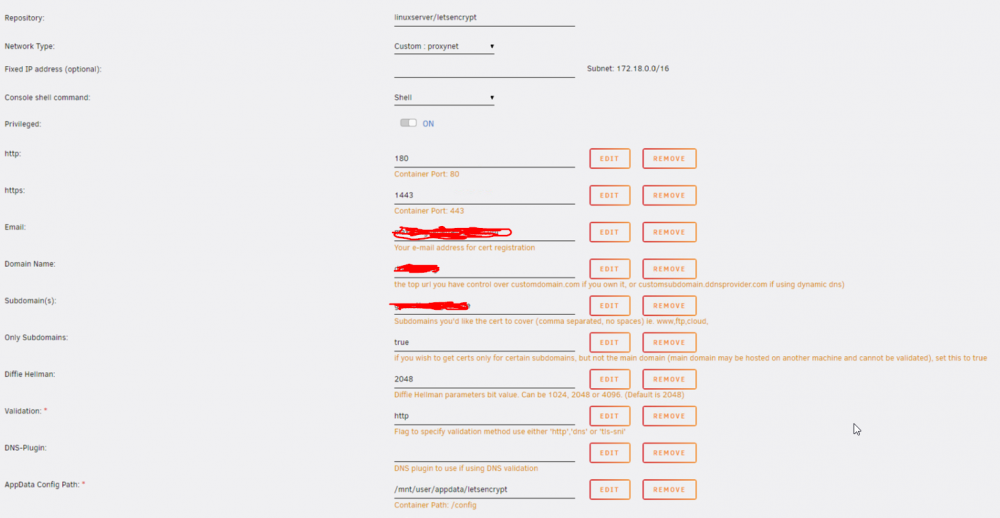
Tks for your help! See attached the config files. Regards, Max
-
speedmax1979 changed their profile photo
-
Hello, I need your help to figure this out. I installed the plugin following Spaceinvader One youtube video. At first, I wanted access to my Home-Assistant (unraid Docker) from the outside. It work!!! When I try to connect using the server IP 192.168.2.XXX:8123 (Home assistant port) it dosent work. (Local Network) I tried to connect NodeRed (unraid Docker) to Home-Assistant container, same issue, no connection. (Local Network) Do you have an idea what the problem? Should I modified / add something in the nginx config file (see attached)? For info, I created a network called Proxynet (like spaceinvader video). Thanks for your help! I'm lost... Max