






LevelsAndMaps
Members
-
Joined
-
Last visited
-
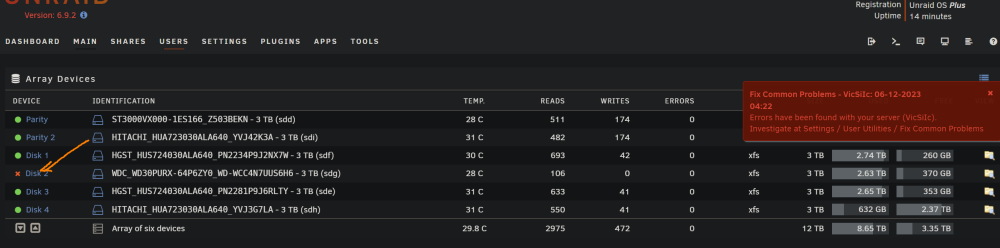
heya, I'm on Unraid 6.9.2 the system was out for a long time (mobo fried). managed to get it back up and running but I'm faced with this screen: here's the Extended Smart report for that drive (note it doesn't complete, it fails about 10-20% into the Extended Smart self-test) is the HDD salvageable or should I just replace it? vicsiic-smart-20231206-0418.zip
-
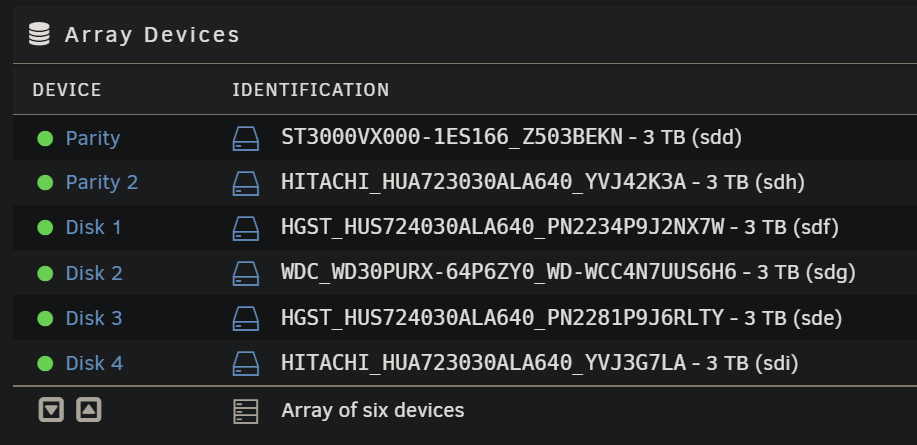
To bring proper closure - it was the controller. Array is all purring happy now and with 2 parity drives it's in a much safer place now
-
thanks! already went through the cables (but they were also new). you've confirmed my hunch, can't run 5$ Sata controller on Unraid and expect wonders. ordered one based off your thread of recommendations, let's see if it holds up better 😁 I'm also looking at the power supply next, if upgrade to controller doesn't do the job. Thank you once again for confirming the HDDs themselves aren't a problem.
-
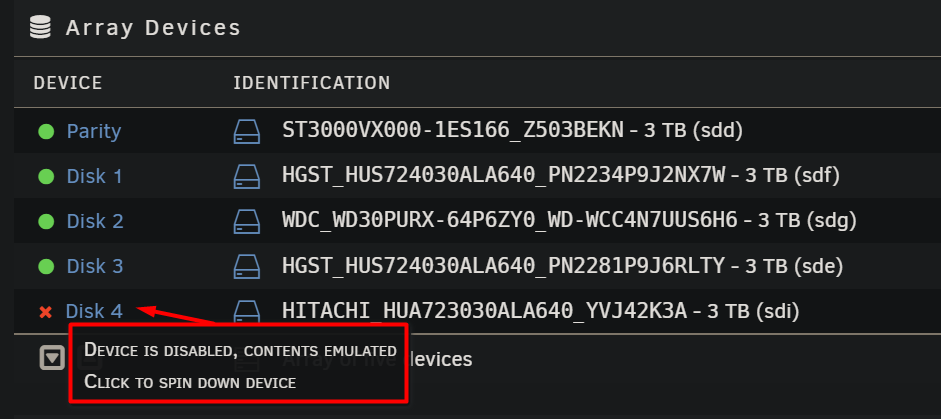
Hello everyone, I suspect the cheap PCI SATA expansion card was too cheap. can someone check / confirm that my HDDs are fine? A bit of history: Hardware: 1. bought a generic PCI SATA expansion card 2. added 2 more HDDs to expand array (wanted one for second Parity, one for actual data) 2.b. Both of these new Hitachi HDDs are connected on the same PCI SATA expansion card. now, in Unraid: 3. added first HDD to array to extend capacity, worked without problems 4. had trouble adding second HDD to array, something kept failing during rebuilds. Preclear also failed once or twice. 5. recently (48h ago or so) - the HDD from PCI SATA card that was already part of the array also has problems: Attached are all the logs I could scrape, please teach me how to get more, if needed vicsiic-diagnostics-20220322-1315.zip vicsiic-syslog-20220322-1214.zip vicsiic-smart-20220322-1302.zip
-
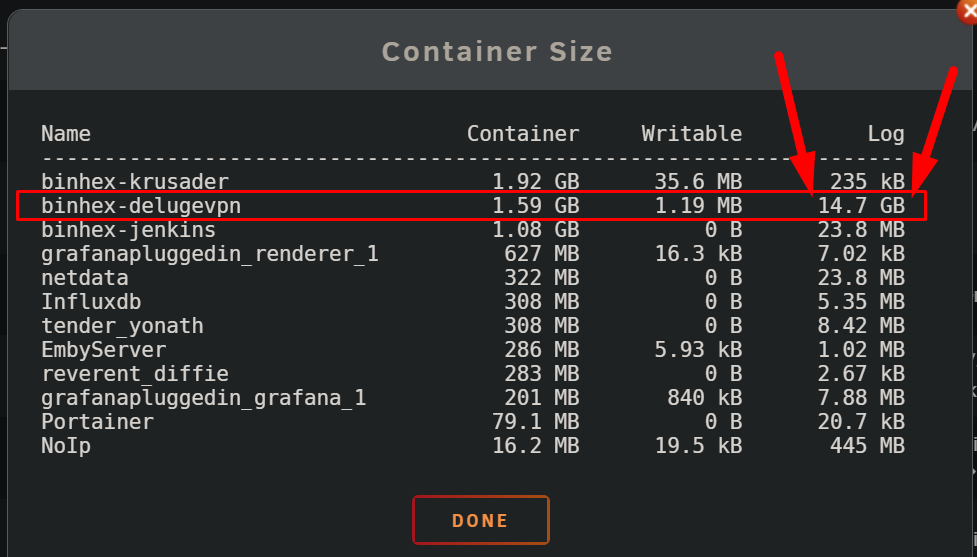
hello everyone and please help me out on this how can I find and delete the massive logs from here? A while back I did force unraid to use log rotation, but seems like delugevpn is having none of it:

-
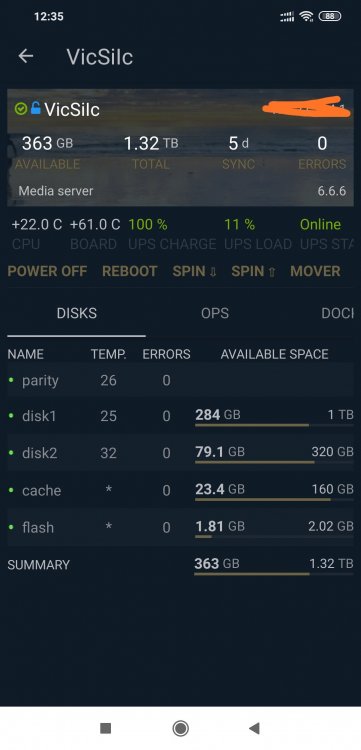
works like a charm with OpenVPN! now I can monitor my server from anywhere :D for anyone else interested in getting this operational: 1. I used SpaceInvader's tutorial about OpenVpn AS https://youtu.be/EfBvvilnasU 2. added a few plugins (dynamix temp, NUT ups) 3. I did have to auto-detect in ControlR, I couldn't get right the manual connection :P result:
-
Thanks for clarifying gentlemen, I'll go with the OpenVPN solution. @constructor - yes, I've been running a secure FTP, with SSL logins for some time now, I completely understand the bot issue I had to set auto-bans after 5 failed attempts, after seeing the logs...
-
LevelsAndMaps changed their profile photo
-
jbrodriguez, first I have to say thanks for such an awesome app! I've just gotten started with unRAID, and I had a few data rebuild scares (because I was silly, of course) It was cool though to be able to monitor over the interwebz the progress. One question though - I can't seem to get the Logs Display to work over the internet, even if I also open up the 2378 port I have only managed to get it working via port 80, for the basic ControlR information...




