






alicecantsleep
Members
-
Joined
Everything posted by alicecantsleep
-
I've changed the server_name in each .subdomain.conf file but it still say there is a conflict. I don't understand how since the containers and storage locations have different names. Where else do I need to change it for this subdomain? server { listen 443 ssl; listen [::]:443 ssl; server_name radarr4k.*; EDIT: I have confirmed it's the presence of both sonarr.subdomain.conf and sonarr4k.subdomain.conf that create the error as removing sonarr4k clears the error. I just got it working for ombi no problems. So there is a solution.
-
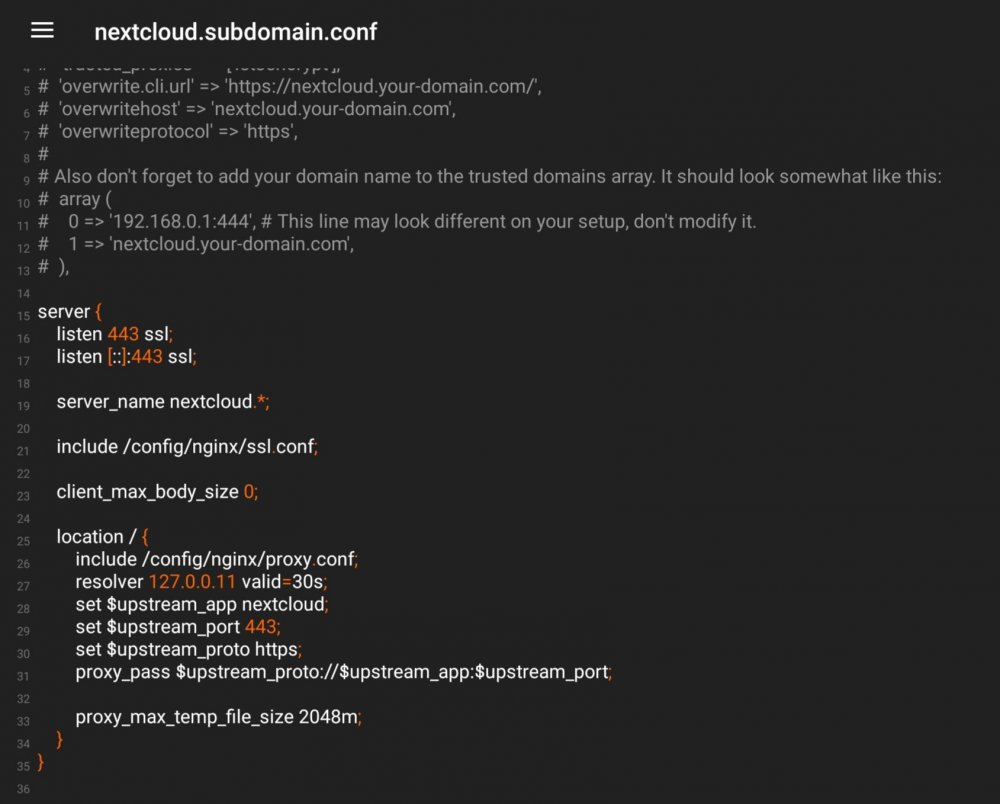
I have recently decided to setup separate instances of Radarr and Sonarr exclusively to handle my 4k content. I installed a second docker instance of each and named them radarr4k and sonarr4k respectively. I set the appdata folder to the same name and placed them on my custom dockernet along with the rest of the others and swag itself. I duplicated my old configs for each to save me some time. I then listed a subdomain in my DNS and added the new subdomains to my swag docker settings. Next I duplicated the proxy-configs and saved them under radarr4k.subdomain.conf and sonarr4k.subdomain.conf. I edited the the file to match the new docker name. I'll paste that below. However, after waiting the 48 hours to ensure my DNS entries propagated fully, my subdomains still don't work. I had the same issue a while back with my speedtest docker and subdomain. Is there a step I'm missing? I also have this weird issue where sometimes sonarr4k.mydomain.com forwards to heimdall.mydomain.com even though I haven't had Heimdall installed for a long time. I even ensured I removed the heimdall.subdomain.conf file and dns entries to try and resolve it. Unfortunately that did not work. Finally, after adding the sonarr4k and radarr4k files, I now get this error in swag: nginx: [warn] conflicting server name "radarr.*" on 0.0.0.0:443, ignored nginx: [warn] conflicting server name "sonarr.*" on 0.0.0.0:443, ignored nginx: [warn] conflicting server name "radarr.*" on [::]:443, ignored nginx: [warn] conflicting server name "sonarr.*" on [::]:443, ignored Unraid 6.8.3 I recently migrated to swag from letsencrypt with no issues. The issues described here were also happening in letsencrypt prior to migration. sonarr4k.subdomain.conf EDIT: I should add that my original subdomains for sonarr, radarr, and others still work fine. Just the new ones don't.
-
Hiya! I'm having an issue with a subdomain.conf file for my docker 'speedtest'. Since there was no template I copied one of the more basic ones and modified it to try and get it to work. Unfortunately that endeavor has failed and here I am. speedtest.subdomain.conf - https://codeshare.io/aJXrME The speedtest docker is the new Openspeedtest docker. Setup with standard config: On custom docker network for letsencrypt. WebUI available at :3001. That's why I put 3001 in the subdomain.conf as I had seen other dockers set similarly in their subdomain.conf files. Thanks for any and all help! EDIT: I was able to resolve my issue with the following speedtest.subdomain.conf file: server { listen 443 ssl; listen [::]:443 ssl; server_name speedtest.*; include /config/nginx/ssl.conf; client_max_body_size 0; location / { include /config/nginx/proxy.conf; resolver 127.0.0.11 valid=30s; set $upstream_app speedtest; set $upstream_port 8080; set $upstream_proto http; proxy_pass $upstream_proto://$upstream_app:$upstream_port; } }
-
Is there a way to edit a perf-conf file to direct traffic to an external machine? Basically I had this setup and working with my tautulli and Letsencrypt in dockers on my server. I've moved my tautulli installation to an external machine for better tracking and notifications. However, I'd like to forward the traffic that was going to my old docker via tautulli.mydomain.com to my new one on the network. I've got my ports opened up, I tried some basic changes to the tautulli.subdomain.conf, but no luck. I'm not even certain this is possible. But I figured I'd ask! Thanks!

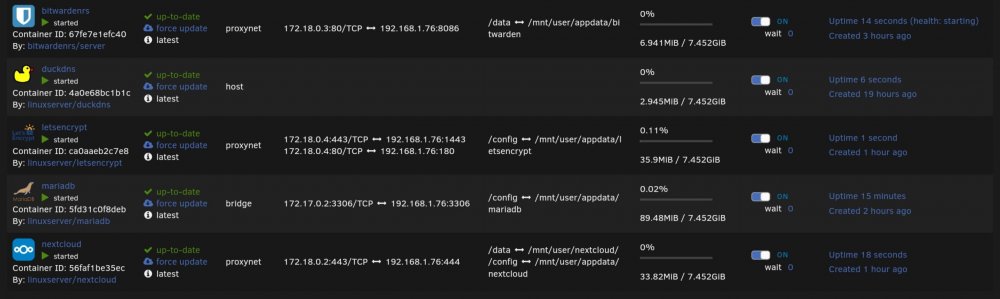
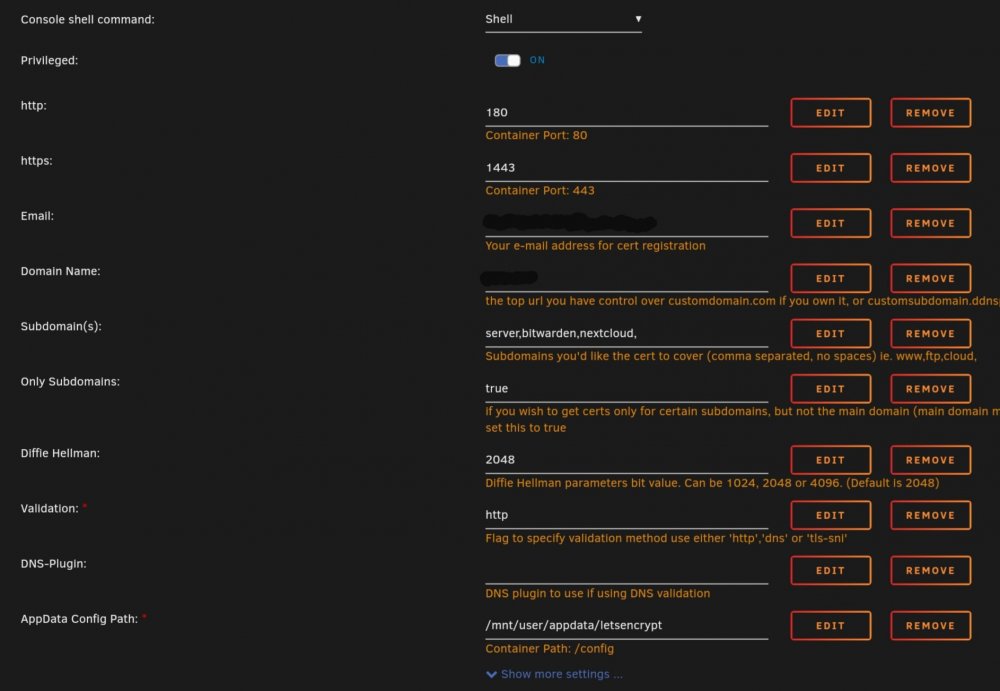
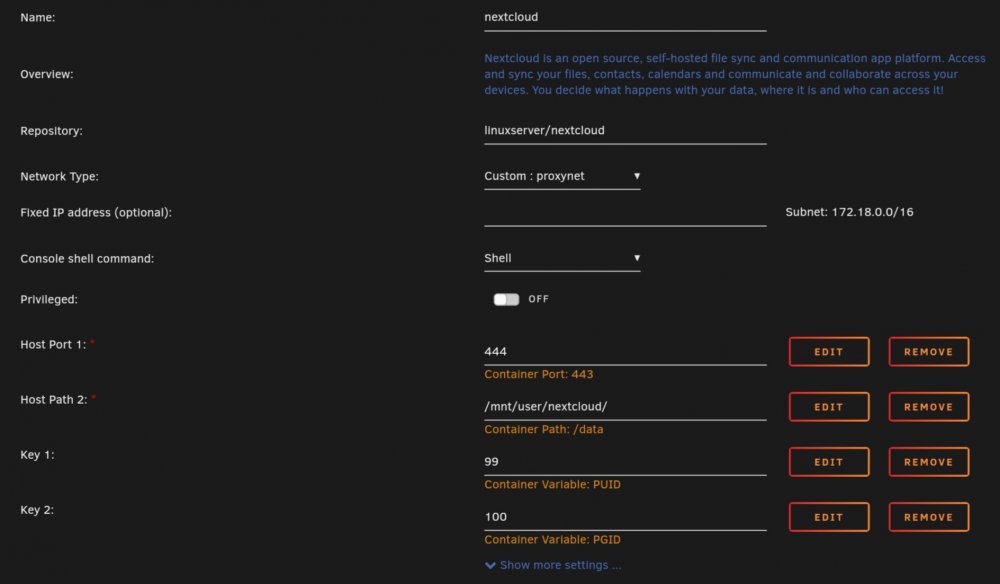
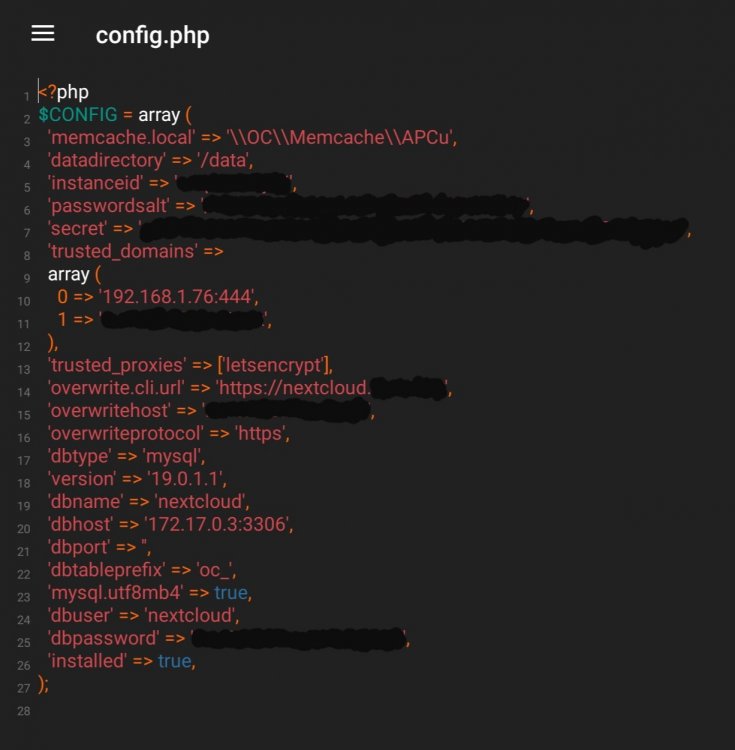
-
Does anyone have a link to a valid copy of viostor-31-03-2010-floppy.img? The site hosting changed to a .org and none of the old stuff is available. Maybe someone can post and share their copy?
-
Does anyone have a link to a valid copy of viostor-31-03-2010-floppy.img? The site hosting changed to a .org and none of the old stuff is available. Maybe someone can post and share their copy?
-
Such a great app! Exactly what I was looking for last week. What great timing! I love all the suggestions here. My suggestion/request would be a graphical percentage output - to match the rest of the dash board. I love having the percentages, but sometimes being able to tell where I stand with a glance is invaluable. Just a thought. Great work! Thanks for all you do!


