





adgilcan
Members
-
Joined
-
Last visited
-
So, yes Thank you. It was that and I was able to reset permissions by removing and re-installing all docker containers. Thanks again for your help, Strike!
-
You are so right! It seems I ran the New Permissions tool rather than the Docker Safe Permissions tool. I will try to research how to fix that. I only have 11 containers of which two have not been affected.
-
Thanks for this. I did run the permission tool because Krusader wouldn't move or copy (or display) any files to my rclone directories. I suppose that may be the issue, so how would I fix those permissions? I have stopped and restarted the Docker manager in Settings, also as part of my troubleshooting. Thanks for jumping in. Duncan
-
I should add that, as part of troubleshooting, I have removed rclone docker and deleted the image.
-
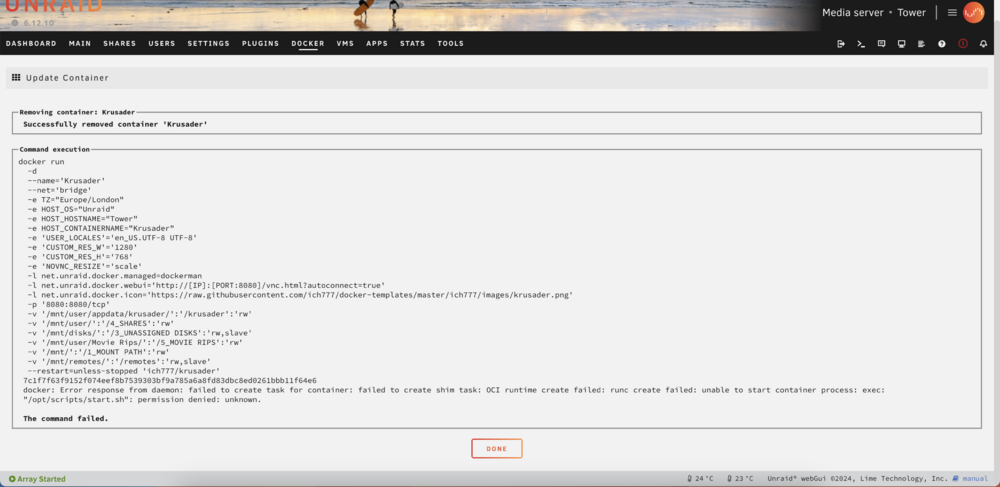
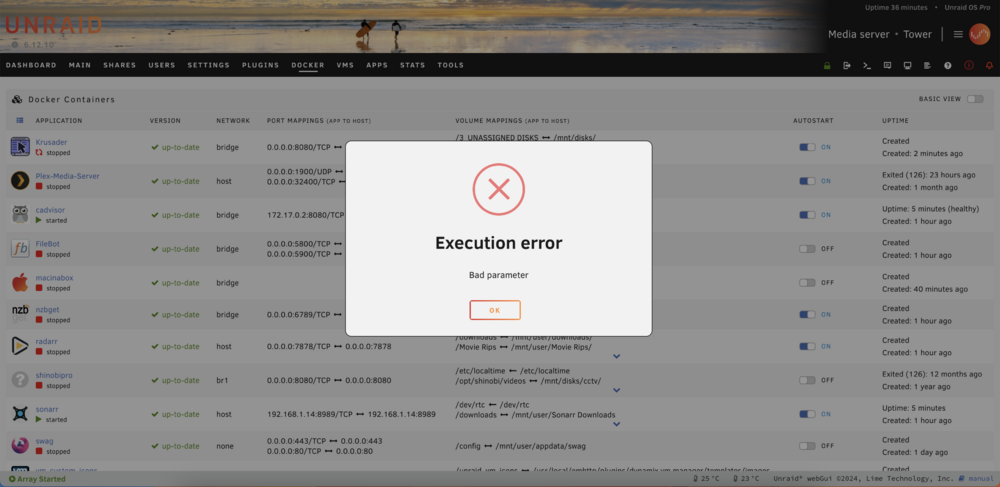
I'm running v6.12.10 and all was working fine yesterday. I have been trying to set up rclone and did add the rclone docker but couldn't get it to work. I shut down the server overnight. Today, I cannot start most of my docker containers, the only ones I can start are cadvisor and sonarr. Everything else fails and comes up with the error: Execution error. Bad parameter. I attach the system log which showssome of the failures but I can't read it well enough to deduce what error has crept in. Can anybody help? Many thanks Duncan syslog-1.txt
-
Thank you This feature seems to be of help with speeding up copying and duplication of data. I have no idea how useful this would be to me in the real world but I wonder why UnRaid would incorporate it if it wasn't of much use. Would anyone from the moderation or Limetech staff like to jump in here? Nevertheless, I appreciate your thoughts, @neohidra It's always good to learn new things! D
-
Thank you very much.
-
Hi I have just added a 1050Gb SSD disk to my array and formatted it to XFS. I notice that it starts its life on the array empty but with 7.5Gb space already used. This seems like an awful lot to me. Is this normal? Thanks D
-
How about if you copied and renamed the activated uuid to a non activated uuid name? I'm not sure what data the uuid contains but I'm sure Ed (and others) will know.
-
I think I solved it and post it here for others. The order displayed is defined by the order of the folders in config/plugins/user.scripts/scripts It appears you can rename these without having to alter the name of the script in User Scripts. At least that seems to work for me. I hope that helps D
-
I've forgotten how to order the script list to my preferences. Can anyone help me out? Many thanks D
-
Thank you, I shall put a drill through it!
-
I have been preclearing some of my disks prior to adding them to my server. Some are clearly suspect but I have this one 2Tb disk and I would like to know more. Is anyone able to look at these two reports and tell me if this disk is useable for anything? I was thinking I could use it as a cache write disk and set up separate cache pools for appdata, domains etc. Do you think it might be worth a shot? Thanks all D preclear_disk_WD-WCAZAF809308_21462.txt WDC_WD20EARX-008FB0_WD-WCAZAF809308-20230510-0904.txt
-
Thank you so much, Jorge. I will try as you suggest. This morning (UK) I did discover a cache backup I made in 2020 and nothing of huge importance has changed since then, so, if all else fails the appdata directory from that might be a good starting point? Once again, I really appreciate the help you have offered Duncan
-
root@Tower:~# btrfs-select-super -s 2 /dev/sds1 No valid Btrfs found on /dev/sds1 ERROR: open ctree failed 😪


