





NLDer
Members
-
Joined
-
Last visited
Everything posted by NLDer
-
I did play with the url settings for the webui as i have not been able to get that to work.... Is there a way to recover?
-
My unmanic docker just simply disappeared... Is there a known issue?
-
How does one.... when wanting the original file for best quality available, exclude files from being re-encoded? My system is humming away at encoding my entire library (movies only) to H.265 HEVC. I've tested a few files - before and after - and there isn't a terrible difference in quality as far as I can see / hear. Is there any reason not to re-encode? Other than space saving? Back to exclusions... there are TV shows I have i'd love to re-encode to save space, there are others.. daily show and such, that delete automatically after 5 days post viewing date. No need to re-encode those... how can I do this?
-
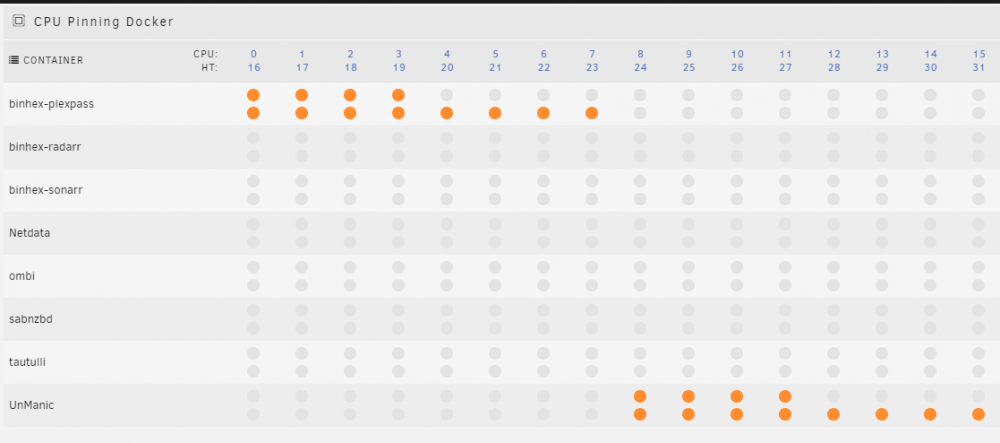
Ok... So I've pinned some CPUs and threads.... See photo. I've done the same for Plex, and I've removed my TV library from unmanic as the results have turned rather a poor quality video file. (probably because I've done something wrong) Is there a way to tell unmanic to convert files that are larger than, say... 5GB? Some of my TV shoes are already only 1 to 2 GB in size, per episode, which is fine. I'd prefer the higher quality for TV shows. For movies though, a 56GB file encoded using this tool should still look and sound great - i hope... Appreciate any feedback
-
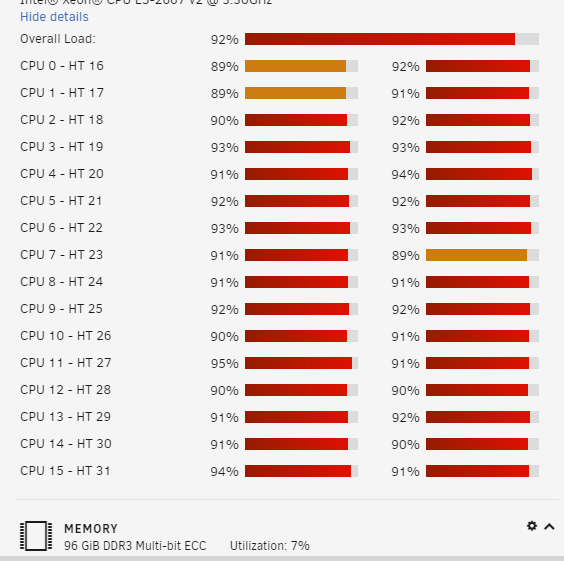
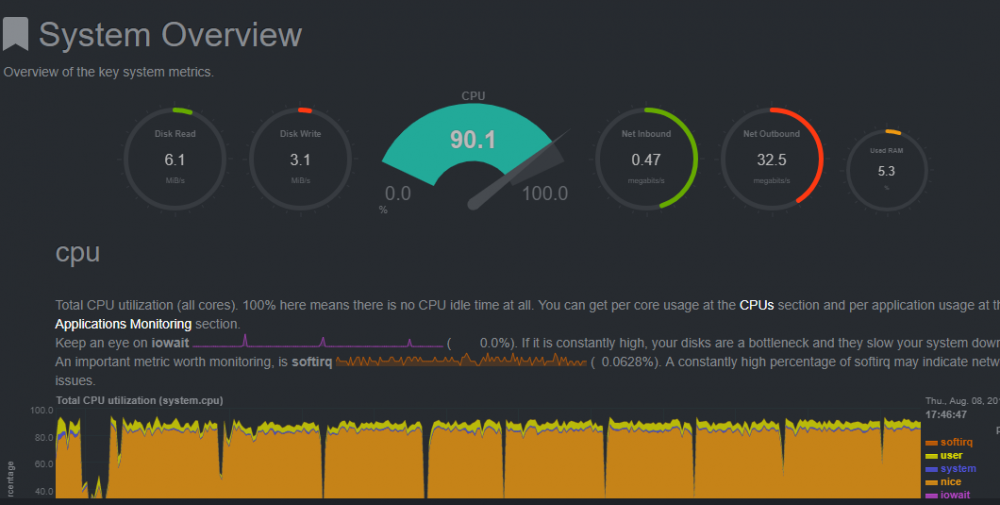
Ok... So I reconfigured with the suggestions from above... found the images and created the container correctly. At first it seemed nothing happened, but then I heard my server from upstairs.... See attached images.... How can I schedule this to not run 24/7 I'm afraid my server is going to burn up... lol It is working great though!
-
This tool sounds fantastic... however I seem to not know enough about my unRaid and dockers set up to know how to get this working properly. Is there, besides the initial steps in the beginning of this thread, a walk through set up, specifically for the dependencies for this to run, which I think I am having an issue with. I can access the web gui for your container, but nothing is happening. If anyone can point me int he right direction I'd appreciate it very much.

