unixdork
Members
-
Joined
-
Last visited
-
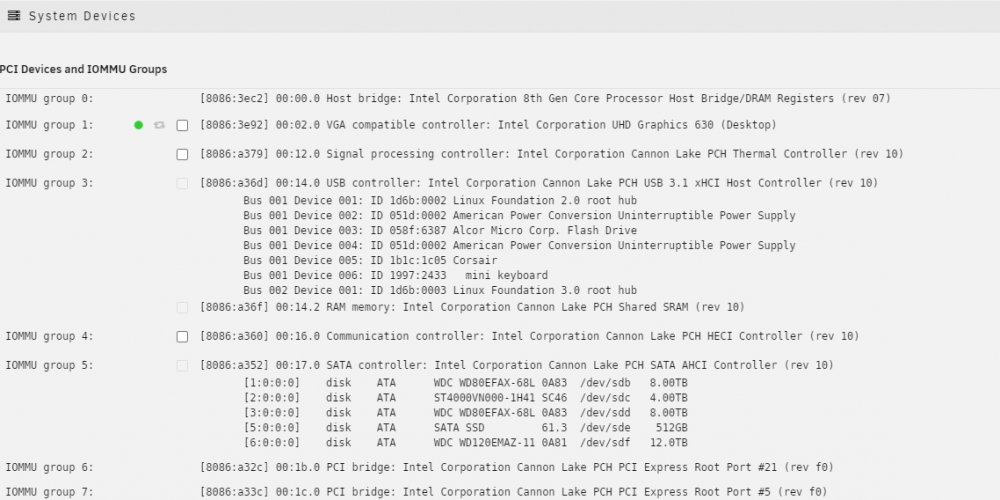
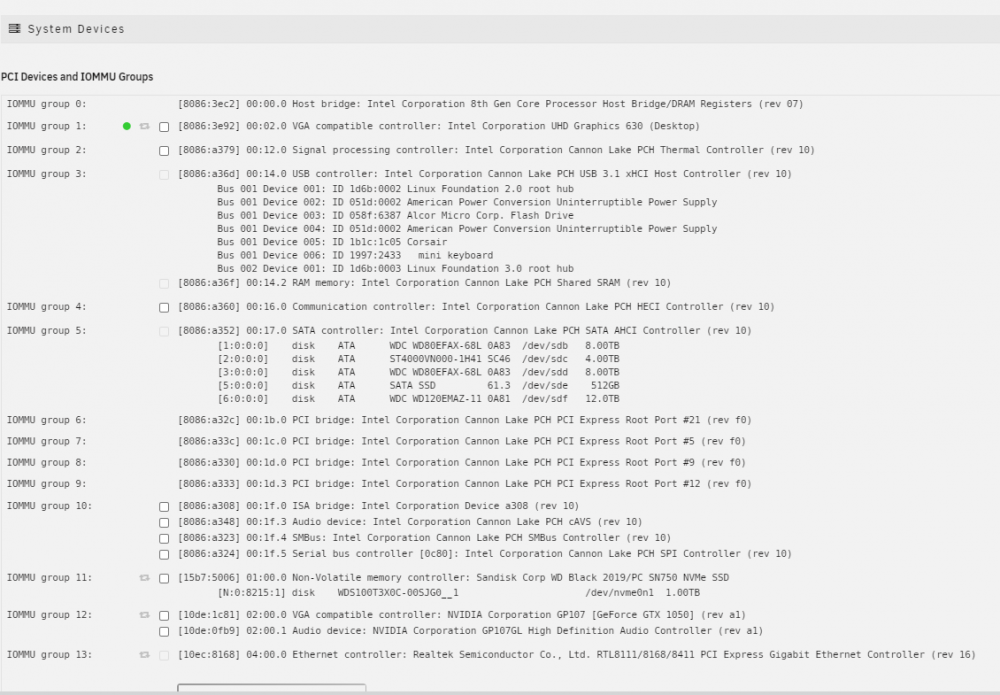
Finally solved my problem! My Nvidia card somehow got assigned to one of my Windows 10 virtual machines. I have no idea how that happened as I don't remember ever doing that. Anyway, hardware transcoding now works. I am going to assign my onboard Intel GPU to the Windows 10 VM. Thank you for the help.
-
I do have PiHole running, although it has been disabled a few times when I tried with the same result. I do get the empty page you mentioned. I can look elsewhere on my network and see if it is getting blocked. I didn't give the network a thought while troubleshooting. I am also going to look into the Intel iGPU and see how to enable that. I was just going down the Nvidia path because I have the card installed and that's how I did it in the past.
-
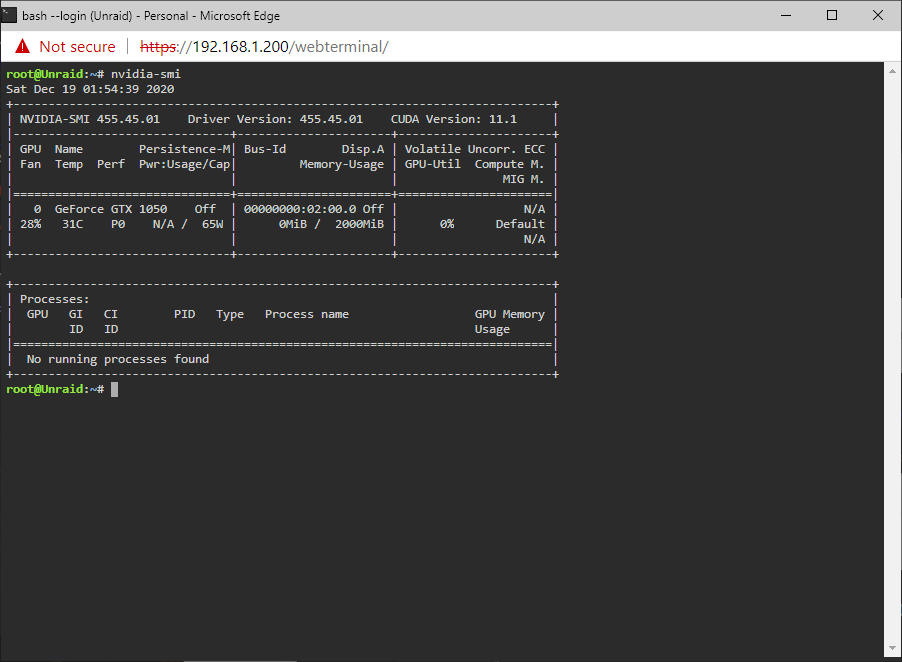
I cannot get the driver to work on 6.9RC1. I had the linuxserver driver working on 6.83. I removed that driver and then upgraded to 6.9RC1 following the instructions at the beginning of this thread to install the Nvidia plugin. The screenshot below shows that I have the plugin installed. I get nothing when I click on the Nvidia driver as seen below; Here is the output of nvidia-smi. It took it about 10 minutes to run, but eventually gave the information below; I tried some of the suggestions in this thread such as reseating the card and making sure that was not bound with VFIO. I also rebooted multiple times in addition to disabling Docker. Any other suggestions? best regards, Rob