pixelgraft
Members
-
Joined
-
Last visited
-
When attempting to connect to my minecraft server (local IP:25565), minecraft does not see the server and I get connection refused. Steps I did: Installed AMP docker and did the MAC address entry per the instructions on the main page of this support thread Entered AMP license and updated the credentials (password) in the container Started the container and then accessed AMP Web UI Created a minecraft instance, setting the version to 1.19.2 Java and memory: 4096 memory limit, Java Version JAVA 17 (openjdk) )[system default] On the Status tab, did "Update" and then Started the sever Console shows server starting just fine and has no issues out of the gate - but about a minute after I start the server, I get the below. Unknown or incomplete command, see below for error tps<--[HERE] Starting up the minecraft launcher, then going into multiplayer tab, I added the server directly [localIP:port] and immediately see "can't connect to server" Before I used AMP, I tried another docker for minecraft and that worked fine, so this must be something with AMP somewhere that I can't figure out?
-
Completely understand - thank you for the detailed reply. I used to have this feature, but now my ISP Comcast locked that down in the router and forces me to use their silly web interface in the customer portal. I can only setup the "to" port. No longer a from and to. I'll reach out to them.
-
Having issues connecting to FTP via filezilla or other apps (like iOS FTP photo transfer). I'm using NoIP on my raid box and have a DDNS setup. I've confirmed that my ddns address is resolving into my router. Also confirmed that port 21 is open on my WAN using a port check tool. Someone mentioned in a previous post about not opening port 21, but rather opening a different port, than re-directing that to port 21 on my raid. If I open port xxxx on my router, how do I then specify that I want those requests going to port 21 on my unraid box? Validated via command line on my local machine that the FTP daemon is running by doing ftp 192.xxx.xx.xxx to check that FTP is running on my raid box. I can login with the specified ftpuser name and password and received a code 230 from command line that I was able to get in. My syslog / diagnostics is attached. Thanks in advance for any help! Reason I use FTP is via an iOS app (mebiaFTP) to transfer all media files from our phones into the unraid media library. unraid-diagnostics-20200614-1453.zip
-
Just installed this and it works great on 6.0.1 as well. Maybe I'm not understanding how this all works yet, but can someone tell me where all of the the .conf files exist, such as the httpd.conf, mod_php.conf, httpd-vhosts.conf? Do I just manually create these and place them in my "config" folder?
-
SlrG, Thanks for the help. I can post a SyLog, but I'd rather just revert back to 6.01. I initially did the upgrade from V5.x to V6.01, but then did the "auto upgrade" within the web GUI once I saw that limetech had an update available.
-
Hi all, I'm having an issue with the proftpd service not starting even though I have said "yes" in the settings and started / enabled the plugin. I just installed the PLG that is linked in the in the first post from github by using the "install plugin" in unRAID 6.01. I've created a new ftpuser as well. Other services on my box are working fine and port forwarding as needed (no-ip, air video, Apache, Maria db, owncloud). I just can't get the ftp service to start. Any tricks I can do to see what's up? Any help is appreciated.
-
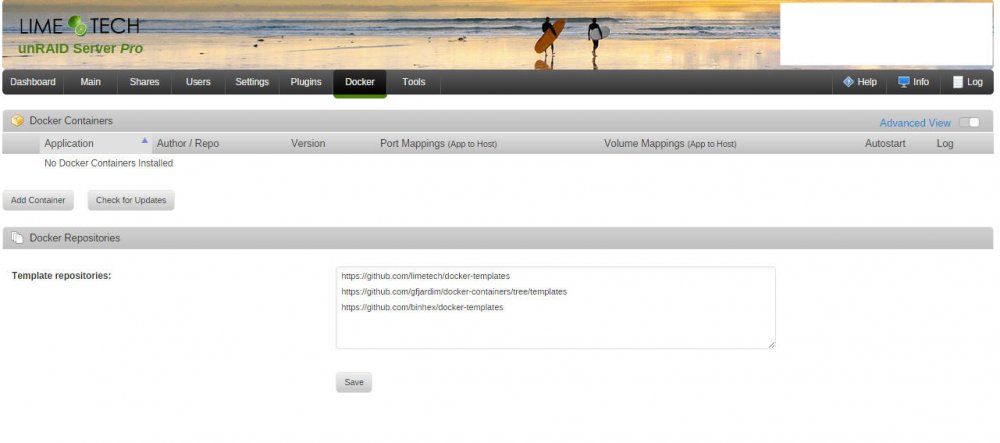
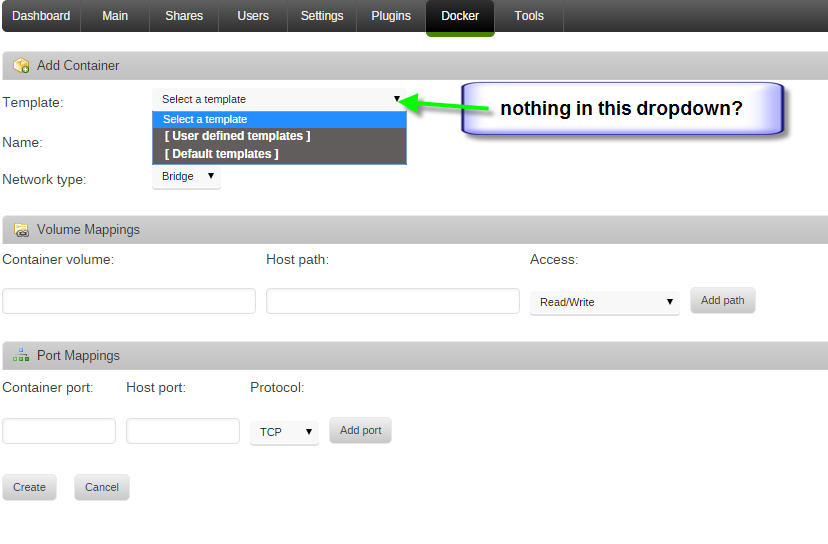
Just upgraded to 6.0.1, and the only issue I have so far is that I can't choose a template when adding new docker container. See attached screenshots, what am I doing wrong?